
1. Introduction
This manual provides comprehensive instructions for the assembly, operation, and maintenance of your COMHOMA Vanity Desk with Lighted Mirror and Power Outlet, Model B1004. Please read this manual thoroughly before beginning assembly or use to ensure proper function and safety. Keep this manual for future reference.
2. Safety Information
General safety warnings apply, including handling sharp edges, proper assembly, and weight limits. Ensure all components are securely fastened before use. Do not overload shelves or drawers. Keep electrical components away from water. Always unplug the unit before cleaning or maintenance.
3. Package Contents
Before assembly, verify that all parts listed below are present and undamaged. If any parts are missing or damaged, please contact customer support.
- Vanity Desk Panels (various sizes)
- Lighted Mirror Assembly
- RGB LED Light Strip
- Power Outlet Unit (2 AC outlets, 2 USB ports)
- Drawer Slides and Handles
- Hair Dryer Holder
- Assembly Hardware (screws, dowels, cam locks, etc.)
- Instruction Manual
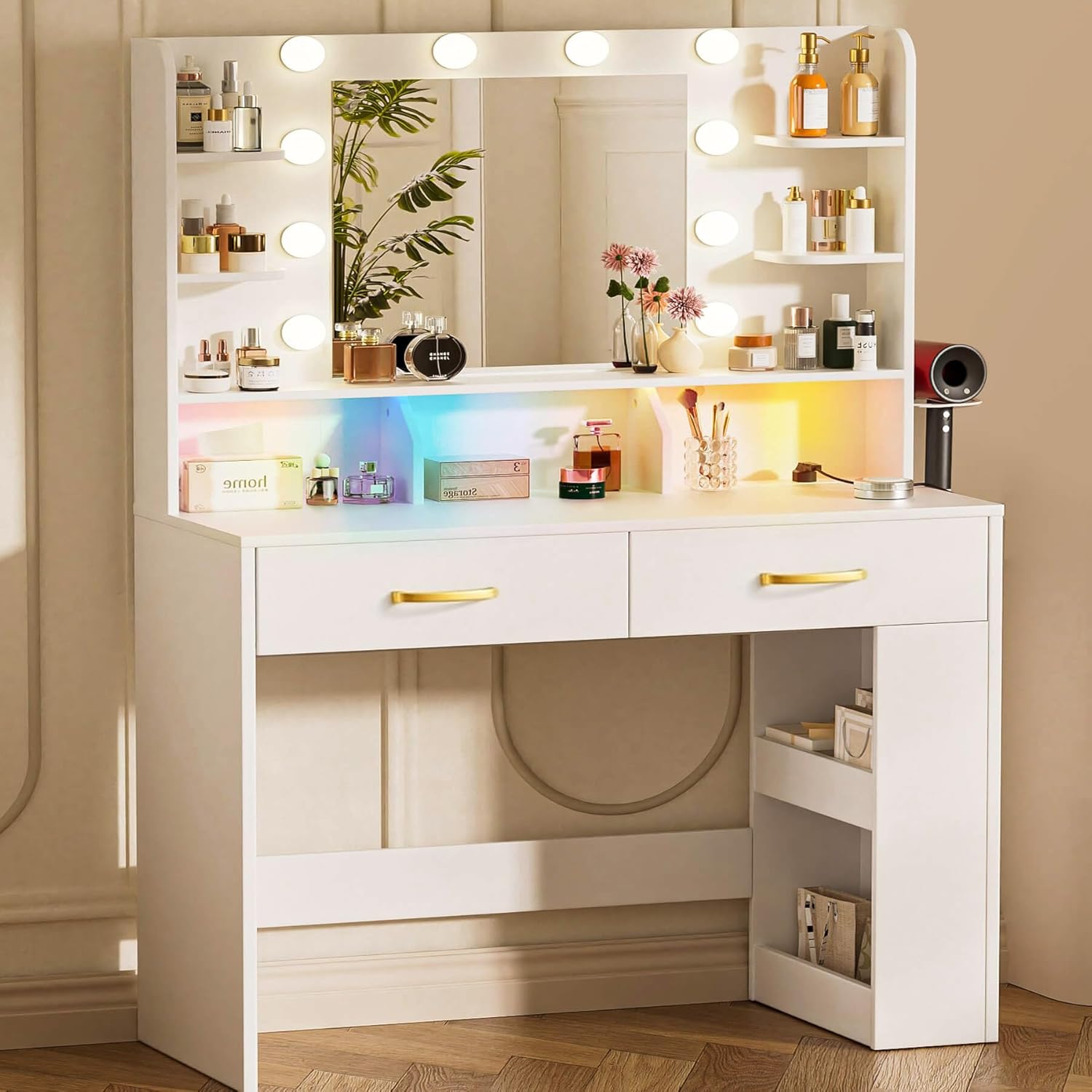
Image: Overview of the COMHOMA Vanity Desk, showing the lighted mirror, shelves, drawers, and power outlet.
4. Setup and Assembly
Follow the step-by-step instructions below for proper assembly. It is recommended to have two people for certain steps. Ensure you have a screwdriver and a clean, flat surface for assembly.
Assembly Video Guide
Video: Detailed assembly instructions for the COMHOMA Vanity Desk. This video demonstrates each step of the construction process, from attaching panels to installing drawers and lights.
Step-by-Step Instructions:
- Prepare Components: Unpack all boxes and identify each part according to the included parts list. Group similar hardware together.
- Assemble Base Frame: Begin by connecting the main side panels and bottom support panels using the provided cam locks and screws. Ensure all connections are tight and stable.
- Install Drawer Slides: Attach the drawer slides to the designated areas on the desk frame using the appropriate screws. Pay attention to the left and right designations (CL, CR, DL, DR).
- Construct Drawers: Assemble the drawer side panels and bottom panels. Once the drawer box is formed, install the drawer handles.
- Attach Top Section: Secure the top section of the vanity, which includes the mirror and shelving units, to the assembled base. Use cam locks and screws to ensure a firm connection.
- Install Shelving: Place the small shelves into their designated slots on either side of the mirror.
- Mount Power Outlet: Install the built-in power outlet unit onto the back panel of the vanity. Ensure it is securely fastened and the power cord is accessible.
- Attach Hair Dryer Holder: Secure the hair dryer holder to the side of the vanity using the provided hardware.
- Install Light Strip: Carefully attach the RGB LED light strip to the designated area on the vanity, typically along the top or bottom of the mirror frame. Connect the light strip to its power source.
- Connect Mirror Lights: Install the string lights around the mirror. Connect the cables according to the wiring diagram provided in the packaging. Ensure all connections are secure.
- Insert Drawers: Carefully slide the assembled drawers onto their respective slides.

Image: The vanity desk highlighting its storage features, including open shelves, cubbies, drawers, and a side cabinet.
5. Operating Instructions
5.1 Lighted Mirror
The mirror features 10 LED bulbs with 3 different color modes: cool white, natural light, and warm yellow. The brightness of each color can be adjusted to suit your needs.
- Changing Color Modes: Tap the power button on the mirror to cycle through cool white, natural light, and warm yellow.
- Adjusting Brightness: Long press the power button to adjust the brightness of the selected light mode. Release when desired brightness is achieved.
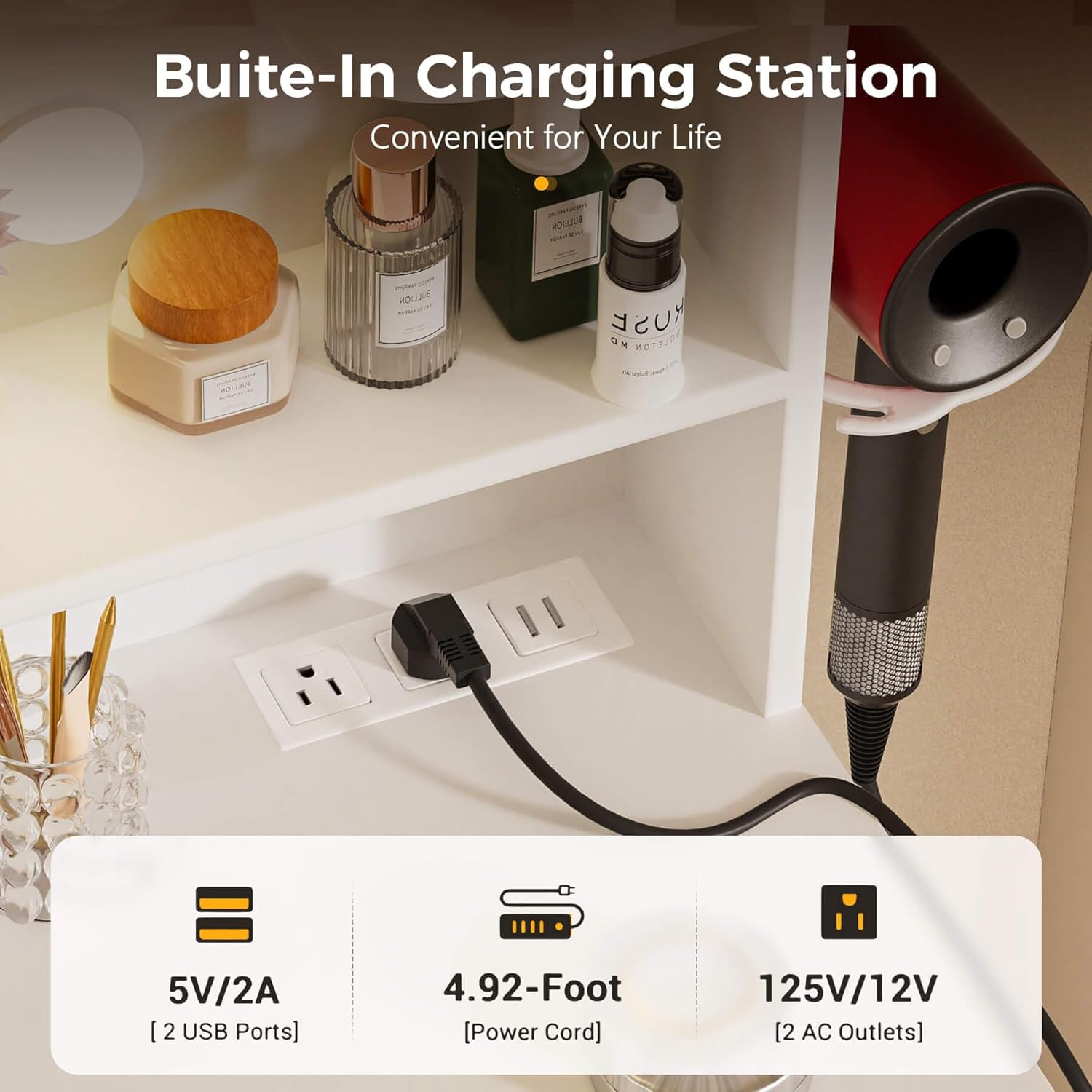
Image: The vanity mirror demonstrating the three adjustable lighting modes: warm yellow, warm white, and cool white, with brightness adjustment.
5.2 RGB LED Lights
The built-in RGB LED light strip offers multiple colors and dynamic modes to create various ambiances. Control the RGB lights using the provided remote control or a compatible app.
- Power On/Off: Use the remote control to turn the RGB lights on or off.
- Change Colors/Modes: Select desired colors or dynamic lighting modes using the remote control.
- Adjust Brightness: Use the brightness adjustment buttons on the remote to increase or decrease the intensity of the RGB lights.

Image: The vanity desk showcasing the RGB LED lights with a remote control, illustrating dynamic modes, multiple colors, and brightness adjustment.
5.3 Built-in Charging Station
The vanity desk is equipped with 2 standard plug sockets and 2 USB ports, allowing convenient charging and power for electronic devices.
- AC Outlets: Plug in hair dryers, curling irons, or other AC-powered devices.
- USB Ports: Connect and charge mobile phones, tablets, or other USB-powered devices.

Image: Close-up of the built-in charging station on the vanity desk, showing two AC outlets and two USB ports.
5.4 Storage Features
The vanity desk offers ample storage solutions to keep your beauty supplies organized.
- Under-table Side Cabinet: Provides discreet storage for larger items.
- Drawers: Two large drawers offer enclosed storage for cosmetics and accessories.
- Open Shelves & Cubbies: Four open shelves and three cubbies provide easy access and display space for frequently used items like spray bottles, lipsticks, lotions, and makeup brushes.
6. Maintenance
- Cleaning Surfaces: Wipe down all surfaces with a soft, damp cloth. Avoid abrasive cleaners that may damage the finish.
- Mirror Care: Use a glass cleaner specifically designed for mirrors. Spray onto a cloth, then wipe the mirror to avoid streaks.
- Drawer Slides: Periodically check drawer slides for smooth operation. If they become stiff, apply a small amount of silicone lubricant.
- Electrical Components: Ensure all electrical connections are dry and free from dust. Do not attempt to repair electrical components yourself.
- Tighten Hardware: Regularly check and tighten all screws and fasteners to maintain stability.
7. Troubleshooting
| Problem | Possible Cause | Solution |
|---|---|---|
| Mirror lights not working | Power cable disconnected, bulb loose, power outlet issue. | Check power connection. Ensure bulbs are screwed in tightly. Test the power outlet with another device. |
| RGB LED strip not lighting up | Power connection loose, remote control battery dead, strip damaged. | Verify power connection to the strip. Replace remote control battery. Contact support if strip is damaged. |
| Drawers are stiff or not sliding smoothly | Misaligned slides, debris in slides, loose screws. | Check alignment of drawer slides. Clean any debris. Tighten screws on slides. |
| Power outlets/USB ports not working | Power strip not plugged in, circuit breaker tripped. | Ensure the vanity's main power cord is plugged into a working wall outlet. Check your home's circuit breaker. |
8. Specifications
| Feature | Detail |
|---|---|
| Brand | COMHOMA |
| Model Number | B1004 |
| Product Dimensions | 15.74"D x 31.5"W x 54.72"H |
| Item Weight | 58 pounds |
| Color | White |
| Frame Material | Wood |
| Assembly Required | Yes |
| Mirror Lights | 10 LED bulbs, 3 color modes (cool white, natural light, warm yellow), adjustable brightness |
| Accent Lighting | RGB LED light strip with multiple colors and dynamic modes |
| Power Outlet | 2 standard AC outlets, 2 USB ports (5V/2A) |

Image: Diagram illustrating the detailed dimensions of the COMHOMA Vanity Desk.
9. Warranty and Support
For warranty information or technical support, please refer to the contact details provided in your product packaging or visit the official COMHOMA website. Keep your purchase receipt for warranty claims.
