1. Introduction
Thank you for choosing the VEKOOTO WX9 4K Wireless Backup Camera System. This system is designed to enhance your driving safety by providing clear, real-time views around your vehicle. Featuring a 9-inch HD quad-split monitor and 1080P waterproof cameras with digital wireless signal, it is ideal for RVs, trucks, trailers, and campers. Please read this manual thoroughly before installation and operation to ensure proper use and optimal performance.
2. Package Contents
Please verify that all components listed below are included in your package. If any items are missing or damaged, contact customer support.

Image: A visual representation of all components included in the VEKOOTO WX9 4K Wireless Backup Camera System package. This includes the 9-inch monitor, two side cameras, two front/rear cameras, five antennas, an installation kit, a sun visor, a U-shaped bracket, a suction cup bracket, a 32GB SD card, a car charger, five power cables, a pigtail wire, and a Furrion bracket.
- 9-inch Monitor (x1)
- Side Camera (x2)
- Front & Rear Camera (x2)
- Antenna (x5)
- Installation Kit (x1)
- Sun Visor (x1)
- U-Shaped Bracket (x1)
- Suction Cup Bracket (x1)
- 32GB SD Card (x1)
- Car Charger (x1)
- Power Cable (x5)
- Pigtail Wire (x1)
- Furrion Bracket (x1)
3. Product Features
- 4K Wireless System: Provides high-definition video transmission for clear images.
- 9-inch HD Quad Split Monitor: Allows simultaneous viewing of up to four camera feeds.
- 1080P Side & Rear View Cameras: High-resolution cameras for detailed views.
- Loop Recording Function: Continuously records footage, overwriting older files automatically.
- IP69 Waterproof & IR Night Vision: Ensures reliable performance in various weather conditions and low-light environments.
- 2.4GHz Anti-interference Digital Signal: Provides a stable and reliable wireless connection up to 328ft.

Image: The VEKOOTO WX9 system showing the 9-inch monitor displaying a quad-split view from four cameras, along with the four wireless cameras. This illustrates the comprehensive coverage provided by the system for various vehicles like RVs, trucks, and buses.

Image: A diagram illustrating the 4-channel wireless camera system providing 360-degree coverage around a vehicle towing a trailer. It shows the placement of cameras for left side, right side, rear, and towing/front views, all connected to the central monitor.

Image: This image highlights the 2.4GHz anti-interference digital wireless signal, showing a stable connection between the monitor and cameras over a signal range of 328ft. It also indicates compatibility with various vehicles such as trucks, buses, campers, pickups, RVs, and trailers.

Image: A close-up of the 1080P HD 9-inch monitor, featuring a sunshade to reduce glare. The screen displays a clear road view, emphasizing the sharp image quality and improved visibility.
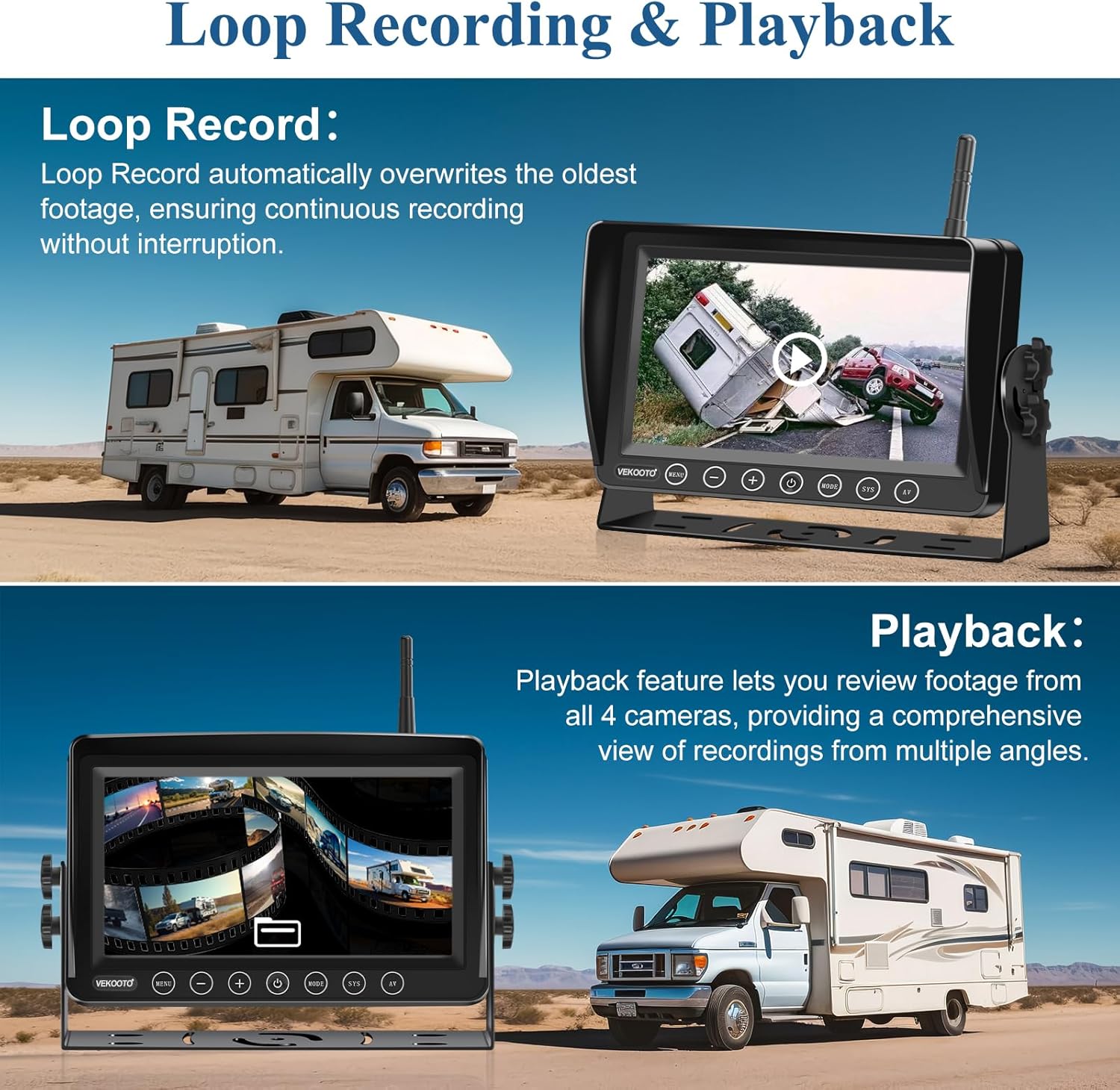
Image: This image demonstrates the loop recording and playback features. The top panel shows the monitor recording, with text explaining that loop record overwrites old footage. The bottom panel shows the monitor in playback mode, indicating the ability to review footage from all four cameras.

Image: This image illustrates the IP69 waterproof rating and IR night vision capabilities. The top section shows a split view of a vehicle in daylight and nighttime, demonstrating clear visibility in both conditions. The bottom section shows the cameras being splashed with water, highlighting their waterproof design.
4. Setup & Installation
4.1 Monitor Installation
- Choose Location: Select a suitable location on your dashboard or windshield that does not obstruct your view or interfere with airbags.
- Attach Bracket: Secure the U-shaped bracket or suction cup bracket to the monitor.
- Mount Monitor: Mount the monitor securely using the chosen bracket. Ensure it is stable and adjustable for optimal viewing angle.
- Connect Power: Plug the car charger into your vehicle's cigarette lighter socket and connect it to the monitor's power input.
- Attach Antenna: Screw one of the provided antennas onto the monitor's antenna port.
4.2 Camera Installation
The system includes two side cameras and two front/rear cameras. Determine the best placement for each camera based on your vehicle type and desired viewing angles.
- Side Cameras: Mount one side camera on each side of your vehicle, typically near the mirrors or along the side panels, to cover blind spots.
- Rear Camera: Mount one camera at the rear of your vehicle (e.g., license plate area, bumper, or roof) for backup assistance. The Furrion bracket can be used for RVs with pre-wired Furrion mounts.
- Front/Towing Camera: The remaining camera can be used for a front view or to monitor a towed vehicle/trailer.
- Secure Mounting: Use the provided installation kit (screws, brackets) to securely attach each camera. Ensure the camera lens is clean and unobstructed.
- Connect Power: Connect each camera to a 12-24V DC power source. This can be done by tapping into reverse lights (for rear camera), running lights, or a dedicated power supply. Ensure proper wiring to avoid short circuits.
- Attach Antennas: Screw an antenna onto each camera's antenna port.
Note: For optimal wireless signal, ensure antennas are securely attached and positioned for minimal obstruction. Test the system before finalizing all wiring and mounting.
5. Operating Instructions
5.1 Monitor Controls
The monitor features several buttons for navigation and control:
- MENU: Access the main menu for settings adjustments.
- -: Decrease value or navigate left/down in menus.
- +: Increase value or navigate right/up in menus.
- Power Button: Turn the monitor on/off.
- MODE: Cycle through different display modes (single camera, dual split, quad split).
- SYS: System settings or pairing function.
- AV: Switch between video inputs (if applicable).
5.2 Basic Operation
- Power On: Once connected to power, the monitor should automatically turn on when the vehicle ignition is on. Press the Power button if it does not.
- Camera Pairing: The cameras are typically pre-paired. If a camera does not display, go to the SYS menu and follow the instructions to pair the specific camera channel.
- Viewing Modes: Press the MODE button to cycle through single camera views, dual-split views, and quad-split views.
- Recording: The system automatically begins loop recording to the inserted 32GB SD card once powered on. Ensure the SD card is properly inserted.
- Playback: Access the playback function through the MENU to review recorded footage. Use the + and - buttons to navigate through recordings.
- Settings Adjustment: Use the MENU button to adjust brightness, contrast, color, mirror/flip image, recording settings, and other system preferences.
6. Maintenance
- Cleaning: Regularly clean the monitor screen and camera lenses with a soft, damp cloth. Avoid abrasive cleaners or solvents.
- Cable Inspection: Periodically check all power cables and connections for wear, damage, or loose contacts.
- Antenna Check: Ensure all antennas are securely fastened to both the monitor and cameras for optimal signal strength.
- SD Card Management: Format the SD card periodically (e.g., monthly) through the monitor's menu to maintain optimal recording performance and prevent data corruption.
- Storage: If storing the vehicle for an extended period, consider disconnecting the system or removing the monitor to protect it from extreme temperatures.
7. Troubleshooting
| Problem | Possible Cause | Solution |
|---|---|---|
| No image on monitor |
|
|
| Flickering or distorted image |
|
|
| Recording not working |
|
|
| Night vision unclear |
|
|
8. Specifications
| Feature | Detail |
|---|---|
| Model Number | WX9 |
| Monitor Screen Size | 9 Inches |
| Display Technology | LED |
| Camera Resolution | 1080P |
| Optical Sensor Technology | Infrared CCD CMOS |
| Lens Type | Wide Angle |
| Real Angle of View | 120 Degrees |
| Connector Type | Wireless (2.4GHz Digital Signal) |
| Waterproof Rating | IP69 |
| Recording | Loop Recording (supports 32GB SD card) |
| Power Input | 12-24V DC |
| Product Dimensions | 10 x 2 x 7 inches (Monitor) |
| Item Weight | 6.69 pounds (Total System) |
9. Warranty & Support
VEKOOTO products are designed for reliability and performance. This product comes with a standard manufacturer's warranty against defects in materials and workmanship. For specific warranty terms, technical support, or assistance with installation and troubleshooting, please refer to the contact information provided with your purchase or visit the official VEKOOTO website.
Please retain your proof of purchase for warranty claims.


