
1. Introduction
Thank you for choosing the Oransi AirMend 200HB Air Purifier. This manual provides essential information for the safe and efficient operation, maintenance, and troubleshooting of your new air purifier. Please read it thoroughly before use and retain it for future reference.

Image 1.1: The Oransi AirMend 200HB Air Purifier, showcasing its compact and modern design.
Product Overview
The Oransi AirMend 200HB is a high-efficiency air purifier designed to improve indoor air quality by removing various airborne pollutants. It features a robust filtration system and user-friendly controls, making it suitable for medium-sized rooms.

Image 1.2: Illustration detailing the health benefits of the Oransi AirMend 200HB, including removal of pollen, pet dander, dust, mold spores, smoke particles, and virus particles.
This air purifier is designed, engineered, and responsibly assembled in the USA, ensuring quality and reliability.
2. Important Safety Information
To reduce the risk of fire, electric shock, or injury, please read and follow all instructions and warnings before using this appliance.
- Always unplug the air purifier before moving, cleaning, or performing any maintenance.
- Do not operate the unit with a damaged cord or plug. If the cord or plug is damaged, contact customer support.
- Keep the power cord away from heated surfaces.
- Do not use the air purifier in wet or damp environments, such as bathrooms or laundry rooms.
- Do not insert fingers or foreign objects into any openings.
- Ensure the air intake and exhaust vents are not blocked.
- This appliance is not intended for use by persons (including children) with reduced physical, sensory, or mental capabilities, or lack of experience and knowledge, unless they have been given supervision or instruction concerning use of the appliance by a person responsible for their safety.
- Dispose of used filters according to local regulations.
3. Package Contents
Carefully unpack your Oransi AirMend 200HB Air Purifier and check that all items are present and in good condition. If any items are missing or damaged, please contact Oransi customer support.
- Oransi AirMend 200HB Air Purifier Unit
- Pre-installed Filter (HEPA + Activated Carbon)
- Power Cord
- Remote Control
- User Manual (this document)
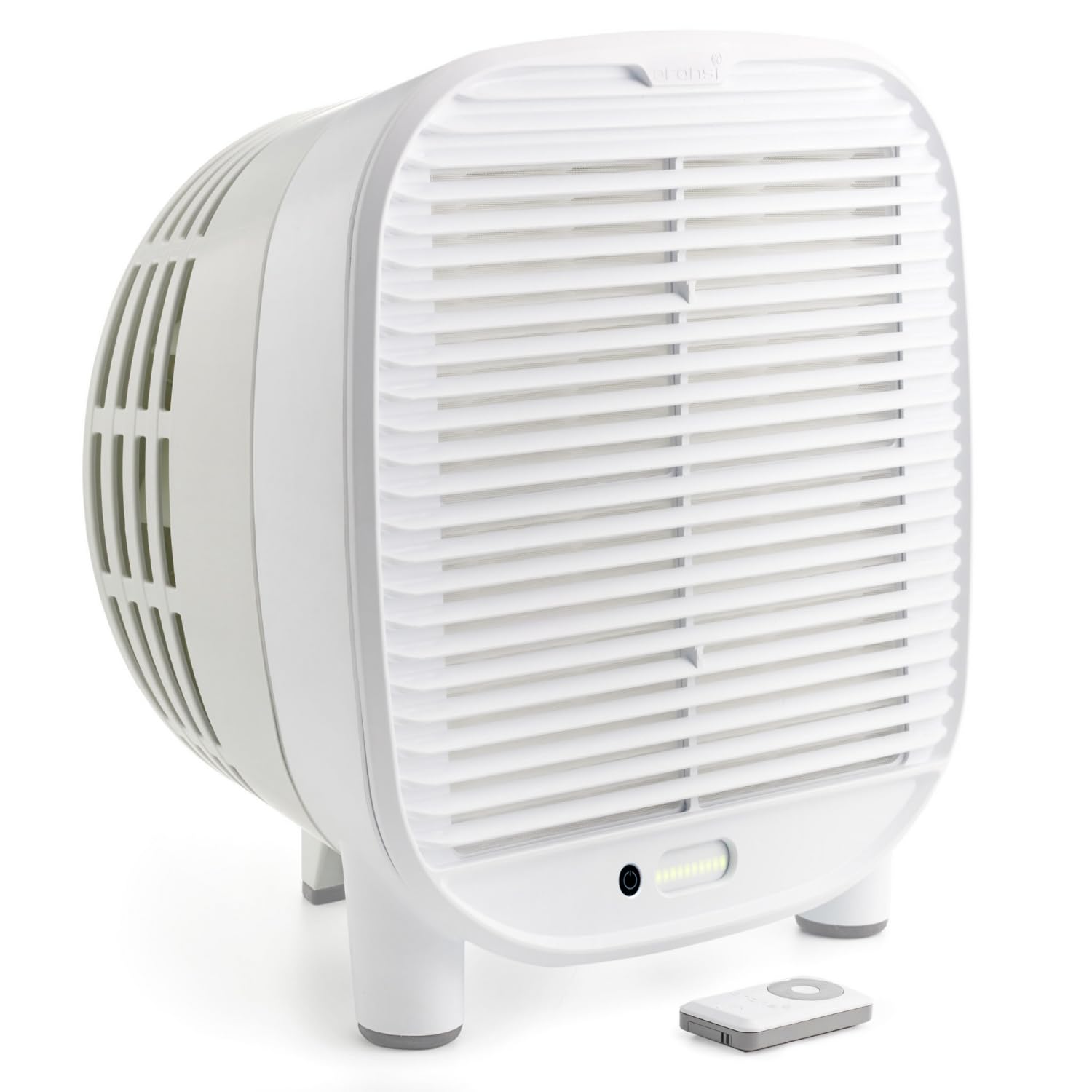
Image 3.1: The Oransi AirMend 200HB Air Purifier shown with its filter removed, illustrating the filter's appearance.
4. Setup
Follow these steps to set up your air purifier for first-time use.
- Unpack the Unit: Remove the air purifier from its packaging.
- Remove Filter Packaging: The filter is pre-installed but may be wrapped in protective plastic. Open the filter compartment (refer to the Maintenance section for instructions on accessing the filter) and remove any plastic packaging from the filter. Reinsert the filter securely.
- Position the Air Purifier: Place the unit on a firm, level surface. Ensure there is at least 6 inches (15 cm) of clear space around all sides for optimal airflow. Do not place it directly against a wall or under furniture that obstructs airflow.
- Connect Power: Plug the power cord into the air purifier and then into a standard electrical outlet.

Image 4.1: The Oransi AirMend 200HB Air Purifier positioned on a table, demonstrating proper placement with clear space around it.
5. Operating Instructions
The Oransi AirMend 200HB is designed for simple operation without the need for complex apps or Wi-Fi connections.

Image 5.1: A visual comparison highlighting the simplicity of setting up the Oransi AirMend 200HB: simply plug it in. In contrast, typical air purifiers often require multiple steps involving apps, accounts, Wi-Fi, and troubleshooting.
Control Panel
The control panel is located on the top of the unit. It includes buttons for power, fan speed, and other functions. Refer to the diagram below for specific button locations (Note: Diagram not available, refer to product for exact layout).
Remote Control
The included remote control allows you to operate the air purifier from a distance. Ensure the remote has working batteries (Note: Battery type not specified, check remote for details).
Functions
- Power On/Off: Press the power button once to turn the unit on, and again to turn it off.
- Fan Speed: Cycle through available fan speeds (e.g., Low, Medium, High, Turbo) by pressing the fan speed button. Higher speeds provide faster air purification.
- Sleep Mode: Activates a quiet operation mode and dims/turns off LED lights for undisturbed sleep. Press the sleep mode button to activate/deactivate.
- Timer: Set the air purifier to operate for a specific duration (e.g., 2, 4, 8 hours) before automatically turning off. Press the timer button to cycle through options.
- Filter Reset Indicator: An indicator light will illuminate when it's time to replace the filter. After replacing the filter, press and hold the filter reset button for 3-5 seconds to reset the timer.
6. Maintenance
Regular maintenance ensures optimal performance and extends the lifespan of your air purifier.
Filter Replacement
The high-efficiency filter in your Oransi AirMend 200HB typically lasts up to 12 months with continuous use. The filter indicator light on the control panel will signal when replacement is needed.
- Power Off and Unplug: Always turn off and unplug the air purifier before replacing the filter.
- Access Filter Compartment: Locate the filter access panel, usually on the back or side of the unit. Open it according to the unit's design (e.g., by sliding a latch or removing a cover).
- Remove Old Filter: Carefully pull out the used filter. Dispose of it in a waste bin.
- Insert New Filter: Remove the new filter from its protective packaging. Insert it into the compartment, ensuring it is seated correctly.
- Close Compartment: Securely close the filter access panel.
- Reset Filter Indicator: Plug in the air purifier and turn it on. Press and hold the filter reset button on the control panel for 3-5 seconds until the indicator light turns off.
Cleaning the Exterior
- Wipe the exterior of the air purifier with a soft, dry cloth.
- Do not use abrasive cleaners, waxes, or solvents.
- Do not allow water to enter the unit.
7. Troubleshooting
If you encounter issues with your air purifier, refer to the following table for common problems and solutions.
| Problem | Possible Cause | Solution |
|---|---|---|
| Unit does not turn on | No power supply Power cord not properly connected | Check if the unit is plugged into a working outlet. Ensure the power cord is securely connected to both the unit and the outlet. |
| Airflow is weak or noisy | Filter is dirty or clogged Air intake/exhaust blocked | Replace the filter. Ensure there is clear space around the air intake and exhaust vents. |
| Filter indicator light remains on after replacement | Filter reset not performed | After replacing the filter, press and hold the filter reset button for 3-5 seconds. |
| Remote control not working | Dead batteries Obstruction between remote and unit | Replace batteries in the remote control. Ensure a clear line of sight between the remote and the unit's sensor. |
If the problem persists after trying these solutions, please contact Oransi customer support.
8. Specifications
| Feature | Detail |
|---|---|
| Model Number | AMD-200HB |
| Product Dimensions (D x W x H) | 8.35" x 12.9" x 14" |
| Item Weight | 7 Pounds |
| Power Source | AC |
| Filter Type | High-efficiency HEPA + Activated Carbon |
| Filter Lifespan | Up to 12 months (continuous use) |
| CADR (Clean Air Delivery Rate) | 208 (verified) |
| Coverage Area (60 minutes) | 1,560 square feet |
| Coverage Area (30 minutes) | 780 square feet |
| Coverage Area (12.5 minutes) | 322 square feet |

Image 8.1: Graphic illustrating the cleaning power of the Oransi AirMend 200HB, showing square footage cleaned over various timeframes based on its CADR.

Image 8.2: Visual representation of the Oransi AirMend 200HB's compliance with industry standards, featuring logos for AHAM Verifide and California Air Resources Board.
9. Warranty and Customer Support
Oransi stands behind the quality of its products. For warranty information, please refer to the warranty card included with your purchase or visit the official Oransi website. For technical assistance, replacement parts, or general inquiries, please contact Oransi customer support:
- Website: www.oransi.com
- Email: Refer to website for contact form or email address.
- Phone: Refer to website for phone number.
Please have your model number (AMD-200HB) and purchase date available when contacting support.


