
1. Introduction
The Luminous Edge GO P1000 is a portable power station designed to provide reliable power for various applications, including home backup, outdoor activities, and professional use. It features an 800W output capacity and a 576 Wh LiFePO4 battery, ensuring stable and efficient power delivery for a wide range of devices.
This manual provides essential information for the safe and effective operation, maintenance, and troubleshooting of your Luminous Edge GO P1000 Portable Power Station. Please read it thoroughly before use and retain it for future reference.

Figure 1: Luminous Edge GO P1000 Portable Power Station overview.
2. Product Features
- 800W Output Capacity: Powers various appliances including laptops, cameras, drones, routers, smartphones, and small home appliances.
- 576 Wh LiFePO4 Battery: Offers extended lifespan, enhanced safety, and high efficiency for stable power.
- Multiple Charging Options: Supports charging via AC outlet and car charger.
- Versatile Output Ports: Equipped with 2 USB-C, 1 USB-A, and 3 AC ports for simultaneous device charging.
- Compact and Portable Design: Weighs 10.8 kg with dimensions of 30.4L x 17.8W x 27.6H Centimeters, featuring an ergonomic handle for easy transport.
- UL 94 V-0 Fire Resistance: Ensures enhanced safety during operation.
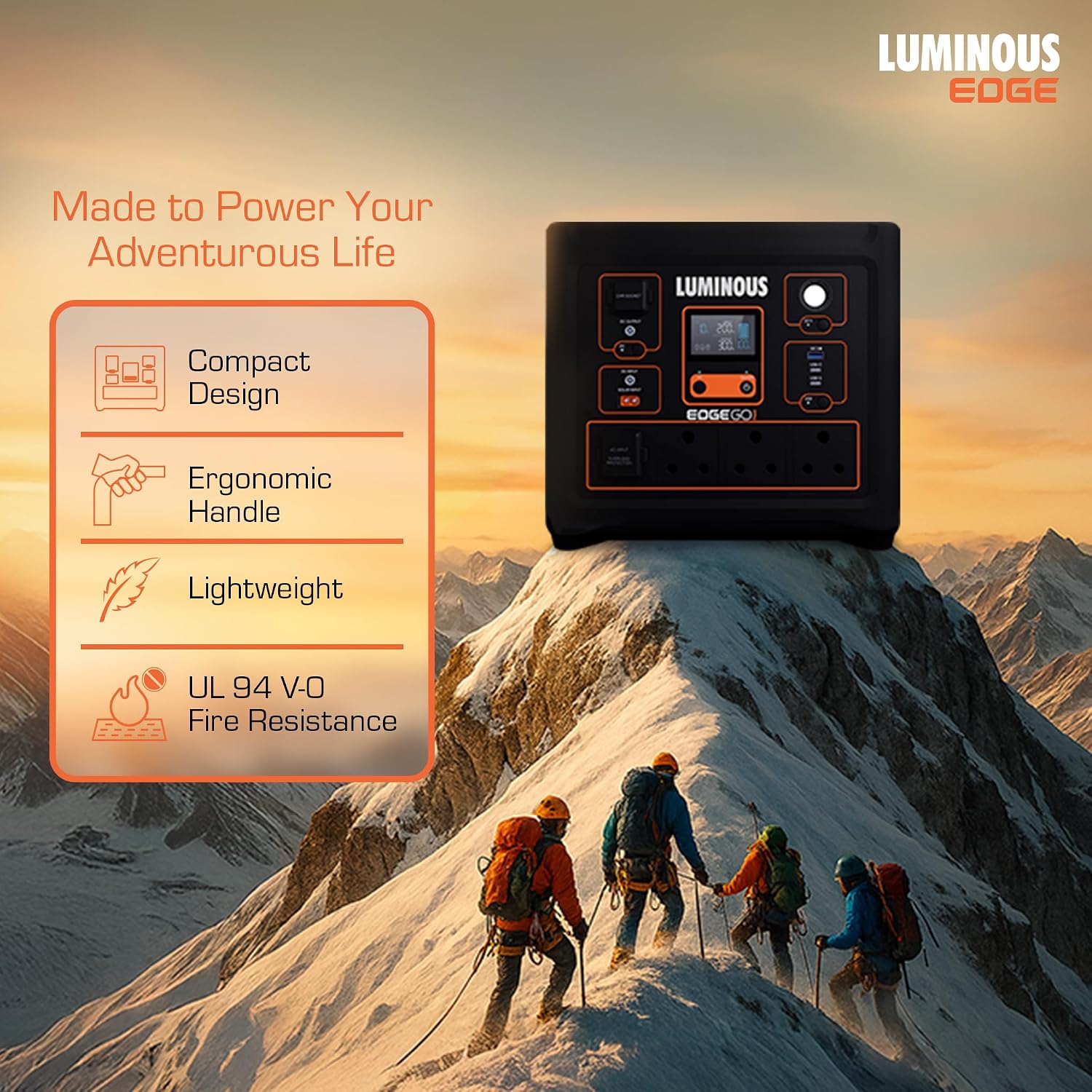
Figure 2: The Luminous Edge GO P1000 features a compact design, ergonomic handle, and UL 94 V-0 fire resistance, making it suitable for adventurous lifestyles.
3. Setup and Initial Use
3.1 Unpacking
Carefully remove the Luminous Edge GO P1000 from its packaging. Verify that all components are present:
- Luminous Edge GO P1000 Portable Power Station
- AC Charging Cable
- User Manual
3.2 Initial Charging
Before first use, fully charge the power station. Connect the AC charging cable to the power station's AC input port and then to a standard wall outlet. The display will indicate the charging status. A full charge typically takes approximately 40-45 minutes.
3.3 Connecting Devices
Once charged, you can connect your devices to the available output ports. Ensure your devices' power requirements do not exceed the P1000's 800W output capacity.

Figure 3: Front panel of the Luminous Edge GO P1000, showing various input and output ports.
4. Operating Instructions
4.1 Powering On/Off
To power on the unit, press and hold the main power button for a few seconds until the display illuminates. To power off, press and hold the main power button again until the display turns off.
4.2 Using Output Ports
- AC Ports: Press the AC power button to activate the AC outlets. Connect your AC-powered devices. Ensure the total wattage does not exceed 800W.
- USB-A/USB-C Ports: These ports are typically active when the unit is on. Connect your USB-compatible devices for charging.
- DC Port/Car Socket: Press the DC power button to activate these outputs. Connect compatible DC devices.
The integrated display provides real-time information on battery level, input/output wattage, and active ports.

Figure 4: The Luminous Edge GO P1000 can power multiple devices simultaneously, such as laptops, fans, and coffee makers, up to 800W total.
5. Maintenance
5.1 Battery Care
The Luminous Edge GO P1000 utilizes LiFePO4 batteries, known for their long lifespan and stability. To maximize battery life:
- Avoid fully discharging the unit frequently. Recharge it when the battery level is low.
- Store the unit in a cool, dry place, away from direct sunlight and extreme temperatures.
- If storing for extended periods, charge the unit to approximately 50-80% every 3-6 months.

Figure 5: The Luminous Edge GO P1000 uses durable LiFePO4 battery technology for extended life and safety.
5.2 Cleaning
Use a soft, dry cloth to clean the exterior of the power station. Do not use liquid cleaners or immerse the unit in water.
6. Troubleshooting
If you encounter issues with your Luminous Edge GO P1000, refer to the following common problems and solutions:
| Problem | Possible Cause | Solution |
|---|---|---|
| Unit does not power on | Battery is fully discharged; Power button not pressed correctly. | Charge the unit using the AC adapter; Press and hold the power button for several seconds. |
| No output from AC ports | AC output not activated; Device exceeds 800W limit; Overload protection triggered. | Press the AC power button; Reduce the connected load; Disconnect devices, turn off AC, then restart. |
| Slow charging speed | Using a low-power charging source; Environmental factors. | Ensure using the provided AC adapter; Charge in a moderate temperature environment. |
| Display not working | Unit is off; Display malfunction. | Power on the unit; If issue persists, contact customer support. |
If the problem persists after attempting these solutions, please contact Luminous customer support.
7. Specifications
| Feature | Detail |
|---|---|
| Model Name | Luminous Edge Go-P1000 |
| Output Wattage | 800W |
| Battery Capacity | 576 Wh (48 Amp Hours) |
| Battery Type | LiFePO4 |
| Electrical Output Waveform | Pure Sine Wave |
| Charging Options | AC outlet, Car charger |
| Output Ports | 2 USB-C, 1 USB-A, 3 AC ports |
| Dimensions (L x W x H) | 30.4L x 17.8W x 27.6H Centimeters |
| Weight | 10.8 Kilograms |
| Color | Black |
| Recommended Uses | Home, Outdoor |
8. Warranty Information
The Luminous Edge GO P1000 Portable Power Station comes with a 5-year warranty as stated in the product description. For detailed terms and conditions regarding the warranty, please refer to the warranty card included with your product or contact Luminous customer support.
Extended warranty options may also be available:
- 1 Year Extended Warranty by Onsitego
- 2 Year Extended Warranty by Onsitego
These extended warranty plans are typically purchased separately and offer additional coverage beyond the standard manufacturer's warranty.
9. Support and Contact Information
For any inquiries, technical assistance, or warranty claims, please contact Luminous customer care:
- Manufacturer: Luminous Power Technologies Private Limited
- Address: Plot No 150, Sector- 44, Gurugram, Haryana -122003
- Phone: 99999 33039
Please have your product model number (Edge Go-P1000) and purchase details ready when contacting support.
