1. Introduction
This manual provides detailed instructions for the safe and effective operation of your HWWR Karaoke Machine T22-T. Please read this manual thoroughly before using the product and retain it for future reference. This portable karaoke system is designed to deliver high-quality audio and entertainment for various occasions.

Figure 1: HWWR Karaoke Machine T22-T
2. Package Contents
Ensure all items listed below are present in your package:
- 1x HWWR Karaoke Speaker
- 2x Wireless Microphones
- 1x USB-C Charging Cable
- 1x AUX Cable
- 1x Shoulder Carrying Strap
- 1x User Manual

Figure 2: Package Contents
3. Product Overview
3.1 Main Unit Features
The HWWR Karaoke Machine T22-T is equipped with dual 3-inch subwoofers and dual 3-inch tweeters for powerful 40W HiFi sound (80W peak). It features 12 dynamic LED light modes and multiple connection options.
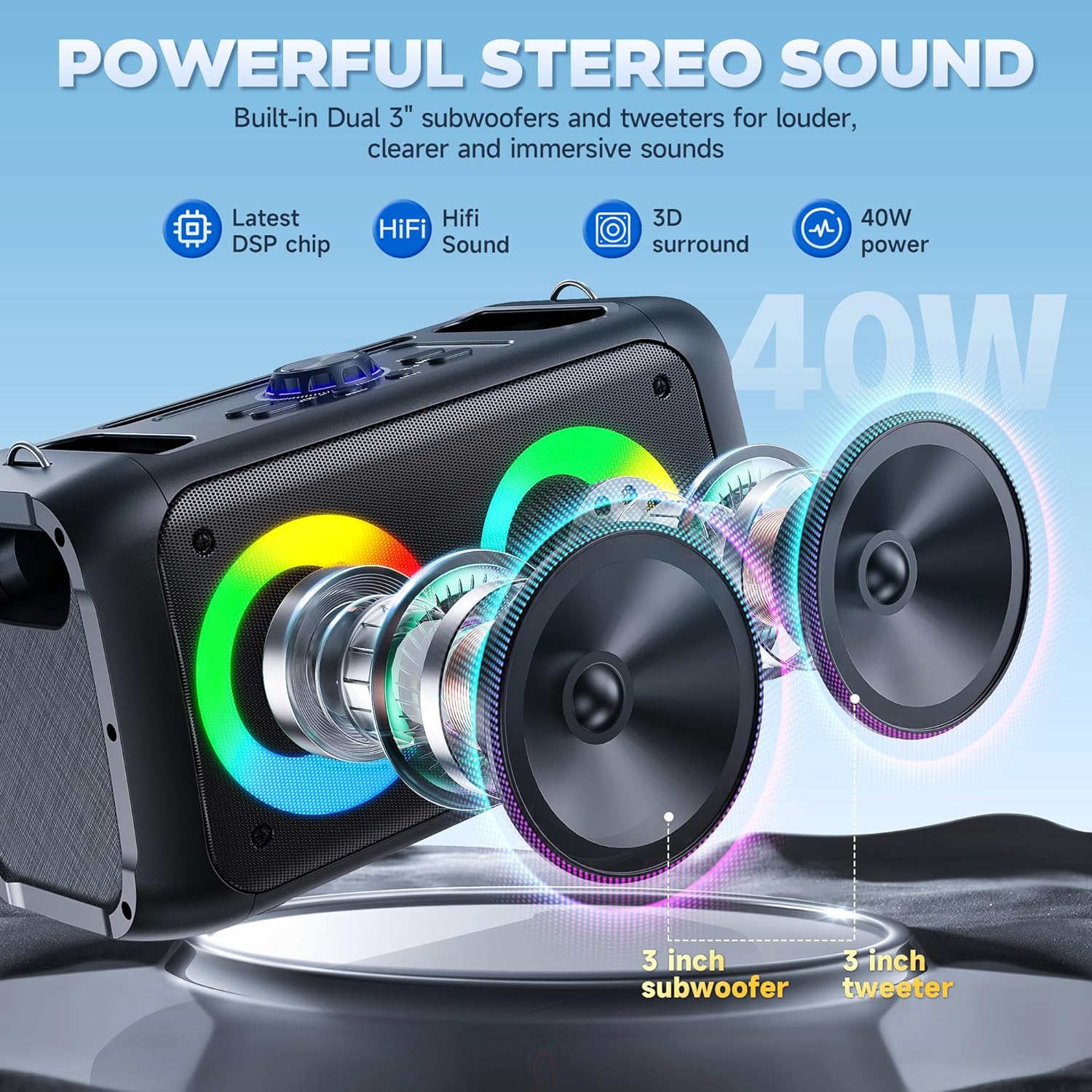
Figure 3: Powerful Stereo Sound
3.2 Control Panel
The top panel of the speaker provides various controls and ports:
- Microphone/Instrument Input: For connecting wired microphones or instruments.
- Mic Vol: Adjusts microphone volume.
- Echo: Adjusts microphone echo effect.
- Master Volume: Controls overall speaker volume.
- DC 5V (Type-C): Charging port for the speaker.
- USB Port: For playing music from USB drives.
- TF Card Slot: For playing music from TF cards.
- AUX Port: For connecting external audio devices via AUX cable.
- LED Button: Cycles through LED light modes.
- Mode/Loop Button: Switches between input modes (Bluetooth, AUX, TF, USB).
- EQ Button: Adjusts equalizer settings.
- REC Button: Records audio.
- M TWS Button: Activates TWS (True Wireless Stereo) pairing.
- Play/Pause, Previous/Next Buttons: Media playback controls.

Figure 4: Control Panel Overview
3.3 Wireless Microphones
The system includes two wireless microphones with individual power buttons and volume controls. They automatically connect to the speaker when powered on.

Figure 5: Dual Wireless Microphones
4. Setup
4.1 Microphone Battery Installation
- Unscrew the microphone base.
- Insert two AA batteries into the microphone, ensuring correct polarity.
- Screw the microphone base back on securely.
- Repeat for the second microphone.

Figure 6: Microphone Battery Installation
4.2 Speaker Power On
Turn the 'Power/Master' knob on the control panel clockwise to power on the speaker. The LED lights will illuminate, and a voice prompt will indicate 'Bluetooth mode'.
Video 1: Easy Setup for T22-T Karaoke Machine (demonstrates power on and Bluetooth mode)
4.3 Bluetooth Pairing
- Ensure your device's Bluetooth is turned on.
- On your device, search for available Bluetooth devices and select 'T22' (or similar model name).
- Confirm pairing if prompted. A voice prompt will announce 'Bluetooth connected' upon successful pairing.
The speaker will automatically reconnect to the last paired device when powered on.
4.4 TWS (True Wireless Stereo) Function
To connect two HWWR T22-T speakers for a stereo experience:
- Ensure both speakers are powered on and in Bluetooth mode.
- Press the 'M TWS' button on one of the speakers. It will search for another speaker.
- Once connected, a voice prompt will confirm TWS pairing.
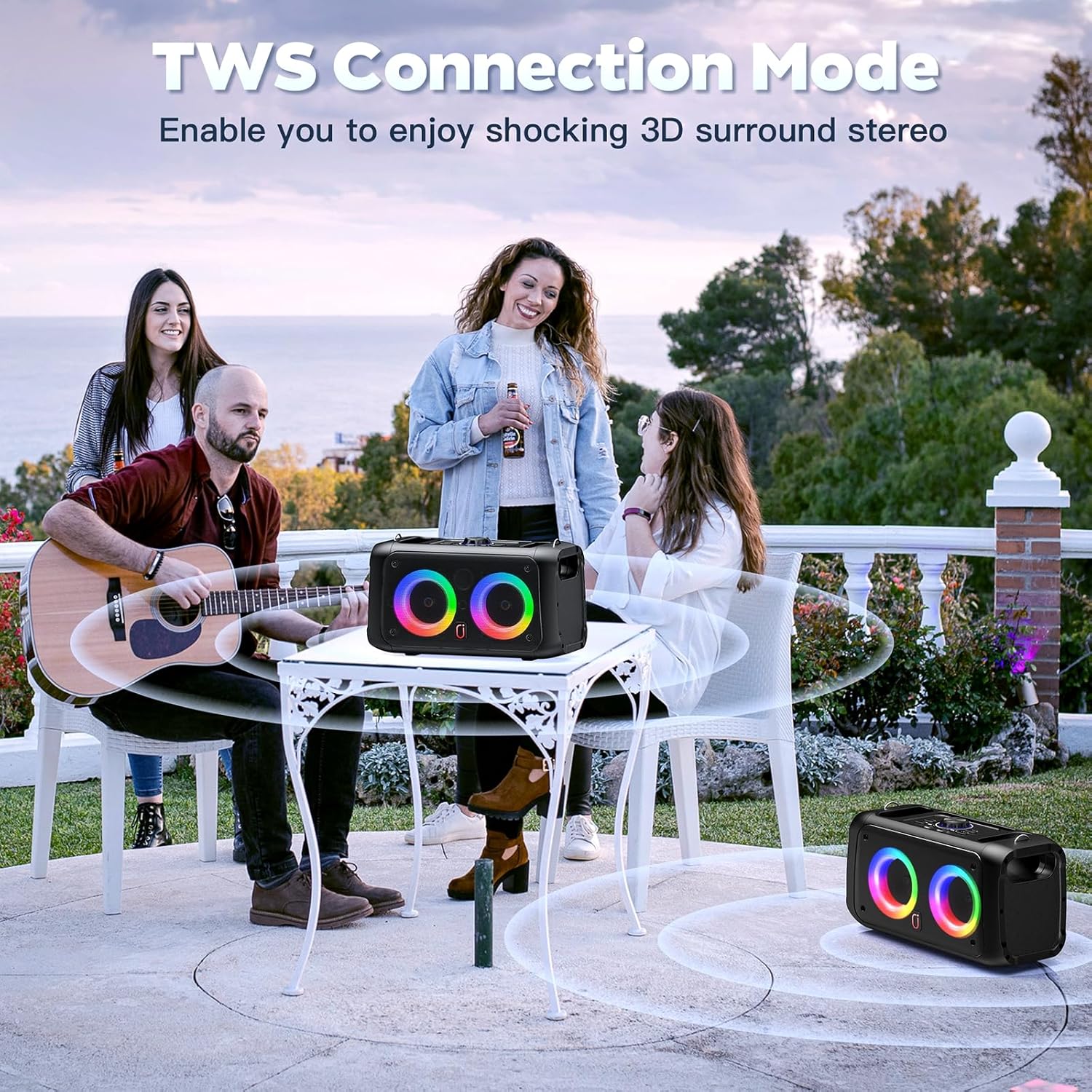
Figure 7: TWS Connection Mode
5. Operating Instructions
5.1 Mode Selection
Press the 'Mode/Loop' button on the control panel to cycle through available input modes: Bluetooth, AUX, TF Card, and USB. A voice prompt will indicate the current mode.
Video 2: Karaoke Machine with 2 Microphones, Great for Home Party (demonstrates mode switching)
5.2 Microphone Usage
Press the power button on each microphone to turn it on. The microphone will automatically connect to the speaker. Adjust microphone volume using the 'Mic Vol' knob and echo effect using the 'Echo' knob on the speaker's control panel or via the remote control.
5.3 LED Light Modes
The speaker features 12 dynamic LED light modes. Press the 'LED' button on the control panel or the remote control to cycle through the different lighting effects.

Figure 8: Colorful Disco Lights
Video 3: T22 Karaoke Machine for Adults & Kids (demonstrates LED light modes)
5.4 Remote Control Usage
The included remote control allows for convenient operation of the karaoke machine from a distance. Functions include:
- Power On/Off
- Volume adjustment for speaker and individual microphones.
- Echo and EQ adjustments.
- Media playback controls (Play/Pause, Previous/Next).
- LED light mode selection.
- Built-in sound effects (e.g., applause, whistle).

Figure 9: Remote Control
6. Charging
Connect the USB-C charging cable to the DC 5V port on the speaker and to a suitable USB power adapter (not included). The charging indicator light will show red while charging and turn off when fully charged.
The speaker offers 8-10 hours of continuous playback on a full charge, with a charging time of 4-6 hours.
7. Maintenance
- Keep the device away from water and excessive moisture.
- Clean the speaker and microphones with a soft, dry cloth. Do not use harsh chemicals.
- Store the device in a cool, dry place when not in use.
- Avoid dropping the device or subjecting it to strong impacts.
8. Troubleshooting
- No Power: Ensure the speaker is charged and the power knob is turned on.
- No Sound: Check volume levels on both the speaker and your connected device. Ensure the correct input mode is selected.
- Microphone Not Working: Check microphone batteries and ensure they are powered on. Verify microphone volume is not muted.
- Bluetooth Disconnection: Ensure the speaker and your device are within the 20-meter transmission range. Re-pair the device if necessary.
9. Specifications
| Feature | Specification |
|---|---|
| Model Number | T22-T |
| Dimensions | 12.6 x 5.51 x 13.78 inches |
| Item Weight | 5.37 pounds |
| Output Wattage | 40W (80W Peak) |
| Speaker Count | 2 (Dual 3-inch subwoofers, Dual 3-inch tweeters) |
| Bluetooth Version | 5.3 |
| Power Source | Battery Powered |
| Voltage | 5 Volts (DC) |
| Special Features | Echo Effect, Light Up Speaker, PA System, Rechargeable, Stereo Pairing |
10. Warranty & Support
The HWWR Karaoke Machine T22-T comes with a 1-year warranty. For any product inquiries or support, please contact our 7/24 Customer Support. We also offer an US Local After-sales Center for convenient service.


