
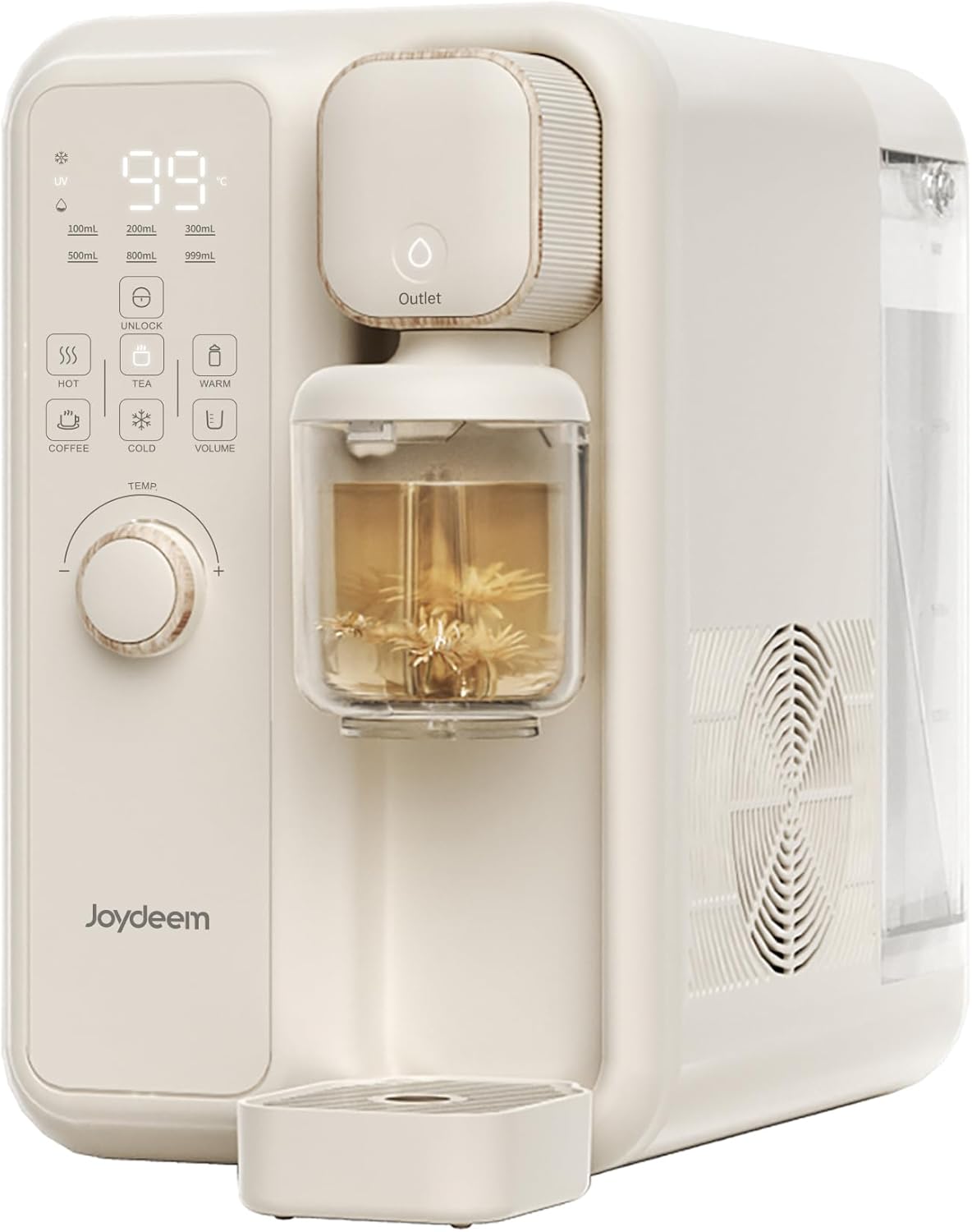
1. Setup Guide
Proper setup ensures optimal performance and longevity of your Joydeem water dispenser. Please follow these steps carefully.
1.1 Unpacking and Placement
- Carefully remove all packaging materials from the dispenser.
- Place the dispenser on a stable, flat, and dry surface, away from direct sunlight or heat sources. Ensure adequate ventilation around the unit.
- Verify the product dimensions to ensure it fits your intended space: 7.87"L x 15.87"W x 12.05"H.
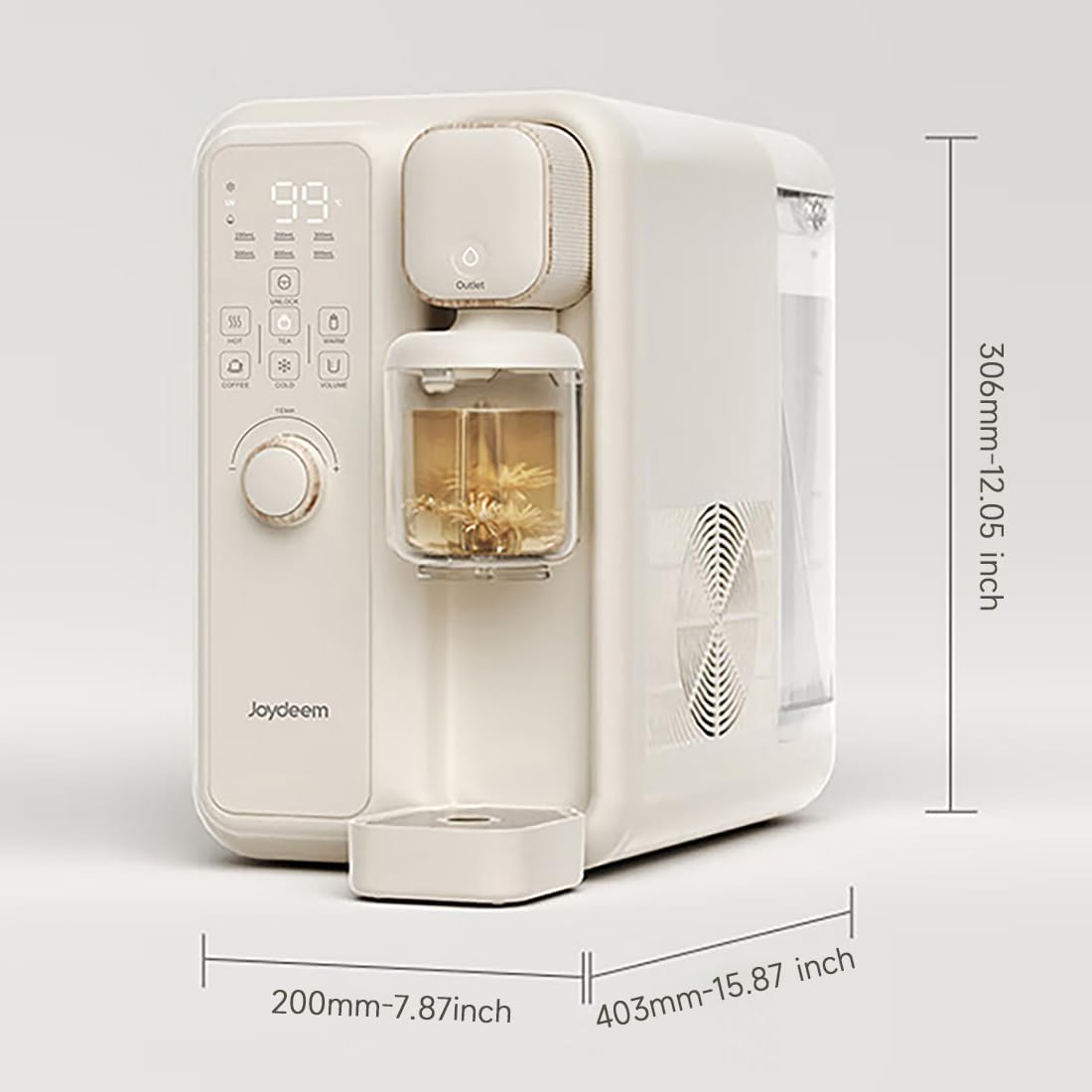
Image: Product dimensions (Length: 7.87 inches, Width: 15.87 inches, Height: 12.05 inches).
1.2 Initial Water Fill
- Remove the 3.5L (120Oz) detachable water tank from the back of the unit.
- Fill the water tank with purified or filtered water. Do not exceed the maximum fill line.
- Securely place the filled water tank back into the dispenser.
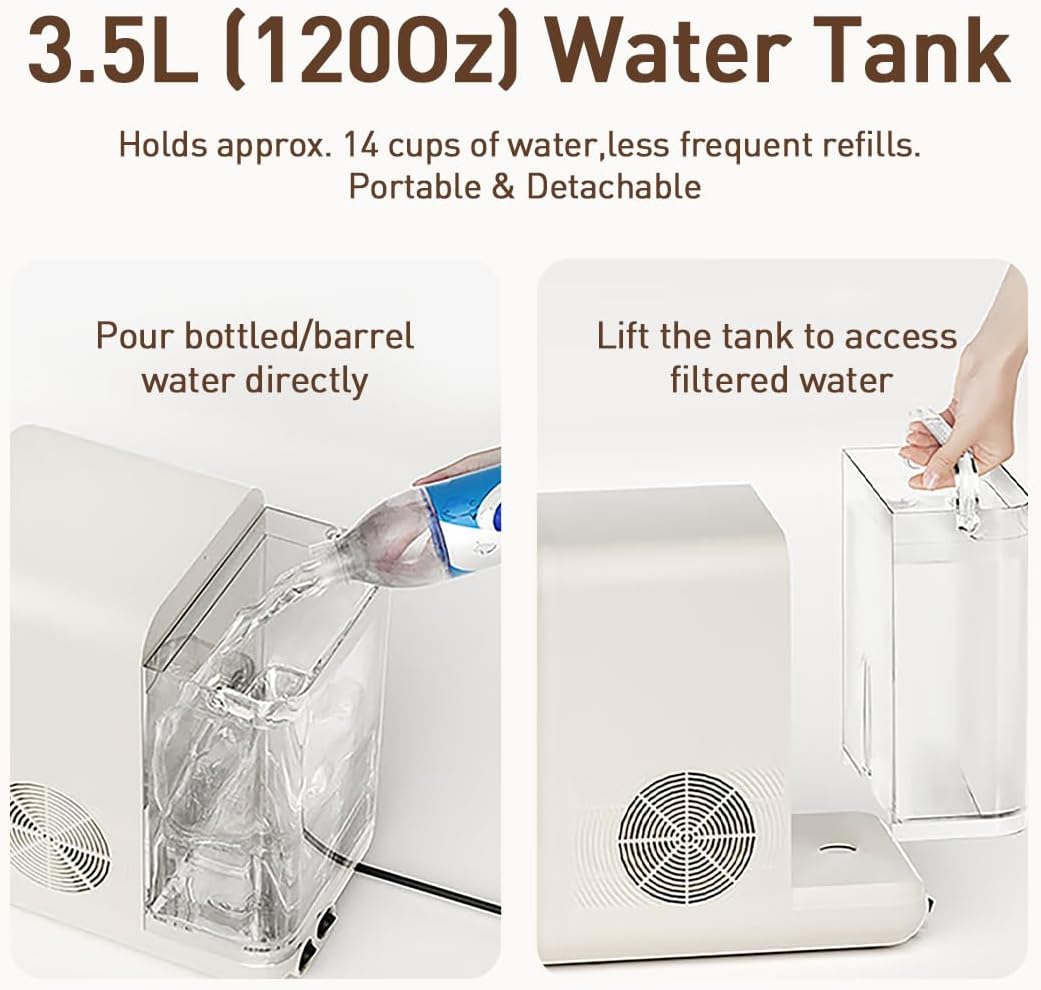
Image: Demonstrates pouring water into the detachable 3.5L water tank.
1.3 Power Connection and Initial Cooling
- Connect the power cord to a suitable electrical outlet.
- For cold water functionality, allow approximately 30 minutes for the internal cooling tank to reach its optimal temperature of 50°F (10°C) during the first use.

Image: Close-up of the power switches and cord connection at the rear of the unit.
2. Operating Instructions
The Joydeem dispenser offers various functions for instant hot, cold, and custom-brewed beverages.
2.1 Instant Hot Water Dispensing
The advanced instant heating technology provides hot water in approximately 1 second. You can adjust the temperature from room temperature up to 212°F (100°C).
- Place your cup or container on the drip tray.
- Select your desired temperature using the control panel. The unit offers 12 preset temperatures.
- Press the dispense button to start the flow of hot water.
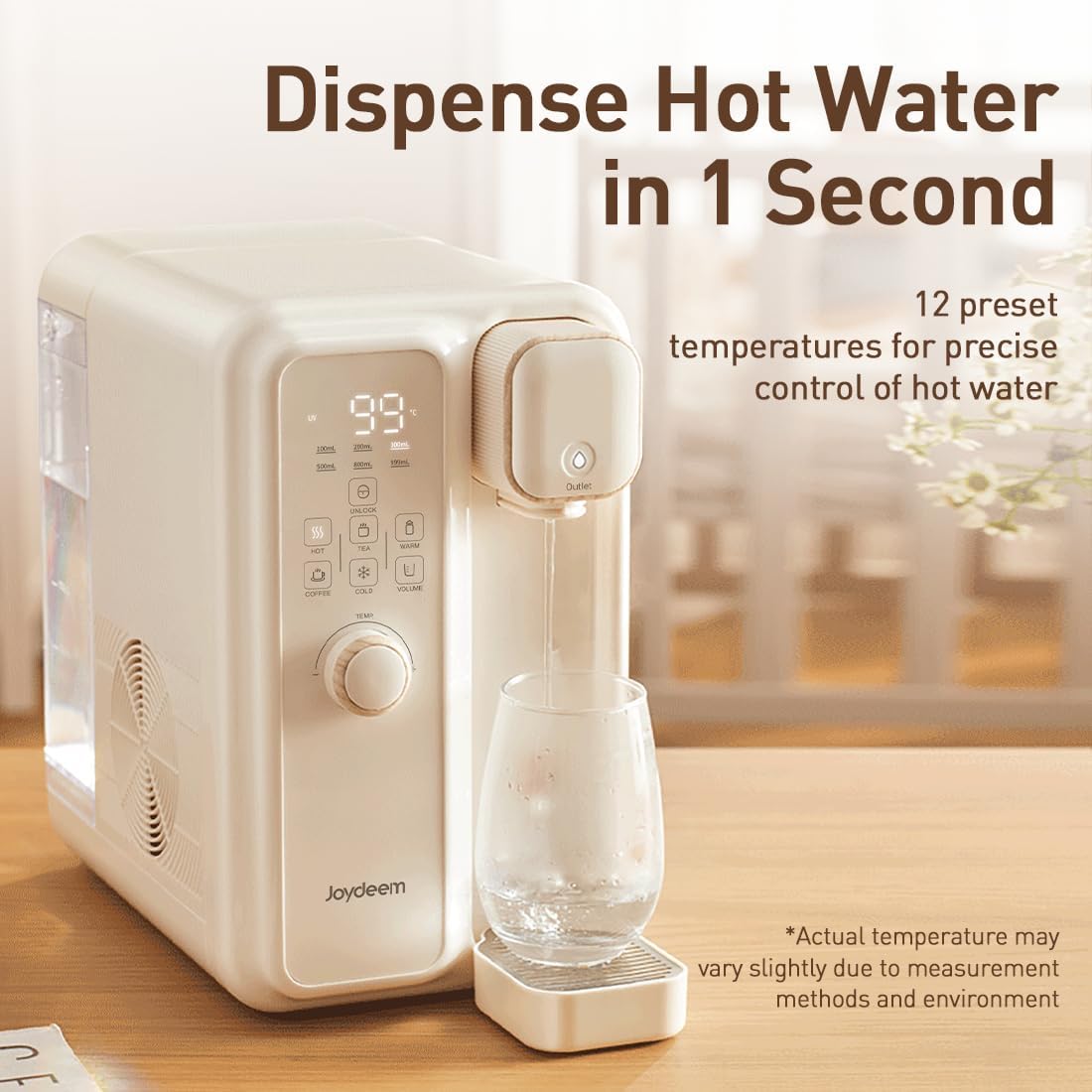
Image: The dispenser providing hot water instantly, with temperature display showing 99 degrees.
2.2 Cold Water Dispensing
The built-in 500ml cooling tank provides refreshing cold water at approximately 50°F (10°C). Note that the cold water temperature is not adjustable.
- Ensure the unit has completed its initial cooling cycle (approx. 30 minutes).
- Place your cup on the drip tray.
- Select the 'Cold' mode on the control panel and press the dispense button.
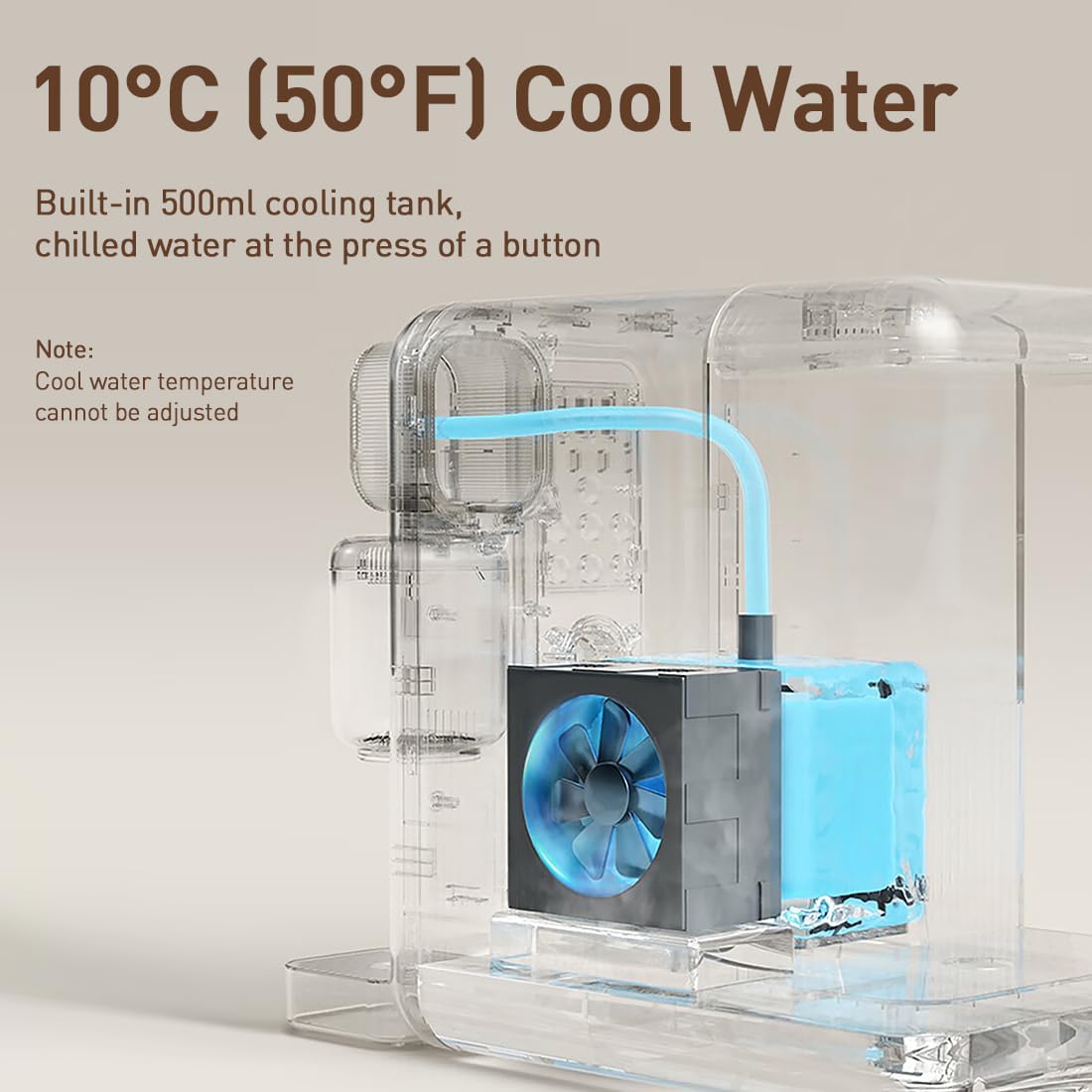
Image: An internal view highlighting the 500ml cooling tank and its function for 10°C (50°F) cool water.
2.3 Tea & Coffee Brewing Modes
The dispenser includes two dedicated brewing cups for tea and coffee, with pre-set modes for effortless preparation.
- Insert the appropriate brewing cup (tea or coffee) into the designated slot.
- Add your tea leaves or coffee grounds to the brewing cup.
- Select either 'Tea' or 'Coffee' mode on the control panel.
- Press the dispense button. The tea mode dispenses a fixed volume, while the coffee mode maintains a fixed temperature for optimal brewing.
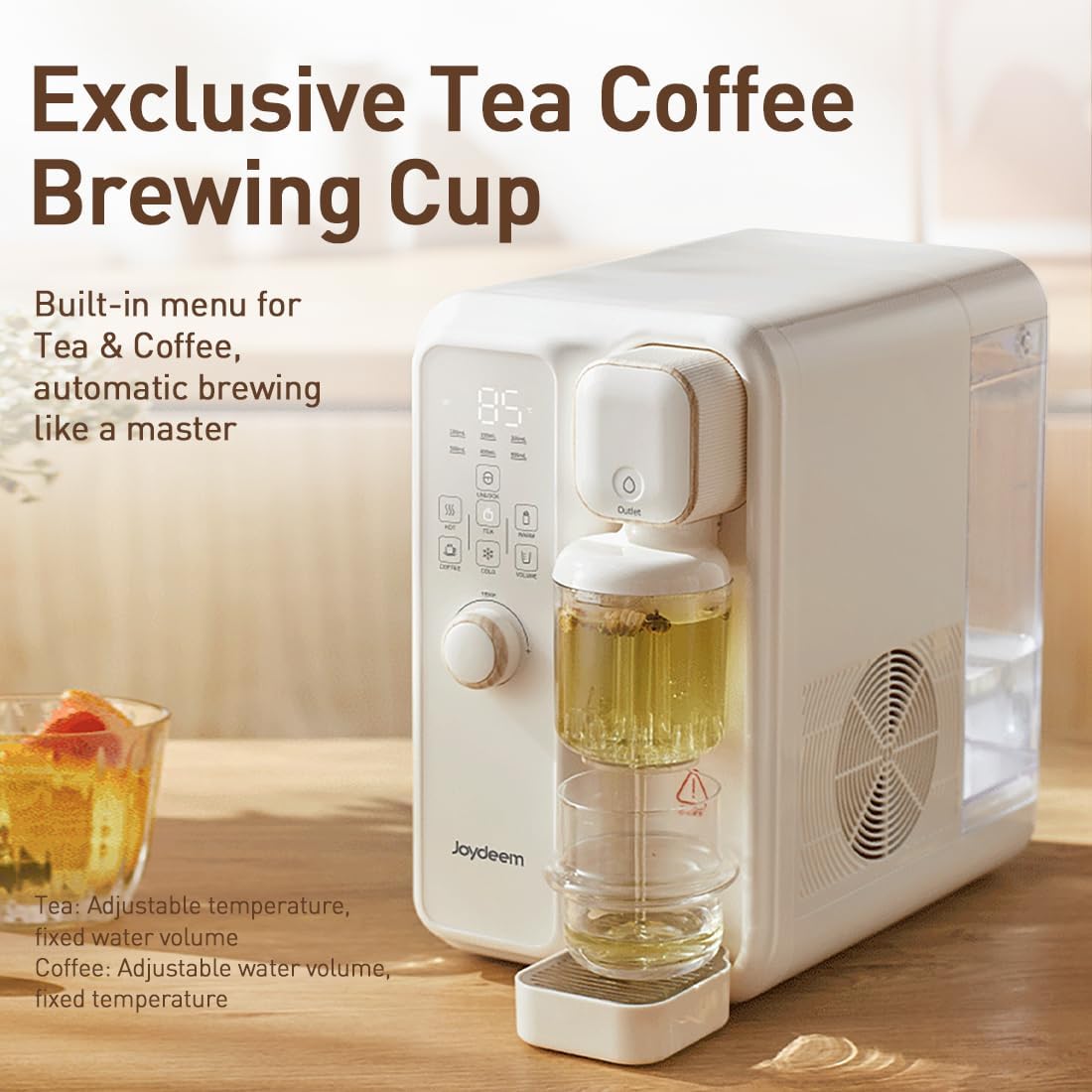
Image: The dispenser showcasing its exclusive tea and coffee brewing cup feature.
2.4 Adjustable Dispensing Volumes
Choose from 6 adjustable dispensing volumes for precise water control, preventing overflow.
- The available volumes are 100ml, 200ml, 300ml, 500ml, 800ml, and 999ml.
- Select your desired volume on the control panel before dispensing.
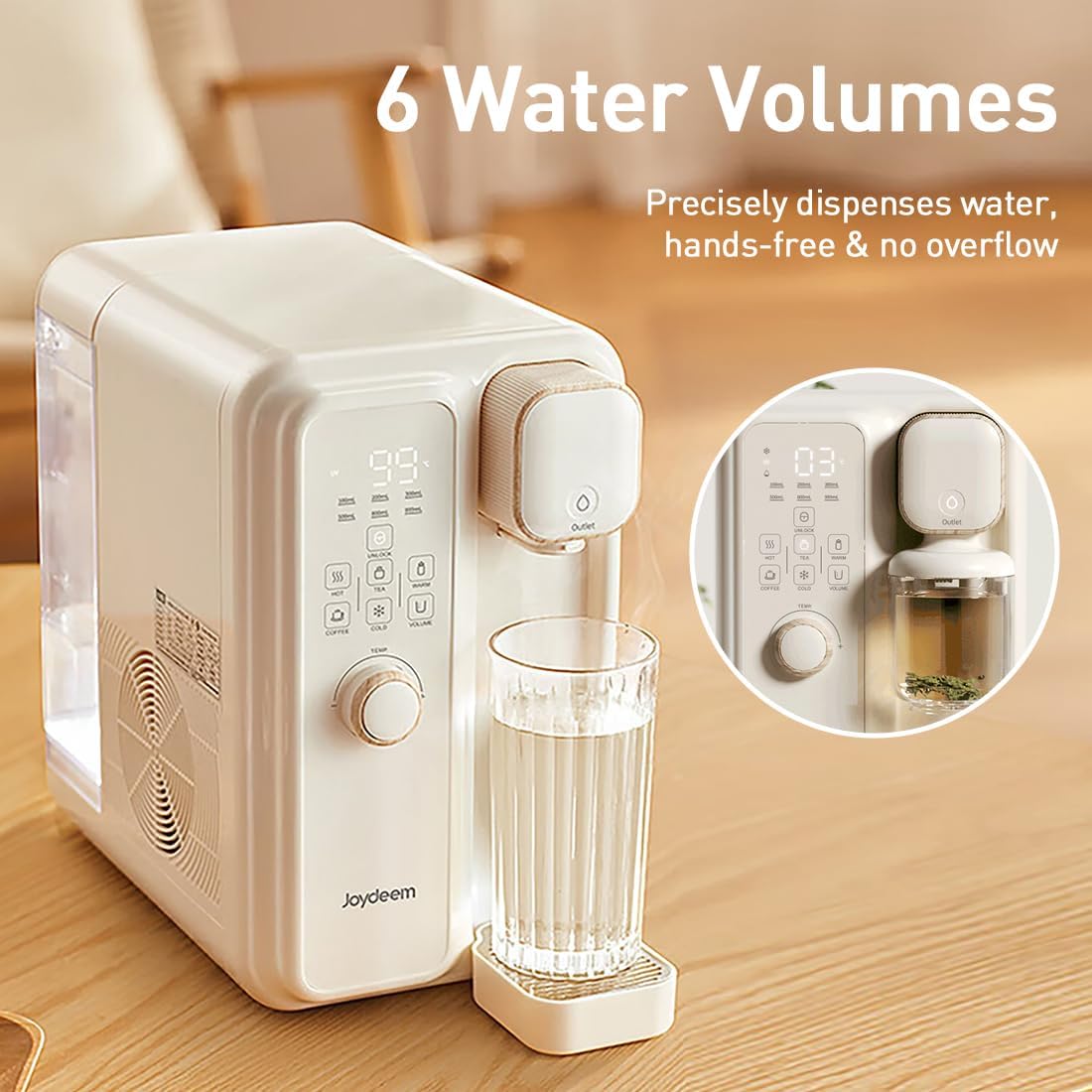
Image: The control panel displaying the 6 water volume options for precise dispensing.
2.5 Temperature Options
The dispenser offers a wide range of temperature options for various beverages and uses.
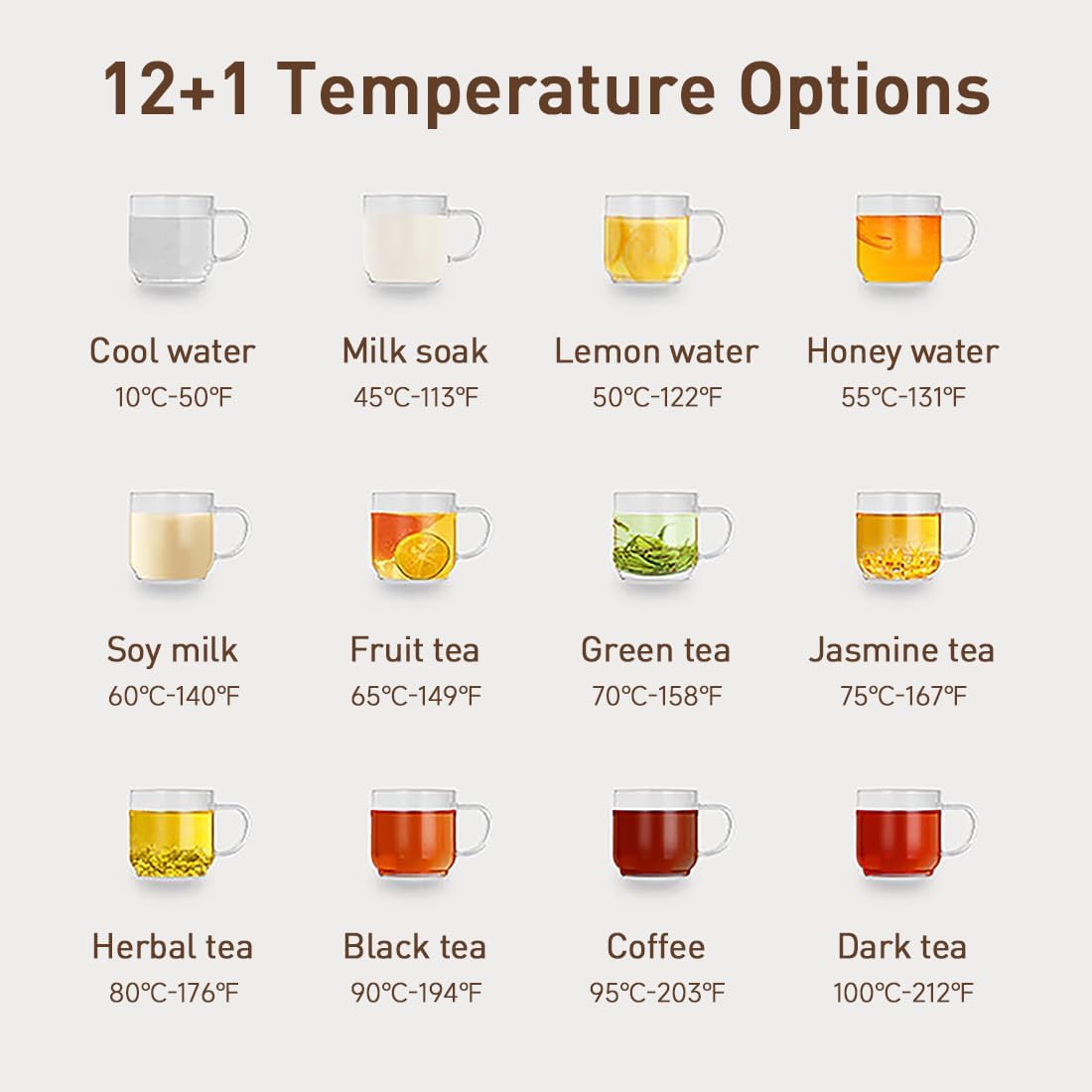
Image: Visual guide to 12+1 temperature options, including cool water, milk soak, various teas, coffee, and dark tea.
| Beverage/Use | Temperature (°C/°F) |
|---|---|
| Cool water | 10°C / 50°F |
| Milk soak | 45°C / 113°F |
| Lemon water | 50°C / 122°F |
| Honey water | 55°C / 131°F |
| Soy milk | 60°C / 140°F |
| Fruit tea | 65°C / 149°F |
| Green tea | 70°C / 158°F |
| Jasmine tea | 75°C / 167°F |
| Herbal tea | 80°C / 176°F |
| Black tea | 90°C / 194°F |
| Coffee | 95°C / 203°F |
| Dark tea | 100°C / 212°F |
3. Maintenance and Care
Regular maintenance ensures the longevity and hygienic operation of your dispenser.
3.1 Auto Cleaning Function
The dispenser features a built-in self-cleaning function. This function drains residual water and cleans the internal system with one touch. Regular use of this feature is recommended.
- Refer to the control panel for the 'Auto Cleaning' button or indicator.
- Follow the on-screen prompts or manual instructions to initiate the cleaning cycle.
3.2 Water Tank and Drip Tray Cleaning
- The water tank is detachable for easy refilling and cleaning. It is recommended to hand wash the water tank regularly.
- Empty and clean the drip tray frequently to prevent water accumulation and maintain hygiene.
- When the dispenser is not in use for an extended period, drain the water tank completely to extend the lifespan of the unit.


Images: The detachable water tank with handle for easy removal and the removable drip tray for cleaning.
3.3 Material Safety
The heating system is constructed from food-grade stainless steel, and the water tank, tea, and coffee chambers are made from BPA-free ASB material, ensuring safe and clean water.
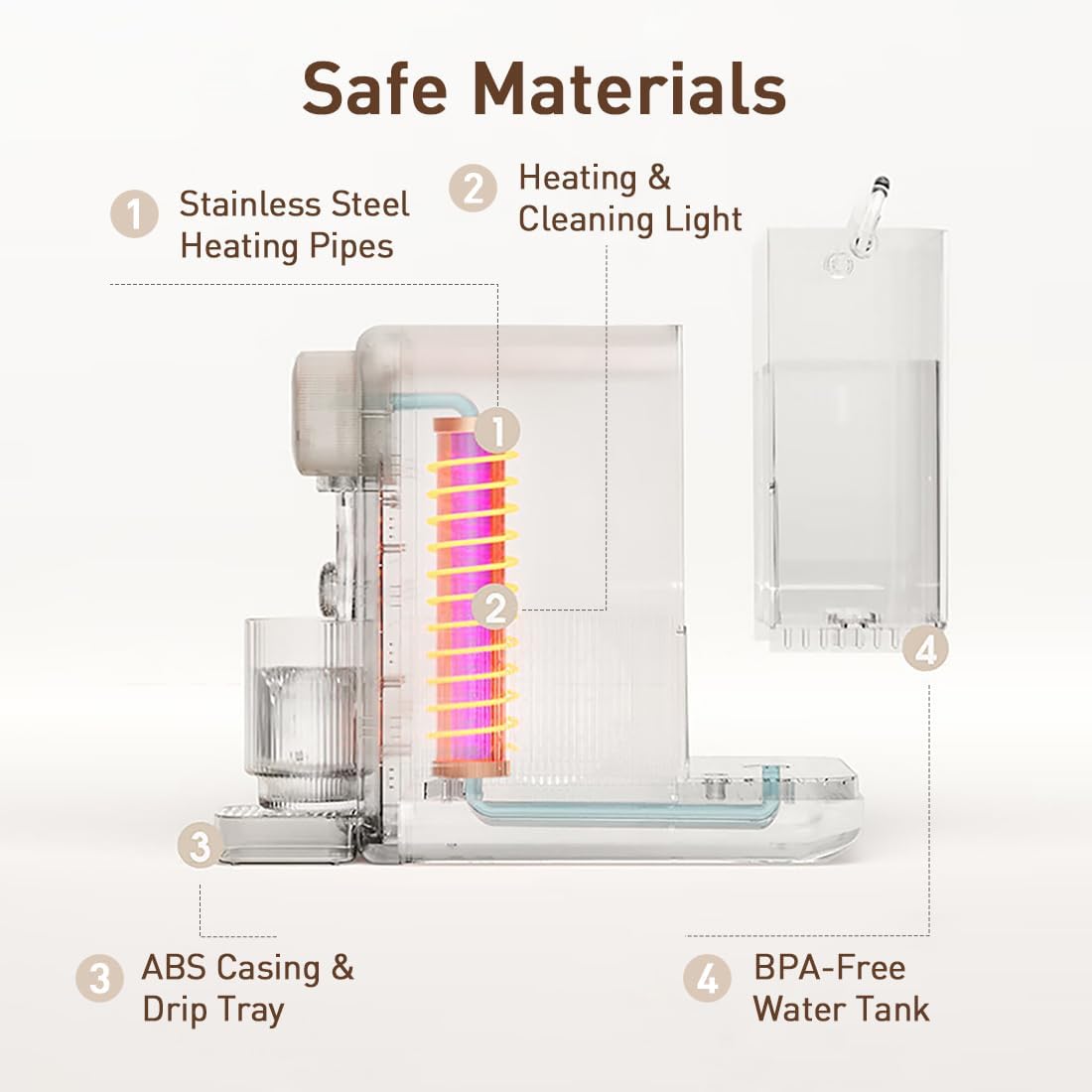
Image: An exploded view showing the stainless steel heating pipes, ABS casing, drip tray, and BPA-free water tank.
4. Troubleshooting
If you encounter any issues with your Joydeem water dispenser, please refer to the following common problems and their solutions.
| Problem | Possible Cause & Solution |
|---|---|
| No Power / Unit Not Turning On |
|
| Water Not Dispensing / Weak Flow |
|
| Water Not Heating / Cooling |
|
| Unusual Noises |
|
5. Specifications
Detailed technical specifications for the Joydeem Instant Hot & Cold Water Dispenser.
| Feature | Detail |
|---|---|
| Brand | JOYDEEM |
| Model Name | Instant Hot & Cold Water Dispenser |
| Item Model Number | YSJ-B350 |
| Color | Pink |
| Special Feature | Instant Hot & Cold, Water Warmer |
| Product Dimensions | 7.87"L x 15.87"W x 12.05"H |
| Item Weight | 7.94 Pounds |
| Included Components | Coffee Cup, Tea Cup |
| Material Feature | Non-Toxic (Food-grade stainless steel heating system, BPA-free ASB water tank/chambers) |
| Finish Type | Polished |
| Recommended Uses | Heating, Cold Water Dispensing, Tea & Coffee Brewing |
| Water Tank Capacity | 3.5L (120Oz) |
| Cold Water Tank Capacity | 500ml |
| Date First Available | March 3, 2025 |
6. Warranty and Support
JOYDEEM is committed to creating high-quality kitchen appliances. For any inquiries or support, please refer to the following information.
6.1 Product Warranty
Specific warranty details are typically provided with your purchase documentation. For information regarding manufacturer's warranty, please refer to the warranty card included in the product packaging or contact JOYDEEM customer service.
Optional protection plans may be available for extended coverage. Please check with your retailer for details.
6.2 Customer Support
For technical assistance, troubleshooting, or general inquiries, please visit the official JOYDEEM store or contact their customer support channels.
You can find more information and products from JOYDEEM at their official store: JOYDEEM Official Store.