
Introduction
This manual provides comprehensive instructions for the MINISO Open Ear Headphones, Model MS185. These wireless Bluetooth 5.4 earbuds are designed for ultra-comfort and a snug fit, delivering HiFi stereo sound with up to 40 hours of playtime. The unique quicksand charging case adds a distinctive visual element. Please read this manual thoroughly before using your headphones to ensure proper operation and longevity.
What's in the Box
- MS185 Open Ear Earbuds (1 pair)
- Quicksand Charging Box (1)
- Type-C Charging Cable (1)
- User Manual (1)

Image: The complete package contents of the MINISO MS185 headphones, neatly arranged. This includes the two open-ear earbuds, the unique quicksand charging case, a USB Type-C charging cable, and the user manual.
Product Overview
The MINISO MS185 Open Ear Headphones are designed for comfort and situational awareness. They feature a unique open-ear design that rests gently on your ear, avoiding discomfort and allowing you to stay aware of your surroundings. The earbuds are lightweight and offer a secure fit, making them ideal for various activities.

Image: The MINISO MS185 Open Ear Headphones in orange and deep black, alongside their distinctive quicksand charging case. The earbuds feature an ear-hook design for a secure fit, and the charging case displays a dynamic, shimmering liquid sand effect.
Key Features:
- Open-Ear Design: Rests on the ear, preventing ear fatigue and allowing ambient sound awareness.
- HiFi Stereo Sound: Equipped with a 14.2mm vibration diaphragm speaker driver for deep bass and clear audio.
- Bluetooth 5.4: Ensures stable, low-latency connection up to 10 meters.
- Long Battery Life: Up to 6 hours on a single charge, and up to 40 hours with the charging case.
- Quicksand Charging Case: Unique dynamic liquid sand design that glows under UV light.
- IP54 Waterproof Rating: Resistant to sweat and rain, suitable for sports and daily use.
- Lightweight & Secure Fit: Each earbud weighs only 8g, designed for all-day comfort and stability during movement.

Image: A detailed view of the MINISO Open Ear Headphone's internal speaker components, highlighting the 14.2mm vibration diaphragm. Below, a woman is shown running, demonstrating the ergonomic design that ensures no displacement during physical activity.

Image: The MINISO Quicksand Charging Case illuminated, showcasing its luminous effect. The case is designed for high-end record quality and daily enjoyment, emphasizing its comfortable wear, HD voice capabilities, and long-lasting endurance.

Image: A woman wearing the MINISO Open Ear Headphones, illustrating their ergonomic open-ear design. The image highlights features such as ultra-lightweight for all-day comfort, soft silicone for flexible memory metal, ergonomic ear hooks for a secure fit, and IPX5 waterproofing for sweat and rain resistance.
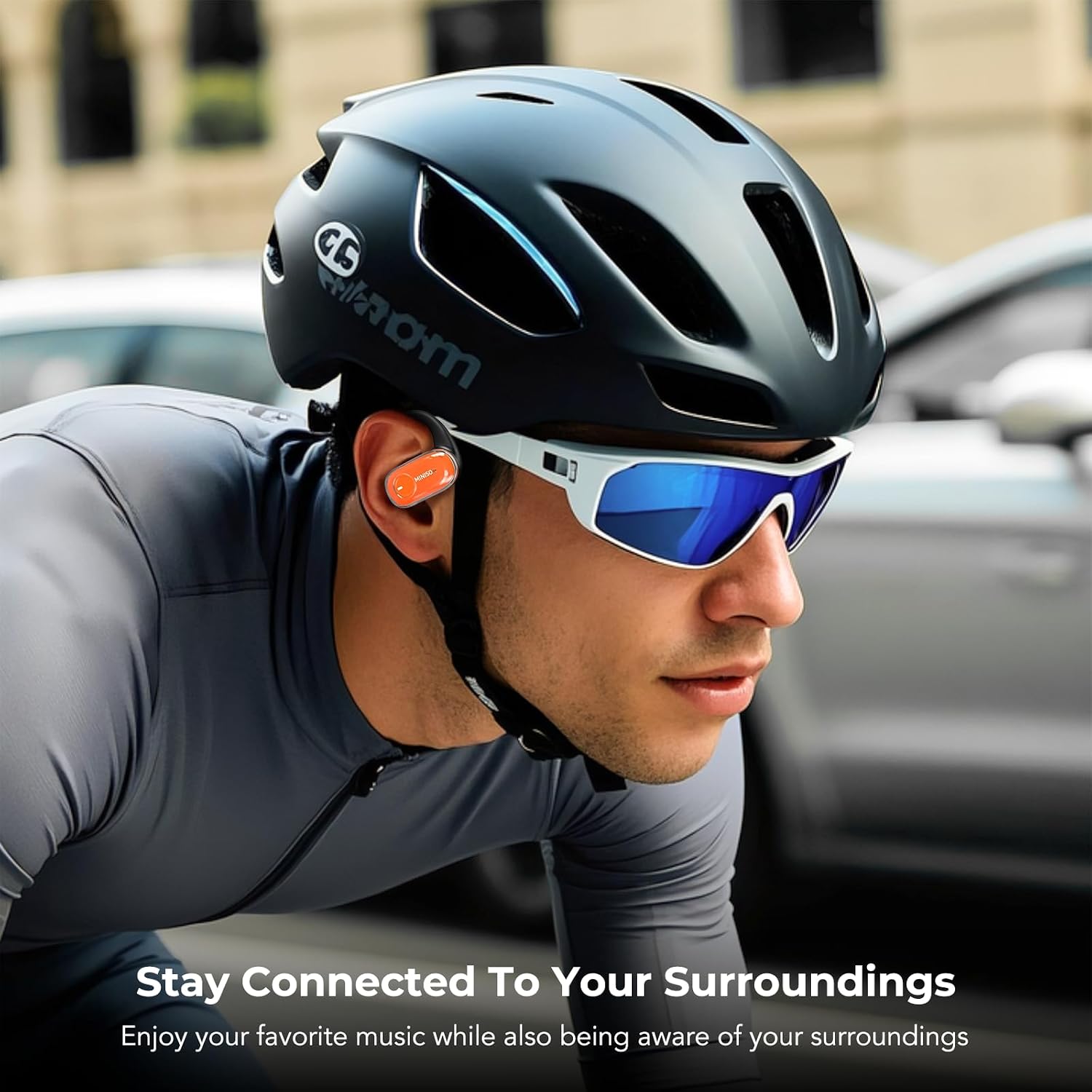
Image: A man cycling while wearing the MINISO Open Ear Headphones, emphasizing the ability to stay connected to surroundings. This design allows users to enjoy their music while remaining aware of ambient sounds, enhancing safety during outdoor activities.
Setup
Charging the Headphones and Case:
- Connect the provided Type-C charging cable to the charging port on the Quicksand Charging Box.
- Connect the other end of the cable to a USB power source (e.g., wall adapter, computer USB port).
- Place the earbuds into the charging case. Ensure they are correctly seated to initiate charging.
- The charging case supports wireless charging as well. Place the case on a compatible wireless charging pad.
- A full charge provides approximately 6 hours of listening time for the earbuds, and the charging case extends total playtime up to 40 hours.
Note: The quicksand charging case features a dynamic liquid sand design that shimmers. To enhance its luminous effect, expose the case to sunlight or a UV lamp for a few minutes.

Image: The MINISO Quicksand Charging Case demonstrating its luminous effect in a dark environment. The flowing lines and curved textures combine to create a graceful, glowing melody, enhancing the visual experience of the case.
Pairing with a Bluetooth Device:
- Ensure the earbuds are fully charged.
- Open the charging case. The earbuds will automatically enter pairing mode, indicated by flashing white and blue lights.
- On your device (smartphone, tablet, laptop), enable Bluetooth.
- Search for "MINISO-MS185" in the list of available Bluetooth devices.
- Select "MINISO-MS185" to connect. Once connected, the indicator lights on the earbuds will turn off or show a solid light, and you will hear a confirmation tone.
- The earbuds will automatically reconnect to the last paired device when removed from the case, if Bluetooth is enabled on the device.

Image: A visual representation of the Bluetooth 5.4 fast and stable connection process. It shows the MINISO MS185 earbuds and charging case next to a smartphone displaying its Bluetooth settings, indicating the earbuds are ready for pairing when their white and blue lights flash alternately.
Operating Instructions
The MINISO MS185 headphones feature multi-function touch controls for easy management of music and calls.
Touch Controls:
| Action | Function |
|---|---|
| L/R Touch Twice | Answer/End a Call, Play/Pause Music |
| Touch Three Times L | Previous Track |
| Touch Three Times R | Next Track |
| Touch and Hold for 2 Seconds L/R | Reject a Call |

Image: A visual guide to the touch controls of the MINISO Open Ear Headphones. It illustrates actions like double-tap for answering/ending calls or playing/pausing music, triple-tap on left for previous track, triple-tap on right for next track, and touch and hold for 2 seconds to reject a call.
Maintenance
- Cleaning: Regularly wipe the earbuds and charging case with a soft, dry cloth. Avoid using harsh chemicals or abrasive materials.
- Water Resistance: The headphones have an IP54 waterproof rating, meaning they are resistant to splashes and sweat. Do not submerge them in water or expose them to heavy rain. Dry thoroughly if they get wet.
- Storage: When not in use, store the headphones in their charging case to protect them and keep them charged. Store in a cool, dry place away from extreme temperatures.
- Battery Care: To prolong battery life, avoid fully discharging the headphones frequently. Charge them regularly, even if not in constant use.

Image: The MINISO Open Ear Headphones shown with water splashes, illustrating their IPX5 waterproof rating. This indicates they are resistant to sweat and rain, making them suitable for exercise and daily life without fear of damage from moisture.
Troubleshooting
- No Sound/Connection Issues:
- Ensure the earbuds are charged.
- Verify Bluetooth is enabled on your device and "MINISO-MS185" is selected.
- Move the earbuds closer to your device (within 10 meters).
- Try unpairing and re-pairing the earbuds with your device.
- Restart both the earbuds (by placing them in the case and closing/opening) and your Bluetooth device.
- Charging Problems:
- Check if the charging cable is securely connected to both the case and the power source.
- Ensure the charging case itself has power.
- Clean the charging contacts on both the earbuds and the case with a dry cotton swab.
- Try a different charging cable or power adapter.
- Low Volume/Poor Sound Quality:
- Adjust the volume on both your device and the earbuds.
- Ensure the earbuds are positioned correctly on your ears.
- Clean any debris from the speaker grilles.
Specifications
| Feature | Detail |
|---|---|
| Model Name | MS185 |
| Connectivity Technology | Wireless (Bluetooth 5.4) |
| Ear Placement | Open Ear |
| Speaker Driver | 14.2mm Vibration Diaphragm |
| Battery Life (Earbuds) | Up to 6 Hours |
| Total Playtime (with Case) | Up to 40 Hours |
| Charging Time | 1.5 Hours |
| Bluetooth Range | 10 Meters |
| Water Resistance Level | IP54 |
| Control Type | Touch Control |
| Item Weight | 8g (each earbud) |
| Color | Orange + Deep Black |
Warranty and Support
Specific warranty information for the MINISO Open Ear Headphones MS185 is not provided in the product details. For warranty claims, technical support, or further assistance, please refer to the contact information provided on the product packaging or visit the official MINISO website.