
Product Overview
The Spurtar Heavy Duty Snap Button Kit is designed for efficient and secure installation of 15mm snap buttons on various materials. This kit includes a versatile plier tool, multiple dies, and a comprehensive set of snap components, making it suitable for a wide range of repair and DIY projects.

Package Contents
The Spurtar Heavy Duty Snap Button Kit includes the following items:
- 1x Snap Fastener Tool (Pliers)
- 1x Anvil for Cap
- 1x Anvil for Base
- 1x Punching Die
- 40x Buttons (15mm)
- 40x Sockets
- 20x Studs
- 20x Eyelets
- 20x Screws Sockets


Initial Setup: Leveling the Pliers
Before using the snap fastener tool, it is crucial to ensure the pliers are properly leveled to prevent crooked or unusable snaps. Follow these steps:
- Insert the anvil for the base into the lower jaw of the pliers.
- Adjust the tail screw of the pliers until the upper and lower jaws make contact and are parallel to each other.
- Ensure the plier handle is closed while checking for parallel contact. The tool is ready for use when the jaws are parallel and make full contact.

Operating Instructions
The Spurtar snap fastener tool features upgraded magnetic dies for precise alignment and easy installation. The magnetic feature securely holds the snap components in place, simplifying the process.

Step 1: Punching Holes
- Select the appropriate punching die.
- Place the punching die into the pliers.
- Position the material where the snap will be installed.
- Press the plier handles firmly to punch a clean hole through the material.
Step 2: Installing the Cap
- Replace the punching die with the anvil for the cap in the upper jaw.
- Place a socket (part 3) and a button (part 4) onto the material, aligning with the punched hole.
- Position the pliers over the snap components and material.
- Press the plier handles firmly to secure the cap part of the snap.
Step 3: Installing the Base
- Replace the anvil for the cap with the anvil for the base in the lower jaw.
- Place a stud (part 6) and an eyelet (part 7) onto the material, aligning with the second punched hole.
- Position the pliers over the snap components and material.
- Press the plier handles firmly to secure the base part of the snap.

Releasing the Jaws
After punching a hole or installing a snap, press the tail lever of the pliers to release the jaws and remove the tool from the material.

Important Considerations
This snap fastener tool is designed for materials with a maximum thickness of 3.0 mm. Attempting to use it on thicker materials may damage the tool or result in improper snap installation.
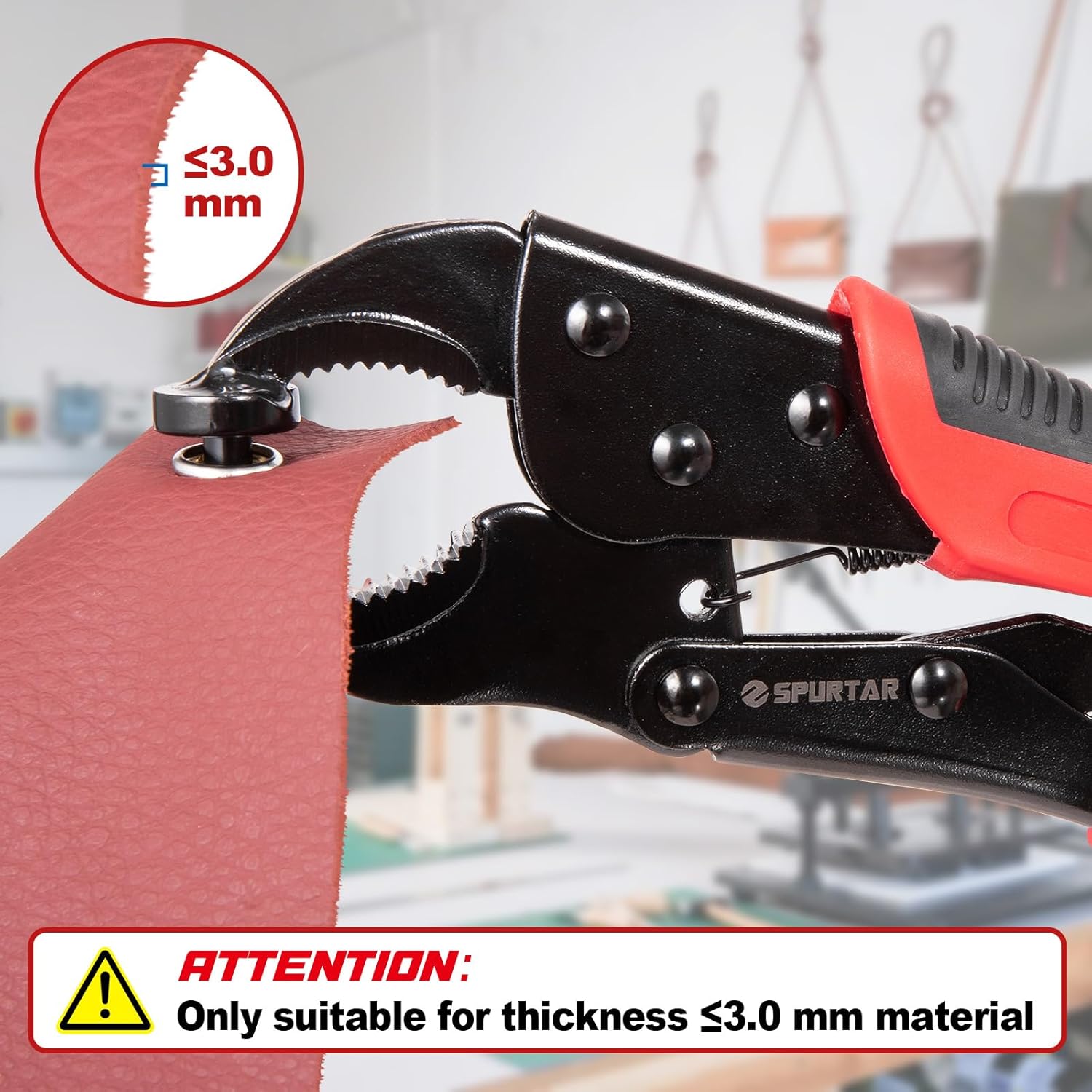
Troubleshooting
If you encounter issues with snap installation, refer to the following common problems and solutions:
- Jaw Misalignment (No anvil installed): Ensure the correct anvil is securely installed in the pliers before use.
- Pliers Jaw Parallel but Handle Opens: This indicates the pliers are not properly leveled. Re-level the pliers by adjusting the tail screw until the upper and lower jaws make parallel contact when the handle is closed.
- Pliers Handle Closes but Jaw is Not Parallel: This also indicates improper leveling. Follow the leveling instructions in the 'Initial Setup' section carefully.

Applications
This snap fastener tool is suitable for a variety of materials and projects, including but not limited to:
- Boat covers and pontoon covers
- Clothing (jackets, shirts, baby clothes)
- Leather goods and crafts
- Outdoor gear and upholstery projects
- Canvas bags and tarps

Product Specifications
| Feature | Detail |
|---|---|
| Product Dimensions | 25L x 7W Centimetres |
| Item Weight | 740 g |
| Material | Metal |
| Color | Red, Black |
| Model Number | THP41020 |
| Unit Count | 40.0 Count (of buttons) |
| Head Style | Cap |
| Manufacturer | Spurtar |
| Country of Origin | China |
Warranty and Support
This Spurtar product comes with a 6-month warranty from the date of purchase. For warranty claims, technical support, or any inquiries regarding the product, please contact Spurtar customer service through your retailer or the official Spurtar website. Please retain your proof of purchase for warranty validation.