
Introduction
The DDPAI Z60 Pro Dash Cam is a state-of-the-art dual-channel recording system designed to provide comprehensive surveillance and driving assistance for your vehicle. Equipped with advanced imaging technology and smart features, it ensures clear and reliable footage in various conditions.

Overview of the DDPAI Z60 Pro Dash Cam system, including the main unit, rear camera, and smartphone app interface.
Key Features
- 4K + 1080P Dual STARVIS 2 Sensors: Captures ultra-clear 4K front (IMX678) and 1080P rear (IMX662) video, improving low-light performance and motion clarity.
- 60FPS High Frame Rate Recording: Front camera records at 3K 60fps or 4K HDR 30fps for smooth, detailed footage of fast-moving objects.
- Dual HDR Superior Night Vision: STARVIS 2 sensors with HDR on both cameras, F1.75 aperture, and 7-layer lens ensure crystal-clear footage in low-light conditions.
- 4G Remote Live Monitoring & Instant Alerts: (4G module required, sold separately) Allows remote viewing, vehicle tracking, and real-time collision/break-in alerts with cloud storage.
- Ultra-Fast 13MB/s 5GHz WiFi Turbo Technology: Enables seamless playback and quick downloads of 4K videos via the DDPAI app.
- 32GB Internal Storage & Built-in GPS: Features 32GB eMMC internal storage with support for up to 512GB SD card expansion. GPS tracks location, speed, and route.
- 24/7 Parking Monitoring: Offers time-lapse recording at 5fps and auto-triggers HD recording upon collision (requires hardwire kit, sold separately).
What's in the Box?
Verify all contents are present before proceeding with installation.

Detailed view of all items included in the product packaging.
- 1x 4K Dash Cam (Z60 Pro Dashcam)
- 1x 1080P Rear Cam
- 1x User Manual
- 1x Installation Tool
- 1x Car Charger
- 1x 11.5 FT Charging Cable (3.5m Power Cable)
- 1x 18 FT Rear Camera Cable (5.5m Rear Camera Cable)
- 2x 3M Stickers
- 2x Electrostatic Stickers
Installation & Setup
Follow these steps for proper installation of your DDPAI Z60 Pro Dash Cam.
Main Dash Cam Installation
- Clean your windshield thoroughly where the dash cam will be mounted.
- Apply the electrostatic sticker to the desired location on the windshield, typically below the rearview mirror.
- Remove the 3M tape backing from the dash cam mount and attach it firmly to the electrostatic sticker.
- Remove the protective film from the dash cam lens.
- Adjust the angle of the dash cam to ensure optimal road coverage.

Visual guide for dash cam and rear camera installation and cable management.
Rear Camera Installation (Optional)
The rear camera provides additional coverage for the back of your vehicle.
- Choose a suitable location on your rear windshield for the rear camera.
- Route the 18 FT rear camera cable from the main dash cam to the rear camera's mounting location. Use the installation tool to tuck cables neatly along the vehicle's trim.
- Attach the rear camera using the provided 3M sticker.
- Connect the rear camera cable to the main dash cam's AV-IN port.
Power Connection
Connect the dash cam to your vehicle's power source.
- Plug the 11.5 FT charging cable into the dash cam's Type-C port.
- Plug the other end of the charging cable into the car charger.
- Insert the car charger into your vehicle's 12V cigarette lighter socket.
Initial Setup & App Connection
Connect your dash cam to the DDPAI app for full functionality and settings management.

The DDPAI app allows for easy control and access to recordings.
- Download the DDPAI app from your smartphone's app store (QR code usually provided in manual or on packaging).
- Open the DDPAI app and log in.
- Tap "Device" and then "Add a device".
- For Bluetooth connection: Turn on Bluetooth on your phone, select your device name from the detected list, and press the confirm button on the dash cam to authorize.
- For Wi-Fi connection: In the DDPAI app, select your device type, tap "Next" and "Connect to Wi-Fi". Go to your phone's Wi-Fi settings, select "DDPAI_device name", enter the initial password (usually 1234567890), and tap Connect.
Installation Video Guide
Official DDPAI Z60 Pro Installation Instructions video, demonstrating the setup process.
Operating Instructions
Understand the various functions and modes of your dash cam.
Recording Modes
- Continuous Recording: The dash cam automatically starts recording when powered on. Footage is saved in segments and older files are overwritten when the storage is full (Loop Recording).
- Emergency Recording (Collision Lock): The built-in G-Sensor detects sudden impacts or changes in motion, automatically triggering and saving a 10-second video (5 seconds before and 5 seconds after the event) to a protected folder.
- Parking Monitoring: When the vehicle is parked and the hardwire kit is installed, the dash cam can record in time-lapse mode (5fps) or activate collision detection to capture incidents.
Voice Control
Use simple voice commands for hands-free operation.
- Say "Take Photo" to capture a still image and a 10-second video clip (5 seconds before and 5 seconds after).
App Functions
The DDPAI app provides comprehensive control and viewing options.
- Preview: View live footage from the dash cam on your smartphone.
- Playback: Access and review recorded videos and photos stored on the dash cam.
- Download: Transfer important video clips and photos directly to your smartphone.
- Share: Easily share your recorded footage with others.
- Settings: Adjust various dash cam settings, including video resolution, G-sensor sensitivity, parking mode options, and more.
Video Quality Comparison
DDPAI Z60 Pro Highlights video, showcasing Dual STARVIS 2 Clarity and video quality.
Video explaining why professionals choose the DDPAI Z60 Pro Dual STARVIS 2 IMX678 Dash Cam.
Maintenance
Specific maintenance steps for the DDPAI Z60 Pro Dash Cam are not detailed in the provided product information. Generally, dash cams require regular formatting of the SD card to ensure optimal performance and prevent data corruption. Keep lenses clean with a soft cloth.
Troubleshooting
Specific troubleshooting steps for the DDPAI Z60 Pro Dash Cam are not detailed in the provided product information. For common issues, refer to the user manual included in the box or contact customer support.
Specifications
| Feature | Detail |
|---|---|
| Product Dimensions | 2.76 x 5.51 x 4.33 inches |
| Item Weight | 1.46 pounds |
| Item Model Number | DDPAI Z60 Pro Dash Cam |
| Visible Screen Diagonal | 3" / 8 cm |
| Video Capture Resolution | 2160p, 1080p |
| Field Of View | 138 Degrees (Front) |
| Connectivity Technology | Bluetooth, Wi-Fi |
| Special Features | App Control, Voice Control, Dual STARVIS 2 Sensor, 4K@30FPS/3K@60FPS, Dual HDR Superior Night Vision, 138°+137° Wide Angle, Compact Design, Built-In 5GHz WiFi, 32GB eMMC Internal Storage, GPS, 3'' Display, Supercapacitor, Parking Monitor, Automatic Incident Detection, G-Sensor, Loop Recording |
Warranty & Support
DDPAI is committed to providing excellent customer service.
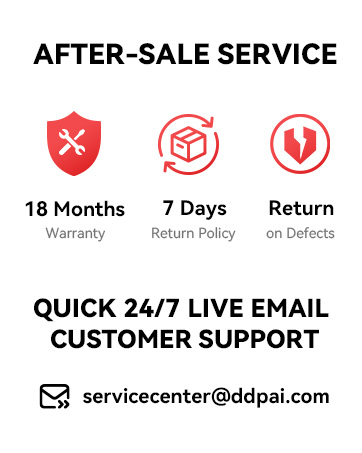
Summary of DDPAI's after-sale service and support.
- Warranty: 18 Months
- Return Policy: 7 Days
- Return on Defects: Yes
- Customer Support: Quick 24/7 Live Email Support
- Email: servicecenter@ddpai.com


