
1. Introduction
Thank you for choosing the UGREEN Power Bank 10,000mAh 22.5W. This compact and portable charger is designed to provide reliable and fast charging for your electronic devices on the go. Please read this manual carefully to ensure proper use and to maximize the lifespan of your device.
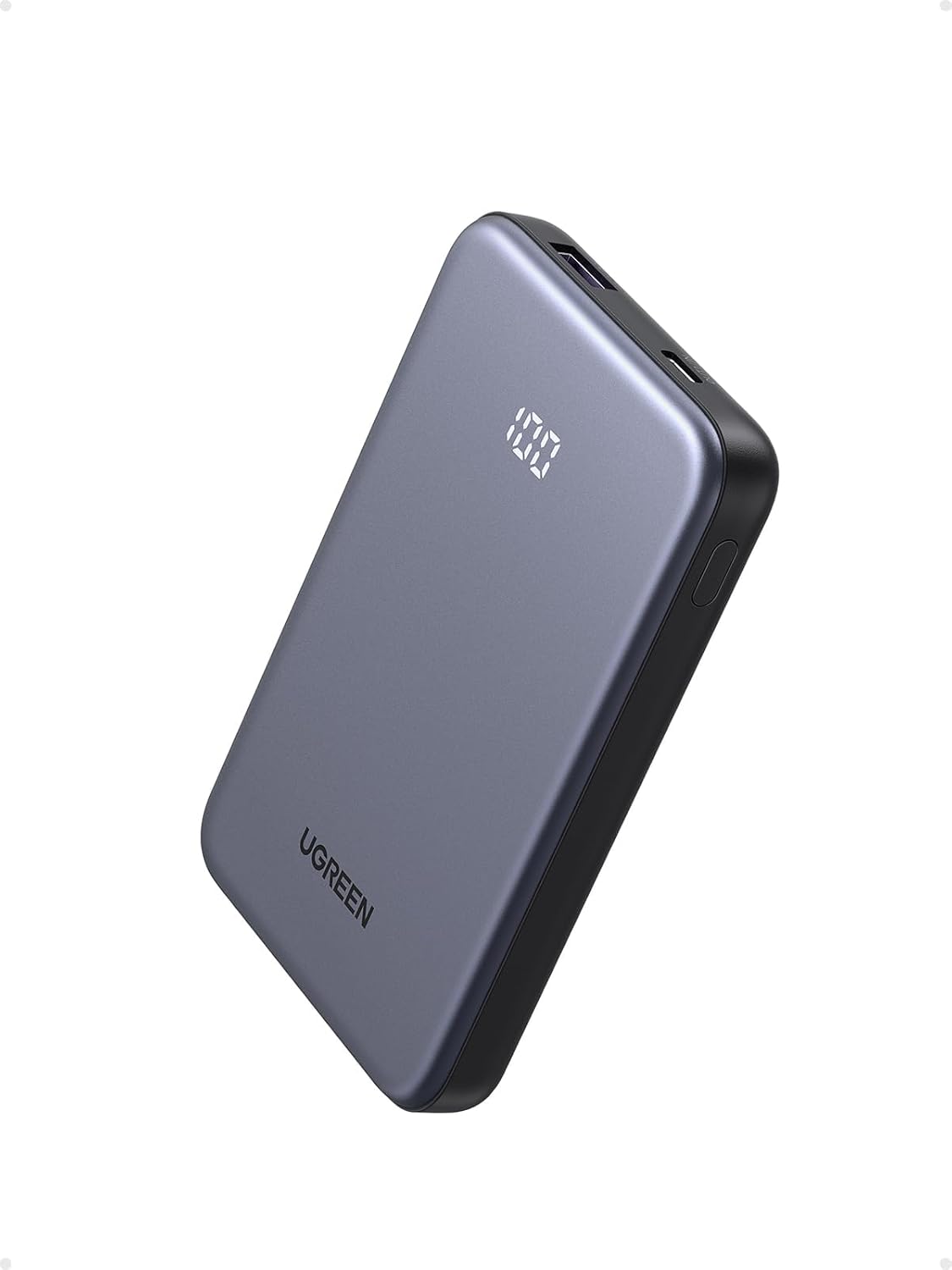
Image 1.1: UGREEN Power Bank 10,000mAh 22.5W with digital display.
2. Product Overview
Key Features:
- Compact Size: Small and lightweight design, easy to hold and carry without obstructing phone cameras.
- 10,000mAh Capacity: Provides approximately two full charges for an iPhone 16 Pro.
- Fast Charging: Supports 20W Power Delivery (PD) via USB-C and 22.5W SuperCharge Protocol (SCP) via USB-A, charging an iPhone 16 Pro to 55% in 30 minutes.
- Smart LED Digital Display: Clearly shows the remaining battery charge percentage.
- Dual-Device Charging: Equipped with USB-C and USB-A ports to charge two devices simultaneously.
Components:
- UGREEN Power Bank (Model: PB507)
- USB-C to USB-C Charging Cable (for recharging the power bank)
- User Manual

Image 2.1: The UGREEN Power Bank is ultra-compact and portable, measuring 4.4" x 2.8" x 0.6" and weighing 6.2 oz.

Image 2.2: The 10,000mAh capacity allows for multiple device charges, such as 2 charges for an iPhone 16 Pro or iPhone 15, and 1.8 charges for a Samsung S24.
3. Setup
Charging the Power Bank:
- Connect the provided USB-C to USB-C cable to the USB-C input/output port on the power bank.
- Connect the other end of the USB-C cable to a 20W (or higher) USB-C wall charger (not included).
- The digital display will show the charging progress. A full charge from 0% to 100% takes approximately 3 hours with a 20W charger.
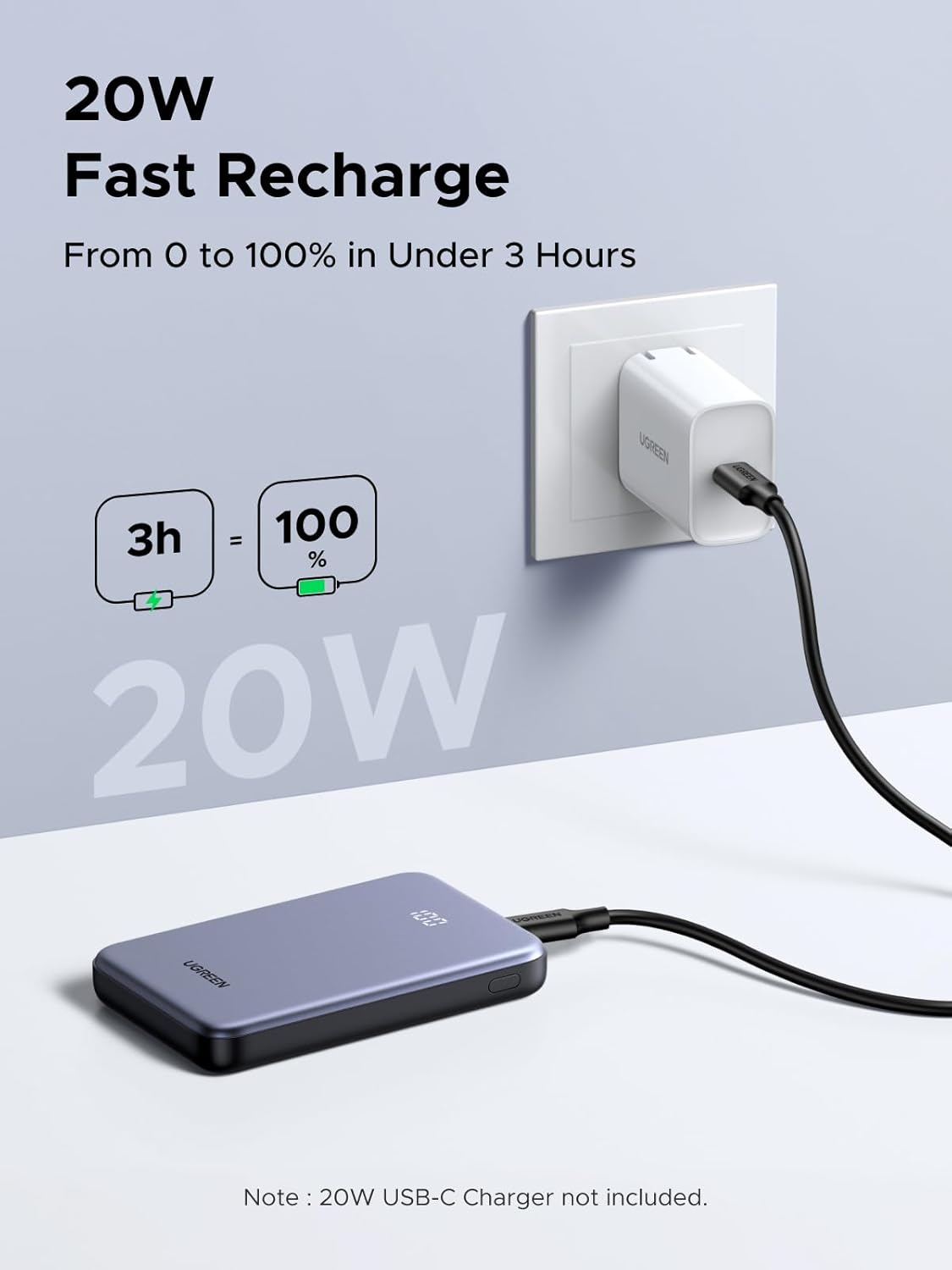
Image 3.1: The power bank can be fully recharged in under 3 hours using a 20W USB-C charger.
4. Operating Instructions
Charging Your Devices:
- Connect your device's charging cable to the appropriate port on the power bank (USB-C or USB-A).
- The power bank will automatically begin charging your device. The digital display will show the power bank's remaining charge.
- For optimal fast charging, ensure your device and cable support PD 20W (USB-C) or SCP 22.5W (USB-A).
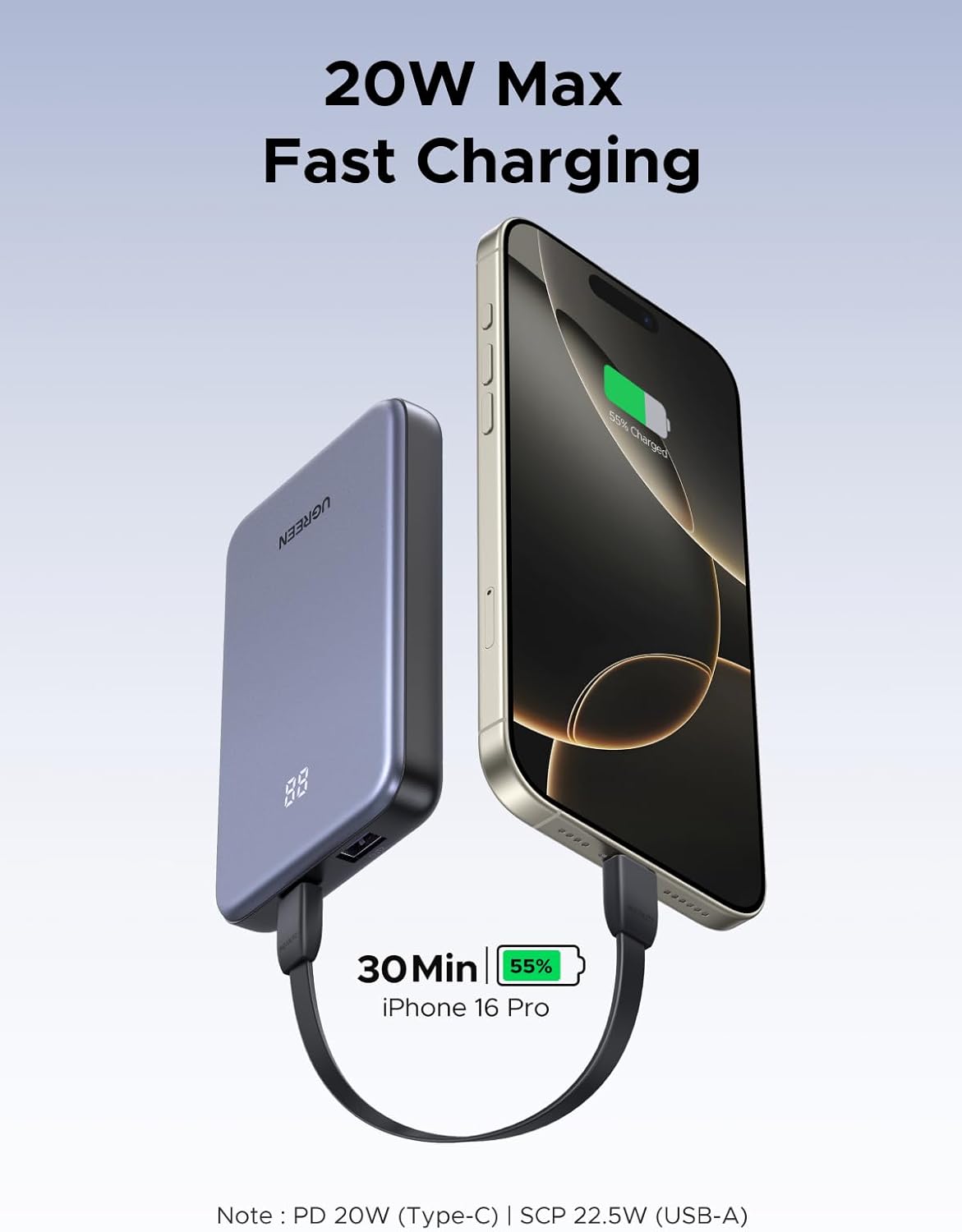
Image 4.1: The power bank supports 20W Max Fast Charging, capable of charging an iPhone 16 Pro to 55% in 30 minutes.
Low-Current Mode for Small Devices:
To charge low-power devices like smartwatches or earbuds, activate the low-current mode:
- Press and hold the power button for 6 seconds to activate or deactivate the small-current mode.
Image 4.2: The power bank supports a low-current mode, ideal for charging small devices like smartwatches and AirPods.
5. Safety Information
This product has a built-in polymer lithium-ion battery. Please observe the following safety guidelines:
- Do not disassemble, hit, crush, or throw it into fire.
- Discontinue use immediately if the battery is severely swollen.
- Do not use it in a high-temperature environment.
- Do not use the battery if it is immersed in water.
- Dispose of or recycle dead battery properly according to local laws and regulations.
- If the battery is swallowed, it can cause severe internal burns in just 2 hours and can lead to death. If you think battery might have been swallowed or placed inside any part of the body, seek immediate medical attention.
- Please store this product in a dry place, at room temperature.

Image 5.1: The power bank includes multiple safety protections: Over-Voltage, Over-Discharge, Over-Current, Over-Temperature, Over-Charge, and Short-Circuit Protection.
6. Maintenance
- Keep the power bank clean and dry.
- Avoid exposing the device to extreme temperatures or direct sunlight.
- Do not drop or subject the power bank to strong impacts.
- If not in use for extended periods, charge the power bank at least once every three months to maintain battery health.
7. Troubleshooting
Device not charging:
- Ensure the power bank is sufficiently charged. Check the digital display.
- Verify that the charging cable is securely connected to both the power bank and your device.
- Try using a different charging cable or port.
Slow charging:
- Ensure your device and cable support fast charging protocols (PD 20W or SCP 22.5W).
- Avoid charging multiple devices simultaneously if you require maximum speed for one device.
- Check if the low-current mode is accidentally activated. Deactivate it by holding the power button for 6 seconds.
8. Specifications
| Model Number | PB507 |
| Battery Capacity | 10,000 Milliamp Hours (37Wh 3.7V) |
| USB-C Input | 5V=3A/9V=2.22A/12V=1.67A |
| USB-C Output | 5V=3A/9V=2.22A/12V=1.67A |
| USB-A Output | 10V=2.25A/5V=3A/9V=2A/12V=1.5A |
| Total Output | 5V=2.4A Max |
| Product Dimensions | 4.41 x 0.65 x 2.76 inches |
| Item Weight | 6.2 ounces |
| Battery Type | Polymer Lithium-Ion Battery |
| Special Feature | Digital Display |
9. Official Product Videos
A Powerful On-The-Go Companion!
Video 9.1: A short preview showcasing the UGREEN Power Bank's compact design and portability.
I Won't Be Caught Without Power Again!
Video 9.2: A brief demonstration of the power bank's convenience for ensuring devices remain charged.
10. Warranty and Support
UGREEN products are designed and manufactured to the highest quality standards. For warranty information or technical support, please contact Ugreen Group Limited directly through their official website or the contact information provided on the product packaging.
Manufacturer: Ugreen Group Limited