
1. Introduction
This manual provides essential information for the proper setup and operation of your Hotsmtbang Replacement Remote Control. This remote is designed to be compatible with TIBO Audio TI-210 and TI-200 CD Players, Stereo Receivers, and DAB Amplifiers.
The remote control is pre-programmed and requires no additional setup beyond battery insertion.
2. Setup
To begin using your replacement remote control, follow these simple steps to install the batteries:
- Locate the Battery Compartment: Turn the remote control over to find the battery compartment cover on the back.
- Open the Cover: Gently slide or press the latch on the battery compartment cover to open it.
- Insert Batteries: Insert two new AAA batteries (not included) into the compartment, ensuring the positive (+) and negative (-) terminals align correctly with the markings inside the compartment.
- Close the Cover: Replace the battery compartment cover by sliding it back into place until it clicks securely.

Figure 1: Battery compartment open, showing battery insertion.
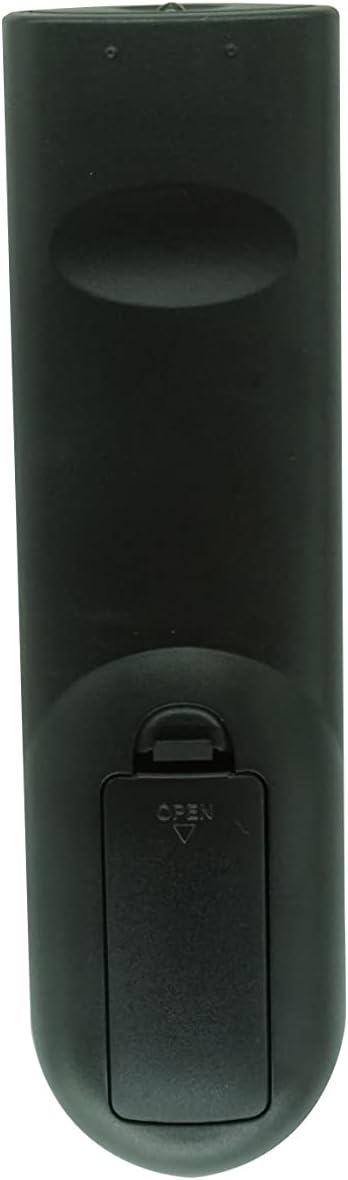
Figure 2: Battery compartment closed.
The remote control is now ready for use. No programming is required.
3. Operating Instructions
This remote control functions identically to the original remote for your TIBO Audio TI-210 or TI-200 device. Simply point the remote at your audio equipment and press the desired function button.
Key Functions:
- Power: Turns the device on or off.
- Volume Up/Down: Adjusts the audio output level.
- Mute: Silences the audio output.
- Source/Input: Selects the audio input source (e.g., CD, DAB, AUX).
- Play/Pause/Stop: Controls media playback for CD players.
- Track Skip: Navigates between tracks on a CD.
- Tuner/Preset: For DAB amplifier functions, including station selection and preset recall.
Refer to your TIBO Audio TI-210 or TI-200 device's original manual for specific button layouts and advanced functions.
4. Maintenance
Proper maintenance ensures the longevity and optimal performance of your remote control.
- Battery Replacement: Replace batteries when the remote's range decreases or it becomes unresponsive. Always use new AAA batteries. Do not mix old and new batteries, or different types of batteries.
- Cleaning: Wipe the remote control with a soft, dry cloth. For stubborn dirt, slightly dampen the cloth with water. Avoid using harsh chemicals or abrasive cleaners.
- Storage: Store the remote in a dry place, away from direct sunlight and extreme temperatures. If the remote will not be used for an extended period, remove the batteries to prevent leakage.
5. Troubleshooting
If you experience issues with your remote control, try the following troubleshooting steps:
- Remote Not Responding:
- Ensure new batteries are correctly inserted with the proper polarity (+/-).
- Replace old batteries with fresh ones.
- Check for any obstructions between the remote and your audio device.
- Ensure you are within the operating range (up to 8 meters).
- Limited Range:
- Replace batteries.
- Ensure the remote's infrared emitter and the device's receiver are clean and unobstructed.
- Specific Buttons Not Working:
- This remote is pre-programmed. If a specific button does not work, it may indicate an issue with the remote itself or the receiving device.
- Verify that the function you are trying to use is supported by your TIBO Audio device.
If problems persist, please contact the seller for further assistance.
6. Specifications
| Feature | Detail |
|---|---|
| Brand | Hotsmtbang |
| Compatibility | TIBO Audio TI-210, TI-200 CD Player, Stereo Receiver, DAB Amplifier |
| Connectivity Technology | Infrared (IR) |
| Maximum Range | 8 Meters |
| Power Source | 2 x AAA Batteries (not included) |
| Special Feature | No Programming Required |
7. Warranty and Support
This product comes with a 90-day quality warranty, offering hassle-free returns and unconditional refunds for quality issues. The seller checks the product before shipping.
If you are unsure about compatibility with your device or require further assistance, please contact the seller directly through the platform where the purchase was made.
