
Bolisila EC7850A1122
Bolisila EC7850A1122 Flame Amplifier Burner Controller User Manual
Model: EC7850A1122
1. Introduction
This manual provides essential information for the safe and efficient installation, operation, and maintenance of the Bolisila EC7850A1122 Flame Amplifier Burner Controller. This device is designed to provide precise flame signal enhancement in industrial applications, ensuring optimal safety and operational efficiency.
2. Safety Information
Please read all safety warnings and instructions carefully before installing or operating this product. Failure to follow these instructions may result in property damage, serious injury, or death.
- Installation and servicing must be performed by qualified, trained, and experienced personnel only.
- Disconnect all power to the system before performing any installation, maintenance, or troubleshooting.
- Ensure all wiring complies with local and national electrical codes.
- Do not operate the device if it appears damaged.
- This device is built with heat-resistant components to withstand extreme temperatures; however, proper ventilation must be maintained.
3. Product Overview
The Bolisila EC7850A1122 is a robust flame amplifier designed for reliable burner control. It features a plug-and-play setup for quick integration and real-time monitoring capabilities.
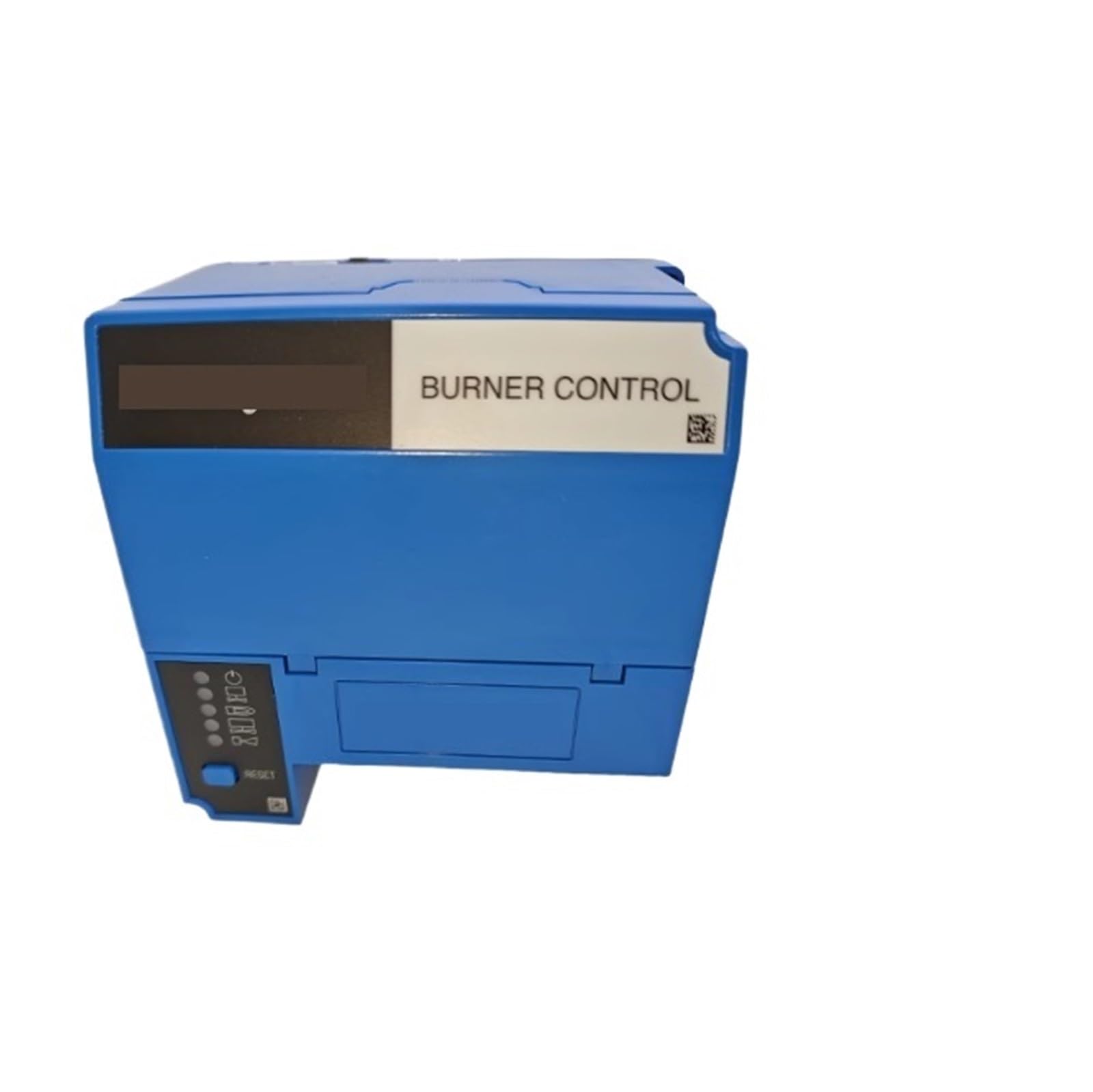
Image showing the blue-colored Bolisila EC7850A1122 Flame Amplifier Burner Controller. The device has a label on top indicating 'BURNER CONTROL' and a section with indicator lights and a 'RESET' button on the lower left side.
Key Features:
- Flame amplifier for precise flame signal enhancement.
- Built with heat-resistant components for high-temperature environments.
- Plug-and-play setup for quick integration.
- Real-time monitoring for optimal safety and operational efficiency.
4. Setup
The EC7850A1122 is designed for straightforward integration. However, due to the nature of burner control systems, professional installation is highly recommended to ensure proper functionality and safety.
Installation Steps (General Guidance):
- Power Disconnection: Ensure all power to the burner system is completely disconnected at the main circuit breaker. Verify with a voltage tester.
- Mounting: Securely mount the EC7850A1122 in a suitable location, away from excessive vibration and direct heat sources, but within the system's operational temperature range.
- Wiring: Connect the flame amplifier to the burner control system according to the specific wiring diagram provided with your overall burner system documentation. Pay close attention to input, output, and power connections.
- Verification: Double-check all connections for tightness and correctness. Ensure no bare wires are exposed.
- Power Restoration: Once all connections are verified, restore power to the system.
- Initial Test: Perform an initial system test as per your burner system's commissioning procedures to confirm proper operation of the flame amplifier.
5. Operating Instructions
The Bolisila EC7850A1122 operates in conjunction with your existing burner control system. Its primary function is to amplify the flame signal for reliable detection and control.
Normal Operation:
- Once installed and powered, the flame amplifier continuously monitors the flame signal from the flame sensor.
- It processes and amplifies this signal, sending a clear and reliable signal to the main burner controller.
- The indicator lights on the device provide visual feedback on its operational status and flame presence. Refer to your burner control system's manual for specific interpretations of these indicators.
- The 'RESET' button, if present, is typically used to clear lockout conditions or reset the device after a fault, as instructed by your main burner control system's troubleshooting guide.
6. Maintenance
The EC7850A1122 is designed for minimal maintenance. Regular inspection of the overall burner system, including the flame amplifier, is recommended.
- Visual Inspection: Periodically inspect the device for any signs of physical damage, loose connections, or excessive dust accumulation.
- Cleaning: If necessary, gently clean the exterior of the device with a soft, dry cloth. Do not use liquid cleaners or solvents.
- System Checks: Follow the maintenance schedule for your entire burner system, which may include checks of flame sensor integrity and signal strength, where the flame amplifier plays a crucial role.
- Professional Servicing: Any internal servicing or repair should only be performed by qualified service technicians.
7. Troubleshooting
If you experience issues with your burner system, consider the flame amplifier as part of the diagnostic process. Always consult your main burner control system's troubleshooting guide first.
Common Issues and Solutions:
- No Flame Signal:
- Check power supply to the flame amplifier.
- Inspect wiring connections between the flame sensor, amplifier, and controller.
- Verify the flame sensor is clean and properly positioned.
- Consult your burner control system's manual for flame signal strength requirements.
- Intermittent Flame Signal:
- Check for loose connections or intermittent wiring faults.
- Ensure the flame sensor is not fouled or damaged.
- Verify stable power supply.
- Device Not Powering On:
- Confirm power is supplied to the system and the amplifier's terminals.
- Check for blown fuses in the control panel, if applicable.
For complex issues or if troubleshooting steps do not resolve the problem, contact a qualified service technician.
8. Specifications
| Specification | Value |
|---|---|
| Model Number | EC7850A1122 |
| Brand | Bolisila |
| Package Dimensions | 1.18 x 0.79 x 0.39 inches |
| Item Weight | 2.2 pounds |
| Manufacturer | Bolisila |
| Assembly Required | No |
| Number of Pieces | 1 |
9. Warranty and Support
For specific warranty information regarding your Bolisila EC7850A1122 Flame Amplifier Burner Controller, please refer to the documentation provided at the time of purchase or contact the seller/manufacturer directly. Warranty terms may vary based on region and distributor.
For technical support or service inquiries, please contact your authorized Bolisila distributor or the point of purchase. Ensure you have your product model number (EC7850A1122) and purchase details available when seeking support.
Ask a question about this manual
Ask about setup, troubleshooting, compatibility, parts, safety, or missing instructions. Manuals+ will review the question and use this page’s manual context to help answer it.