1. Introduction
Thank you for choosing the RadioShack Live Sound Wireless Bluetooth Earbuds. These earbuds are designed to provide a high-quality audio experience with advanced features such as noise cancellation and IPX5 waterproofing. This manual will guide you through the setup, operation, and maintenance of your new earbuds.
2. Package Contents
- RadioShack Live Sound Wireless Bluetooth Earbuds (Left and Right)
- Charging Case
- USB Charging Cable
- User Manual
3. Product Overview
The RadioShack Live Sound Earbuds feature a compact design for comfortable wear and portability. The charging case protects the earbuds and provides additional battery life.
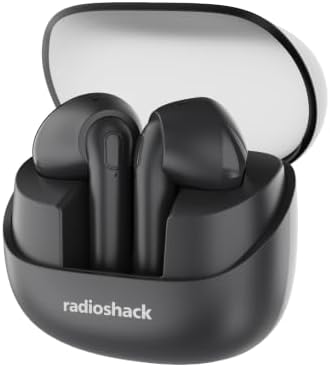
Image: RadioShack Live Sound Wireless Bluetooth Earbuds in their open charging case.

Image: A single RadioShack Live Sound earbud, showcasing its design and in-ear form factor.
4. Setup
4.1 Charging the Earbuds and Case
- Place the earbuds into the charging case. Ensure they are correctly seated; magnetic contacts will hold them in place.
- Connect the USB charging cable to the charging port on the case and to a compatible USB power source.
- The indicator light on the charging case will illuminate to show charging status. A full charge typically takes approximately 1.5 hours for the earbuds and 2 hours for the case.
- Once fully charged, the indicator light will change or turn off, depending on the model. Disconnect the charging cable.
The earbuds have a 35mAh battery capacity, and the charging case has a 460mAh capacity, providing extended usage.
4.2 Bluetooth Pairing
Your earbuds utilize Bluetrum AB5636F Bluetooth 5.4 chipset for instant and stable connectivity.

Image: Graphic illustrating Bluetooth 5.4 technology for enhanced connectivity.
- Ensure the earbuds are charged.
- Open the charging case. The earbuds will automatically enter pairing mode, indicated by a flashing LED light on one or both earbuds.
- On your device (smartphone, tablet, etc.), enable Bluetooth and search for available devices.
- Select "RadioShack Live Sound" from the list of found devices.
- Once connected, the earbud LED lights will stop flashing, and you may hear a confirmation tone.
- The earbuds will automatically reconnect to the last paired device when removed from the case, if Bluetooth is enabled on the device.
5. Operating Instructions
5.1 Power On/Off
- Power On: Open the charging case, and the earbuds will automatically power on.
- Power Off: Place the earbuds back into the charging case and close the lid. They will automatically power off and begin charging.
5.2 Music Playback
The earbuds feature touch controls for easy management of your audio.
- Play/Pause: Single tap on either earbud.
- Next Track: Double tap the right earbud.
- Previous Track: Double tap the left earbud.
5.3 Call Management
- Answer/End Call: Single tap on either earbud.
- Reject Call: Press and hold either earbud for 2 seconds.
5.4 Noise Cancellation
These earbuds are equipped with advanced noise cancellation technology to reduce ambient sounds, allowing for a more immersive listening experience.
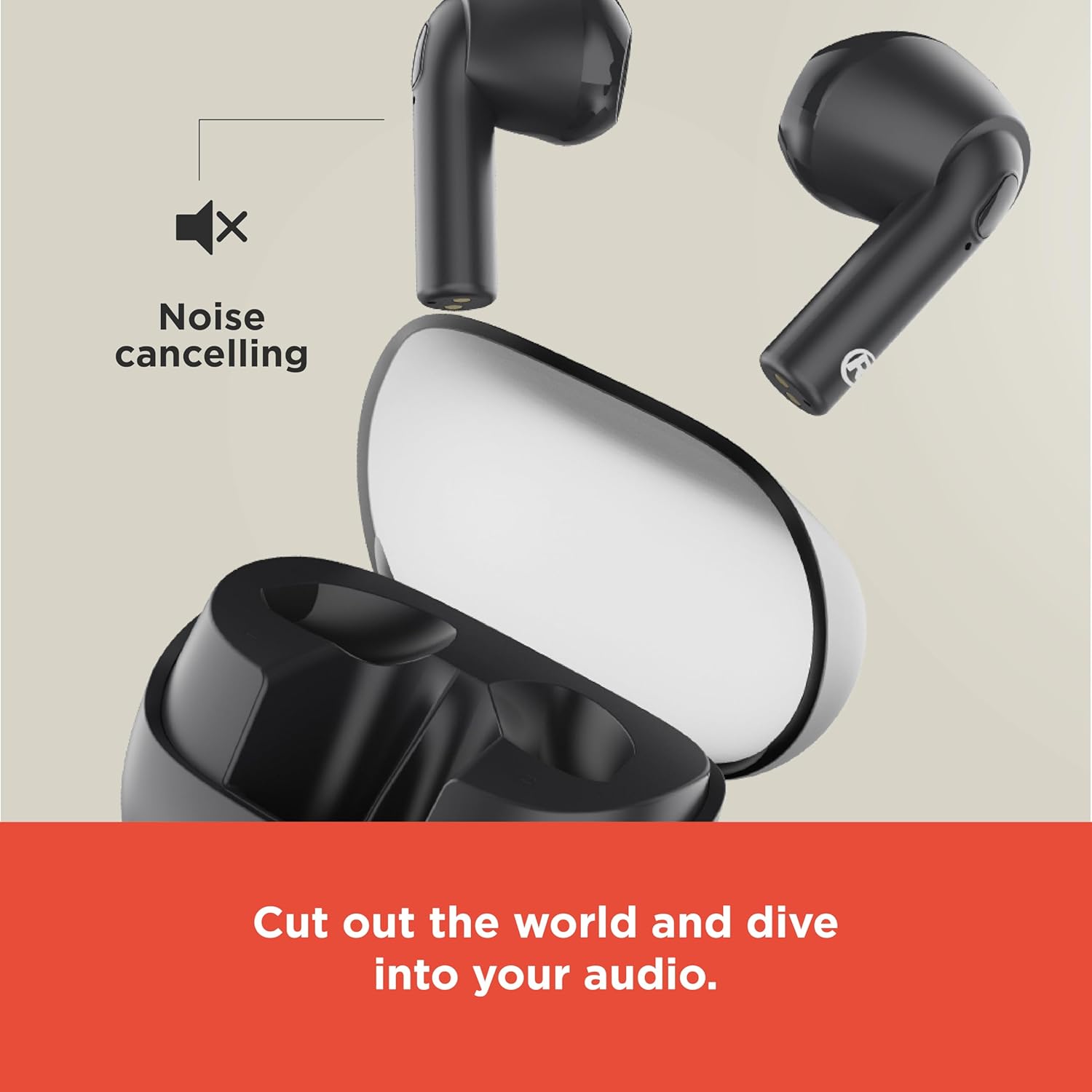
Image: Graphic representing the noise cancellation feature, with earbuds shown outside their case.
6. Maintenance
6.1 Cleaning
- Regularly clean the earbuds and charging case with a soft, dry, lint-free cloth.
- Do not use abrasive cleaners, alcohol, or chemical solvents.
- Ensure charging contacts on both earbuds and case are clean and free of debris.
6.2 Storage
- When not in use, store the earbuds in their charging case to protect them and keep them charged.
- Store in a cool, dry place, away from extreme temperatures and direct sunlight.
6.3 Water Resistance
The earbuds are IPX5 waterproof, meaning they are resistant to a sustained, low-pressure water jet spray. They are suitable for use during exercise or in light rain. However, they are not designed for immersion in water. Avoid exposing the charging case to water.
7. Troubleshooting
| Issue | Possible Solution |
|---|---|
| Earbuds not pairing |
|
| Only one earbud working |
|
| No sound |
|
| Charging case not charging |
|
8. Specifications
| Feature | Detail |
|---|---|
| Model Name | RadioShack Live Sound Wireless Bluetooth Earbuds |
| Model Number | 3304399 |
| Connectivity Technology | Bluetooth 5.4 |
| Noise Control | Active Noise Cancellation |
| Water Resistance Level | IPX5 (Earbuds only) |
| Earbud Battery Capacity | 35mAh |
| Charging Case Battery Capacity | 460mAh |
| Frequency Range | 20-20000 Hz |
| Sensitivity | 114 dB |
| Impedance | 32 Ohm |
| Control Method | Touch |
| Material | Plastic |
| Item Weight | 3.2 ounces |
9. Safety Information
- Do not disassemble, repair, or modify the product.
- Keep the product away from extreme temperatures, direct sunlight, and open flames.
- Avoid exposing the charging case to water or moisture.
- Do not use the earbuds at high volume for extended periods to prevent hearing damage.
- Dispose of batteries and electronic components responsibly according to local regulations.
10. Warranty and Support
RadioShack products are designed for reliability and performance. For warranty information or technical support, please refer to the contact details provided with your purchase or visit the official RadioShack website. Please retain your proof of purchase for warranty claims.


