
1. Introduction
Thank you for choosing the BEISHI R5 Mobile TV Stand. This heavy-duty rolling floor TV stand is designed to provide a versatile and stable solution for displaying your television. It features integrated storage shelves and lockable wheels for easy mobility and secure placement. This manual provides detailed instructions for safe assembly, operation, and maintenance of your TV stand.
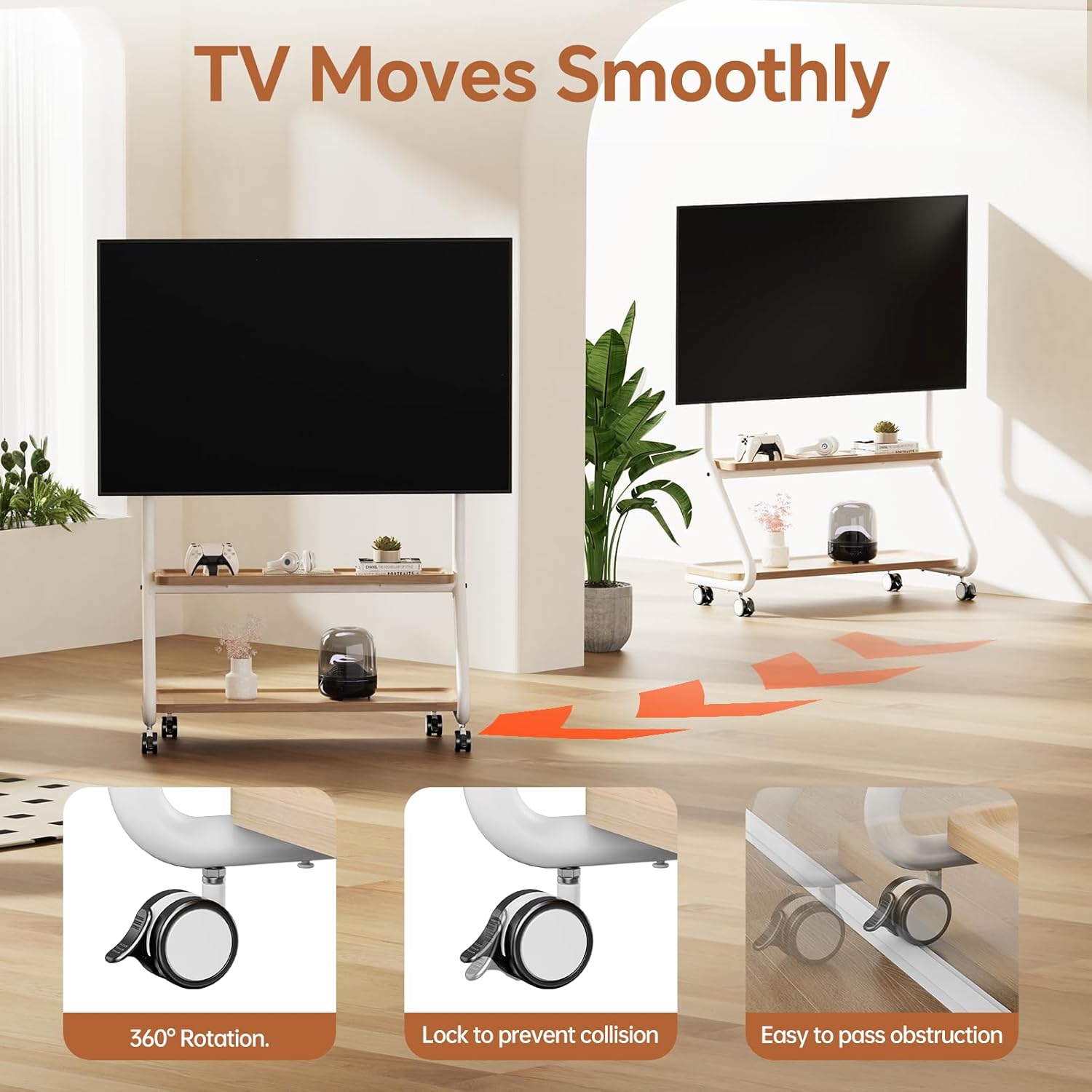
Figure 1.1: The BEISHI R5 Mobile TV Stand, showcasing its design with a television mounted and items on its storage shelves.
2. Safety Information
Please read all instructions carefully before assembly and use. Failure to follow these instructions may result in property damage, serious injury, or death. If you have any questions, please contact customer support.
- Weight Capacity: Do not exceed the maximum weight capacity of 180 lbs (81.6 kg) for the TV mount. The middle shelf has a load bearing of 110 lbs (50 kg), and the bottom shelf has a load bearing of 220 lbs (100 kg).
- TV Size: This stand is compatible with TVs from 42 to 85 inches.
- VESA Compatibility: Ensure your TV's VESA mounting pattern is within 100x100mm to 600x500mm.
- Stability: Always ensure the TV stand is on a flat, stable surface. Lock the wheels when the stand is in its desired position to prevent accidental movement.
- Assembly: Assemble the product according to the instructions. Do not use power tools for tightening screws unless explicitly stated, as over-tightening can damage components.
- Children: Keep children away from the assembly area. Small parts can be a choking hazard.
- Moving the Stand: When moving the stand with a TV mounted, do so slowly and carefully, especially over uneven surfaces. Ensure the TV is securely attached and all items on shelves are stable.
3. Package Contents
Verify that all components are present and undamaged before beginning assembly. If any parts are missing or damaged, do not proceed with assembly and contact customer support.

Video 3.1: An overview of all parts included in the package for the BEISHI R5 Mobile TV Stand. This video is part of the installation guide.
The package typically includes:
- Main Frame Components (various metal tubes)
- Storage Shelves (wooden panels)
- TV Mounting Bracket
- 360° Lockable Wheels
- Hardware Kit (screws, washers, Allen wrench, etc.)
- Installation Guide
4. Assembly Instructions
Follow these steps carefully to assemble your BEISHI R5 Mobile TV Stand. A Phillips head screwdriver (not included) may be helpful in addition to the provided Allen wrench.
Video 4.1: Detailed installation guide for the Mobile TV Stand with Storage Shelves. This video demonstrates each step of the assembly process.
- Assemble the Base Frame: Connect the cart legs to the main frame using the provided screws and tighten them securely with the Allen wrench. Ensure all connections are firm.
- Install Storage Shelf Brackets: Attach the horizontal support bars for the storage shelves to the main frame. Pay close attention to the orientation of the brackets to ensure correct installation. Tighten all screws.
- Attach Wooden Shelves: Place the wooden storage shelves onto their respective brackets. Secure them from underneath using the provided screws and a screwdriver.
- Install Wheels: Screw the 360° lockable wheels into the designated holes at the bottom of the stand's base. Ensure they are tightly secured.
- Mount TV Panel: Attach the TV mounting panel to the upper part of the stand's frame using the provided screws.
- Attach TV Mounting Rails to TV: Secure the vertical mounting rails to the back of your television using the appropriate screws for your TV's VESA pattern.
- Hang TV on Stand: Carefully lift your TV and hook the mounting rails onto the TV panel on the stand. Ensure it is seated correctly.
- Secure TV: Tighten the anti-detachment screws on the bottom of the TV mounting rails to prevent the TV from accidentally lifting off the stand.

Figure 4.1: Product dimensions for the BEISHI R5 Mobile TV Stand.
5. Operating Instructions & Features
The BEISHI R5 Mobile TV Stand is designed for ease of use and versatility.
5.1 Mobility and Stability
The stand is equipped with 360° rotating lockable wheels, allowing you to easily move your TV to any desired location. To secure the stand in place, simply engage the locks on the wheels.

Figure 5.1: The 360° rotating lockable wheels provide smooth movement and secure positioning.
5.2 Storage Solutions
The stand features dual-tier storage shelves and a unique hole board design on the back for organized accessory management.
- Dual-Tier Shelves: Two spacious shelves provide ample room for media devices, game consoles, soundbars, and other accessories. The middle shelf supports up to 110 lbs, and the bottom shelf supports up to 220 lbs.
- Unique Hole Board Design: The back of the TV mount features a cooling hole board. This design allows for the attachment of various accessories (not included) for organizing routers, set-top boxes, and cables, helping to maintain a tidy setup.
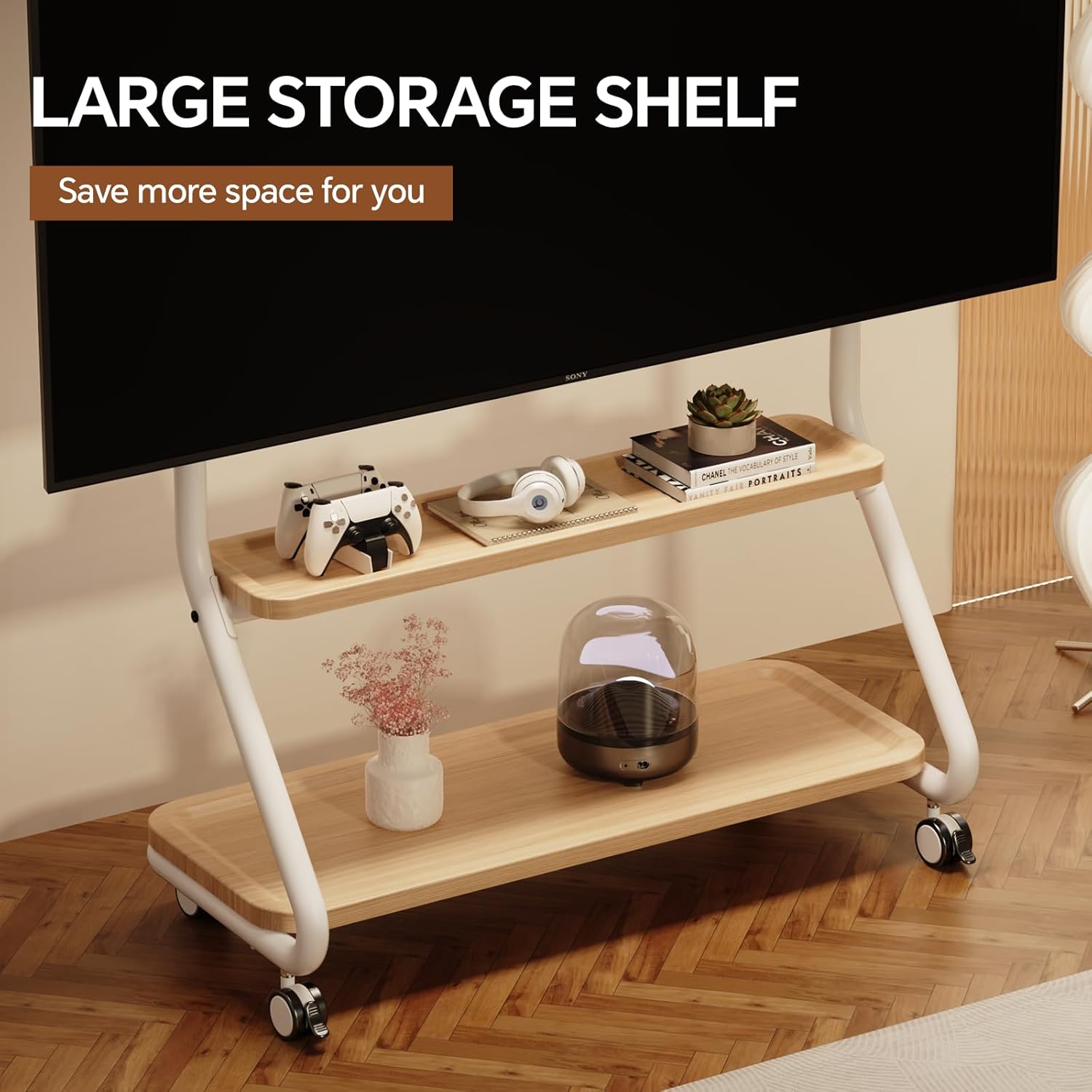
Figure 5.2: The large storage shelves offer convenient space for various items.

Figure 5.3: The unique hole board design helps organize cables and accessories behind the TV. Note: Storage accessories and hooks are not included.
5.3 Height Adjustment
The TV mounting height is adjustable from 57 inches to 60.2 inches, allowing you to customize the viewing experience to your preference.
Video 5.4: A brief overview of the Mobile TV Stand with Storage Shelves, demonstrating its features and mobility.
6. Maintenance
Regular maintenance ensures the longevity and safe operation of your TV stand.
- Cleaning: Wipe surfaces with a soft, damp cloth. Avoid harsh chemicals or abrasive cleaners.
- Hardware Check: Periodically check all screws and bolts to ensure they remain tight. Re-tighten if necessary.
- Wheel Functionality: Keep the wheels free of debris to ensure smooth movement. Test the locking mechanism regularly.
- Weight Distribution: Ensure weight is evenly distributed on the shelves and the TV is centered on the mount to maintain stability.
7. Troubleshooting
If you encounter any issues with your BEISHI R5 Mobile TV Stand, refer to the following common solutions:
- Stand is unstable: Ensure all screws are tightened. Verify the stand is on a flat, level surface. Check that the TV weight and size are within the specified limits.
- Wheels not rolling smoothly: Check for debris caught in the wheels. Ensure the wheel locks are disengaged.
- TV not securely mounted: Double-check that the TV mounting rails are correctly hooked onto the stand's panel and the anti-detachment screws are tightened. Ensure VESA compatibility.
- Missing parts: If you find any parts missing during assembly, do not proceed. Contact BEISHI customer support immediately for assistance.
8. Specifications
| Feature | Specification |
|---|---|
| Brand | BEISHI |
| Model | R5 |
| TV Size Compatibility | 42-85 inches |
| Max TV Weight Capacity | 180 lbs (81.6 kg) |
| VESA Compatibility | 100x100mm to 600x500mm |
| Middle Shelf Load Bearing | 110 lbs (50 kg) |
| Bottom Shelf Load Bearing | 220 lbs (100 kg) |
| Height Adjustment | 57" to 60.2" |
| Movement Type | Swivel, Rolling (with lockable wheels) |
| Material | Metal frame, Wooden shelves |
| Item Weight | 47.6 pounds (21.6 kg) |
| Package Dimensions | 38 x 28 x 5 inches |

Figure 8.1: TV size, weight capacity, and VESA compatibility details.
9. Warranty and Support
BEISHI products are manufactured with quality and durability in mind. For warranty information, product support, or to report missing/damaged parts, please contact BEISHI customer service through the retailer where the product was purchased or visit the official BEISHI website.
Please retain your proof of purchase for warranty claims.


