
1. Introduction
The Fanvil A233 IP Horn Speaker is a commercial-grade audio terminal designed for versatile applications. It can operate independently as an audio system or seamlessly integrate with various external systems, including unified communication systems, video surveillance systems, Fanvil broadcast & intercom systems, access control systems, digital billboards, and fire alarm systems. This integration facilitates unified configuration and operation across different platforms. With an IP66 protection rating, the A233 ensures effective waterproofing and dustproofing, making it suitable for most outdoor environments. The speaker features a 30W output, delivering clear sound with high volume and wide dispersion, and boasts a robust and durable design for reduced maintenance.
2. Setup
2.1. Unboxing and Components
Carefully unpack the Fanvil A233 IP Horn Speaker and ensure all components are present. The package should include:
- 1 x Fanvil A233 IP Horn Speaker
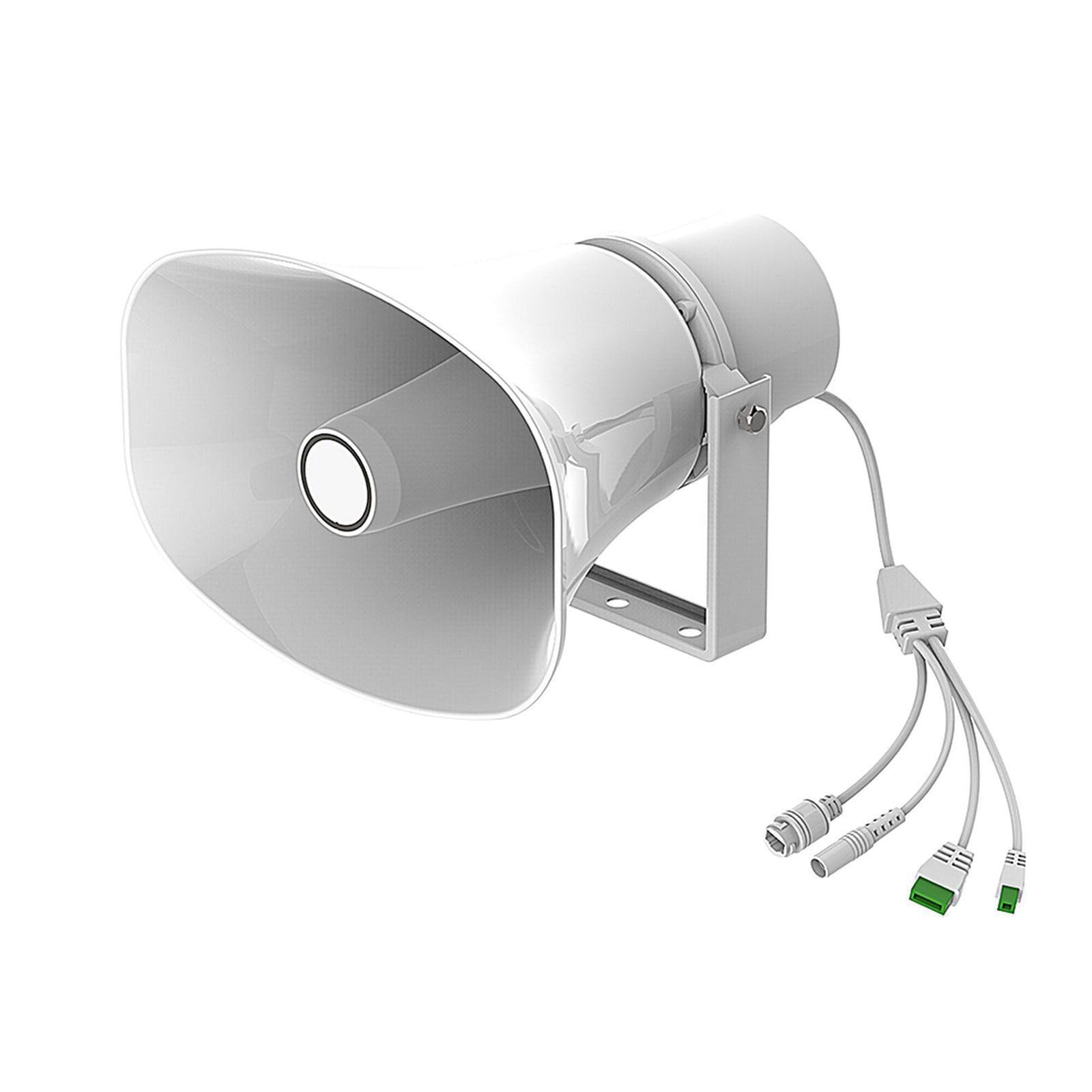
Figure 1: Fanvil A233 IP Horn Speaker with its connection cables.


Figure 2: Side and front views of the Fanvil A233 IP Horn Speaker, highlighting its robust design.
2.2. Physical Installation
The Fanvil A233 is designed for wall mounting. Use appropriate hardware to securely mount the speaker in your desired outdoor location. Ensure the mounting surface can support the speaker's weight and that the speaker is positioned for optimal sound dispersion.
2.3. Electrical and Network Connection
The A233 is an IP audio terminal, typically powered and connected via Ethernet (Power over Ethernet - PoE). Connect an Ethernet cable from your PoE-enabled network switch or PoE injector to the speaker's Ethernet port. Ensure the network provides stable power and data connectivity.
Video 1: This video demonstrates how to power 12V and 24V devices using PoE in solar systems, which can be relevant for deploying the Fanvil A233 in off-grid or remote locations. It showcases a PoE splitter that converts PoE input to switchable DC 12V/24V output, useful for non-PoE devices.
Video 2: An unboxing video of an outdoor loud speaker, providing a visual guide to the components and initial presentation of a similar product.
3. Operating
3.1. Basic Functionality
The Fanvil A233 functions as an IP audio terminal. Once connected to a network and powered, it can receive audio streams and broadcast them. Its 30W speaker ensures clear, high-volume sound with wide dispersion, suitable for various commercial and industrial settings.
3.2. System Integration
The A233 is designed for integration with a range of systems:
- Unified Communication Systems: Integrate for voice announcements and paging.
- Video Surveillance Systems: Connect with IP cameras to enable two-way audio or broadcast warnings.
- Fanvil Broadcast & Intercom System: Utilize for comprehensive broadcasting and intercom functionalities.
- Access Control Systems: Enhance security by broadcasting messages or alerts related to access events.
- Digital Billboards & Fire Alarm Systems: Use for public announcements, emergency alerts, or informational broadcasts.
Integration is typically achieved through HTTP API and short-circuit I/O interfaces, allowing for remote control and advanced functionalities.
4. Maintenance
The Fanvil A233 IP Horn Speaker is built with a robust and durable design, contributing to lower maintenance costs. Its IP66 protection rating ensures effective waterproofing and dustproofing, minimizing the need for frequent internal cleaning or protection from environmental elements.
4.1. Cleaning
To maintain optimal performance and appearance, periodically clean the exterior of the speaker. Use a soft, damp cloth to wipe away dust and dirt. Avoid using harsh chemicals or abrasive cleaners, as these can damage the speaker's finish or internal components.
4.2. Firmware Updates
Regularly check the Fanvil official website for any available firmware updates. Keeping the device's firmware up-to-date ensures access to the latest features, security patches, and performance improvements. Follow the provided instructions for firmware updates carefully to avoid any issues.
5. Troubleshooting
5.1. No Power/No Indicator Lights
- Check Power Source: Ensure the PoE-enabled network switch or PoE injector is functioning correctly and providing power.
- Verify Ethernet Cable: Inspect the Ethernet cable for any damage and ensure it is securely connected to both the speaker and the network device. Try a different cable if necessary.
5.2. No Audio Output
- Check Network Connectivity: Confirm the speaker has a stable network connection. Verify IP address assignment and network reachability.
- Verify Audio Source: Ensure the audio source (e.g., intercom system, broadcasting server) is sending audio to the speaker.
- Speaker Volume: Check if the volume settings on the speaker or the connected system are appropriately configured.
- System Integration: If integrated with other systems, verify the configuration settings for audio routing and playback.
5.3. Distorted Audio
- Check Audio Source Quality: Ensure the incoming audio signal is clear and not distorted at its source.
- Network Bandwidth: Insufficient network bandwidth can cause audio distortion. Verify network performance.
- Speaker Placement: Ensure the speaker is not placed in an area that causes acoustic interference or echoes.
5.4. Connectivity Issues
- Network Configuration: Verify the speaker's IP address, subnet mask, gateway, and DNS settings are correct.
- Firewall Settings: Ensure no firewall rules are blocking communication to or from the speaker on the network.
- Router/Switch Issues: Reboot the network switch or router if other network devices are also experiencing connectivity problems.
6. Specifications
| Feature | Specification |
|---|---|
| Brand | Fanvil |
| Model Name | A233 |
| Speaker Type | Outdoor |
| Recommended Uses | For Commercial or Industrial Settings, For Outdoor Use |
| Compatible Devices | Smartphone, Tablet, Laptop, Desktop, Projector, Television |
| Unit Count | 1.0 Count |
| Surround Sound Channel Configuration | 2.0 |
| Included Components | 1 x Speaker |
| Product Dimensions | 8"D x 5"W x 11"H |
| Item Weight | 0.5 Pounds (8 ounces) |
| Is Waterproof | true (IP66 Rated Protection) |
| Warranty Type | Limited |
| Number of Items | 1 |
| Speaker Size | 8 Inches |
| Audio Driver Type | Dynamic Driver |
| Specific Uses For Product | Outdoor/Commercial/Security Systems |
| UPC | 889837004036 |
| Manufacturer | Fanvil |
| Shape | Rectangular Prism |
| Speaker Maximum Output Power | 30 Watts |
| Connectivity Technology | Ethernet |
| Audio Output Mode | Mono |
| Mounting Type | Wall Mount |
7. Warranty
The Fanvil A233 IP Horn Speaker comes with a Limited Warranty. For specific terms and conditions, including coverage details and duration, please refer to the warranty information provided with your product packaging or contact Fanvil customer support.
8. Support
For technical assistance, product inquiries, or further support, please visit the official Fanvil website or contact their customer service department. You may find FAQs, additional documentation, and contact information for your region on their website.


