
Rode WIPRO
Rode Wireless PRO Instruction Manual
Model: WIPRO
Introduction
The Rode Wireless PRO is a premium two-person wireless microphone system designed for content creators, filmmakers, and professionals who demand high-quality, reliable audio. This manual provides essential information for setting up, operating, and maintaining your Wireless PRO system to ensure optimal performance.
What's in the Box
Verify that all components are present in your package:
- RODE Wireless PRO 2-Person Clip-On Wireless Microphone System/Recorder with Lavaliers (2.4 GHz)
- Dual-Channel Wireless Receiver
- 2 x Clip-On Transmitter
- 2 x RODE Lavalier II Omnidirectional Lavalier Microphone
- RODE SC2 Right-Angle 3.5mm TRS Coiled Patch Cable
- RODE SC21 Lightning to USB-C Cable
- RODE SC22 USB-C to USB-C Cable
- USB-C to USB-C Superspeed Cable
- 2 x RODE MagClip GO Magnet Clip for the Wireless GO Transmitter
- 3 x Furry Windshield
- Charging Case PRO
- Accessory Case
- Lens Cloth
- RODE VXLR 3.5mm TRS Female to XLR Male Adapter
- Goby Labs Headphone Cleaner 4 fl oz
- Deluxe Cleaning Kit
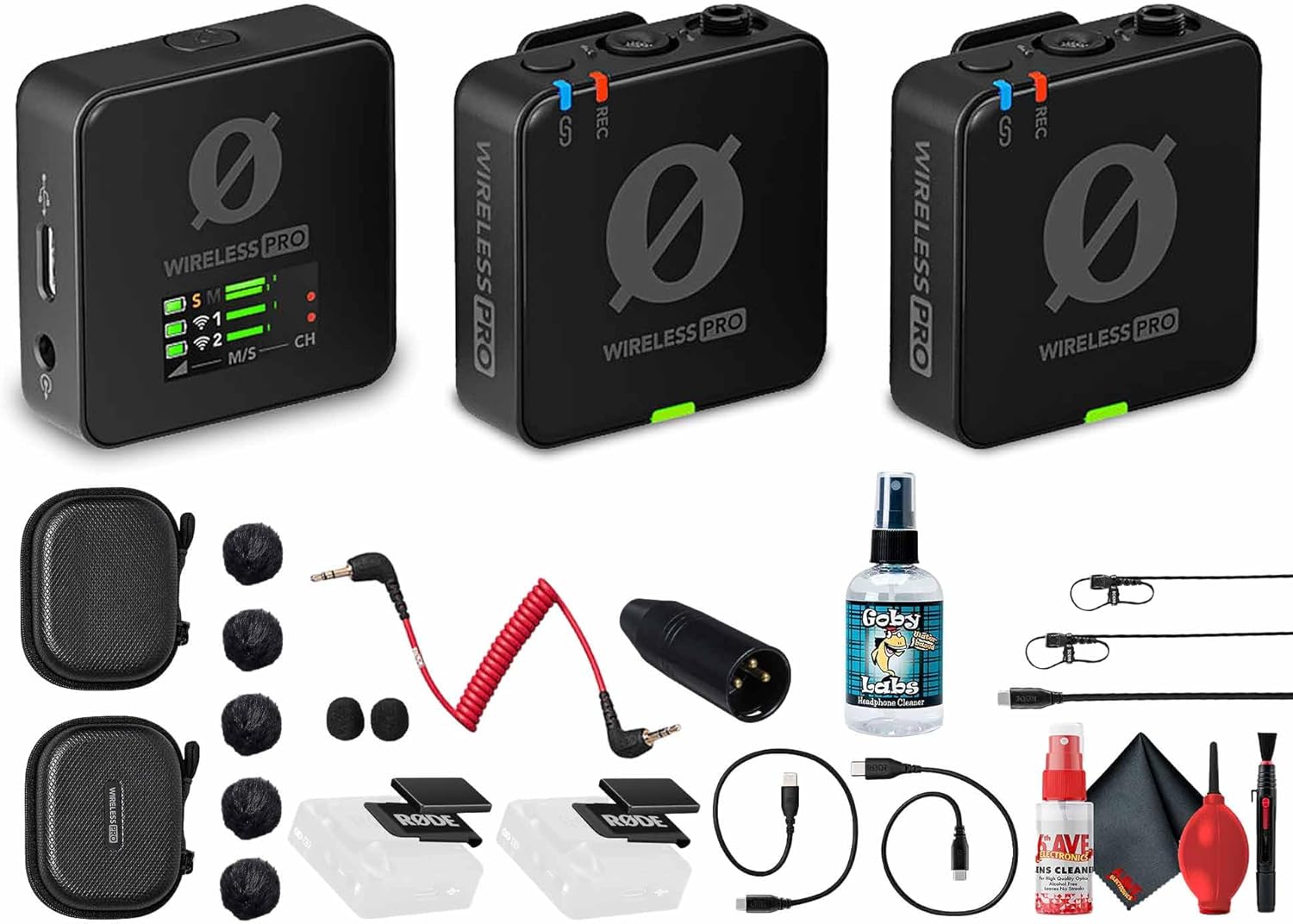
Figure 1: All components of the Rode Wireless PRO system, including transmitters, receiver, lavalier microphones, cables, and cases.
Setup
- Charging the System:
Before first use, fully charge all components. The transmitters and receiver can be charged individually via USB-C. For convenience, use the included Charging Case PRO, which can recharge the entire system up to two full times, extending total runtime to 21 hours. A green light on the charging case indicates charging status.

Figure 2: The Charging Case PRO with the Wireless PRO units inserted for charging.
- Powering On/Off:
Press and hold the power button on each transmitter and the receiver until the display illuminates. To power off, press and hold the power button again.

Figure 3: The Rode Wireless PRO receiver (left) and two transmitters (right), showing their compact design.
- Pairing:
The units are pre-paired from the factory. If re-pairing is needed, refer to the Rode Connect software for instructions. The system supports direct wireless connection to compatible Rode devices like the Rodecaster Pro II or Duo.
- Connecting to Devices:
The compact dual-channel receiver integrates with cameras, smartphones, and computers via 3.5mm, USB-C, and Lightning connections. Use the appropriate cable (SC2, SC21, SC22, or USB-C Superspeed) for your device.
Operating Instructions
- Recording:
Each transmitter features 32-bit float recording and 32GB of onboard storage, providing up to 40 hours of uncompressed backup audio. This prevents digital clipping and ensures audio safety even in unpredictable sound environments.
- Microphone Usage:
Use the built-in omnidirectional microphones on the transmitters by clipping them directly to clothing. For discreet placement or enhanced audio quality, connect the included RODE Lavalier II Omnidirectional Lavalier Microphones to the 3.5mm input on the transmitters.
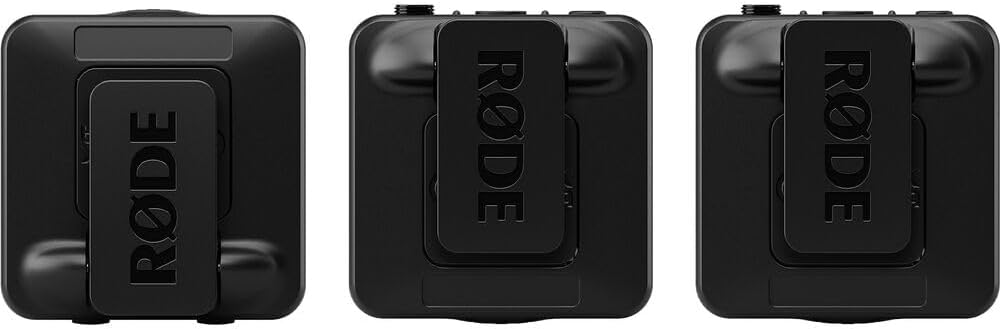
Figure 4: Top view of the Wireless PRO units, highlighting the microphone input and controls.
- Gain Control:
The system offers both manual gain adjustment and Rode's intelligent GainAssist technology. GainAssist automatically optimizes audio levels for consistent sound without manual adjustments. Monitor audio levels on the receiver's bright LCD display.
- Wireless Transmission:
Rode’s Series IV wireless technology ensures stable transmission with 128-bit encryption and a range of up to 853 feet (260 meters) in optimal conditions.
- Timecode Support:
Built-in timecode capabilities simplify post-production by allowing perfect audio-video alignment across multiple cameras and recorders. The Wireless PRO generates timecode directly, ensuring frame-accurate synchronization.
Maintenance
- Cleaning: Use the provided Lens Cloth and Deluxe Cleaning Kit to gently clean the surfaces of the transmitters, receiver, and lavalier microphones. Avoid using harsh chemicals or abrasive materials.
- Storage: Store the Wireless PRO system in its Charging Case PRO or Accessory Case when not in use to protect it from dust and physical damage.
- Battery Care: For optimal battery longevity, avoid fully discharging the units frequently. Recharge them regularly, especially if storing for extended periods.
Troubleshooting
If you encounter issues with your Rode Wireless PRO system, consider the following common solutions:
- No Audio/Intermittent Audio:
- Ensure all units are fully charged and powered on.
- Verify that transmitters and receiver are properly paired.
- Check all cable connections (3.5mm, USB-C, Lightning) are secure.
- Confirm the receiver is correctly connected to your recording device's input.
- Adjust gain levels on the receiver or enable GainAssist.
- Ensure you are within the specified operating range (853 feet / 260 meters).
- Distorted Audio:
- Check gain settings; if too high, reduce them.
- Ensure 32-bit float recording is enabled for maximum dynamic range.
- Verify microphone placement to avoid clipping.
- Units Not Charging:
- Ensure the charging case is charged or connect units directly via USB-C.
- Check USB-C cables and power adapters for damage.
For further assistance, please refer to the official Rode support resources.
Specifications
| Feature | Detail |
|---|---|
| Brand | Rode |
| Model Name | RODE Wireless PRO |
| Item Model Number | WIPRO |
| Power Source | Battery Powered |
| Number of Channels | 2 |
| Item Weight | 2.04 pounds |
| Product Dimensions | 7 x 5 x 3 inches |
| Connectivity Technology | 3.5mm, USB-C, Lightning |
| Connector Type | 3.5mm TRS, XLR (via VXLR adapter) |
| Compatible Devices | Camera, Personal Computer, Smartphone |
| Polar Pattern | Omnidirectional |
| Onboard Storage | 32GB per transmitter (up to 40 hours of uncompressed audio) |
| Battery Life | Up to 7 hours (units), up to 21 hours (with charging case) |
| Wireless Range | Up to 853 feet (260 meters) |
| First Available Date | February 28, 2025 |
Warranty and Support
For information regarding product warranty, technical support, and service, please visit the official Rode website or contact their customer service. Keep your proof of purchase for warranty claims.
- Manufacturer: Rode
- Protection Plans: Additional protection plans may be available for purchase. Please refer to your retailer for details on 3-Year and 4-Year protection plans.
- Return Policy: Standard return policy is 30 days (refund/replacement).
Related documentsWIPRO


Ask a question about this manual
Ask about setup, troubleshooting, compatibility, parts, safety, or missing instructions. Manuals+ will review the question and use this page’s manual context to help answer it.