
Joolz Hub² Compact Stroller
Joolz Hub² Compact Stroller
User Manual
Model: Hub² Compact Stroller | Brand: Joolz
Introduction
Thank you for choosing the Joolz Hub² Compact Stroller. This manual provides essential information for the safe and proper use, maintenance, and care of your stroller. Please read it thoroughly before assembly and use, and keep it for future reference.
Safety Information
- Always use the 5-point harness to secure your child.
- Never leave your child unattended in the stroller.
- Ensure all locking devices are engaged before use.
- Do not overload the storage basket; maximum weight is 22 lbs (10 kg).
- The stroller is designed for one child only.
- Maximum child weight for the seat is 48.5 lbs (22 kg).
- Always engage the brake when parking the stroller.
- Keep children clear of moving parts when adjusting the stroller.
- This stroller is not suitable for running or skating.
Included Components
Your Joolz Hub² Compact Stroller package includes the following items:
- Stroller chassis with wheels
- Seat unit
- Cradle (bassinet) - Note: Cot sold separately as an option.
- Shopping basket
- Sun canopy
- Safety bar
- Carrying strap
- User manual
Setup
1. Unpacking and Initial Assembly
Carefully remove all components from the packaging. The stroller chassis comes with wheels pre-attached for convenience.
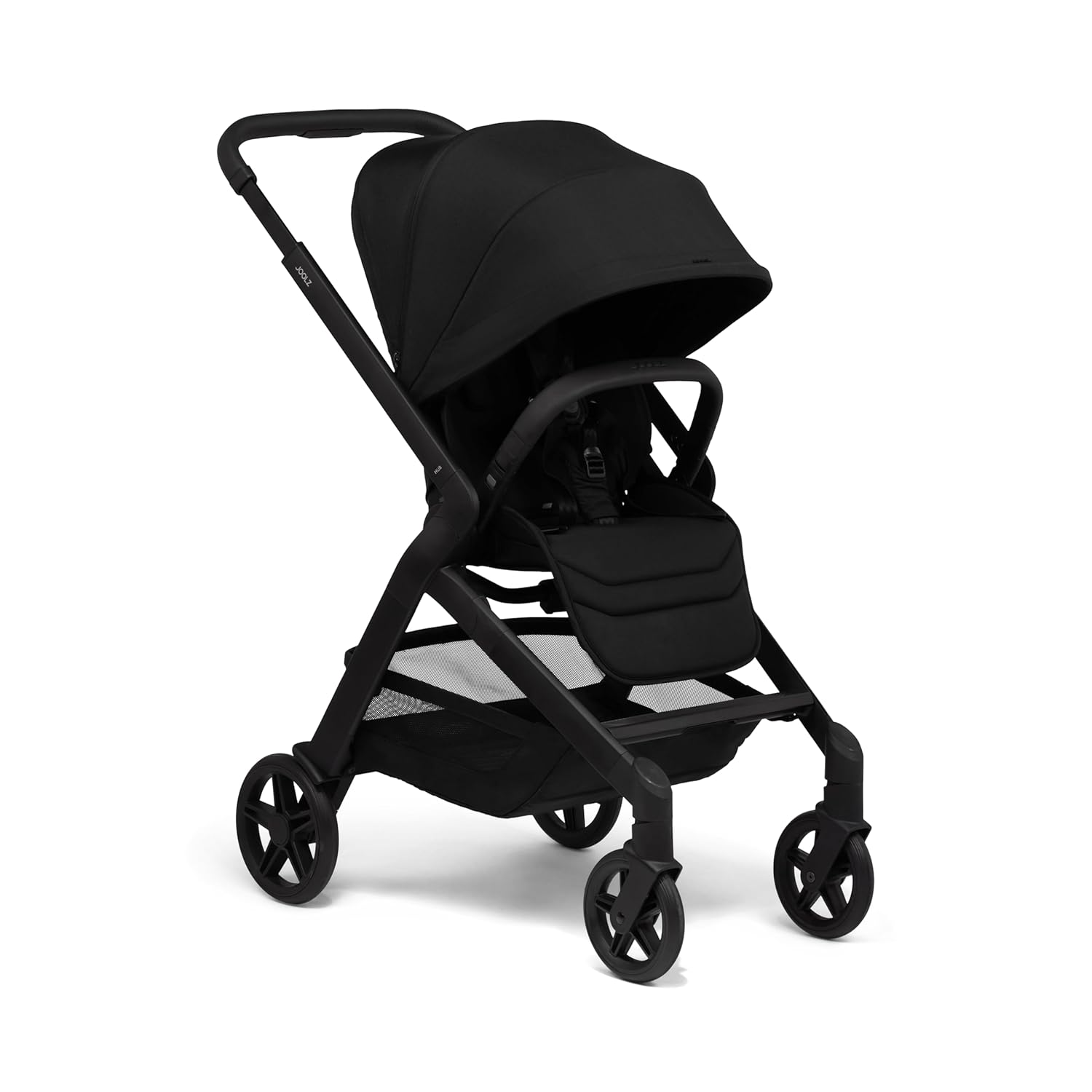
Figure 1: Fully assembled Joolz Hub² Compact Stroller.
2. Attaching the Seat Unit
- Align the seat unit's connectors with the corresponding slots on the stroller chassis.
- Push down firmly until you hear a click, indicating it is securely locked in place.
- Verify the seat is firmly attached by gently pulling upwards.
3. Adjusting the Handlebar
The handlebar is height-adjustable to suit different users. Locate the adjustment buttons on either side of the handlebar. Press them simultaneously and move the handlebar to your desired height. Release the buttons to lock it in one of the 4 available positions.
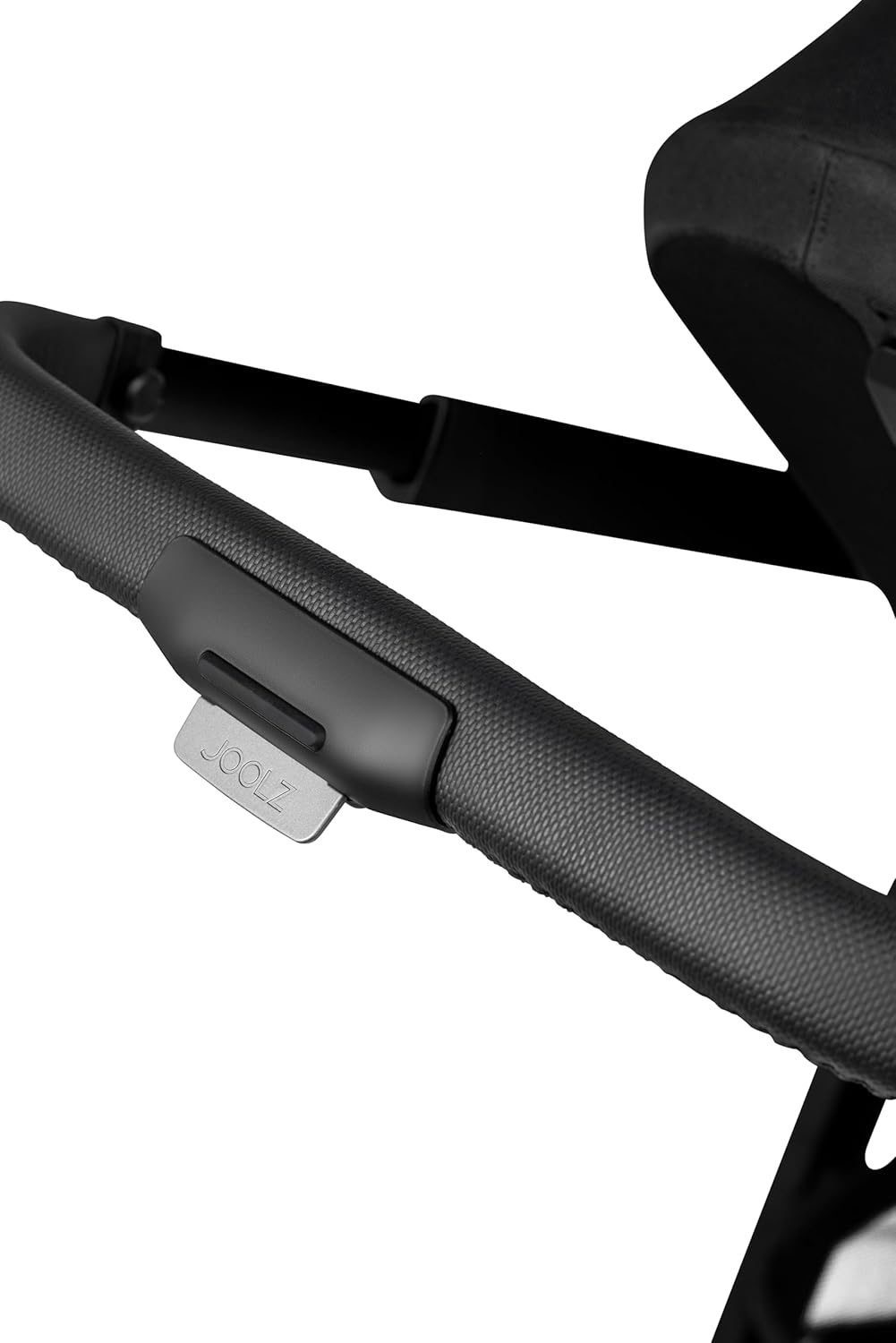
Figure 2: Handlebar adjustment mechanism.
Operating Instructions
1. Folding and Unfolding
The Joolz Hub² features a convenient one-hand fold mechanism. This allows for quick and easy storage or transport.
Video 1: Demonstrates the one-hand folding and unfolding of the Joolz Hub² seat, highlighting its compact size and portability.
To fold: Ensure the seat is in the forward-facing position. Locate the folding release mechanism (often near the handlebar or seat base). Activate the mechanism and guide the stroller to fold inwards until it locks into its compact, self-standing position. The built-in carry strap can then be used for hands-free portability.
To unfold: Release the folding lock and allow the chassis to extend. Push firmly until the frame clicks into its fully open position.

Figure 3: Stroller in its compact, folded state, emphasizing its small footprint.
2. Adjusting the Seat
- Reclining: The seat offers 8 recline positions, including a flat newborn position. Locate the recline lever/button on the back of the seat and adjust to the desired angle.
- Reversing: The seat can be easily reversed to face either the parent or the world. To reverse, disengage the seat from the chassis, turn it around, and re-attach until it clicks securely.
- Leg Rest: The integrated leg rest is adjustable to provide optimal comfort for your child as they grow.
3. Using the Canopy
The extendable sun canopy provides UPF 50+ protection. Simply pull the canopy forward to extend it. It also features all-season ventilation for airflow.
4. Storage Basket
The large storage basket located beneath the seat can hold up to 22 lbs (10 kg) or 5.3 gallons (24 liters) of essentials. Ensure items are placed securely and do not obstruct the wheels or folding mechanism.

Figure 4: The spacious under-seat storage basket.
5. Brake System
To engage the brake, press down firmly on the brake pedal located near the rear wheel until it locks. To release, lift the pedal upwards. Always ensure the brake is fully engaged when the stroller is stationary.
Maintenance
1. Cleaning
- Fabric Parts: Clean with a damp cloth and mild soap. Do not machine wash or tumble dry unless specified on the fabric care label. Allow to air dry completely.
- Frame and Plastic Parts: Wipe clean with a damp cloth. Avoid abrasive cleaners.
- Wheels: Regularly remove dirt and debris from the wheels and axles to ensure smooth operation.
2. Storage
Store the stroller in a dry place, away from direct sunlight and extreme temperatures. When storing for extended periods, ensure it is clean and dry to prevent mold or mildew.
Troubleshooting
| Problem | Possible Cause | Solution |
|---|---|---|
| Stroller does not fold/unfold smoothly. | Folding mechanism obstructed or not fully engaged. | Ensure all components are clear of the mechanism. Refer to 'Folding and Unfolding' section and the video for correct procedure. |
| Wheels squeak or are difficult to maneuver. | Dirt/debris in wheel bearings or lack of lubrication. | Clean wheels and axles. Apply a silicone-based lubricant if necessary. |
| Seat not locking securely. | Incorrect alignment or obstruction. | Re-align the seat unit with the chassis connectors and push down firmly until a click is heard. Check for any debris in the locking mechanism. |
Specifications
| Feature | Detail |
|---|---|
| Brand | Joolz |
| Model | Hub² Compact Stroller |
| Color | Black |
| Frame Material | Aluminum |
| Fabric Type | Leatherette, Polyester |
| Age Range | Baby (from newborn with flat recline) |
| Maximum Child Weight | 48.5 lbs (22 kg) |
| Item Dimensions (L x W x H) | 43.9" x 20.67" x 42.52" |
| Folded Size | 11.5" x 20.7" x 26.2" |
| Stroller Weight | Under 19.8 lbs (9 kg) |
| Harness Type | 5-Point |
| Seating Capacity | 1 |
| Suspension | 4-Wheel Suspension |
| Canopy Protection | UPF 50+ |
Warranty and Support
1. Joolz 10-Year Transferable Warranty
The Joolz Hub² Compact Stroller comes with a unique 10-year transferable warranty. This warranty covers material and manufacturing defects, ensuring your stroller lasts for years and can even be passed on to another family. For full terms and conditions, and to register your product, please visit the official Joolz website.

Figure 5: Joolz 10-Year Transferable Warranty information.
2. Customer Support
For any questions, concerns, or assistance with your Joolz Hub² Compact Stroller, please contact Joolz customer support through their official website or the contact information provided in your product registration materials. Please have your model number and purchase date ready when contacting support.
Related documentsHub² Compact Stroller


Ask a question about this manual
Ask about setup, troubleshooting, compatibility, parts, safety, or missing instructions. Manuals+ will review the question and use this page’s manual context to help answer it.