
1. Introduction
Welcome to the Noise ColorFit Pulse 4 Pro Smartwatch user manual. This guide provides essential information for setting up, operating, and maintaining your new smartwatch. Please read this manual thoroughly to ensure proper use and to maximize your device's features.
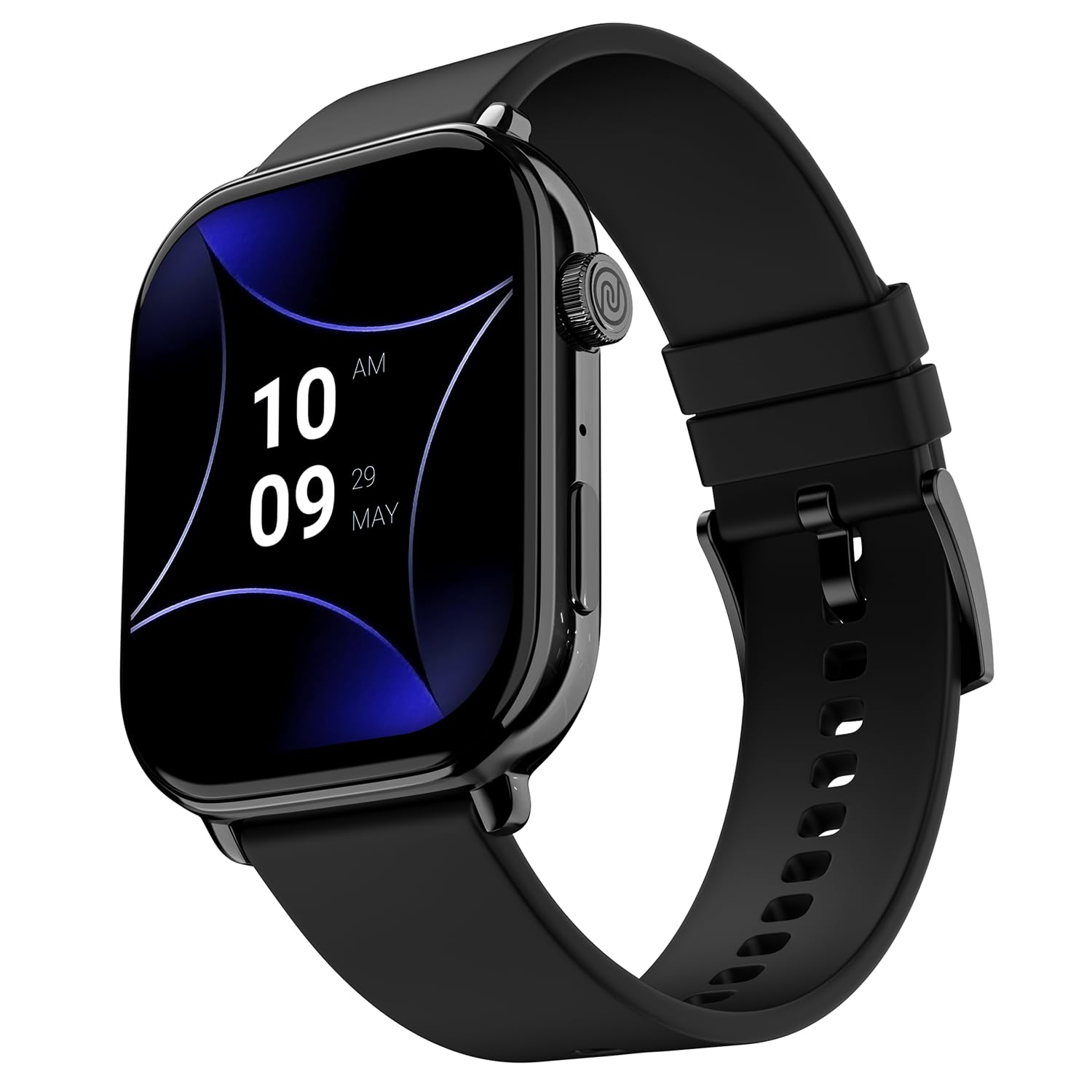
Image 1.1: The Noise ColorFit Pulse 4 Pro Smartwatch in Jet Black.
2. What's in the Box
Upon unboxing your Noise ColorFit Pulse 4 Pro Smartwatch, please verify that all the following items are included:
- Noise ColorFit Pulse 4 Pro Smartwatch
- Magnetic Charger
- User Manual (this document)
- Warranty Card
Video 2.1: An overview of the Noise ColorFit Pulse 4 Pro Smartwatch and its contents, including the watch, color options, and items found in the box.
3. Setup
3.1 Initial Charging
Before first use, fully charge your smartwatch. Connect the magnetic charger to the charging pins on the back of the watch and plug the USB end into a power adapter (not included) or a computer's USB port. The watch display will indicate charging status.
3.2 App Download and Pairing
To unlock the full potential of your smartwatch, download the NoiseFit application on your smartphone. The app is compatible with both Android and iOS devices.
- Scan the QR code below or search for 'NoiseFit' in your smartphone's app store.
- Install and open the NoiseFit app.
- Follow the on-screen instructions in the app to create an account and pair your smartwatch via Bluetooth. Ensure Bluetooth is enabled on your smartphone.
- Confirm the pairing request on both your smartphone and smartwatch.

Image 3.1: The smartwatch display showing a QR code for payments, which can also be used to illustrate app download. For app download, please refer to the official NoiseFit app store page or this link.
4. Operating Instructions
4.1 Power On/Off
- Power On: Press and hold the functional crown button on the side of the watch until the Noise logo appears.
- Power Off: Swipe down from the watch face, tap the settings icon, then select 'Power Off'. Alternatively, press and hold the functional crown button and select 'Power Off' when prompted.
4.2 Navigation
The Noise ColorFit Pulse 4 Pro features a responsive touchscreen and a functional crown for intuitive navigation.
- Touchscreen: Swipe left, right, up, or down to access different menus, notifications, and widgets. Tap to select items.
- Functional Crown: Rotate the crown to scroll through lists and menus. Press the crown to return to the watch face or to confirm a selection.

Image 4.1: Detailed view of the functional crown on the Noise ColorFit Pulse 4 Pro Smartwatch, used for navigation.
4.3 Display
The smartwatch features a 1.96-inch AMOLED display with Always-on Display functionality for clear visibility and quick access to information.

Image 4.2: The smartwatch display highlighting its 1.96-inch AMOLED screen with Always-on Display capabilities.
5. Health Monitoring
The Noise ColorFit Pulse 4 Pro integrates the Noise Health Suite™ to help you monitor various aspects of your well-being. Access these features via the watch menu or the NoiseFit app.
- 24*7 Heart Rate Monitor: Continuously tracks your heart rate throughout the day.
- SpO2 Measure: Measures your blood oxygen saturation levels.
- Stress Monitor: Provides insights into your stress levels.
- Sleep Monitor: Tracks your sleep patterns, including awake, REM, and deep sleep stages.
- Breathe Practice: Guided breathing exercises to help you relax.
- Female Cycle Tracker: Helps track and predict menstrual cycles.

Image 5.1: An illustration of the Noise Health Suite™ features available on the smartwatch.
6. Smart Features
6.1 Bluetooth Calling
Stay connected directly from your wrist. The Noise ColorFit Pulse 4 Pro supports Bluetooth calling, allowing you to make and receive calls without reaching for your phone.
- Dial Pad: Use the on-screen dial pad to initiate calls.
- Favorite Contacts: Save up to 10 favorite contacts for quick dialing.
- In-built Speaker: Listen to calls directly from the watch.

Image 6.1: The smartwatch interface displaying Bluetooth calling options.
6.2 AI Voice Assistance
Control your smartwatch and connected devices using voice commands. Simply activate the AI Voice Assistant and speak your commands.

Image 6.2: The smartwatch displaying the AI Voice Assistance feature, ready for voice commands.
6.3 QR Code Payments
Facilitate quick and convenient payments directly from your wrist by displaying your UPI QR code on the smartwatch screen.
6.4 Security and Convenience Features
- Scheduled DND: Set specific time windows during which notifications will be silenced.
- Password Protection: Secure your smartwatch with a password to prevent unauthorized access.

Image 6.3: Smartwatch screens illustrating the Scheduled DND and Password Protection functionalities.
7. Maintenance
7.1 Cleaning Your Smartwatch
Regular cleaning helps maintain the performance and appearance of your device.
- Wipe the screen and body with a soft, lint-free cloth.
- For stubborn dirt, slightly dampen the cloth with water. Avoid using harsh chemicals or abrasive materials.
- Ensure the charging pins are clean and dry before charging.
7.2 Water Resistance
The Noise ColorFit Pulse 4 Pro is rated IP68 for water resistance, meaning it can withstand immersion in water up to 1.5 meters for a limited time. It is suitable for daily use, such as hand washing or light rain. However, it is not recommended for swimming, diving, or high-pressure water activities.
7.3 Charging Guidelines
Use only the provided magnetic charger. Do not attempt to charge the watch if it or the charger is wet. Avoid exposing the charger to extreme temperatures.
8. Troubleshooting
If you encounter issues with your Noise ColorFit Pulse 4 Pro Smartwatch, refer to the following common solutions:
- Watch not turning on: Ensure the watch is fully charged. Connect it to the magnetic charger and wait a few minutes before attempting to power it on again.
- Cannot pair with smartphone: Make sure Bluetooth is enabled on your phone and the watch is within range. Restart both devices and try pairing again through the NoiseFit app.
- Inaccurate health data: Ensure the watch is worn snugly on your wrist, not too tight or too loose. Clean the sensors on the back of the watch.
- Notifications not appearing: Check notification settings in the NoiseFit app and on your smartphone. Ensure the app has necessary permissions.
- Short battery life: Reduce screen brightness, disable unnecessary features like Always-on Display, and limit background app refresh.
For persistent issues, consult the NoiseFit app's help section or contact customer support.
9. Specifications
Key technical specifications for the Noise ColorFit Pulse 4 Pro Smartwatch:
| Display Type | AMOLED |
| Screen Size | 1.96 Inches |
| Band Material | Silicone |
| Case Material | Zinc Alloy |
| Item Weight | 45 Grams |
| Connectivity Technology | Bluetooth |
| Water Resistance Rating | IP68 (1.5 Metres) |
| Operating System | Android (Compatible) |
| Compatible Devices | Laptop, Smartphone, Tablet (Android, iOS) |
| Metrics Measured | Calories Burned, Distance, Heart Rate, Step Count |
| Special Features | Activity Tracker, Alarm Clock, Lightweight, Notifications, Touchscreen, Voice Call |
10. Warranty and Support
10.1 Warranty Information
The Noise ColorFit Pulse 4 Pro Smartwatch comes with a 1-year limited warranty provided by the manufacturer from the date of purchase. Please retain your purchase receipt and warranty card for any warranty claims.
10.2 Customer Support
For technical assistance, warranty claims, or any other inquiries, please contact Noise customer support:
- Phone: 02268056289
- Email: help@nexxbase.com
- Manufacturer: Nexxbase Marketing Pvt. Ltd, Khasra No-146/25/2/1, Jail Road Badshahpur, Gurugram Haryana-122101


