1. Introduction
The GUOANVISION S700 is a versatile 5G Wi-Fi surveillance camera designed for both indoor and outdoor use. It offers advanced features such as motion detection with instant notifications, two-way audio communication, and multiple night vision modes to ensure comprehensive security monitoring. This manual provides detailed instructions for setting up, operating, and maintaining your S700 camera.
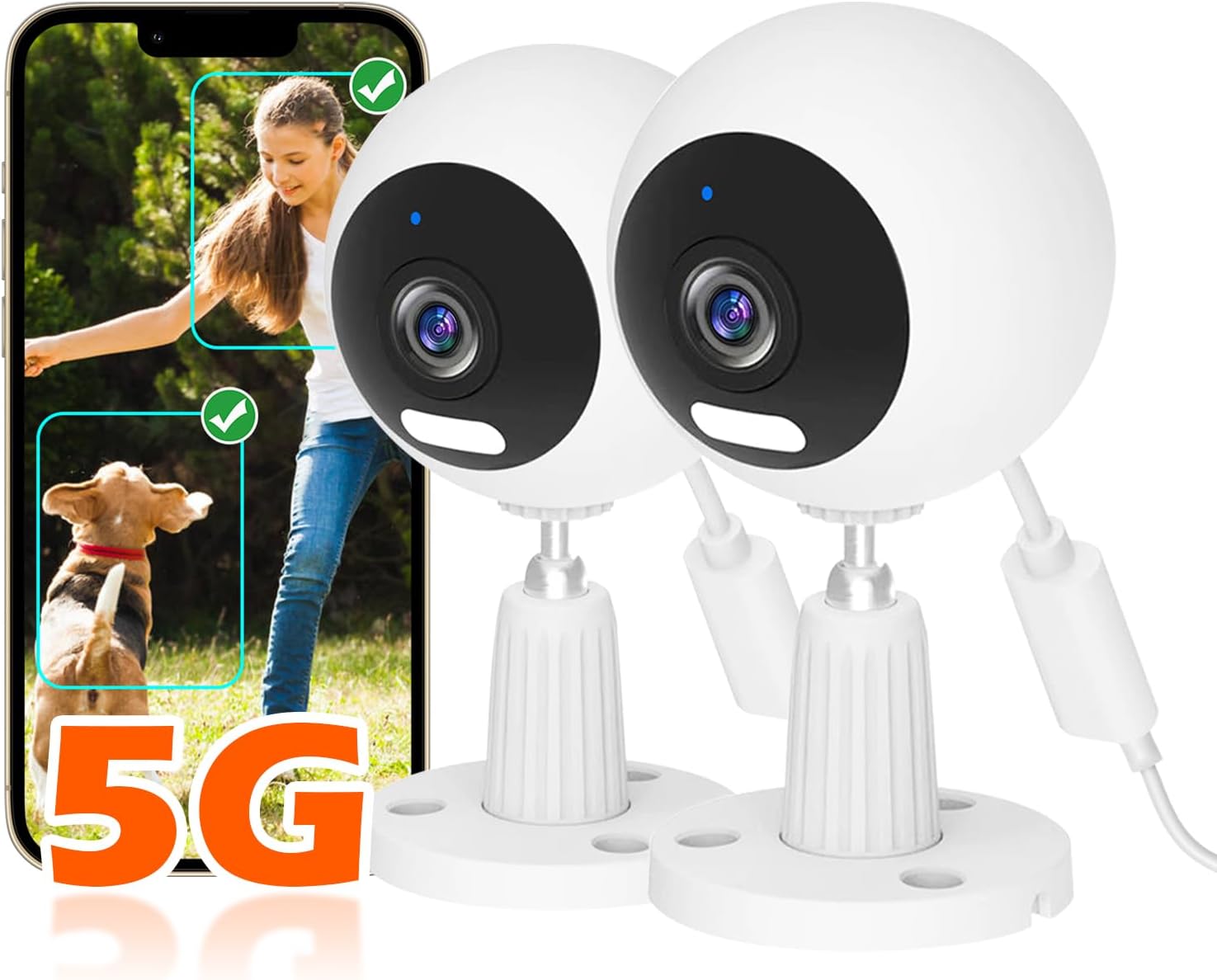
Image 1.1: GUOANVISION S700 Cameras with Motion Detection Feature.
This image shows two S700 cameras alongside a smartphone screen. The phone screen illustrates the camera's ability to detect and highlight movement from both a child and a dog, indicating its suitability for monitoring family members and pets. The "5G" logo is prominently displayed, highlighting its dual-band Wi-Fi capability.
2. Package Contents
Please check the package contents upon unboxing to ensure all components are present:
- GUOANVISION S700 Camera(s) (Model DE-S700-2pack typically includes two cameras)
- Mounting Accessories
- USB-C Power Cable
- User Manual (this document)
- Note: An SD card (up to 128GB) is not included and must be purchased separately for local storage.
3. Setup and Installation
Follow these steps to set up and install your GUOANVISION S700 camera:
- Choose a Location: The S700 camera is designed for both indoor and outdoor use (IP66 waterproof). Select a location that provides optimal viewing coverage and is within range of your Wi-Fi network.
- Mounting the Camera: Use the provided mounting accessories to securely attach the camera. The camera supports various mounting types, including tree mount. Ensure the mounting is firm.
- Connect Power: Connect the USB-C power cable to the camera and plug it into a 240V power outlet.
- Download the App: Scan the QR code in the quick start guide or search for "GUOANVISION" in your mobile app store (iOS/Android) to download the official application.
- Pairing the Camera:
- Open the GUOANVISION app and create an account or log in.
- Follow the in-app instructions to add a new device.
- Ensure your phone's Bluetooth is enabled for easier pairing.
- The camera supports both 5G and 2.4G Wi-Fi networks for stable data transmission.

Image 3.1: Camera Setup and Connection Steps.
This image illustrates the initial setup process for the S700 camera. It shows how to firmly tighten the camera's base (1), connect the USB-C power cable (2), download the GUOANVISION app (3), enable Bluetooth for pairing (4), and finally, connect the device while in close proximity (5). The image also highlights the camera's compatibility with both 5G and 2.4G Wi-Fi networks.
4. Operating Instructions
4.1 Motion Detection and Notifications
The S700 camera features advanced motion detection. When movement is detected, you will receive an instant push notification on your mobile phone. The camera also supports 3x automatic zoom on moving objects to capture details.

Image 4.1: Motion Detection and Instant Alarm.
This image demonstrates the camera's motion detection capabilities. It shows an individual being detected within the camera's field of view, with an "Auto Zoom" feature highlighting the detected subject. A smartphone screen displays a "camera Alert" notification, indicating an instant alarm. Icons below represent voice siren, light alarm, and push notifications.
4.2 Two-Way Audio
With the built-in microphone and transparent speaker, you can communicate clearly with individuals on the camera's side. This feature is ideal for checking on pets, babies, or communicating with visitors.

Image 4.2: Two-Way Audio and Monitoring.
This image highlights the multi-functional aspects of the S700 camera for home security. It depicts the camera monitoring a baby and a dog, with a speech bubble indicating "I'm almost home, Baby." Below, a woman is shown interacting with the camera via her phone, with a speech bubble saying "OK, Mommy~", demonstrating the two-way audio feature. Icons for sound detection, push alarm, two-way audio, and auto-zoom are also present.
4.3 Night Vision Modes
The S700 camera offers three night vision modes for clear monitoring up to 30 meters in low-light conditions:
- Infrared (IR) Mode: Provides black and white vision in complete darkness.
- Full-Color Mode: Utilizes integrated lights to provide full-color vision even at night.
- Dual Light Mode: Automatically switches between IR and full-color based on detected motion or light conditions.

Image 4.3: Night Vision Modes.
This image illustrates the different night vision capabilities of the S700 camera. The top panel shows the "Dual Light Mode" actively illuminating a dark room, allowing for clear visibility of a moving figure. The bottom left panel displays "IR Mode," showing a scene in black and white, typical for infrared night vision. The bottom right panel shows "Full-Color Mode," presenting the same scene in full color, even in low light conditions.
4.4 Recording and Storage
The camera supports 24/7 continuous recording and offers flexible storage options:
- Local Storage (SD Card): Insert a Micro SD card (up to 128GB, not included) into the camera's slot for local video storage.
- Cloud Storage: Subscribe to the cloud storage service via the app for secure, encrypted storage of your recordings.
You can easily review recorded footage and detection history through the GUOANVISION app. The advanced encryption technology protects your data.
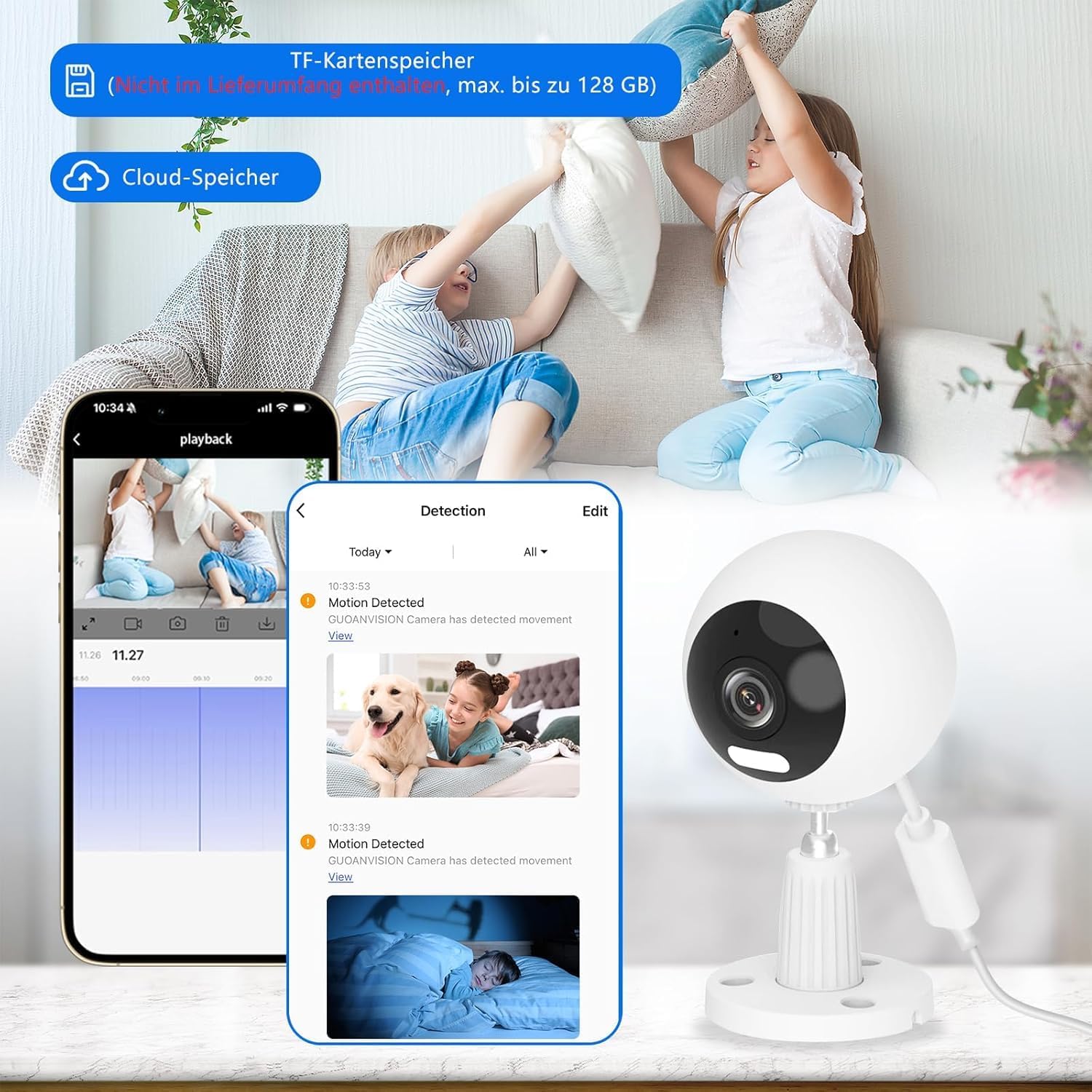
Image 4.4: Recording and Storage Options.
This image illustrates the camera's recording and storage features. A smartphone screen shows a timeline for video playback and a list of detected events, such as "Motion Detected," with accompanying thumbnails. Icons above indicate support for "TF-Karten Speicher" (TF Card Storage) and "Cloud-Speicher" (Cloud Storage), highlighting the dual storage options available for recorded footage.
4.5 Sharing Access
You can share camera access with family members through the GUOANVISION app, allowing multiple users to monitor your home simultaneously.
5. Maintenance
- Cleaning: Gently wipe the camera lens and body with a soft, dry cloth. Do not use harsh chemicals or abrasive cleaners.
- Firmware Updates: Regularly check the GUOANVISION app for available firmware updates to ensure optimal performance and security.
- Power Cycle: If the camera experiences issues, try unplugging it from the power source for a few seconds and then plugging it back in.
6. Troubleshooting
- Camera Offline:
- Check Wi-Fi signal strength.
- Ensure the camera is powered on and the power adapter is working correctly.
- Restart your Wi-Fi router and the camera.
- Verify that the camera is connected to a 5G or 2.4G network, not a 5GHz-only network if your router separates them.
- No Notifications:
- Check app notification settings on your phone and within the GUOANVISION app.
- Ensure motion detection is enabled in the app.
- Verify internet connectivity.
- Recording Issues:
- For SD card recording, ensure the card is inserted correctly, formatted, and not full.
- For cloud recording, verify your subscription status and internet connection.
- Two-Way Audio Problems:
- Check microphone and speaker permissions for the app on your phone.
- Ensure there is no physical obstruction to the camera's microphone or speaker.
- Adjust volume settings in the app.
7. Specifications
| Feature | Detail |
|---|---|
| Model Number | S700 (DE-S700-2pack) |
| Brand | GUOANVISION |
| Connectivity Protocol | Wi-Fi (5G/2.4G) |
| Indoor/Outdoor Use | Outdoor, Indoor |
| Water Resistance Level | IP66 Waterproof |
| Video Recording Resolution | 1080p |
| Special Features | Two-way audio, Auto-zoom, Night Vision (IR/Full-Color/Dual Light), Motion Detection |
| Storage Options | Micro SD Card (up to 128GB, not included), Cloud Storage |
| Power Voltage | 240 Volts |
| Dimensions (L x W x H) | 6.35 x 6.86 x 12.7 cm (2.5 x 2.7 x 5 inches) |
| Weight | 340 grams (0.75 lbs) |
| Components Included | Camera(s) |
| Country of Origin | China |
8. Warranty and Support
GUOANVISION is committed to providing 100% customer satisfaction. If you have any questions, concerns, or require assistance with your S700 camera, please do not hesitate to contact our customer support team. We are dedicated to providing satisfactory solutions.
For support, please refer to the contact information provided with your product packaging or visit the official GUOANVISION website.


