
APEX FIT Vibe M03 Pro
APEX FIT Vibe M03 Pro Smart Watch User Manual
Model: Vibe M03 Pro
1. Introduction
Welcome to your new APEX FIT Vibe M03 Pro Smart Watch. This manual provides comprehensive instructions for setting up, operating, and maintaining your device. The Vibe M03 Pro is designed to be a versatile fitness and health companion, featuring a 1.91-inch HD display, over 100 sports modes, and continuous health monitoring capabilities.
2. What's in the Box
- APEX FIT Vibe M03 Pro Smart Watch
- Magnetic Charging Cable
- User Manual
Video: Unboxing the APEX FIT Vibe M03 Pro Smart Watch. This video demonstrates the contents of the product packaging, including the smart watch, charging cable, and user manual.
3. Product Overview
The APEX FIT Vibe M03 Pro features a large, vibrant display and a durable design. Below are key visual aspects of the device.

Image: Front view of the APEX FIT Vibe M03 Pro Smart Watch in elegant rose gold, showing the main watch face and a smaller inset image of the watch displaying a call notification.

Image: Close-up of the 1.91-inch HD large screen of the smart watch, highlighting its vibrant display with a waterfall background and showing details like AdobeRGB, RGB 96%, and Luminance 650 Nits.

Image: Diagram illustrating the product dimensions (38mm/1.50in width, 46mm/1.81in height, 9.7mm/0.38in thickness) and perimeter (200mm/7.87in) of the smart watch, along with battery capacity (270mAh) and charging method (USB magnetic 2pin cable).
4. Setup
4.1 Initial Charging
Before first use, fully charge your smart watch. Connect the magnetic charging cable to the charging points on the back of the watch and plug the USB end into a power source (e.g., computer USB port, USB wall adapter).
4.2 App Installation and Pairing
To unlock the full features of your Vibe M03 Pro, download the "Apexwear" companion app from your device's app store. The watch is compatible with iOS 10 and Android 9 or later.
- Download the "Apexwear" app.
- Ensure Bluetooth is enabled on your smartphone.
- Open the "Apexwear" app and follow the on-screen instructions to pair your smart watch.
4.3 Watch Face Customization
Personalize your watch face directly from the watch by pressing and holding the screen, or through the "Apexwear" app. The app offers over 100 free watch faces and allows you to use your own photos.

Image: A collection of five APEX FIT smart watches displaying various digital and analog watch faces, illustrating the wide range of customization options available.

Image: A smart watch surrounded by various customizable watch face designs, demonstrating the "DIY Your Own Watch Face" feature with over 100 dial choices available through the app.
5. Operating Instructions
5.1 Navigation
Navigate the watch interface using touch gestures and the side button. Swipe left/right, up/down to access different functions and menus. Press the side button to return to the home screen or wake the device.
5.2 Health Monitoring
The Vibe M03 Pro continuously monitors your health metrics.
- Heart Rate: 24/7 monitoring.
- Blood Oxygen (SpO2): Track your blood oxygen levels.
- Sleep Monitoring: Analyzes sleep stages to help optimize sleep quality.
- Stress Management: Provides data trends for stress analysis.

Image: A smart watch displaying a call notification, surrounded by various health monitoring and activity tracking icons including multisports, SpO2, heart rate, stress, water intake reminder, and fitness progress.
5.3 Sports Modes
Choose from over 100 sports modes to track your workouts accurately. The watch records precise data, analyzes calorie burn, and helps you achieve fitness goals.

Image: Two smart watches displaying activity tracking data, alongside a list of over 100 sports modes such as Outdoor Running, Walking, Cycling, Climbing, Hiking, Yoga, and more, with an illustration of a person playing tennis.
5.4 Connected Features
Stay connected with your smartphone through the watch.
- Call Handling: View incoming calls and dial calls directly from your wrist. Note: You can view notifications only, not reply to messages.
- App Notifications: Receive alerts from your smartphone apps.
- Music Control: Control music playback on your phone.
- Weather Updates: Get current weather information.
- Alarms: Set and manage alarms.
- Remote Camera Control: Use your watch to trigger your phone's camera.
- Find My Phone: Locate your paired smartphone.
- Calculator: Access a basic calculator.
- Menstrual Health Tracking: Monitor menstrual cycles.

Image: A smart watch displaying a call screen, surrounded by icons representing various smart features such as Bluetooth calling, music control, camera remote, find phone, alarm, calculator, weather, and women's health tracking.
6. Maintenance
6.1 Charging
The 270mAh battery provides up to 7 days of continuous operation or 30 days of standby time. A full charge takes approximately 2 hours using the magnetic USB cable.
6.2 Water Resistance
The Vibe M03 Pro has an IP68 rating, meaning it is dustproof and waterproof up to 1.5 meters for 30 minutes. It is suitable for daily use, including workouts and rainy conditions, but not recommended for diving or prolonged submersion.
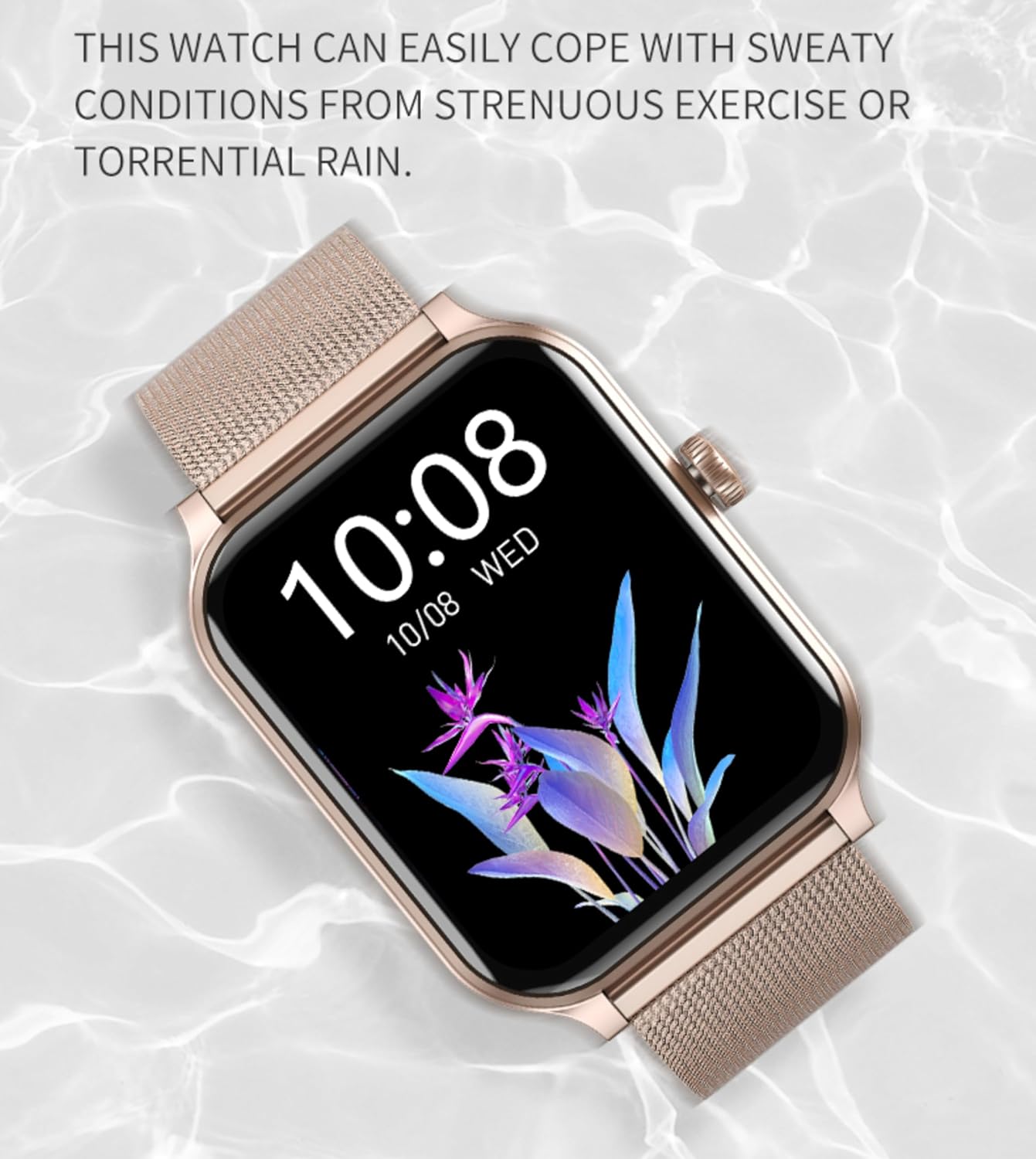
Image: The smart watch submerged in water, with text indicating its ability to withstand sweaty conditions from exercise or torrential rain, highlighting its IP68 water resistance.
6.3 Cleaning
Wipe the watch and strap with a soft, damp cloth. Avoid using harsh chemicals or abrasive materials.
7. Troubleshooting (FAQ)
Here are answers to common questions:
- Q1: Is this smartwatch compatible with my phone?
- A: Yes! It works with iOS 10 and Android 9. Enable Bluetooth to pair via the companion app.
- Q2: How long does the battery last?
- A: Up to 5-7 days daily use. It charges fully in 2 hours via a magnetic USB cable.
- Q3: Is it waterproof?
- A: It has an IP68 rating, meaning it’s dustproof and waterproof up to 1.5 meters for 30 minutes.
- Q4: Does it track heart rate and sleep?
- A: Yes! 24/7 heart rate monitoring, sleep stages analysis, and SpO2 tracking are included.
- Q5: How do I set up the watch?
- A: Download the "Apexwear" app > Turn on Bluetooth > Follow in-app instructions.
- Q6: Can I reply to messages or take calls?
- A: You can view notifications only and dial calls.
- Q7: Does it have a built-in GPS?
- A: Sorry, this model does not have GPS function now.
- Q8: How do I change the watch face?
- A: Press & hold the screen OR Swipe to choose from 100+ free faces in the app.
- Q9: Why isn’t my step count syncing?
- A: Ensure Bluetooth is on, the app is updated, and restart both devices.
8. Specifications
| Feature | Detail |
|---|---|
| Model Number | Vibe M03 Pro |
| Screen Size | 1.91 Inches TFT (320x385 resolution) |
| Battery Capacity | 270mAh |
| Battery Life | Up to 7 days (daily use), 30 days (standby) |
| Charging Time | Approx. 2 hours |
| Water Resistance | IP68 (dustproof, waterproof up to 1.5m for 30 min) |
| Connectivity | Bluetooth |
| Operating System | Android, iOS compatible |
| Memory Storage Capacity | 128 MB |
| Health Monitoring | Heart Rate, SpO2, Sleep Monitor, Stress Monitor |
| Sports Modes | 100+ modes (Running, Walking, Cycling, Hiking, Yoga, etc.) |
| Weight | 5.3 ounces |
| Package Dimensions | 6.3 x 3.94 x 1.38 inches |
9. Warranty and Support
Your APEX FIT Vibe M03 Pro Smart Watch comes with a standard manufacturer's warranty. For detailed warranty information, product support, or technical assistance, please refer to the contact information provided on the product packaging or visit the official APEX FIT website. Customer satisfaction is our first priority.
Related Documents - Vibe M03 Pro
 |
Apex Fit PLUS Smart Watch User Manual A comprehensive user manual for the Apex Fit PLUS Smart Watch, covering setup, features, maintenance, and troubleshooting. |
 |
C21 Pro Smartwatch User Manual - Features, Pairing, and Usage Guide Comprehensive user manual for the C21 Pro smartwatch, covering setup, pairing with the FitCloudPro app, features like heart rate monitoring, sleep tracking, notifications, and product specifications. Compatible with iOS and Android. |
 |
AviiHoug H23 Smartwatch User Manual Comprehensive user manual for the AviiHoug H23 Smartwatch, detailing setup, features like heart rate monitoring, blood pressure, SpO2, sport modes, call functions, and app connectivity. |
 |
Anyloop Smart Watch Instructions and User Guide Comprehensive instructions and user guide for the Anyloop smart watch, covering setup, features, troubleshooting, and maintenance. Learn how to connect, use various functions like health monitoring and notifications, and resolve common issues. |
 |
P122 Smartwatch User Manual - Features, Setup, and Troubleshooting Comprehensive user manual for the P122 Smartwatch (Model P122, Da Fit App), covering setup, features like call handling, fitness tracking, heart rate monitoring, sleep tracking, and troubleshooting. Compatible with iOS and Android devices. |
 |
ST1 Smartwatch: Features, Setup, and User Guide Comprehensive guide to the ST1 smartwatch, covering setup, pairing, features like heart rate monitoring, step tracking, training, sleep, notifications, and Bluetooth call functionality. Includes troubleshooting and app download instructions. |