
Introduction
This manual provides essential information for the safe and efficient use of your Gisam 4000 mAh Lithium-Ion battery and charger. Please read these instructions carefully before use and retain them for future reference. This product is designed for compatibility with Gisam tools and specific Makita battery models.
Setup
Unpacking
Carefully remove all components from the packaging. Ensure that all items listed in the package contents are present and undamaged. If any items are missing or damaged, contact customer support.
Initial Battery Charge
- Connect the charger to a standard electrical outlet. The charger features a European two-pin plug.
- Insert the Gisam Lithium-Ion battery into the charger. Ensure a secure connection.
- Observe the LED indicators on the battery or charger. These indicators will show the charging status. A full charge is indicated when all LEDs are lit or the charging indicator changes color/state.
- Allow the battery to fully charge before its first use to optimize battery life and performance.
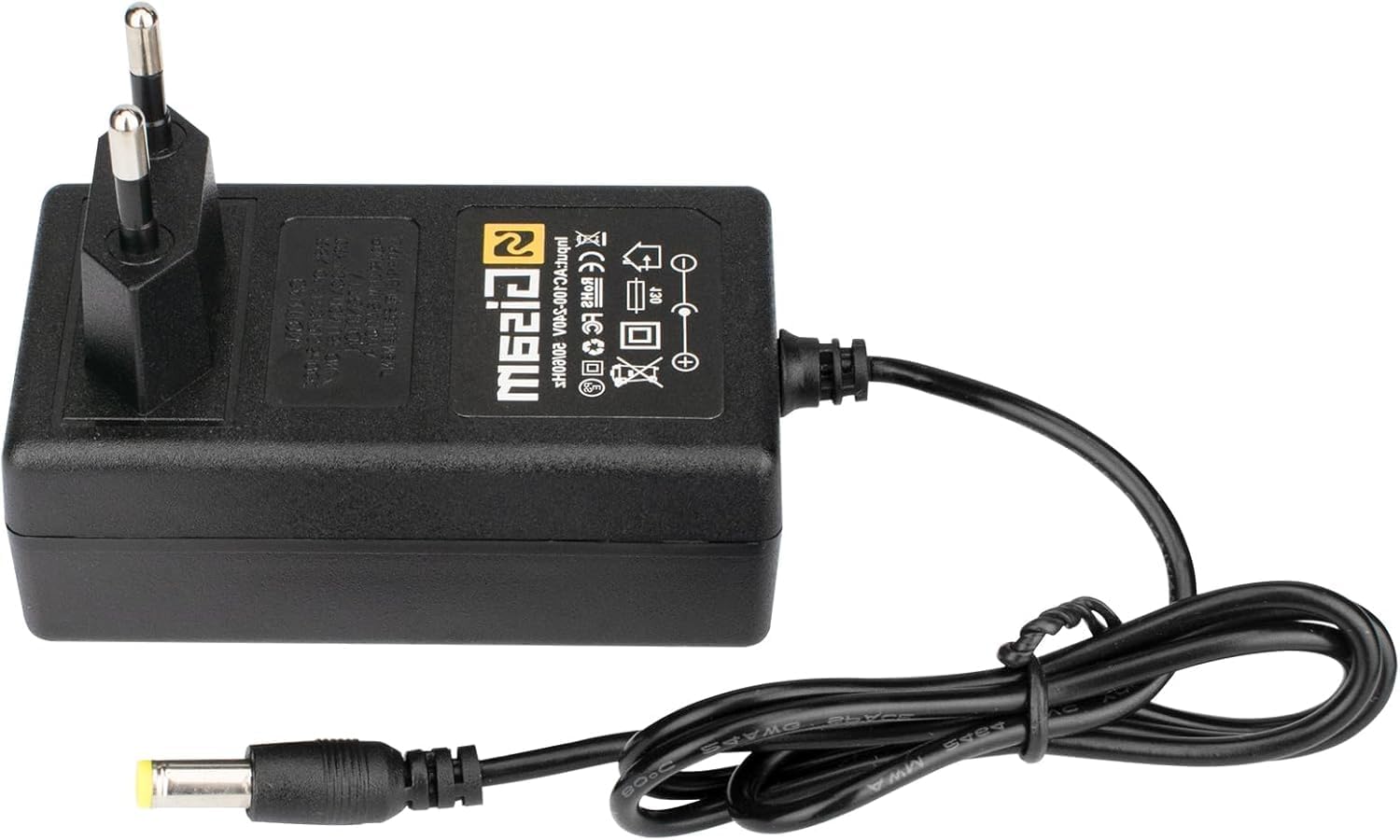
Figure 1: Gisam battery charger. This image shows the Gisam battery charger. It features a European two-pin plug for power input and a DC barrel connector for output, designed to charge compatible Gisam Lithium-Ion batteries.
Operating Instructions
Charging the Battery
- Always use the provided Gisam charger with the Gisam Lithium-Ion battery. Using incompatible chargers may damage the battery or charger and void the warranty.
- Connect the charger to a power source (100-240V AC, 50/60Hz).
- Insert the battery into the charger. The LED indicators will illuminate to show the charging progress.
- Once fully charged, remove the battery from the charger. Do not leave the battery on the charger indefinitely after it is fully charged.
Battery LED Indicators
The battery is equipped with four LED lights that indicate the remaining power level. This feature helps users monitor battery status and prevent over-discharge, which can extend the battery's overall lifespan.
Compatibility
This battery is compatible with various Gisam tools and can also be used as a replacement or additional battery for specific Makita models, including: BL1850B, BL1840B, BL1830B, BL1430B, BL1820B, BL1850, BL1840, BL1440, BL1415, BL1815N.
Maintenance
Battery Care
- Store the battery in a cool, dry place away from direct sunlight and extreme temperatures.
- Avoid fully discharging the battery frequently. Recharge it before it is completely depleted.
- If storing the battery for an extended period, charge it to approximately 50-70% capacity.
- Keep battery terminals clean and free from dirt or debris.
Charger Care
- Keep the charger clean and dry.
- Do not expose the charger to moisture or liquids.
- Inspect the charger cord and plug for any damage before each use.
Safety Precautions
- Do not attempt to open or modify the battery or charger.
- Do not short-circuit the battery terminals.
- Dispose of batteries responsibly according to local regulations.
- The integrated protection circuit guards against overcurrent, overcharge, and over-discharge, enhancing safety during use.
Troubleshooting
| Problem | Possible Cause | Solution |
|---|---|---|
| Battery not charging | Charger not plugged in; faulty outlet; poor connection; damaged battery/charger. | Ensure charger is securely plugged into a working outlet. Check connections. Inspect battery and charger for visible damage. |
| Battery not holding charge | Battery nearing end of life; improper charging/storage. | Ensure proper charging and storage practices. If battery is old, consider replacement. |
| LED indicators not working | Battery fault; charger fault. | Try charging a different compatible battery (if available). If issue persists, contact customer support. |
Specifications
- Brand: Gisam
- Model Number: Akku
- Battery Type: Lithium-Ion
- Capacity: 4000 mAh
- Output Voltage: 18 Volts (DC)
- Color: Black
- Connector Type: Makita compatible
- Compliance: CE
- Protection Features: Integrated overcurrent, overcharge, and over-discharge protection.
- LED Indicators: Four LEDs for remaining power display.
- Compatible Devices: Gisam tools, Makita batteries (BL1850B, BL1840B, BL1830B, BL1430B, BL1820B, BL1850, BL1840, BL1440, BL1415, BL1815N)
Warranty Information
Specific warranty details are not provided in this manual. For information regarding the warranty period and terms, please refer to the product packaging, the retailer's website, or contact Gisam customer support directly. Keep your proof of purchase for any warranty claims.
Customer Support
If you encounter any issues or have questions not covered in this manual, please contact Gisam customer support. Refer to the contact information provided on the product packaging or the official Gisam website for assistance.