
1. Introduction
This manual provides essential instructions for the safe and effective use of your kokit 7-inch 1080P Full HD Split-Screen Baby Monitor. This system includes a 7-inch HD display monitor and two 1080P cameras, designed to provide secure and reliable monitoring of your children. Key features include split-screen viewing, two-way audio, night vision, VOX mode, and a long-lasting battery.
2. Safety Information
- Choking Hazard: Keep all cables and small parts out of reach of children. Ensure camera power cords are at least three feet away from the crib.
- Strangulation Hazard: Never place the camera or cords within reach of a child.
- Power Source: The monitor is battery-powered and rechargeable. The cameras require continuous power via the included AC adapters. Use only the provided power adapters.
- Water Exposure: This product is designed for indoor use. Avoid exposure to water or moisture.
- Temperature: Do not operate the device in extreme temperatures. The monitor includes a temperature alert feature to help maintain a safe environment.
- Secure Connection: This system uses 2.4GHz FHSS technology for a private, hack-proof connection, requiring no Wi-Fi or internet.
3. Package Contents
Verify that all items are present in your package:
- 7” HD Display with Built-In 5000mAh Battery (x1)
- 1080P PTZ Camera (x2)
- AC Power Adapter (x3)
- Silicone Bracket (x1)
- Wall Mount Screw Set (x1)
- User Manual (x1)
4. Setup
4.1 Charging the Monitor
Before first use, fully charge the 7-inch HD display monitor. Connect one of the AC power adapters to the monitor and a power outlet. The battery indicator on the screen will show charging status. A full charge can provide up to 100 hours of use in audio-only (VOX) mode or 22 hours with the screen continuously on.
4.2 Powering the Cameras
Connect each 1080P PTZ camera to a power outlet using the remaining AC power adapters. The cameras do not have built-in batteries and require continuous power to operate.
4.3 Camera Placement and Mounting
Position the cameras in locations that provide a clear view of the desired monitoring area. Ensure cameras are placed at a safe distance from children. The system includes mounting options:
- Silicone Bracket: For temporary or crib-side mounting. This is ideal for babies under 1 year old.
- Wall Mount Screw Set: For permanent installation on a wall or other flat surface.

Image: The kokit 7-inch HD display monitor showing a split screen view, accompanied by two 1080P cameras and a flexible mounting bracket.

Image: Demonstrates two mounting options for the camera: using the silicone bracket on a crib rail and using screws for wall mounting.
4.4 Initial Pairing
The monitor and cameras are typically pre-paired at the factory. Simply power on both the monitor and cameras, and they should connect automatically. If a connection is not established, refer to the troubleshooting section for manual pairing instructions.
5. Operating Instructions
5.1 Power On/Off
- Monitor: Press and hold the power button on the monitor to turn it on or off.
- Cameras: The cameras power on automatically when connected to an AC power source.
5.2 Display Modes
The 7-inch HD display offers clear viewing and multiple modes:
- Single Camera View: Displays the feed from one camera.
- Split-Screen View: Simultaneously displays feeds from both cameras, ideal for monitoring two children or two rooms.
- Scan Mode: Cycles between camera views at 10-second intervals, allowing you to hear and see both areas.

Image: The 7-inch monitor displaying a split-screen view, showing two different children in separate rooms simultaneously.
5.3 Camera Control (Pan, Tilt, Zoom)
Use the control buttons on the monitor to remotely adjust the camera's view:
- Pan: Rotate the camera horizontally up to 355°.
- Tilt: Adjust the camera vertically up to 120°.
- 4X Zoom: Magnify the image up to four times for a closer look at details.

Image: The monitor displaying a child's face, with insets showing the effect of 2X and 4X digital zoom for enhanced detail.
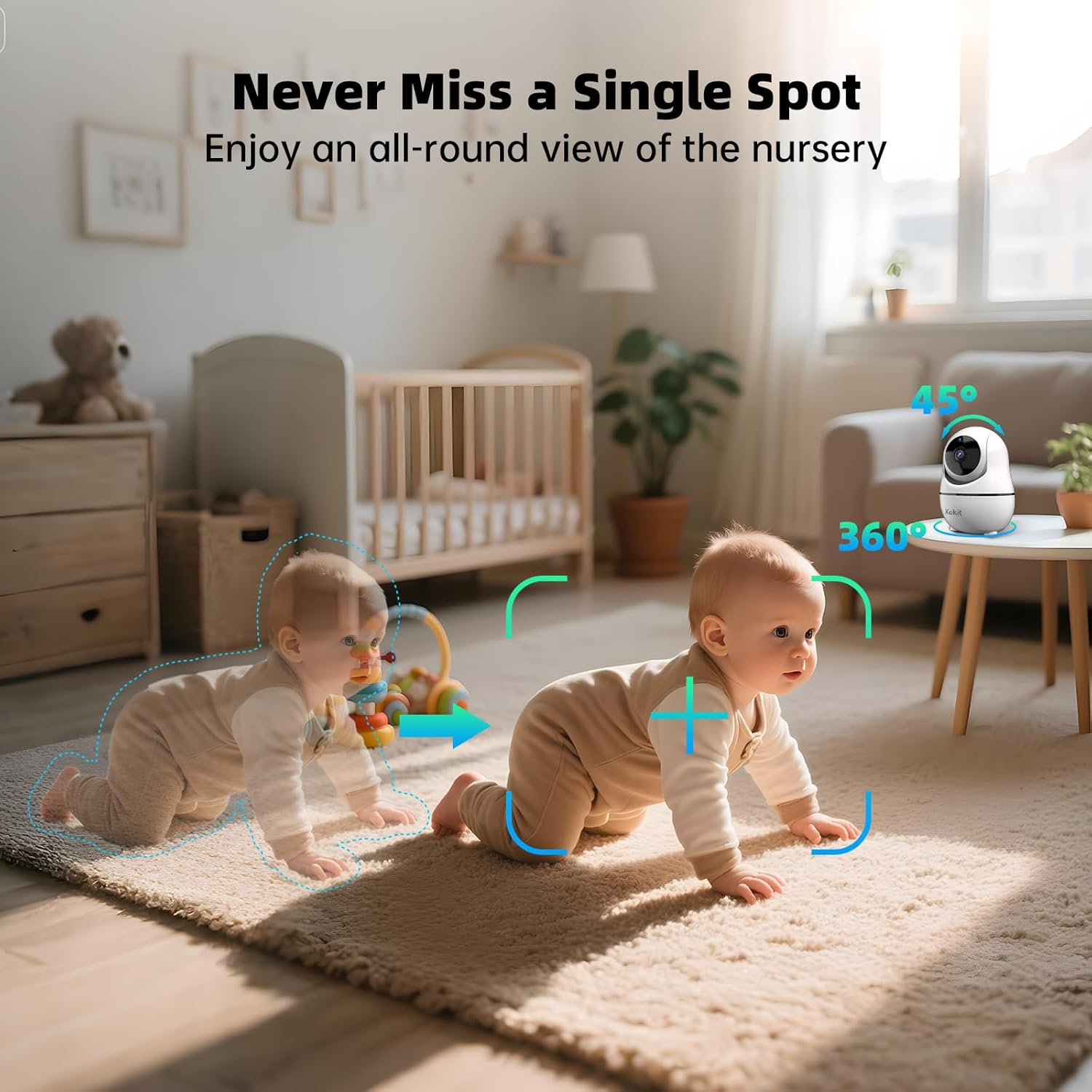
Image: A baby monitor camera illustrating its 360-degree pan and 45-degree tilt capabilities, providing a wide view of a nursery.
5.4 Audio Features
- Two-Way Talk: Press and hold the microphone button on the monitor to speak to your child through the camera's speaker. Release the button to listen.
- Lullabies: Select from a range of built-in lullabies to soothe your child to sleep.

Image: A mother in a kitchen using the monitor's two-way audio feature to communicate with two babies shown on the split screen.
5.5 Monitoring Modes
- Night Vision: The cameras automatically switch to infrared night vision in low-light conditions, providing a clear black-and-white image.
- VOX Mode (Voice Operated Exchange): In VOX mode, the monitor's screen will automatically activate when sound is detected from the camera's environment. You can set three levels of sound sensitivity (Low: 55-60dB, Medium: 60-68dB, High: 68-75dB). This feature conserves battery life.

Image: A baby crying, illustrating how the monitor's screen automatically wakes up when sound is detected in VOX mode, with three sensitivity levels indicated.
5.6 Temperature Alert
The monitor displays the room temperature detected by the camera. You can set alerts for temperatures outside a specified range to ensure your child's comfort.
6. Maintenance
- Cleaning: Use a soft, dry cloth to clean the monitor and camera surfaces. Do not use liquid cleaners or aerosols.
- Battery Care: To prolong battery life, avoid fully discharging the monitor frequently. Charge the monitor regularly. If storing for an extended period, charge the battery to approximately 50% and store in a cool, dry place.
- Storage: Store the device in a dry environment, away from direct sunlight and extreme temperatures.
7. Troubleshooting
7.1 No Signal / Disconnection
- Ensure both the monitor and cameras are powered on and within range.
- Check for obstructions between the monitor and cameras (e.g., thick walls, large appliances). The system has a range of up to 1000 feet and can transmit through up to 3 walls and 3 floors.
- If connection issues persist, try re-pairing the camera to the monitor. Refer to the manual's pairing section (if applicable, or contact support).

Image: An illustration depicting the baby monitor's long-range capability, showing a connection spanning 1000 feet from a house to an outdoor patio.

Image: A diagram illustrating the baby monitor's ability to maintain a signal through three walls and three floors within a multi-story home.
7.2 Poor Image Quality
- Ensure the camera lens is clean and free from dust or smudges.
- Adjust the camera's position for optimal lighting.
- Check the monitor's brightness settings.
7.3 No Audio / Poor Audio Quality
- Increase the volume on the monitor.
- Ensure there are no obstructions blocking the camera's microphone or the monitor's speaker.
- Check if VOX mode is enabled and adjust its sensitivity if necessary.
8. Specifications
| Feature | Detail |
|---|---|
| Model Name | KK70-2 |
| Display Size | 7 inches |
| Video Resolution | 1080p (1920 Pixels) |
| Connectivity Technology | 2.4GHz FHSS (No WiFi) |
| Power Source | Monitor: Battery-powered (5000mAh); Camera: Corded Electric |
| Battery Life (Monitor) | Up to 100 hours (Audio Only/VOX), 22 hours (Screen-on) |
| Optical Zoom | 4X Digital Zoom |
| Pan/Tilt Range | 355° Pan, 120° Tilt |
| Night Vision Range | 25 Feet |
| Operating Range | Up to 1000 feet (line of sight) |
| Material | Acrylonitrile Butadiene Styrene (ABS), Plastic |
| Product Dimensions | 10 x 2 x 2.7 inches |
| Item Weight | 2.2 pounds |
| Included Components | 7” HD Display (x1), 1080P PTZ Camera (x2), AC Power Adapter (x3), Silicone Bracket (x1), Wall Mount Screw Set (x1), User Manual (x1) |
9. Warranty and Support
9.1 Warranty Information
Your kokit Baby Monitor is covered by a 1-Year Worry-Free Guardian Promise. This warranty covers manufacturing defects and ensures reliable performance of your device. Please retain your proof of purchase for warranty claims.
9.2 Customer Support
For technical assistance, troubleshooting, or warranty inquiries, please contact kokit customer support. Refer to the contact information provided with your product packaging or visit the official kokit website for support details.