
1. Introduction
The BAOFENG UV-32 is a robust 10W multi-band handheld two-way radio designed for reliable communication across various environments. Featuring multi-band support, high power output, and advanced functions like GPS positioning and Bluetooth APP programming, this device offers versatile and efficient communication capabilities. This manual provides essential information for the proper setup, operation, and maintenance of your UV-32 radio.
2. What's in the Box
Carefully unpack your BAOFENG UV-32 radio and verify that all items listed below are present and in good condition. If any items are missing or damaged, please contact your retailer.
- UV-32 Two-Way Radio x 1
- Power Adapter x 1
- USB Cable x 1
- User Manual x 1
- Belt Bag x 1
- Li-ion Battery x 1
- Antenna x 1
- Charger x 1

Image: Basic Accessories. This image displays the complete set of items included with the BAOFENG UV-32 radio, including the radio unit, Li-ion battery, leather sheath (belt bag), charger, and antenna.
3. Product Features
The BAOFENG UV-32 radio incorporates several key features designed for enhanced performance and user convenience:
- Multi-Band Support: Operates on both UHF and VHF bands for versatile communication across different scenarios.
- 10 Watt Power Output: Features High/Medium/Low settings (10W, 5W, and 1W) to suit various communication needs and optimize energy consumption.
- Durable and Portable Design: Constructed for rugged use in outdoor adventures, construction sites, field expeditions, and other demanding environments.
- NOAA FM and AM Reception: Stay updated with NOAA weather broadcasts and emergency alerts through FM and AM frequencies.
- Bluetooth APP Programming: Easily manage and program frequencies and channels via a Bluetooth-enabled mobile app for quick setup and customization.
- GPS Positioning: Supports real-time location sharing and requests.
- Type-C Charging: Convenient charging in multiple scenarios, including direct charging, car charger, and power bank.
- VOX Function: Enables hands-free operation.
- 2-inch Color LCD Display: Provides clear visual information.
- Customizable Side Buttons: Allows users to configure buttons for preferred operations.
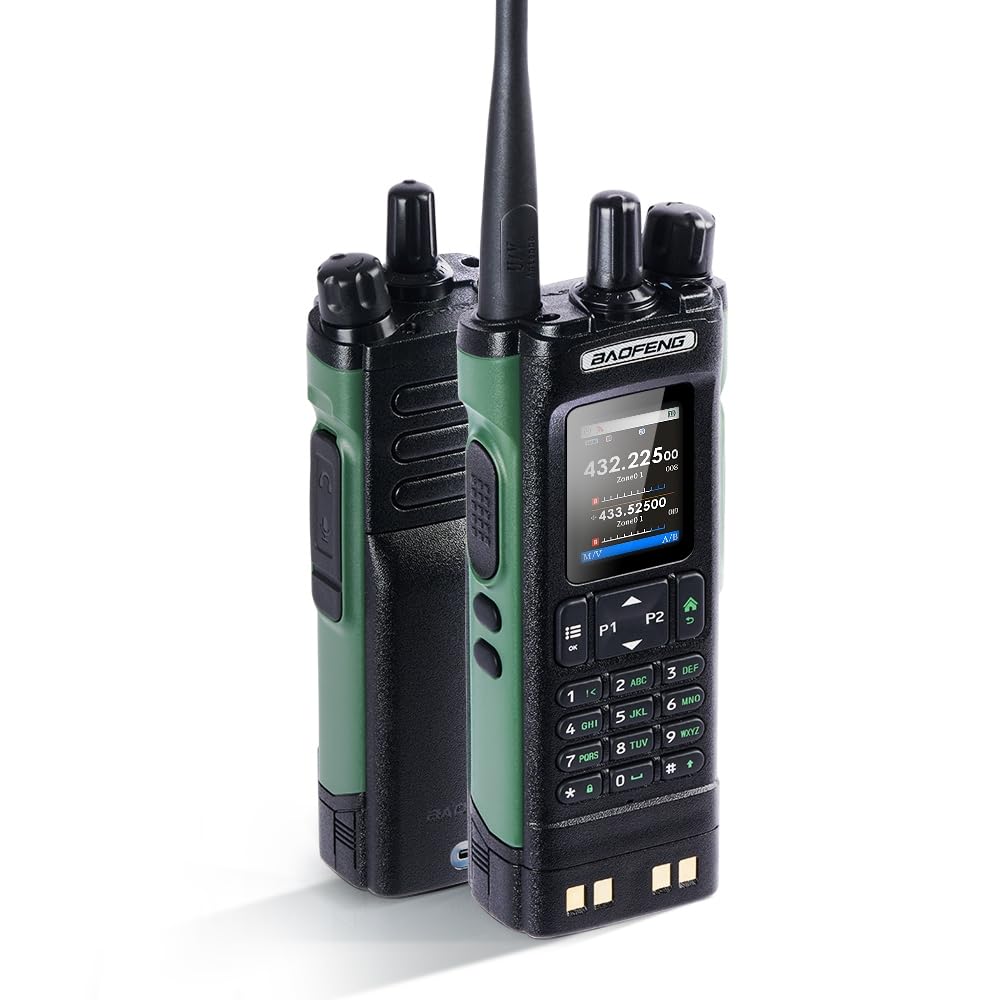
Image: 10W High Power. This image highlights the radio's 10W high power output capability, featuring a whip helix antenna for strong signal enhancement.

Image: Humanization Appearance and Button Design. This image illustrates the radio's 2-inch color LCD display, PC+TPU wrapped edges for durability, customizable side buttons, and key-caps designed with high-definition characters for comfortable use.
4. Setup Guide
4.1. Battery Installation and Charging
- Ensure the radio is powered off.
- Align the Li-ion battery with the battery compartment on the back of the radio.
- Gently slide the battery into place until it clicks securely.
- To charge, connect the USB Type-C cable to the radio's charging port and then to the power adapter or a compatible USB power source.
- The charging indicator will show the charging status. A full charge typically takes approximately 2 hours.

Image: Long-lasting Battery Power. This image shows the 7.4V-2500mAh removable Li-ion battery, indicating a 2-hour full charge time, 22 hours of continuous use, and 96 hours of standby time.
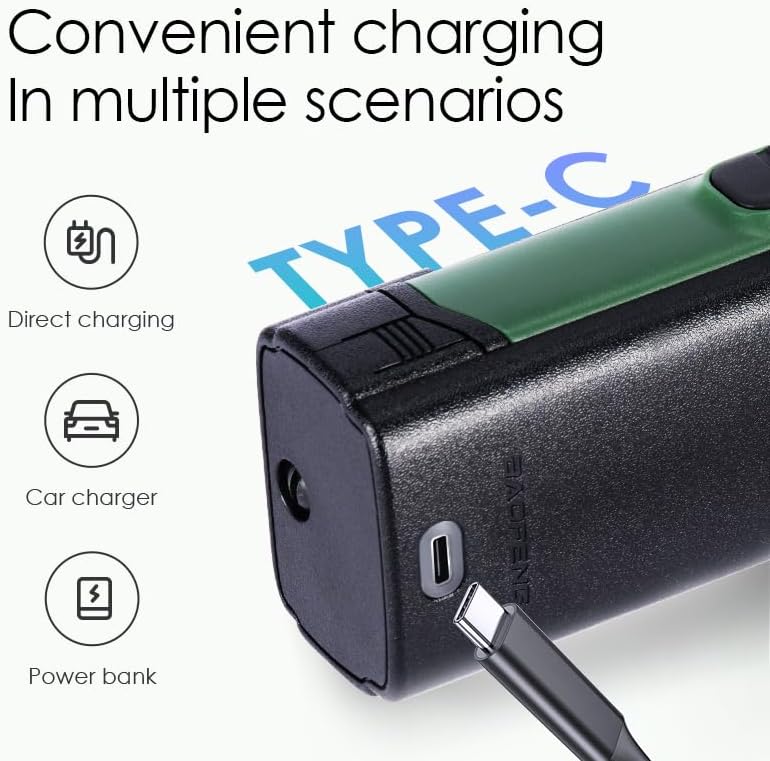
Image: Convenient Type-C Charging. This image illustrates the Type-C charging port on the radio, highlighting its compatibility with direct charging, car chargers, and power banks.
4.2. Antenna Attachment
Screw the antenna clockwise onto the antenna connector on the top of the radio until it is finger-tight. Do not overtighten.
4.3. Initial Power On
Rotate the power/volume knob clockwise to turn on the radio. Adjust the knob to your desired volume level.
4.4. Bluetooth APP Programming
The UV-32 supports programming via a mobile application. Follow these steps:
- Download the official BAOFENG programming app from your device's app store.
- Enable Bluetooth on your mobile device and on the UV-32 radio (refer to the radio's menu for Bluetooth activation).
- Open the app and search for nearby devices. Select your UV-32 radio from the list to pair.
- Once connected, you can manage and program frequencies, channels, and other settings directly from the app.

Image: Bluetooth APP Programmed Radio. This image demonstrates connecting the radio to a smartphone via Bluetooth for easy and quick frequency writing and channel editing through a dedicated mobile application.
5. Operating Instructions
5.1. Power On/Off and Volume Control
To power on or off the radio, rotate the top-mounted knob. This knob also controls the volume. Rotate clockwise to increase volume and counter-clockwise to decrease.
5.2. Channel Selection
Use the up/down arrow buttons on the keypad to navigate through available channels. The selected channel frequency will be displayed on the LCD screen.
5.3. Transmit (PTT) and Receive
To transmit, press and hold the Push-To-Talk (PTT) button located on the side of the radio. Speak clearly into the microphone. Release the PTT button to receive. Ensure you are on an open channel before transmitting.
5.4. VOX Function (Voice Operated Transmit)
The VOX function allows for hands-free transmission. When activated, the radio will automatically transmit when it detects your voice. To enable/disable VOX, navigate through the radio's menu settings. Adjust the VOX sensitivity level to prevent accidental transmissions or missed voice activations.

Image: VOX for Hands-Free or PTT. This image illustrates the radio's display and the concept of using VOX for hands-free communication or the PTT button for traditional talk.
5.5. Frequency Copy
The UV-32 supports wireless frequency copy. Refer to the radio's menu for the specific steps to activate and use this feature to quickly copy frequencies from another radio.
5.6. GPS Positioning
The radio features GPS for location sharing and requests. To use this function, ensure GPS is enabled in the radio's settings. Your current coordinates can be displayed, and you can send or request location information from other compatible radios.

Image: GPS Positioning. This image depicts the BAOFENG UV-32 radio with graphical representations of GPS location pins, indicating its capability for real-time positioning and location sharing between parties.
5.7. NOAA Weather Radio
To access NOAA weather broadcasts, navigate to the NOAA weather radio channels in the radio's menu. This feature provides real-time weather alerts and information.
5.8. Power Output Settings
The radio offers 10W (High), 5W (Medium), and 1W (Low) power output settings. Adjust this setting via the radio's menu to conserve battery life or extend communication range as needed.
6. Maintenance
6.1. Cleaning
Clean the radio's exterior with a soft, damp cloth. Do not use harsh chemicals, solvents, or abrasive cleaners. Ensure the charging port and other connectors are free from dust and debris.
6.2. Battery Care
To maximize battery life, avoid fully discharging the battery frequently. Charge the battery regularly, even if the radio is not in use for extended periods. Store the battery in a cool, dry place away from direct sunlight and extreme temperatures.
6.3. Storage
When storing the radio for long periods, remove the battery. Store the radio and battery in a dry, dust-free environment at moderate temperatures.
7. Troubleshooting
If you encounter issues with your BAOFENG UV-32 radio, refer to the following common problems and solutions:
- Radio does not power on:
- Ensure the battery is correctly installed and fully charged.
- Check if the power/volume knob is rotated to the ON position.
- Cannot transmit or receive:
- Verify the antenna is securely attached.
- Ensure you are on the correct frequency/channel.
- Check if the battery level is sufficient for transmission.
- Confirm that the PTT button is functioning correctly.
- Adjust squelch level if receiving weak signals.
- Poor audio quality:
- Check the volume level.
- Ensure the microphone and speaker are not obstructed.
- Move to an area with better signal reception.
- Bluetooth APP connection issues:
- Ensure Bluetooth is enabled on both the radio and your mobile device.
- Restart both the radio and the mobile device.
- Ensure the app is up to date.
If the problem persists after trying these solutions, please contact customer support.
8. Specifications
| Feature | Specification |
|---|---|
| Model Number | UV-32 |
| RF Power Output | 10W (High) |
| Frequency Range | 136-174 MHz (VHF), 450-470 MHz (UHF) |
| Channel Spacing | 12.5KHz |
| Channel Capacity | 4000 |
| DMR Contacts | 800 |
| Frequency Stability | ±2.5ppm |
| Battery Capacity | 2500mAH (Li-ion) |
| Weight (with antenna & battery) | 350g (1.65 pounds) |
| Dimensions (H*W*L, without antenna) | 182 x 67 x 41mm (7.17 x 2.64 x 1.61 inches) |
| Number of Channels | 198 |
| Special Feature | Dual Band |
| Talking Range Maximum | 9.97 Kilometer |
| Water Resistance Level | Not Water Resistant |
| Compatible Devices | Baofeng UV-32 series, devices on UHF & VHF frequencies with 25KHz/12.5KHz channel spacing |
9. Warranty and Support
Specific warranty details are not provided in this manual. For warranty information, please refer to the documentation included with your purchase or contact your retailer. For technical support, troubleshooting assistance beyond this manual, or service inquiries, please contact BAOFENG customer service or visit the official BAOFENG website.