
1. Product Overview
The LOLARAN N71 Mixed Denomination Money Counter is designed for efficient, secure, and accurate cash handling. It supports counting mixed denominations of a single currency, as well as offering batch and accumulation modes for versatile currency processing.
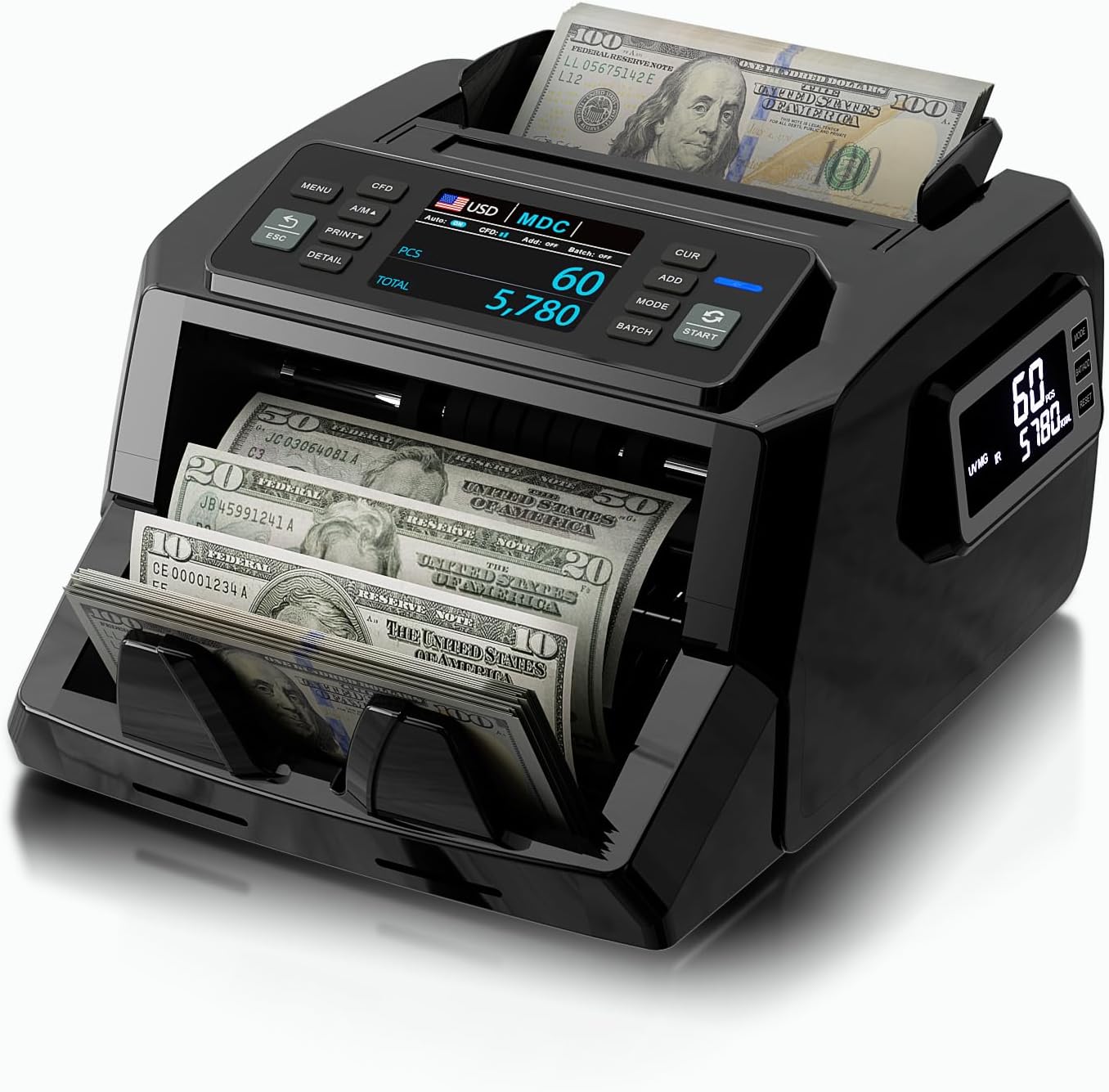
Image 1.1: The LOLARAN N71 Mixed Denomination Money Counter, showcasing its compact design and bill feeding mechanism.
Key Features:
- Advanced Counterfeit Detection: Features IR, UV, MG, and DD detection technologies for accurate identification of counterfeit bills.
- Dual-Screen Display: Equipped with a 3.5" TFT main display and a side screen for clear visibility of counting data from multiple angles.
- Flexible Counting Modes: Supports mixed denomination, single denomination, total count, batch, and accumulation modes for various cash handling needs.
- High-Speed Performance: Counts up to 1,200 bills per minute with precision and low noise levels.
- Multi-Currency Support: Compatible with USD, CAD, MXN, EUR, and GBP.
2. Package Contents
Before setup, verify that all items listed below are present in the package:
- 1 x LOLARAN N71 Bill Counter
- 1 x External Display
- 1 x Power Cord
- 1 x IR Calibration Paper
- 1 x Nylon Brush
- 1 x Cleaning Cloth
- 1 x Spare Fuse
- 1 x User Manual (this document)
- 8 x Currency Straps

Image 2.1: An exploded view of the LOLARAN N71 Money Counter and its included accessories, such as the external display, power cord, cleaning tools, and currency straps.
3. Setup
3.1 Unpacking
- Carefully remove the money counter and all accessories from the packaging.
- Place the machine on a stable, flat surface, ensuring adequate space for bill feeding and stacking.
3.2 Power Connection
- Connect the provided power cord to the power input port on the back of the money counter.
- Plug the other end of the power cord into a standard electrical outlet.
- Turn on the power switch, usually located on the back or side of the machine. The display should illuminate.
3.3 External Display Connection (Optional)
- Locate the external display port on the money counter.
- Connect the external display cable to this port.
- Position the external display for optimal viewing.
4. Operating Instructions
4.1 Control Panel Overview

Image 4.1: A close-up view of the LOLARAN N71 Money Counter's control panel, highlighting the physical buttons for MENU, CFD, A/M, PRINT, ESC, DETAIL, MODE, ADD, BATCH, and START.
The control panel features intuitive physical buttons for various functions:
- MENU: Accesses system settings and advanced options.
- CFD: Toggles counterfeit detection features.
- A/M: Switches between automatic and manual feeding modes.
- PRINT: Initiates printing of counting results (if connected to a compatible printer).
- ESC: Exits current menu or clears error messages.
- DETAIL: Displays detailed counting information.
- MODE: Cycles through different counting modes (Mixed, Single, Count).
- ADD: Activates accumulation mode.
- BATCH: Sets a specific batch quantity for counting.
- START: Begins the counting process.
4.2 Basic Counting
- Ensure the machine is powered on.
- Place a stack of bills neatly into the hopper. Ensure bills are aligned and not folded or crumpled.
- The machine will automatically start counting if in auto-feed mode, or press the START button if in manual mode.
- The main display and external display (if connected) will show the count results.
4.3 Mixed Denomination Counting
The N71 can count mixed denominations of a single currency, providing a total value.

Image 4.2: The LOLARAN N71 Money Counter demonstrating its mixed denomination counting capability, with various bill values being processed simultaneously.
- Press the MODE button until 'MDC' (Mixed Denomination Count) is selected on the display.
- Place the mixed bills into the hopper.
- The machine will count and display the total value and quantity of each denomination.
4.4 Counterfeit Detection
The N71 employs multiple detection methods to identify suspicious bills.
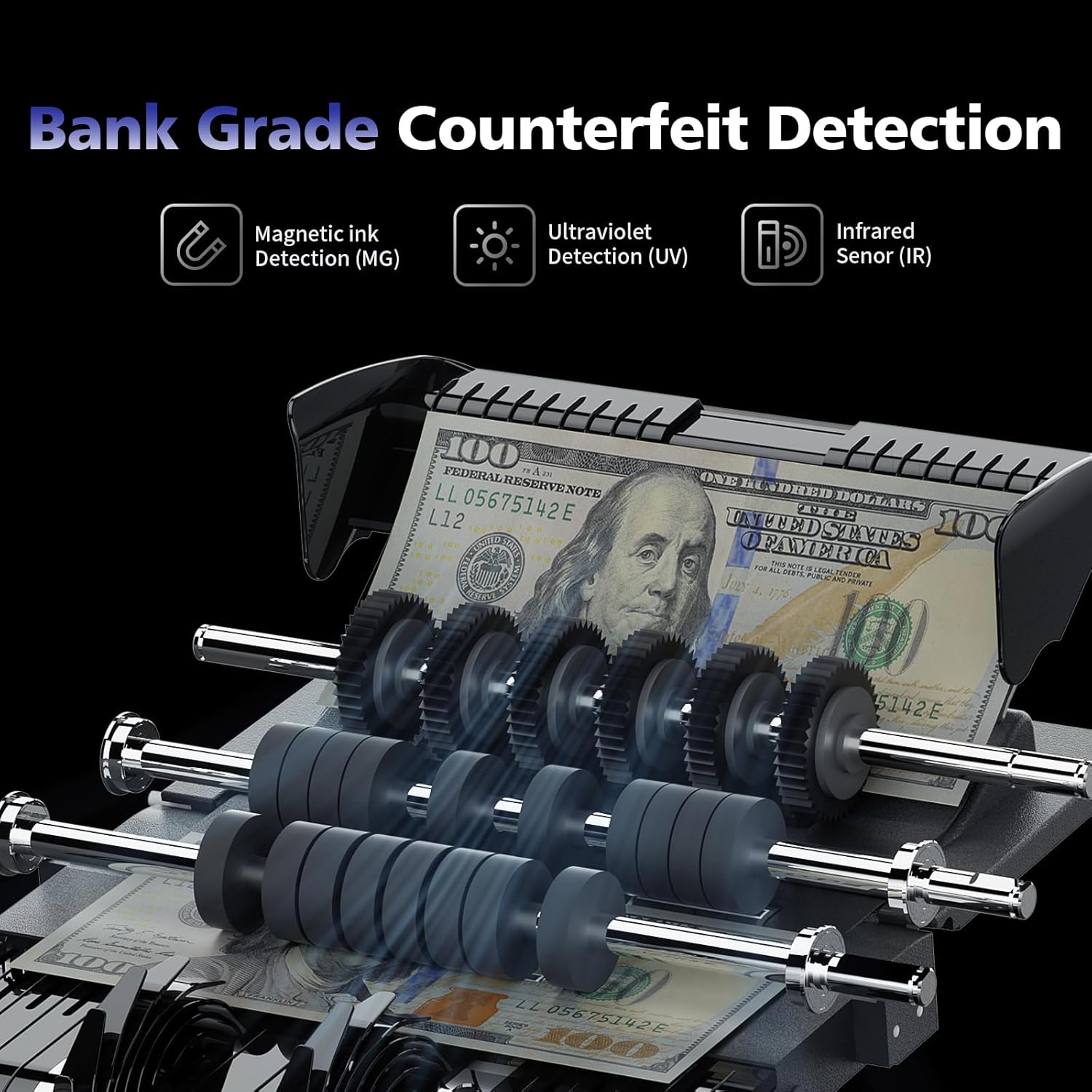
Image 4.3: An internal view of the LOLARAN N71 Money Counter highlighting the mechanisms for Magnetic Ink (MG), Ultraviolet (UV), and Infrared (IR) detection, crucial for bank-grade counterfeit identification.
- IR (Infrared) Detection: Checks for specific infrared ink patterns.
- UV (Ultraviolet) Detection: Verifies UV features present in genuine currency.
- MG (Magnetic) Detection: Scans for magnetic ink properties.
- DD (Dimension Detection): Measures bill dimensions to detect anomalies.
If a suspicious bill is detected, the machine will stop, and an error message will appear. Remove the suspicious bill and press START to resume counting.
4.5 Counting Modes
- Count Mode: Simple bill counting, providing the total number of bills.
- Mixed Denomination Mode (MDC): Counts mixed bills and calculates the total value.
- Single Denomination Mode (SDC): Counts bills of a single denomination.
- Batch Mode: Allows you to set a specific number of bills (e.g., 100) for the machine to count before stopping. Press BATCH and use the number keys or arrow buttons to set the desired quantity.
- Add Mode: Accumulates the total count from multiple counting operations. Press ADD to activate/deactivate.
4.6 Multi-Currency Support
The N71 supports counting and detection for multiple currencies.

Image 4.4: The LOLARAN N71 Money Counter displayed with flags representing the five supported currencies: USD, CAD, MXN, EUR, and GBP, indicating its international compatibility.
To select a currency, navigate through the menu options using the MENU button and select the desired currency (USD, CAD, MXN, EUR, GBP).
4.7 Dual-Screen Display
The machine features a main TFT display and a unique side screen for enhanced visibility.

Image 4.5: The LOLARAN N71 Money Counter showcasing its dual-screen display, with the main screen providing detailed counting information and a secondary side screen offering a clear summary.
Both screens simultaneously display counting data, improving convenience for the operator and allowing customers to view the count.
5. Maintenance
5.1 Cleaning
Regular cleaning ensures optimal performance and longevity of your money counter.
- Turn off and unplug the machine before cleaning.
- Use the provided nylon brush to gently remove dust and debris from the bill pathways, sensors, and rollers.
- Use the cleaning cloth to wipe down the exterior surfaces and displays. Do not use abrasive cleaners or solvents.
- For stubborn dirt on sensors, use the IR Calibration Paper as directed in the troubleshooting section or contact support.
5.2 Storage
When not in use, store the money counter in a clean, dry environment away from direct sunlight and extreme temperatures.
6. Troubleshooting
This section addresses common issues you might encounter. For problems not listed here, please contact customer support.
- Machine does not power on: Ensure the power cord is securely connected to both the machine and a working electrical outlet. Check the power switch position.
- Bills are jamming: Ensure bills are neatly stacked, not folded or crumpled. Clean the bill pathway and rollers using the provided brush. Reduce the stack size if bills are too thick.
- Error message displayed: Note the error code or message. Often, this indicates a counterfeit bill, a jam, or a sensor issue. Remove any suspicious bills or clear jams, then press ESC or START to resume.
- Inaccurate counting: Clean the sensors and rollers. Ensure bills are properly aligned in the hopper. If the issue persists, recalibration may be required (refer to advanced settings or contact support).
- Counterfeit detection not working: Ensure the CFD function is enabled. Clean the UV, MG, and IR sensors.
7. Specifications
| Feature | Detail |
|---|---|
| Model Number | N71 |
| Brand | LOLARAN |
| Item Weight | 12.25 pounds |
| Product Dimensions | 10.24 x 7.28 x 12.6 inches |
| Counting Speed | Up to 1,200 bills per minute |
| Counterfeit Detection | IR, UV, MG, DD |
| Display Type | 3.5" TFT Main Display, Side Screen |
| Supported Currencies | USD, EUR, MXN, GBP, CAD |
8. Customer Support and Warranty
8.1 Customer Support
For any questions, technical assistance, or service requests, please contact LOLARAN customer support. Contact information can typically be found on the product packaging or the official LOLARAN website.
8.2 Software Upgrades
Enjoy continuous product support and free software upgrades to ensure your money counting machine performs at its best and stays updated with new currency features or security enhancements.
8.3 Warranty Information
Specific warranty terms and conditions are provided with your purchase documentation. Please refer to these documents for details regarding coverage, duration, and claims procedures. Keep your proof of purchase for warranty purposes.