Introduction
This manual provides detailed instructions for the RUIZHI Wireless Controller, designed for use with PlayStation 4 consoles (PS4, PS4 Pro, PS4 Slim) and PC. It covers setup, operation, maintenance, and troubleshooting to ensure optimal performance and user experience.
Package Contents
- 1 x RUIZHI Wireless Controller for PS4
- 1 x USB-C Data Cable
- 1 x User Manual
Product Overview
Familiarize yourself with the controller's layout and functions.
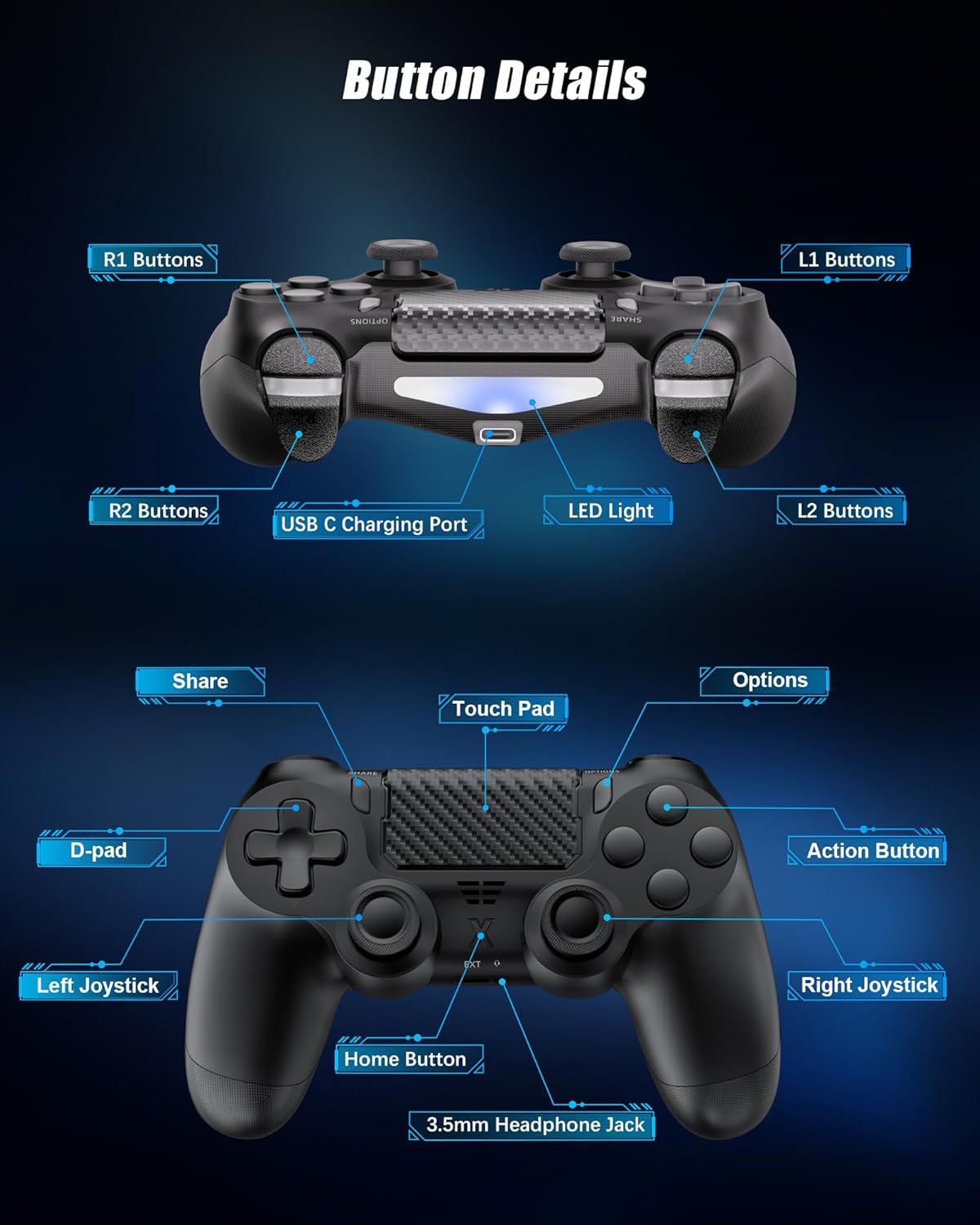
Image: Front and back view of the RUIZHI Wireless Controller with labels indicating R1, R2, L1, L2 buttons, USB-C charging port, LED light, Share button, Touch Pad, Options button, D-pad, Action Buttons, Left Joystick, Right Joystick, Home Button, and 3.5mm Headphone Jack.
Button Details:
- R1/R2/L1/L2 Buttons: Shoulder and trigger buttons for in-game actions.
- USB-C Charging Port: Used for charging the controller and initial wired connection.
- LED Light: Indicates controller status, player number, and charging status.
- Share Button: Allows sharing gameplay content.
- Touch Pad: Multi-touch, clickable pad for enhanced interaction.
- Options Button: Accesses in-game menus and options.
- D-pad: Directional pad for precise movement and menu navigation.
- Action Buttons (Triangle, Circle, Cross, Square): Primary input buttons for gameplay.
- Left/Right Joysticks: 360° analog sticks for movement and camera control.
- Home Button: Returns to the system home screen or powers on/off the console/controller.
- 3.5mm Headphone Jack: Connects compatible headsets for audio and chat.
Setup
Initial Connection to PS4:
- Ensure your PS4 console is powered on.
- Connect the RUIZHI Wireless Controller to your PS4 console using the provided USB-C data cable.
- Press the Home Button on the controller. The controller will pair and activate with the console.
- Once paired, you can disconnect the USB-C cable to use the controller wirelessly via Bluetooth.
Connecting to PC:
- Wired Connection: Connect the controller to your PC using the USB-C data cable. The PC should automatically detect and install the necessary drivers.
- Wireless Bluetooth Connection: If your PC has a built-in Bluetooth module, you can pair the controller wirelessly. If not, a separate Bluetooth receiver (not included) is required.
- To pair wirelessly, press and hold the Share button and the Home button simultaneously until the light bar flashes rapidly. Then, search for Bluetooth devices on your PC and select the controller to pair.
Operating Instructions
Basic Functions:
- Power On: Press the Home Button.
- Power Off: Press and hold the Home Button for approximately 10 seconds, or turn off the console.
Advanced Features:
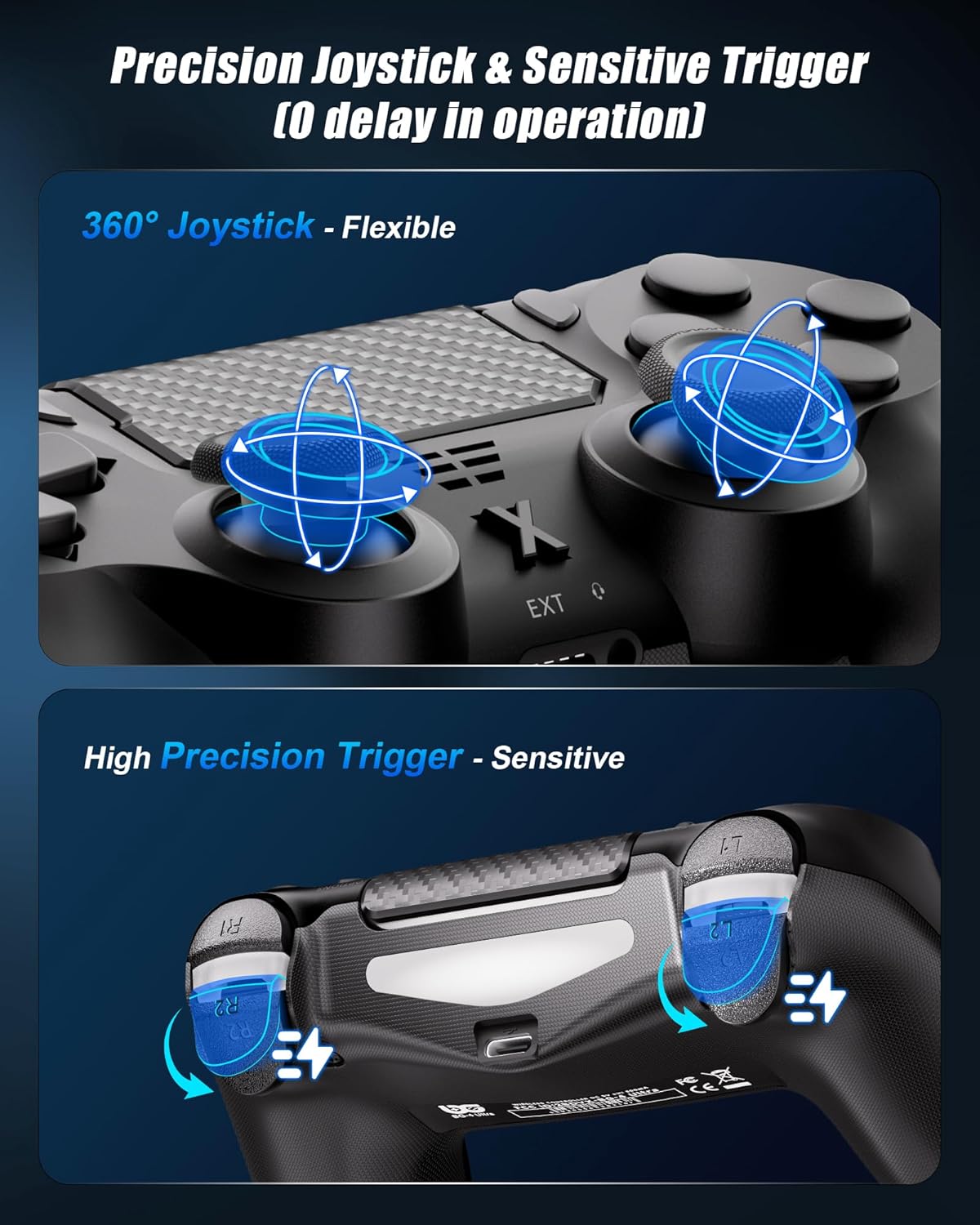
Image: Detailed view of the controller's 360° joysticks and high-precision triggers, illustrating their flexible and sensitive response.
- Precision Joysticks & Sensitive Triggers: Experience precise control with 360° joysticks and responsive triggers, designed for zero delay in operation.
- Dual Vibration: Built-in dual vibration motors provide tactile feedback for a more immersive gaming experience, reacting to in-game actions.
- 6-Axis Gyroscope: The integrated 6-axis sensor offers enhanced motion control, allowing for more freedom and smoothness in compatible games.
- Touchpad: The multi-touch touchpad optimizes command precision and offers additional input methods for various games.
- 3.5mm Audio Jack: Connect your favorite gaming headset directly to the controller for in-game audio and voice chat.

Image: The controller shown with arrows indicating 6-axis motion sensing and vibration patterns, demonstrating its immersive capabilities in racing and action games.
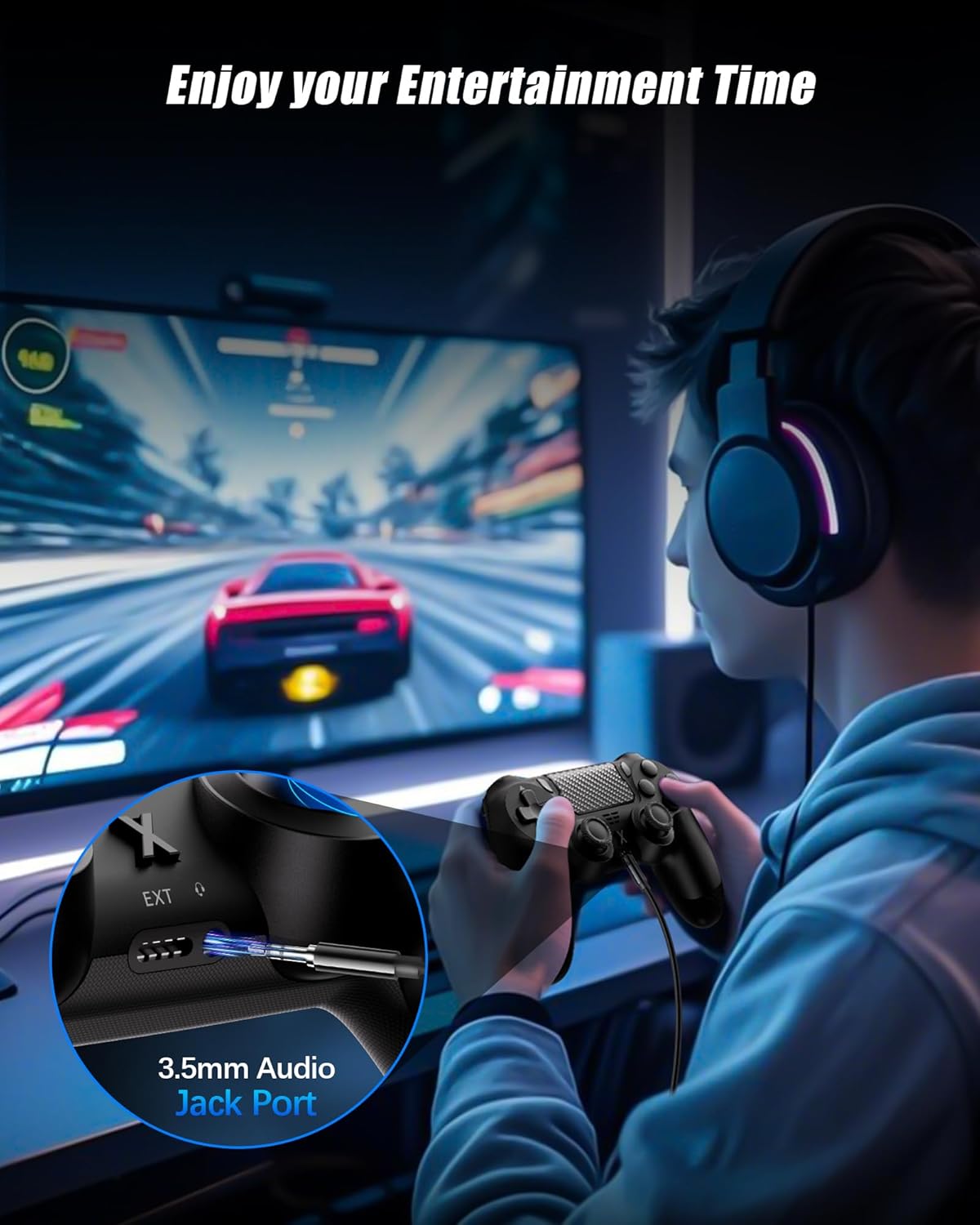
Image: A gamer wearing headphones connected to the controller via the 3.5mm audio jack, enjoying an immersive gaming session.
Charging
The controller features a built-in 1000mAh Lithium-ion battery.

Image: The controller's USB-C port connected to a charging cable, illustrating the 1000mAh battery capacity and charging time of 2-3 hours for up to 15 hours of playtime.
- Charging Time: Approximately 2-3 hours for a full charge.
- Playtime: Up to 10-15 hours of continuous use on a full charge.
- Charging Method: Connect the controller to a PS4 console, PC, or a standard USB charger (5V/1A) using the provided USB-C cable.
- The LED light will indicate charging status.
Compatibility
The RUIZHI Wireless Controller is compatible with a range of gaming platforms.

Image: The controller displayed with icons for Android (6.0+), VR, PS3/PS4, Switch, PC (10/11/7), TV, and iOS/iPadOS (13+), indicating its wide compatibility.
- PlayStation 4: PS4, PS4 Pro, PS4 Slim.
- PC: Compatible with Windows 7/10/11.
- Other: Also compatible with Android (6.0+), VR, PS3, Nintendo Switch, TV, and iOS/iPadOS (13+).
Maintenance
- Keep the controller dry and away from extreme temperatures.
- Clean the controller with a soft, dry cloth. Do not use harsh chemicals or abrasive materials.
- Avoid dropping the controller or subjecting it to strong impacts.
- Store the controller in a safe place when not in use.
Troubleshooting
Controller Not Connecting/Pairing:
- Ensure the controller is fully charged.
- For PS4, try connecting with the USB-C cable first to re-establish the connection.
- Reset the controller: Locate the small reset button on the back of the controller (often near the L2 button). Use a thin object (like a straightened paperclip) to press and hold the button for 3-5 seconds. Then, try pairing again.
- Ensure no other Bluetooth devices are interfering with the connection.
Input Lag or Disconnections:
- Ensure the controller is within the 8-meter wireless range of the console/PC.
- Check for potential wireless interference from other devices (e.g., Wi-Fi routers, other Bluetooth devices).
- Ensure the controller's battery is not low.
- If on PC, ensure your Bluetooth drivers are up to date.
Vibration Not Working:
- Check in-game settings to ensure vibration feedback is enabled.
- Ensure the controller's battery is sufficiently charged.
Specifications
| Model | B0DYTJH55C |
| Connectivity | Wireless Bluetooth, USB-C Wired |
| Battery Type | Built-in Lithium-ion |
| Battery Capacity | 1000mAh |
| Charging Time | Approx. 2-3 hours |
| Playtime | Up to 10-15 hours |
| Wireless Range | Up to 8 meters |
| Special Features | Dual Vibration, 6-Axis Gyroscope, Touchpad, 3.5mm Audio Jack |
| Country of Origin | China |
Warranty and Support
Information regarding product warranty and customer support was not provided in the available data. Please refer to the product packaging or the seller's website for details on warranty coverage and how to contact customer support for assistance.

