
1. Introduction
Welcome to the HomeTro HM2 Foldable Treadmill user manual. This guide provides essential information for the safe and effective operation, setup, and maintenance of your new 2-in-1 walking pad. The HomeTro HM2 is designed for both walking and running, featuring a 7% manual incline, a powerful 2.5HP motor, and multiple control options including remote and app connectivity, making it suitable for home and office environments.
2. Important Safety Information
Please read all instructions carefully before using the treadmill. Failure to follow these safety guidelines may result in injury or damage to the product.
- Always attach the safety key to your clothing before starting the treadmill. The machine will stop immediately if the safety key is disengaged.
- Ensure the treadmill is placed on a flat, stable surface with adequate clearance (at least 2 feet) around it.
- The maximum user weight capacity for this treadmill is 265 lbs (120 kg). Do not exceed this limit.
- Consult a physician before beginning any exercise program, especially if you have pre-existing health conditions.
- Keep children and pets away from the treadmill during operation.
- Do not operate the treadmill if it is damaged or malfunctioning. Contact customer support immediately.
- Wear appropriate athletic footwear during use.
- Always hold the handlebars for balance, especially when starting or stopping the treadmill, or adjusting speed.
3. Package Contents
Verify that all components are present in the package:
- User Manual (x1)
- Security Lock (Safety Key) (x1)
- Rotary Knob (x2)
- Power Cord (x1)
- Remote Control (x1)
- L-type Wrench (6#) (x1)
- Pad Holder (x1)

Figure 3.1: All included components for the HomeTro HM2 Treadmill.
4. Setup Guide
4.1 Unpacking and Placement
- Carefully remove the treadmill and all components from the packaging.
- Place the treadmill on a firm, level surface. Ensure there is at least 2 feet of clear space behind and on both sides of the treadmill for safety.
4.2 Handlebar Setup
- Lift the handlebar into the upright position.
- Secure the handlebar using the rotary knobs provided. Ensure they are tightened firmly to prevent wobbling during use.
- Attach the phone/tablet holder to the designated slot on the handlebar.
4.3 Incline Adjustment
The HomeTro HM2 treadmill features a manual incline adjustment. You can set the incline to either 3% or 7% by adjusting the support feet located at the front of the treadmill. To change the incline:
- Power off and unplug the treadmill.
- Carefully lift the front of the treadmill.
- Adjust the support feet to the desired incline level (3% or 7%). Ensure both feet are set to the same level for stability.
- Gently lower the treadmill back down, ensuring it is stable before use.
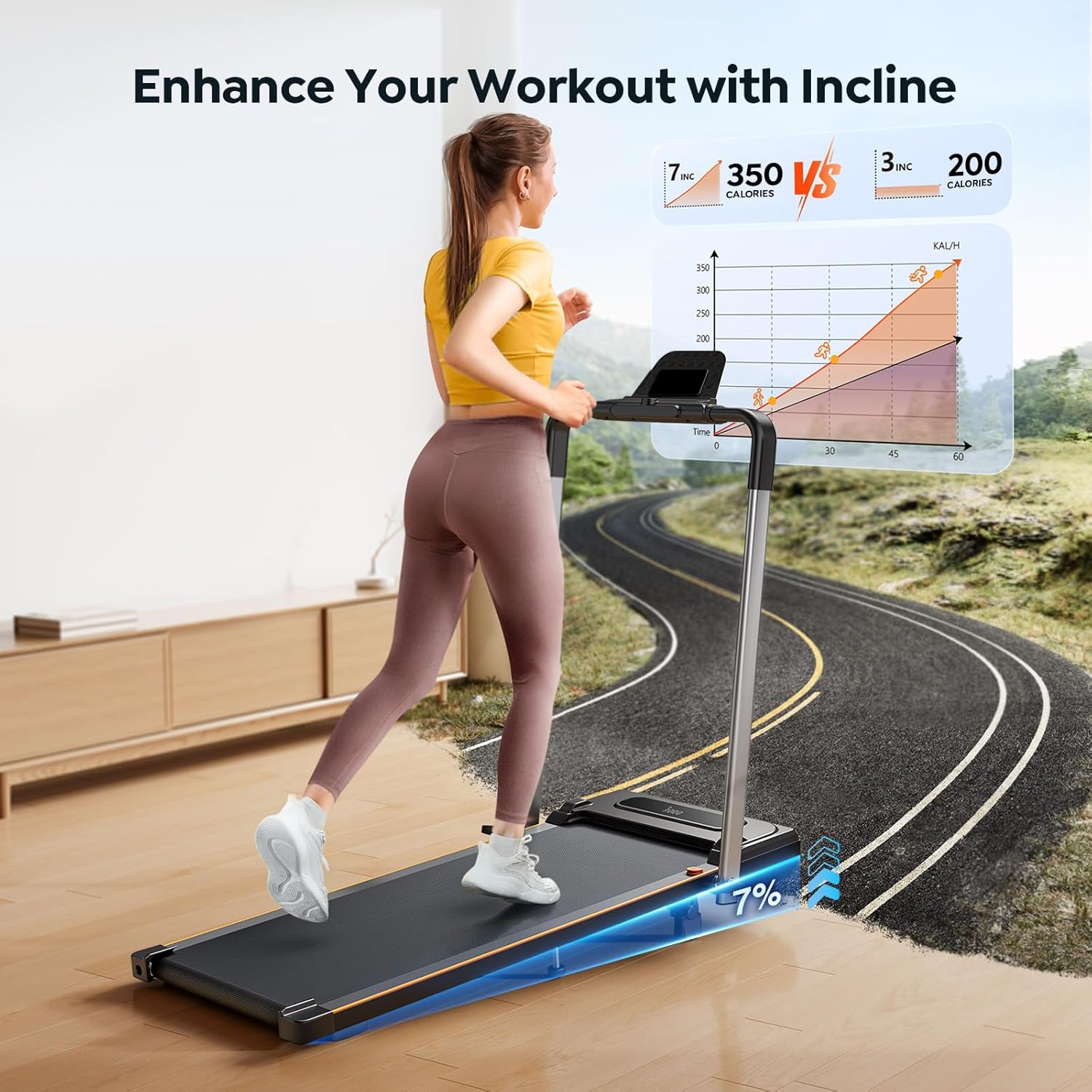
Figure 4.1: Manual incline adjustment for enhanced workouts.
4.4 Power Connection
- Plug the power cord into the treadmill's power input.
- Plug the other end of the power cord into a grounded electrical outlet.
4.5 Safety Key Attachment
Locate the red safety key. Attach the clip end to your clothing and place the magnetic end onto the designated area on the treadmill's console. The treadmill will not operate without the safety key properly attached.
5. Operating Instructions
5.1 Basic Operation
- Power On: Ensure the treadmill is plugged in and the safety key is attached. Press the power button on the console or remote.
- Start/Stop: Press the START/STOP button on the console or remote to begin or end your workout.
- Speed Adjustment: Use the '+' and '-' buttons on the remote control or the handlebar to adjust the speed. The speed range is 0.6 to 7.5 MPH.
- Emergency Stop: Pull the safety key from the console to immediately stop the treadmill in an emergency.

Figure 5.1: LED display and control options.
5.2 Running and Walking Modes
The HomeTro HM2 offers two primary modes of operation:
- Walking Mode: With the handlebar folded down, the treadmill functions as a walking pad, ideal for use under a desk or for light exercise. Speed range typically 0.6-5.0 MPH.
- Running Mode: With the handlebar in the upright position, the treadmill supports higher speeds for running workouts. Speed range 0.6-7.5 MPH.

Figure 5.2: The 2-in-1 design allows for both running and walking modes.
5.3 Preset Programs
The treadmill includes 12 preset programs designed to vary speed and intensity for different fitness goals. Refer to the specific program details in the full user manual for instructions on selecting and utilizing these programs.
5.4 Pausing and Data Retention
You can pause your workout at any time without losing your progress data. Press the PAUSE button on the remote or console. To resume, press START. Your workout statistics will be retained until you end the session.

Figure 5.3: Workout data is saved when paused.
6. App Control
Enhance your workout experience by connecting your HomeTro HM2 treadmill to the dedicated smart app.
6.1 Connecting the App
- Download the HomeTro app from the App Store (iOS) or Google Play Store (Android).
- Ensure Bluetooth is enabled on your mobile device.
- Open the app and follow the on-screen instructions to pair with your treadmill.
6.2 App Features
The app allows you to:
- Control treadmill speed and start/stop functions remotely.
- Track your workout progress, including distance, speed, time, and calories burned.
- Access additional workout programs and challenges.
- Participate in group runs or virtual fitness experiences.

Figure 6.1: Enjoy interactive workouts with the HomeTro app.
7. Maintenance
Regular maintenance ensures the longevity and optimal performance of your treadmill.
7.1 Cleaning
- Wipe down the treadmill surfaces with a damp cloth after each use to remove sweat and dust.
- Do not use abrasive cleaners or solvents, as these can damage the finish.
7.2 Lubrication
The running belt requires periodic lubrication to reduce friction and extend its lifespan. It is recommended to lubricate the belt every 3-6 months, depending on usage.
- Power off and unplug the treadmill.
- Lift the edge of the running belt.
- Apply 5-10 ml of 100% silicone oil (not included) evenly under the center of the running belt.
- Run the treadmill at a low speed (e.g., 1 MPH) for 5 minutes to distribute the lubricant.
7.3 Belt Adjustment
If the running belt becomes off-center or slips, it may need adjustment. Refer to the detailed instructions in the full user manual for proper belt centering and tension adjustment using the provided L-type wrench.
8. Troubleshooting
This section addresses common issues you might encounter with your HomeTro HM2 treadmill.
| Problem | Possible Cause | Solution |
|---|---|---|
| Treadmill does not start | Power cord not plugged in; Safety key not attached; Power switch off. | Check power connection; Ensure safety key is in place; Turn on the power switch. |
| Running belt slips | Belt tension too loose; Insufficient lubrication. | Adjust belt tension (refer to manual); Lubricate the running belt. |
| Belt is off-center | Uneven belt tension. | Adjust belt centering screws (refer to manual). |
| Unusual noise during operation | Loose components; Motor issue; Belt friction. | Check for loose screws; Lubricate belt; Contact customer support if noise persists. |
| Remote control not working | Dead battery; Obstruction between remote and sensor. | Replace remote battery; Ensure clear line of sight to treadmill sensor. |
9. Product Specifications
| Feature | Specification |
|---|---|
| Model Name | HM2 |
| Brand | HomeTro |
| Motor Horsepower | 2.5 HP |
| Speed Range | 0.6 - 7.5 MPH |
| Incline Levels | Manual 3% / 7% |
| Maximum Weight Capacity | 265 lbs (120 kg) |
| Product Dimensions (LxWxH) | 53"D x 22.4"W x 5"H |
| Material | Metal |
| Special Features | 2-in-1 Design, Compact, Foldable, Manual Incline, Portable, App Control |
| Included Components | Power Cord, Remote Control, Safety Key, Tool Kit, User Manual |
10. Warranty and Customer Support
10.1 Warranty Information
The HomeTro HM2 Foldable Treadmill comes with a 1-year warranty from the date of purchase. This warranty covers manufacturing defects and malfunctions under normal use. Please retain your proof of purchase for warranty claims. The warranty does not cover damage caused by misuse, accidents, unauthorized modifications, or improper maintenance.
10.2 Customer Support
For any questions, technical assistance, or warranty claims, please contact HomeTro customer support through the following channels:
- Online: Visit the official HomeTro store on Amazon: HomeTro Amazon Store
- Email: Refer to the contact information provided in your original purchase documentation or the full user manual.
When contacting support, please have your model number (HM2) and purchase date ready.