
1. Introduction
This manual provides detailed instructions for the installation, operation, and maintenance of your VECHTEL 4G+64G Android 15 Car Radio. This device features a 9-inch HD touchscreen, 4-core processor, 4GB RAM, and 64GB ROM, offering a comprehensive in-car entertainment and navigation experience. Key features include wireless CarPlay and Android Auto, GPS navigation, Wi-Fi connectivity, Bluetooth 5.0, FM/RDS radio, steering wheel control support, and reversing camera compatibility.
2. Vehicle Compatibility
The VECHTEL Android Car Radio is designed for specific vehicle models. Please ensure your vehicle's central control panel matches the compatible configurations before installation.
- Compatible Vehicles: Renault Trafic, Fiat Talento, Opel Vivaro, Nissan NV300.
- Important Note: This wiring harness is not compatible with vehicles equipped with a factory premium audio system, including BOSE, amplified audio systems, or Onstar.

Image: Compatibility Check. This image illustrates compatible (Option A) and incompatible (Option B) central control panel designs for the car radio. Please verify your vehicle's dashboard against Option A for proper fitment.
If you are unsure about compatibility, please contact customer support with your car's model year and a photo of your central dashboard.
3. Setup and Installation
3.1. Package Contents
Before beginning installation, verify that all components are present:
- VECHTEL Android Car Radio Unit
- GPS Antenna
- Reversing Camera
- CANBUS Decoder
- External Microphone
- Power Cables
- RCA Cables
- USB Cables
- Radio Antenna Adapter
- Installation Tools (if included)
- User Manual (this document)

Image: Product Size & Packing List. This image displays the dimensions of the car radio unit and lists all accessories included in the package, such as cables, antennas, and the reversing camera.
3.2. Wiring Diagram
The car radio uses a plug-and-play connection system, eliminating the need to modify original car power cables. Refer to the wiring diagram for correct connections of all components.

Image: Product Wiring. This diagram illustrates the connections for the main unit, including power cables, RCA cables, USB cables, GPS antenna, radio antenna, and the rear camera input cable. Ensure all connections are secure.
3.3. Reversing Camera Wiring
For the reversing camera, connect the rear camera input cable to the car radio. The camera's power supply requires connection to the vehicle's reversing light circuit.
- Connect the camera's positive wire to the positive pole of the car's reversing light.
- Connect the camera's negative wire to the negative pole of the car's reversing light.

Image: HD Reversing Camera Wiring. This image details the wiring process for the reversing camera, showing how to connect it to the car radio and the vehicle's power supply for activation when reversing.
4. Operating Instructions
4.1. Power On/Off and Basic Navigation
Press the power button to turn the unit on or off. The 9-inch HD touchscreen allows for intuitive control. Navigate through menus and applications by tapping and swiping.

Image: 9-inch HD Touchscreen. This image showcases the responsive 9-inch HD touchscreen with a resolution of 1280x720p, powered by 4GB RAM and 64GB ROM running Android 13 for smooth operation.
4.2. Wireless CarPlay and Android Auto
Connect your smartphone wirelessly via Bluetooth to access CarPlay or Android Auto. This feature provides instant access to navigation, calls, messages, and music directly from your car radio's screen. Advanced voice control (Siri/Google Assistant) is supported.
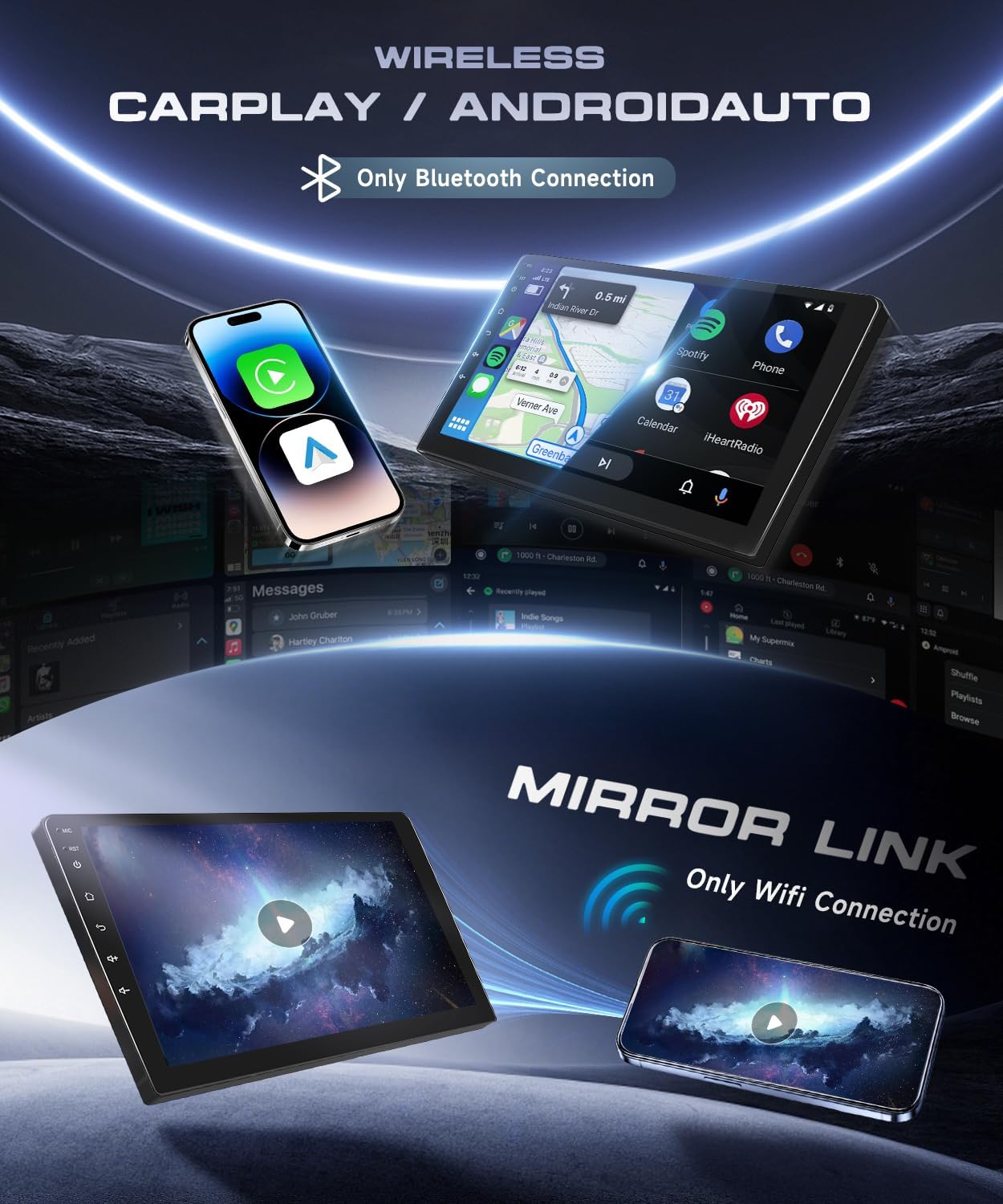
Image: Wireless CarPlay / Android Auto. This image demonstrates the wireless connectivity for CarPlay and Android Auto, enabling smartphone mirroring and access to applications like maps, music, and calls via Bluetooth.
4.3. GPS Navigation and Wi-Fi
The unit includes a built-in GPS module for both online and offline navigation. Connect to Wi-Fi or a mobile hotspot to download maps, install applications from the Play Store, stream online videos, and use real-time navigation services.
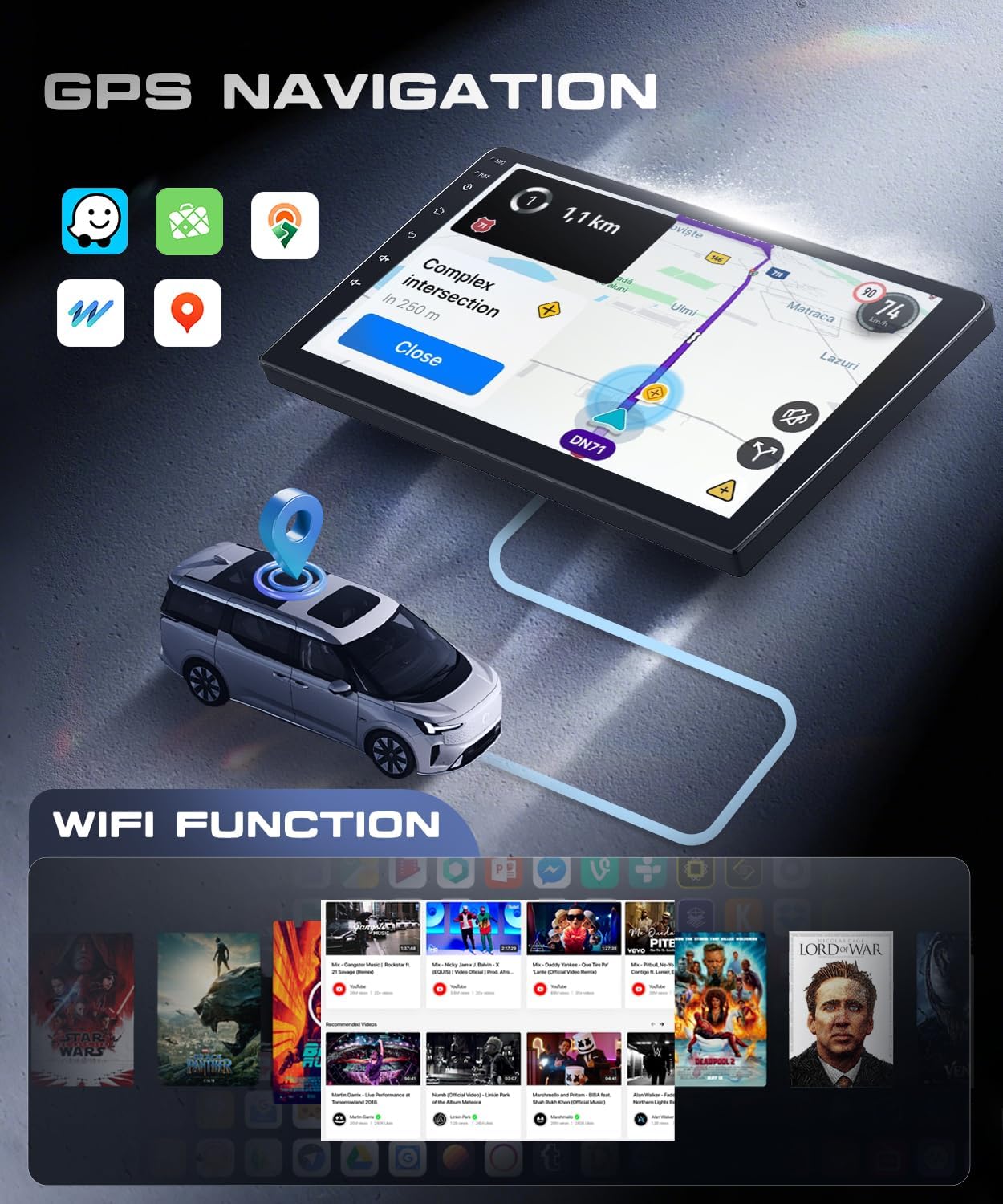
Image: GPS Navigation and Wi-Fi Function. This image illustrates the integrated GPS navigation system with map display and route information, alongside the Wi-Fi function for accessing online content and applications.
4.4. Bluetooth 5.0
Utilize Bluetooth 5.0 for hands-free calling and audio streaming. Pair your phone to make and receive calls safely and enjoy your music library wirelessly.
4.5. FM/RDS Radio
Tune into your favorite radio stations with the integrated FM/RDS tuner. RDS (Radio Data System) provides additional information such as station name and song titles.
4.6. Steering Wheel Control
The unit supports original steering wheel controls, allowing you to manage audio, calls, and other functions without taking your hands off the wheel. Configuration may be required in the system settings.
4.7. Mirror Link
Mirror Link functionality allows you to display your smartphone's screen directly onto the car radio. This feature typically uses a Wi-Fi connection.
4.8. Split Screen Function
The split-screen feature allows you to run two applications simultaneously, such as navigation and music playback, enhancing multitasking capabilities.

Image: Split Screen Function. This image demonstrates the split-screen capability, allowing users to view and interact with two applications simultaneously on the car radio's display.
4.9. EQ Settings
Customize your audio experience with the built-in equalizer (EQ) settings. Adjust frequency bands to match your preferences and vehicle acoustics.

Image: FM RDS Radio / EQ Function. This image displays the user interfaces for the FM RDS radio, allowing station selection, and the equalizer function for fine-tuning audio output.
5. Maintenance
To ensure the longevity and optimal performance of your VECHTEL Car Radio, follow these maintenance guidelines:
- Cleaning: Use a soft, dry cloth to clean the touchscreen and exterior. Avoid abrasive cleaners or solvents.
- Software Updates: Periodically check for available software updates through the system settings or manufacturer's website to ensure you have the latest features and security patches.
- Temperature: Avoid exposing the unit to extreme temperatures, both hot and cold, for extended periods.
- Power Supply: Ensure stable power supply to prevent damage to the unit.
6. Troubleshooting
If you encounter issues with your car radio, refer to the following common troubleshooting steps:
- No Power: Check all power connections and fuses. Ensure the vehicle's ignition is on.
- No Sound: Verify speaker connections, volume levels, and audio source selection. Check EQ settings.
- GPS Signal Loss: Ensure the GPS antenna is properly installed and has a clear view of the sky.
- Bluetooth Connection Issues: Ensure Bluetooth is enabled on both the car radio and your smartphone. Try unpairing and re-pairing the devices.
- Touchscreen Unresponsive: Restart the unit. If the issue persists, a factory reset might be necessary (note: this will erase all user data).
- CarPlay/Android Auto Not Connecting: Ensure your phone is compatible and the connection method (wireless/USB) is correctly selected. Check app permissions on your phone.
For persistent issues or problems not covered here, please contact VECHTEL customer support.
7. Specifications
| Feature | Specification |
|---|---|
| Brand | VECHTEL |
| Model Number | 4G+64G (4 CORE) |
| Operating System | Android 15 |
| RAM | 4 GB |
| ROM | 64 GB |
| Screen Size | 9 Inches |
| Screen Resolution | HD 1280x720p |
| Connectivity Technology | Bluetooth 5.0, USB, Wi-Fi |
| Special Features | Integrated Bluetooth, Wireless CarPlay/Android Auto, GPS Navigation, Integrated Wi-Fi, Touchscreen |
| Compatible Devices | Smartphone |
| Total HDMI Ports | 1 |
| Connector Type | RCA, HDMI |
| Audio Output Mode | Stereo |
| Surround Sound Channel Configuration | 5.0 |
| Video Encoding | RM |
| Output Power | 45 Watts (per channel) |
| Number of Channels | 4 |
| Total Wattage Output | 180 Watts |
| Control Method | Touch |
| Digital Media Format Support | .gif, .jpg, AVI, WAV, WMA |
| Item Dimensions (D x W x H) | 5P x 26.5L x 27H centimeters |
| Country of Origin | China |
8. Warranty Information
The VECHTEL 4G+64G Android 15 Car Radio comes with a three-year warranty from the date of purchase. This warranty covers manufacturing defects and malfunctions under normal use. Please retain your proof of purchase for warranty claims. For detailed terms and conditions, refer to the warranty card included in your package or contact VECHTEL customer support.
9. Customer Support
If you have any questions, require technical assistance, or need to report an issue, please do not hesitate to contact VECHTEL customer support. You can typically reach us through the platform where you purchased the product (e.g., Amazon's messaging system).
When contacting support, please provide your product model, purchase date, and a detailed description of the issue to facilitate a quicker resolution.
