
1. Product Overview
The AZZUNO MIG-135L is a versatile 3-in-1 welding machine designed for various welding applications. It supports Gasless Flux Core MIG, Lift TIG, and Stick welding, making it suitable for both hobbyists and professionals. This welder operates on both 110V and 220V input power and is compatible with .030"/.035"/.040" flux core wire and E6013 electrodes.


Key Features:
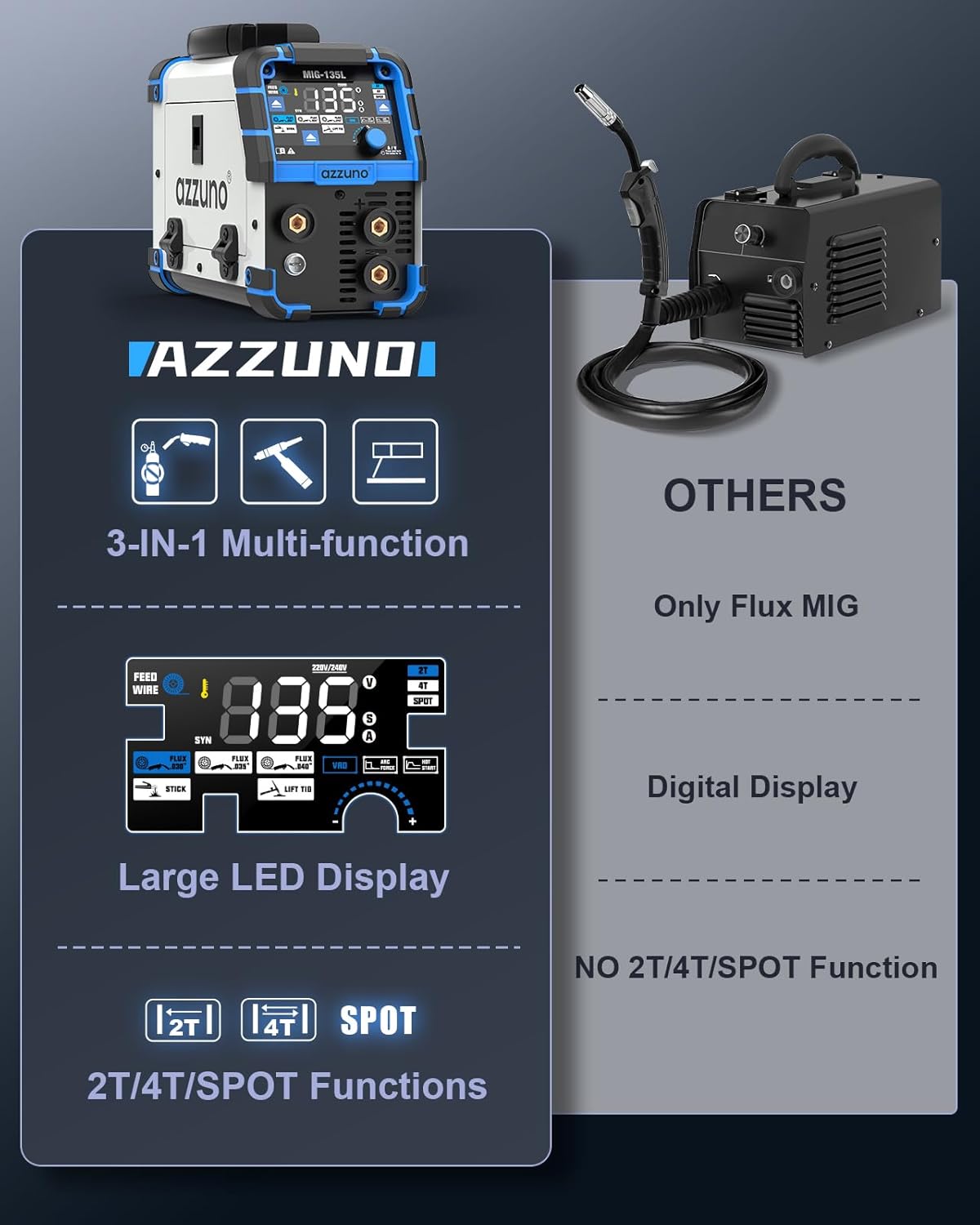
- 3-IN-1 Welding Capability: Supports Gasless Flux Core MIG, Lift TIG, and Stick welding.
- Dual Voltage Compatibility: Works with both 110V and 220V input power.
- Large Clear LED Display: Upgraded oversized screen for intuitive operation and quick setting adjustments.
- Smart & Flexible MIG Welding: SYNERGIC mode for automatic settings adjustment, with 2T, 4T, and SPOT modes for varied weld control. Includes a manual wire feed button.
- Enhanced Stick Welding Control: Adjustable VRD, Arc Force, and Hot Start settings for safer, more efficient, and stable arc performance.
- Portable Design: Compact size (6"×13"×8.8") and lightweight (11.5 LBS) for easy transport.
2. Safety Information
Always prioritize safety when operating welding equipment. Failure to follow safety guidelines can result in serious injury or death. This section provides general safety information; always refer to local regulations and the complete safety manual provided with the product.
General Safety Precautions:
- Electric Shock: Welding current can cause fatal electric shock. Ensure proper grounding, wear dry gloves, and insulate yourself from the workpiece and ground.
- Fumes and Gases: Welding fumes and gases can be hazardous to your health. Work in a well-ventilated area or use an approved respirator.
- Arc Rays: Arc rays can injure eyes and burn skin. Wear a welding helmet with a proper shade filter and protective clothing.
- Fire and Explosion: Welding can cause fire or explosion. Keep flammable materials away from the welding area. Have a fire extinguisher readily available.
- Hot Parts: Hot metal can cause severe burns. Allow welded materials to cool before handling.
- Proper Ventilation: Ensure adequate ventilation to disperse fumes and gases.
- Personal Protective Equipment (PPE): Always wear appropriate PPE, including welding helmet, gloves, protective clothing, and safety shoes.
3. Setup
Proper setup is crucial for safe and effective welding. Follow these steps to prepare your AZZUNO MIG-135L welder for operation.
3.1 Unpacking and Inspection
Carefully unpack all components and inspect for any shipping damage. The packing list includes: 0.030" Flux Cored Wire, 14AK MIG Torch, Electrode Holder, Ground Clamp, Contact Tips (x2), Brush & Hammer, and User Manual.

3.2 Installing Welding Wire
The MIG-135L features a wire feeding system designed for smooth and consistent wire delivery. Open the wire compartment and carefully install the flux cored wire spool. Ensure the wire is properly seated and threaded through the feed mechanism.
3.3 Connecting Components
Connect the MIG torch, electrode holder, and ground clamp to their respective terminals on the welder. Ensure all connections are secure to prevent electrical hazards and ensure proper current flow.
Video 1: A demonstration of the easy setup process for the AZZUNO MIG-135L welder, including wire installation and component connections.
4. Operating Instructions
The AZZUNO MIG-135L features an intuitive control panel for easy operation across its multiple welding modes.
4.1 Control Panel and Display
The upgraded oversized LED screen provides crystal-clear visibility of settings. Adjustments are made quickly and easily using the dedicated buttons and knob.

4.2 MIG Welding (Gasless Flux Core)
For Flux Core MIG welding, select the appropriate wire diameter (.030", .035", or .040") on the control panel. The SYNERGIC mode automatically adjusts voltage and wire feed speed for optimal performance. Press and hold the 'A' button for 3 seconds to activate SYNERGIC control. You can also manually adjust current and voltage using the knob. The manual WIRE FEED BUTTON allows for quick wire feeding.

4.3 Stick Welding
When performing Stick welding, the MIG-135L offers adjustable VRD (Voltage Reduction Device), Arc Force, and Hot Start settings. These functions ensure safer, more efficient, and stable arc performance. Compatible with E6013 electrodes.

4.4 Lift TIG Welding
The Lift TIG mode provides precise control for TIG welding applications. Ensure proper gas connection (if using shielded gas, though this model is primarily gasless for MIG) and electrode setup for optimal results.
4.5 Welding Parameters Table
Refer to the table below for recommended MIG welding parameters based on wire diameter and material thickness.
| Welding Wire Diameter | Plant Thickness | Adjust Current | Adjust Voltage |
|---|---|---|---|
| FLUX 0.8 | 1.0-2.0mm | 40-80A | 16-18V |
| 2.0-3.0mm | 80-120A | 18-20V | |
| 3.0-4.0mm | 120-135A | 20-21.5V | |
| FLUX 0.9 | 1.2-2.0mm | 60-80A | 17-18V |
| 2.0-3.0mm | 80-120A | 18-20V | |
| 3.0-4.0mm | 120-135A | 20-21.5V |
5. Maintenance
Regular maintenance ensures the longevity and optimal performance of your welding machine. Always disconnect power before performing any maintenance.
General Maintenance Tips:
- Cleaning: Regularly clean the exterior of the machine to prevent dust and debris buildup. Use compressed air to clear internal components if accessible and safe to do so.
- Cable and Connection Inspection: Periodically inspect all cables, connections, and the welding torch for wear, damage, or loose fittings. Replace damaged parts immediately.
- Wire Feed System: Check the wire feed rollers for wear and ensure they are clean and free of debris to maintain consistent wire feeding.
- Contact Tips and Nozzles: Replace worn contact tips and clean or replace nozzles as needed to ensure proper arc stability and weld quality.
- Ventilation Openings: Ensure all ventilation openings are clear and unobstructed to prevent overheating.
6. Troubleshooting
This section provides solutions to common issues you might encounter with your AZZUNO MIG-135L welder. For problems not listed here, contact customer support.
| Problem | Possible Cause | Solution |
|---|---|---|
| No Power | Power cord unplugged, circuit breaker tripped, machine switch off | Check power connection, reset breaker, turn machine on |
| No Arc | Poor ground connection, wrong welding mode, worn contact tip, incorrect settings | Ensure good ground, select correct mode, replace tip, adjust settings |
| Inconsistent Wire Feed | Wire tangled, worn feed rollers, incorrect tension, clogged liner | Untangle wire, clean/replace rollers, adjust tension, clear liner |
| Poor Weld Quality | Incorrect voltage/amperage, improper travel speed, dirty workpiece, wrong wire type | Adjust settings, maintain consistent speed, clean material, use correct wire |
7. Specifications
Detailed technical specifications for the AZZUNO MIG-135L 3-in-1 Welder.
| Specification | Detail |
|---|---|
| Manufacturer | AZZUNO |
| Part Number | MIG-135L |
| Item Weight | 11.5 pounds |
| Product Dimensions | 13 x 6 x 8.8 inches |
| Style | MIG-135L 3 in 1 |
| Included Components | 0.030" Flux Cored Wire, 14AK MIG Torch, Electrode Holder, Ground Clamp, Contact Tips (x2), Brush & Hammer, User Manual |
| Batteries Included? | No |
| Batteries Required? | No |
| ASIN | B0DYSFWTV3 |
| Date First Available | February 28, 2025 |
8. Warranty and Support
For warranty information and technical support, please contact AZZUNO directly. Keep your purchase receipt as proof of purchase for any warranty claims.
Protection Plans:
Extended protection plans may be available for your product. Please refer to your purchase documentation or the retailer's website for details on available plans, such as 3-Year or 4-Year Protection Plans.
- 3-Year Protection Plan: Available for $21.99 (one-time).
- 4-Year Protection Plan: Available for $29.99 (one-time).
- Complete Protect: One plan covers all eligible past and future purchases for $16.99/month.
For further assistance, visit the official AZZUNO store or contact their customer service department.


