
1. Product Overview
The LG 65QNED92AUA is a 65-inch Class QNED evo AI Mini LED 4K Smart TV designed to deliver an immersive viewing experience with advanced picture and sound technologies. Featuring Dynamic QNED Color Pro, MiniLED backlighting with Precision Dimming Pro, and the Alpha 8 AI Processor Gen2, this TV offers vibrant colors, deep blacks, and intelligent optimization for both visuals and audio. It supports Dolby Vision, Dolby Atmos, and Filmmaker Mode for cinematic quality, alongside a 120Hz refresh rate and gaming-specific features for a smooth and responsive experience. The WebOS platform provides access to numerous streaming apps and personalized content recommendations.
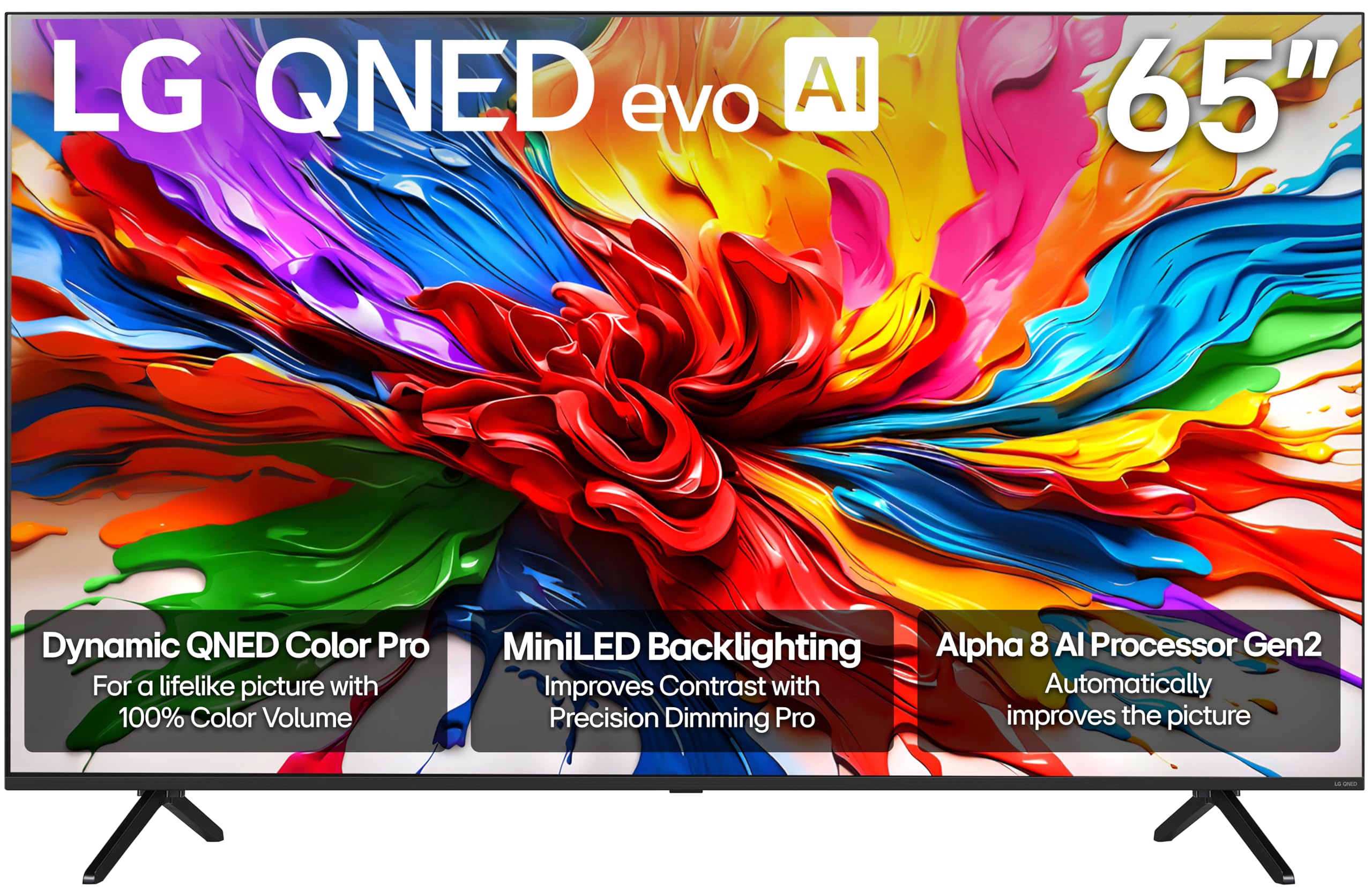
Image: Front view of the LG 65-Inch QNED evo AI Mini LED 4K Smart TV.
2. What's in the Box
- LG 65-Inch Class QNED evo AI Mini LED 4K Smart TV (Model: 65QNED92AUA)
- Magic Remote Control
- 2 x AAA Batteries (for remote control)
- Power Cable
- Stand (for tabletop placement)
- User Manual (this document)
- Quick Start Guide

Image: Diagram showing the TV dimensions and a list of items included in the box, such as the Magic Remote, stand, and power cable.
3. Setup and Installation
3.1 Unpacking and Stand Assembly
Carefully remove the TV from its packaging. If using the included stand, follow the instructions in the Quick Start Guide to securely attach the stand to the TV. Ensure the TV is placed on a stable, level surface or mounted securely to a wall using a VESA-compatible mount (400 x 200 mm, sold separately).
3.2 Connecting Peripherals
Connect your external devices such as cable boxes, gaming consoles, or sound systems to the TV's ports. This model features 4 HDMI ports (including eARC/ARC support), 2 USB 2.0 ports, an Ethernet port, and an optical audio output.

Image: The back of the LG 65QNED92AUA TV, highlighting the arrangement of input and output ports.

Image: A detailed view of the LAN, Antenna/Cable In, and USB ports located on the rear of the TV.

Image: A detailed view of the HDMI, USB, and Optical Digital Audio Out ports on the side of the TV.
3.3 Power Connection
Plug the power cable into the TV and then into a wall outlet. The TV is designed for 110 VAC 60 Hz power.
4. Operating the TV
4.1 Initial Setup and WebOS
Upon first power-on, the TV will guide you through the initial setup process, including language selection, network connection (Wi-Fi or Ethernet), and channel scanning. The LG WebOS platform provides a user-friendly interface for accessing apps, settings, and content.

Image: The LG WebOS home screen displaying a selection of streaming applications and content categories.
4.2 Magic Remote Control
The included Magic Remote allows for intuitive navigation with point-and-click functionality, a scroll wheel, and voice control. Dedicated buttons provide quick access to popular streaming services and AI features.

Image: The LG Magic Remote, illustrating its point & click, scrolling, and AI button features for easy navigation.
4.3 AI Features and Personalization
Utilize the AI capabilities for personalized picture and sound settings. The AI Picture Pro analyzes each frame for enhanced resolution and clarity, while the Personalized Picture & Sound Wizard tailors settings to your preferences. AI Search provides personalized content recommendations.

Image: The LG TV interface demonstrating the AI Search feature, offering personalized content suggestions based on user requests.
5. Key Features
- Dynamic QNED Color Pro: Experience 100% Color Volume with LG’s wide color gamut technology and next-gen AI for vivid and lifelike visuals.
- MiniLED Backlighting with Precision Dimming Pro: Hundreds of dimming zones are individually controlled for superior black levels and brighter highlights.
- Alpha 8 AI Processor Gen2: AI-powered processor optimizes picture and sound quality based on content and user preferences.
- Dolby Vision, Dolby Atmos, Filmmaker Mode: Enjoy extraordinary color, contrast, and brightness with Dolby Vision, immersive sound with Dolby Atmos, and content as intended by creators with Filmmaker Mode.
- 120Hz Refresh Rate: Ensures smooth, crisp motion for fast-paced content like games and sports.
- Ultimate Gaming: Features FreeSync, VRR, GeForce NOW, Xbox Cloud Gaming, LG Game Optimizer, Game Dashboard, and four HDMI 2.1 ports for an optimized gaming experience.
- WebOS Smart TV Platform: Award-winning platform for a personalized experience, offering access to streaming apps, LG Channels (350+ free channels), and future software updates via the Re:New Program.
- Personalized Picture and Sound Wizard: AI technology analyzes preferences to create tailored picture and audio experiences.

Image: A vibrant splash of colors representing Dynamic QNED Color Pro technology.

Image: A close-up of a flower, illustrating the sharp contrast and detail provided by MiniLED technology.

Image: A visual representation of the Alpha 8 AI Processor Gen2 chip, emphasizing its role in picture and sound enhancement.

Image: A split screen comparing conventional LED backlighting with QNED evo's Precision Dimming Technology, showing improved contrast.

Image: A colorful parrot in a jungle setting, demonstrating the enhanced resolution and clarity provided by AI Picture Pro.
5.1 Product Videos
The all new LG QNED evo AI Mini LED TV
Video: An official LG Electronics video introducing the new LG QNED evo AI Mini LED TV, showcasing its vibrant colors and smart features.
2025 LG QNED evo AI QNED92A Testimonial Video
Video: An official LG Electronics testimonial video for the 2025 LG QNED evo AI QNED92A TV, highlighting user experiences and key benefits.
LG QNED evo AI QNED92A 4K Smart TV Series
Video: An official LG Electronics video showcasing the LG QNED evo AI QNED92A 4K Smart TV Series, detailing its features and design.
6. Specifications
| Feature | Detail |
|---|---|
| Screen Size | 65 Inches |
| Display Technology | Mini LED |
| Resolution | 4K |
| Refresh Rate | 120 Hz |
| Processor | Alpha 8 AI Processor Gen2 |
| HDR Format Supported | Dolby Vision, HDR10, HLG |
| Integrated Surround Sound | Dolby Atmos (2.2 Channel Sound) |
| Operating System | WebOS |
| Connectivity Technology | Bluetooth (5.3), Ethernet, HDMI (4 ports), USB (2 ports), Wi-Fi |
| Special Features | AMD FreeSync, Built-In Speaker, Chromecast, Game Mode, Multiple Voice Assistance |
| Product Dimensions (D x W x H) | 13.3"D x 56.9"W x 35.6"H |
| Item Weight | 41.9 Pounds |
| VESA Mount Standard | 400 x 200 mm |
| Model Year | 2025 |
7. Maintenance
7.1 Cleaning the Screen
To clean the screen, gently wipe it with a soft, dry microfiber cloth. For stubborn smudges, lightly dampen the cloth with water or a screen-safe cleaning solution. Avoid using harsh chemicals or abrasive materials.
7.2 Software Updates
Ensure your TV is connected to the internet to receive automatic software updates. These updates provide new features, performance improvements, and security enhancements. You can also manually check for updates in the TV's settings menu.
8. Troubleshooting
8.1 No Picture/No Signal
- Check if the TV is powered on and the power cable is securely connected.
- Verify that the correct input source is selected on the TV.
- Ensure all external devices (cable box, gaming console) are powered on and properly connected to the TV's HDMI ports.
- Try restarting the TV and any connected devices.
8.2 Remote Control Issues
- Replace the AAA batteries in the Magic Remote.
- Ensure there are no obstructions between the remote and the TV.
- If the pointer function is erratic, try re-pairing the remote with the TV (refer to the Quick Start Guide for specific instructions).
8.3 Network Connectivity Problems
- Check your Wi-Fi router and modem to ensure they are working correctly.
- Restart your router and modem.
- If using Wi-Fi, try connecting the TV via an Ethernet cable for a more stable connection.
- Ensure the TV's network settings are configured correctly (IP address, DNS).
9. Warranty and Support
This LG TV comes with a 1 Year Parts & Labor Limited Warranty. For detailed warranty terms and conditions, please refer to the warranty card included in your product packaging or visit the official LG Electronics support website. For technical assistance, troubleshooting, or service requests, please contact LG customer support.
Online Support: Visit www.lg.com/us/support
Telephone Support: Refer to your Quick Start Guide or LG's website for regional contact numbers.