
OnePlus Watch 3 Obsidian Titanium
Contents
OnePlus Watch 3 User Manual
Model: OnePlus Watch 3 Obsidian Titanium
Brand: OnePlus
1. Introduction and Overview
Welcome to the user manual for your new OnePlus Watch 3 Obsidian Titanium. This guide provides essential information to help you set up, operate, and maintain your smartwatch, ensuring you get the most out of its advanced features.
The OnePlus Watch 3 is designed for both style and functionality, featuring a robust titanium alloy bezel, sapphire crystal display, and a stainless steel chassis. It offers comprehensive health tracking, including continuous heart rate, SpO2, and sleep analysis, powered by a dual-engine architecture for seamless performance and extended battery life.

Image: The OnePlus Watch 3, showcasing its sleek design and vibrant display with health data.

Image: Two OnePlus Watch 3 models, highlighting their design and the promise of ultimate health tracking and long battery life.
2. Getting Started: Setup
Follow these steps to set up your OnePlus Watch 3 for the first time:
- Charge the Watch: Before initial use, fully charge your OnePlus Watch 3 using the provided magnetic charging cable. Connect the cable to a USB power adapter (not included) and place the watch on the charging dock. The watch will display its charging status.
- Power On: Once charged, press and hold the power button (usually on the side) until the OnePlus logo appears.
- Download the App: On your smartphone, download the official OnePlus Health app (or Wear OS app, depending on regional variations and updates) from the Google Play Store or Apple App Store.
- Pair with Phone: Open the app on your phone and follow the on-screen instructions to pair your watch. Ensure Bluetooth is enabled on your phone. The app will guide you through selecting your watch model and confirming the pairing code displayed on both devices.
- Complete Setup: Once paired, the app will prompt you to complete initial settings, such as language, time zone, and user profile information for accurate health tracking.

Image: A user interacting with the OnePlus Watch 3's touchscreen, demonstrating ease of use during setup or daily operation.
3. Operating Your Watch
The OnePlus Watch 3 features an intuitive interface powered by Wear OS, allowing for seamless navigation and access to various functions.
Navigation:
- Touchscreen: Swipe up, down, left, or right to navigate through menus, notifications, and quick settings. Tap to select items.
- Side Buttons: The watch typically has one or more physical buttons. The main button usually serves as a home button or app launcher. A secondary button might be customizable for quick access to a specific function or workout.
- Crown (if applicable): Some models may feature a rotating crown for scrolling through lists or adjusting settings.
Key Functions:
- Notifications: Receive calls, messages, and app alerts directly on your wrist. Swipe down from the watch face to view notifications.
- Apps: Access a wide range of Google apps and third-party applications available through the Wear OS ecosystem. Press the main button to open the app drawer.
- Voice Assistant: Utilize Google Assistant for hands-free commands, setting reminders, checking weather, and more.
- Watch Faces: Customize your watch face to suit your style and display preferred information. Long-press the watch face to change it.
4. Health and Fitness Tracking
The OnePlus Watch 3 provides comprehensive health monitoring features to help you maintain a healthier lifestyle.
- Heart Rate Monitoring: Continuous heart rate tracking provides real-time data throughout your day and during workouts.
- SpO2 Monitoring: Measure your blood oxygen saturation levels to assess overall respiratory health.
- Sleep Analysis: Track your sleep patterns, including deep sleep, light sleep, and REM, to gain insights into your sleep quality.
- Stress Level Monitoring: The watch can estimate your stress levels and offer breathing exercises to help manage them.
- Activity Tracking: Monitor steps taken, distance covered, calories burned, and active minutes.
- Workout Modes: Choose from a variety of pre-set workout modes for accurate tracking of specific activities like running, cycling, swimming, and more.
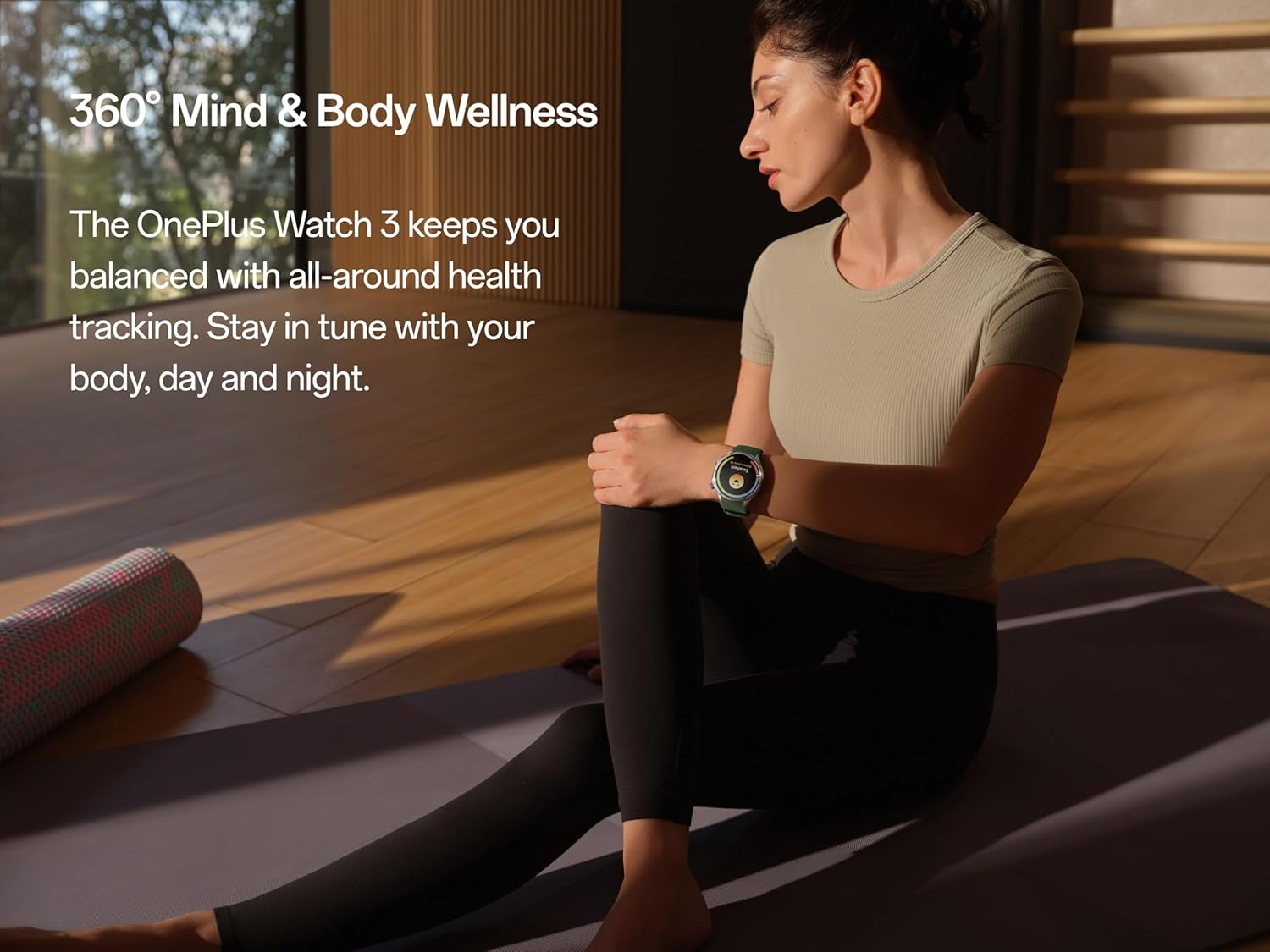
Image: The OnePlus Watch 3 supports 360° mind and body wellness tracking, as depicted by a user in a meditative pose.

Image: The OnePlus Watch 3 allows for a quick 60-second health check-in, providing a snapshot of key health metrics.
5. GPS and Route Tracking
The integrated GPS functionality in your OnePlus Watch 3 allows for precise tracking of your outdoor activities without needing your phone.
- Accurate Mapping: The watch maps your runs, hikes, and rides with precision, providing detailed route information.
- Dual-Band GPS: Equipped with dual-band L1+L5 GPS, Beidou, Galileo, GLONASS, and QZSS for enhanced accuracy and faster satellite acquisition.
- Distance and Pace: Get real-time updates on your distance, pace, and speed during outdoor workouts.

Image: The OnePlus Watch 3 offers reliable GPS and route tracking for outdoor adventures.
6. Maintenance and Care
Proper care ensures the longevity and optimal performance of your OnePlus Watch 3.
- Cleaning: Regularly wipe the watch body and strap with a soft, damp, lint-free cloth. For stubborn dirt, a mild soap solution can be used, followed by rinsing with clean water and thorough drying. Avoid harsh chemicals or abrasive materials.
- Water Resistance: The watch is designed with a certain level of water resistance. Refer to the specifications for details (e.g., 5ATM). Avoid exposing the watch to hot water, steam, or high-velocity water.
- Charging: Use only the original charging cable. Avoid charging in extreme temperatures. The watch boasts up to 120 hours of battery life, reducing the frequency of charging.
- Storage: When not in use for extended periods, store the watch in a cool, dry place.
- Durability: The sapphire crystal display and titanium alloy bezel provide enhanced scratch and impact resistance. However, avoid dropping the watch or exposing it to severe shocks.

Image: The OnePlus Watch 3 is built with premium and durable materials, suitable for everyday wear and travel.
7. Troubleshooting
If you encounter issues with your OnePlus Watch 3, try the following solutions:
- Watch Not Turning On: Ensure the watch is fully charged. Connect it to the charger for at least 30 minutes. If it still doesn't turn on, try a forced restart (refer to the specific button combination in the quick start guide, usually holding the power button for 10-15 seconds).
- Pairing Issues:
- Ensure Bluetooth is enabled on your phone and the watch.
- Make sure the watch is within range of your phone.
- Restart both your watch and phone.
- Clear the Bluetooth cache on your phone (Android) or reset network settings (iOS).
- Try unpairing and re-pairing the watch through the app.
- Inaccurate Health Data:
- Ensure the watch is worn snugly on your wrist, not too loose or too tight.
- Clean the sensors on the back of the watch.
- Update the watch's firmware and the companion app to the latest versions.
- Battery Draining Quickly:
- Reduce screen brightness.
- Disable always-on display if enabled.
- Limit background app refresh.
- Ensure no apps are constantly running in the background.
- Check for firmware updates, as these often include battery optimizations.
- No Notifications:
- Check notification settings in the companion app and on your phone.
- Ensure the watch is connected to your phone.
- Disable 'Do Not Disturb' mode on both devices.
If these steps do not resolve the issue, please refer to the official OnePlus support website or contact customer service.
8. Specifications
| Feature | Detail |
|---|---|
| Operating System | Wear OS (based on watchOS 5 in provided data, but Wear OS is mentioned in product description) |
| Memory Storage Capacity | 32 GB |
| Special Features | Activity Tracker, Notifications, Touchscreen |
| Battery Capacity | 631 mAh (typical) |
| Connectivity Technology | Bluetooth, Wi-Fi |
| Wireless Communication Standard | Bluetooth |
| Battery Cell Composition | Lithium Ion |
| GPS | Dual band L1+L5 (Beidou, GPS, Galileo, GLONASS, QZSS) |
| Shape | Round |
| Screen Size | 1.5 Inches |
| Battery Life (Typical Use) | Up to 120 hours (5 days) |
Note: Specifications are based on available product data and may vary slightly depending on region or software updates. The OS is listed as 'watchOS 5' in specifications, but the product description clearly states 'Wear OS by Google'. Wear OS is the correct operating system for this device.
9. Warranty and Support
Your OnePlus Watch 3 is covered by a limited warranty. Please refer to the warranty card included in your product packaging or visit the official OnePlus website for detailed warranty terms and conditions specific to your region.
For technical support, frequently asked questions, or to download the latest software updates, please visit the official OnePlus Support website:
Always ensure your watch firmware and the companion app are updated to the latest versions for optimal performance and access to new features.
Ask a question about this manual
Ask about setup, troubleshooting, compatibility, parts, safety, or missing instructions. Manuals+ will review the question and use this page’s manual context to help answer it.