
1. Introduction
This manual provides essential instructions for the safe and effective use of your Kircuit 12V AC/DC Adapter. This adapter is designed to provide reliable power to compatible Arcade1Up home console video game machines, specifically models PAC-A-405411 (PAC-Man Plus Deluxe) and 8196 (PAC-Man 40th Anniversary Limited Edition).
Important Note: This adapter is specifically for 12V systems. It is NOT compatible with 5V versions of Arcade1Up consoles. Please verify your device's voltage requirements before use.
2. Important Safety Instructions
- Read all instructions before using the adapter.
- Ensure the adapter's input voltage (100-240VAC, 50/60Hz) matches your local power supply.
- Do not expose the adapter to water, moisture, or extreme temperatures.
- Do not disassemble or modify the adapter. Refer all servicing to qualified personnel.
- Avoid placing heavy objects on the power cord.
- Unplug the adapter from the power outlet when not in use for extended periods.
- This adapter features Over Voltage Protection (OVP), Over Current Protection (OCP), and Short Circuit Protection (SCP) to ensure safe operation.
3. Package Contents
Your package should contain the following item:
- 1 x Kircuit 12V AC/DC Power Adapter

Image: The Kircuit 12V AC/DC Power Adapter. The adapter is black with a label indicating input 100-240V AC and output 12V DC. It features a standard US two-prong plug.
4. Setup
- Verify Compatibility: Before connecting, ensure your Arcade1Up console requires a 12V DC power input. This adapter is not for 5V systems.
- Connect to Device: Insert the barrel connector end of the Kircuit adapter cable into the DC input port of your Arcade1Up console. Ensure a snug fit.
- Connect to Power Outlet: Plug the AC prongs of the adapter into a standard 100-240V AC wall outlet.
- Power On: Once connected, your Arcade1Up console should receive power. Follow your console's instructions to power it on.
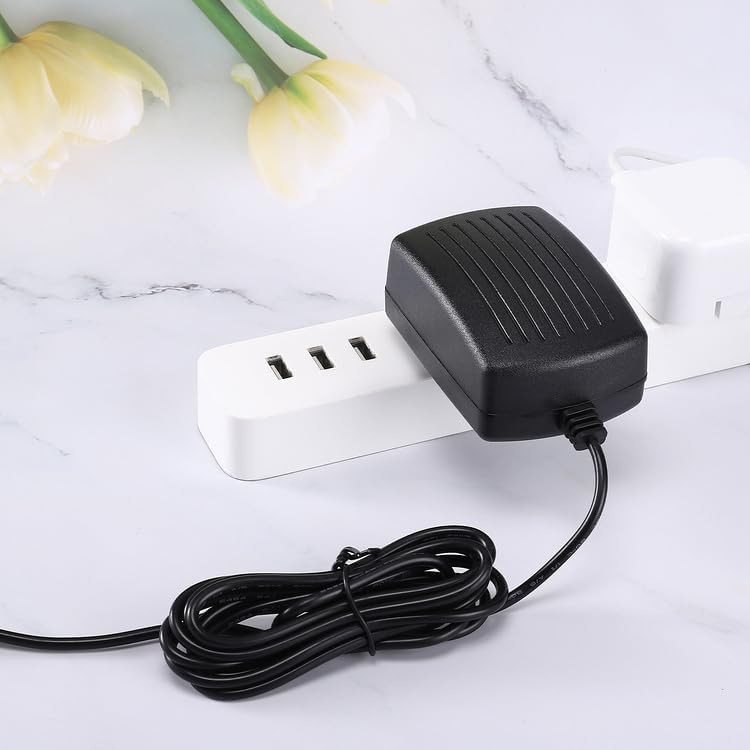
Image: The Kircuit 12V AC/DC Power Adapter plugged into a white power strip, demonstrating how it connects to an electrical outlet.
5. Operating Instructions
The Kircuit 12V AC/DC Adapter operates automatically once connected to a power source and a compatible device. It converts the alternating current (AC) from your wall outlet into direct current (DC) required by your Arcade1Up console.
- Ensure the adapter is always connected to a properly grounded electrical outlet.
- Do not overload the power outlet.
- If the adapter feels excessively hot, disconnect it immediately and check for issues with the console or outlet.

Image: The Kircuit 12V AC/DC Power Adapter with its power cord neatly coiled, indicating a cord length of 6.5 feet.
6. Maintenance
- Cleaning: Disconnect the adapter from the power outlet and the device before cleaning. Use a dry, soft cloth to wipe the surface. Do not use liquid cleaners.
- Storage: Store the adapter in a cool, dry place when not in use. Avoid wrapping the cord too tightly around the adapter body to prevent damage.
- Inspection: Periodically inspect the power cord and adapter body for any signs of damage, such as cuts, fraying, or cracks. If damage is found, discontinue use and replace the adapter.
7. Troubleshooting
| Problem | Possible Cause | Solution |
|---|---|---|
| Device not powering on. | Adapter not properly connected. Power outlet not active. Incorrect voltage adapter (e.g., 5V device with 12V adapter). Faulty adapter or device. | Ensure both ends of the adapter are securely plugged in. Test the outlet with another device. Verify your device requires 12V DC. Try a different compatible adapter or contact device support. |
| Adapter feels excessively hot. | Overload or short circuit. Poor ventilation. | Immediately disconnect the adapter. Check the device for issues. Ensure the adapter is in a well-ventilated area. If the problem persists, discontinue use. |
| Loose connection. | Barrel connector not fully inserted. Damaged connector. | Push the barrel connector firmly into the device's input port. If the connector is damaged, replace the adapter. |
8. Specifications
- Brand: Kircuit
- Input Voltage: 100-240VAC, 50/60Hz
- Output Voltage: 12V DC
- Connector Type: Barrel
- Compatible Devices: Arcade1Up PAC-A-405411 (PAC-Man Plus Deluxe), Arcade1Up 8196 (PAC-Man 40th Anniversary Limited Edition)
- Protection Features: OVP (Over Voltage Protection), OCP (Over Current Protection), SCP (Short Circuit Protection)
- Color: Black
- Manufacturer: Shenzhen Waweis Technology Co., Ltd
9. Warranty and Support
For warranty information or technical support regarding your Kircuit 12V AC/DC Adapter, please refer to the seller's policy or contact Kircuit customer service directly. Contact details are typically provided with your purchase documentation or on the manufacturer's official website.