
Introduction
This manual provides instructions for the proper setup, operation, and troubleshooting of your Amazon Basics Bluetooth 5.4 USB Adapter Dongle. Please read this manual thoroughly before use to ensure optimal performance and to prevent damage.
Safety Information
Observe the following safety guidelines to ensure safe operation of the device:
- Keep the device away from water, moisture, and extreme temperatures.
- Do not attempt to disassemble, modify, or repair the device yourself. This may void the warranty and cause damage.
- Avoid dropping or subjecting the device to strong impacts.
- Use only as intended with compatible operating systems.
Package Contents
Verify that all items are present in the package:
- Amazon Basics Bluetooth 5.4 USB Adapter Dongle (Model HBT541)
- Instruction Manual (this document)
Product Overview
The Amazon Basics Bluetooth 5.4 USB Adapter Dongle is a compact device designed to add Bluetooth capabilities to your Windows PC. It enables wireless connection with various Bluetooth-enabled devices such as mice, keyboards, headphones, and more.
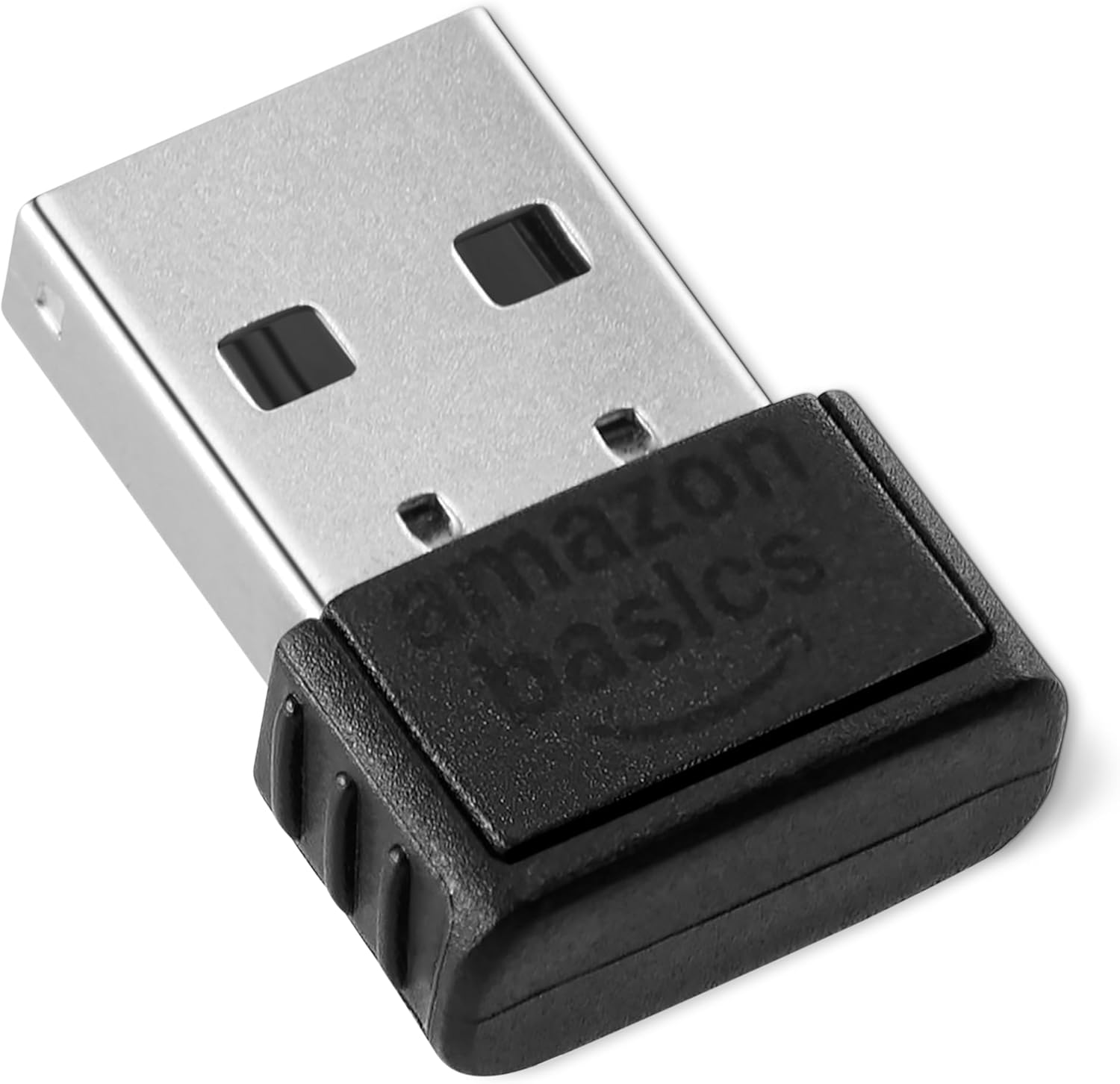
A close-up view of the Amazon Basics Bluetooth 5.4 USB Adapter Dongle, showing its compact size and the "amazon basics" logo.
Key Features
- Converts non-Bluetooth PCs into Bluetooth-capable devices with a simple USB connection.
- Supports Bluetooth 5.4 and is backwards compatible with Bluetooth 5.3/5.2/5.1/5.0/V4.2/4.0/3.0/2.1/2.0/1.1.
- Allows connection of up to 6 devices simultaneously.
- Utilizes EDR (Enhanced Data Rate) and BLE (Bluetooth Low Energy) technology for improved data transfer speed and reduced power consumption.
- Exclusively compatible with Windows 8.1, 10, and 11 operating systems.

A graphic highlighting key features: converts non-Bluetooth PCs, compatible with Bluetooth 5.4 and earlier, connects up to 6 devices, and works with Windows 8.1+ only.
Setup Instructions
System Requirements
- Operating System: Windows 8.1, Windows 10, or Windows 11.
- Available USB Port.
Installation Steps
- Disable Built-in Bluetooth (if applicable): If your PC has a pre-existing built-in Bluetooth adapter, it is recommended to disable it before installing this dongle to prevent conflicts. To do this, navigate to Device Manager, locate your existing Bluetooth adapter under the "Bluetooth" category, right-click on it, and select "Disable device."
- Insert the Dongle: Carefully insert the Amazon Basics Bluetooth 5.4 USB Adapter Dongle into an available USB port on your PC.
- Driver Installation: Windows will automatically detect the new hardware and install the necessary drivers. This process typically takes a few moments. An internet connection may be required for driver download.
- Verification: Once the drivers are successfully installed, a Bluetooth icon should appear in your system tray (usually in the bottom-right corner of your screen). If the icon does not appear, restart your computer.

The Amazon Basics Bluetooth dongle plugged into the side of a laptop, with a smartphone nearby, illustrating a typical usage scenario.
Operating Instructions
Pairing a Bluetooth Device
Follow these steps to connect your Bluetooth devices to your PC:
- Ensure the Bluetooth dongle is properly installed and recognized by your Windows PC (refer to Setup Instructions).
- Turn on the Bluetooth device you wish to pair and put it into pairing mode. Refer to your device's instruction manual for specific instructions on how to activate pairing mode (this often involves holding a button until an indicator light flashes).
- On your Windows PC, go to Settings > Bluetooth & devices (or Devices > Bluetooth & other devices on older Windows versions).
- Click on Add device or Add Bluetooth or other device.
- Select Bluetooth from the options presented.
- Your PC will scan for nearby Bluetooth devices. Select your device from the list when it appears.
- Follow any on-screen prompts to complete the pairing process. This may include entering a PIN or confirming a code displayed on both devices.
- Once successfully paired, your device should connect automatically when in range and Bluetooth is enabled on both your PC and the device.
Troubleshooting
If you encounter issues with your Amazon Basics Bluetooth 5.4 USB Adapter Dongle, please refer to the following common solutions:
| Problem | Solution |
|---|---|
| Dongle not recognized / No Bluetooth icon |
|
| Cannot pair with a device |
|
| Connection drops frequently |
|
| Not working on Mac/Linux/Chrome OS/PlayStation |
|

A close-up of the Amazon Basics Bluetooth dongle, showing the USB connector end. This image can help users identify the correct orientation for insertion.
Specifications
- Brand: Amazon Basics
- Model Number: HBT541
- Bluetooth Version: 5.4 (backward compatible with 5.3/5.2/5.1/5.0/V4.2/4.0/3.0/2.1/2.0/1.1)
- Interface: USB
- Compatible Operating Systems: Windows 8.1, Windows 10, Windows 11
- Dimensions (L x W x H): 2.18 x 1.6 x 0.71 cm (0.86 x 0.63 x 0.28 inches)
- Weight: 2 grams (0.07 ounces)
- Data Link Protocol: Bluetooth
- Multi-device Connection: Up to 6 devices simultaneously
- Technology: EDR (Enhanced Data Rate) and BLE (Bluetooth Low Energy)

An angled view of the Amazon Basics Bluetooth dongle, highlighting its compact design.
Warranty and Support
For warranty information, product registration, or customer support, please visit the official Amazon Basics website or contact Amazon customer service directly.
Online Support: Amazon Basics Store


