
SCS Sentinel PVF0057
Contents
VisioFirst 7 Wired Video Intercom User Manual
Brand: SCS Sentinel | Model: PVF0057
1. Introduction
The VisioFirst 7 Wired Video Intercom system is designed to enhance the security and convenience of your home or office entrance. Featuring a 7-inch LCD screen and reliable wired installation, it provides clear visual identification of visitors and seamless control over your door or gate.
Key Features:
- 7-inch High-Resolution LCD Screen: Provides a clear and detailed image for accurate visitor identification.
- Built-in Night Vision: Ensures optimal visibility even in low-light conditions or complete darkness.
- Remote Control of Door/Gate: Allows convenient opening of your door or gate directly from the indoor monitor.
- Reliable Wired Installation: Guarantees stable and interference-free image and sound transmission.
- Modern Design: Blends seamlessly with various interior styles.
2. Product Overview
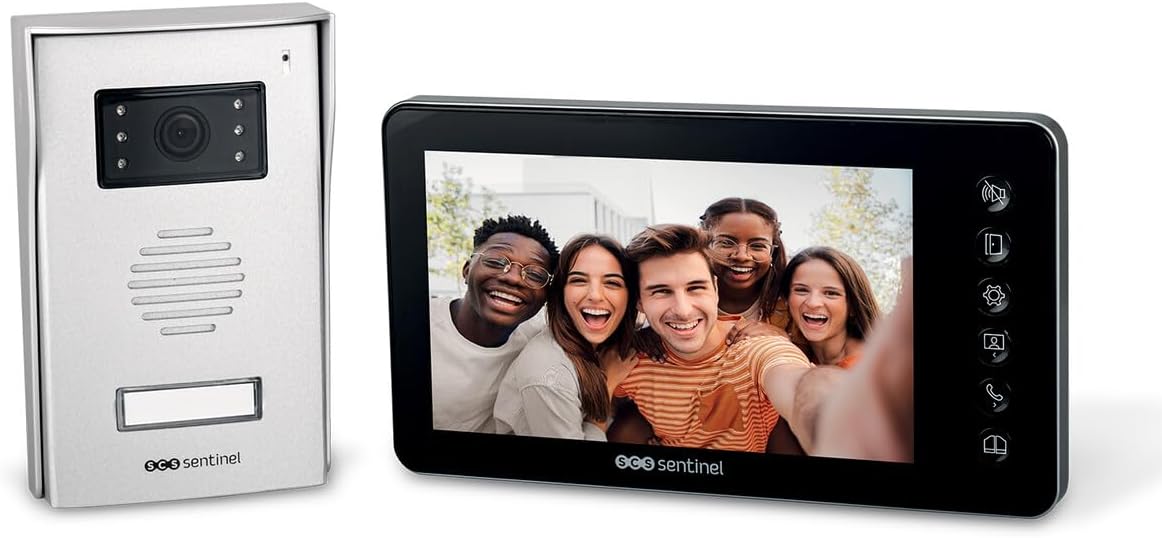
Image showing the VisioFirst 7 outdoor intercom unit and the indoor monitor side-by-side.

Rear view of the VisioFirst 7 outdoor intercom unit and indoor monitor, displaying connection terminals and mounting points.

Contents of the VisioFirst 7 package, including the outdoor unit, indoor monitor, power adapter, mounting hardware, and instruction manual.

Close-up of the VisioFirst 7 indoor monitor screen, displaying a live video feed.

A user interacting with the VisioFirst 7 indoor monitor, which is mounted on a wall.
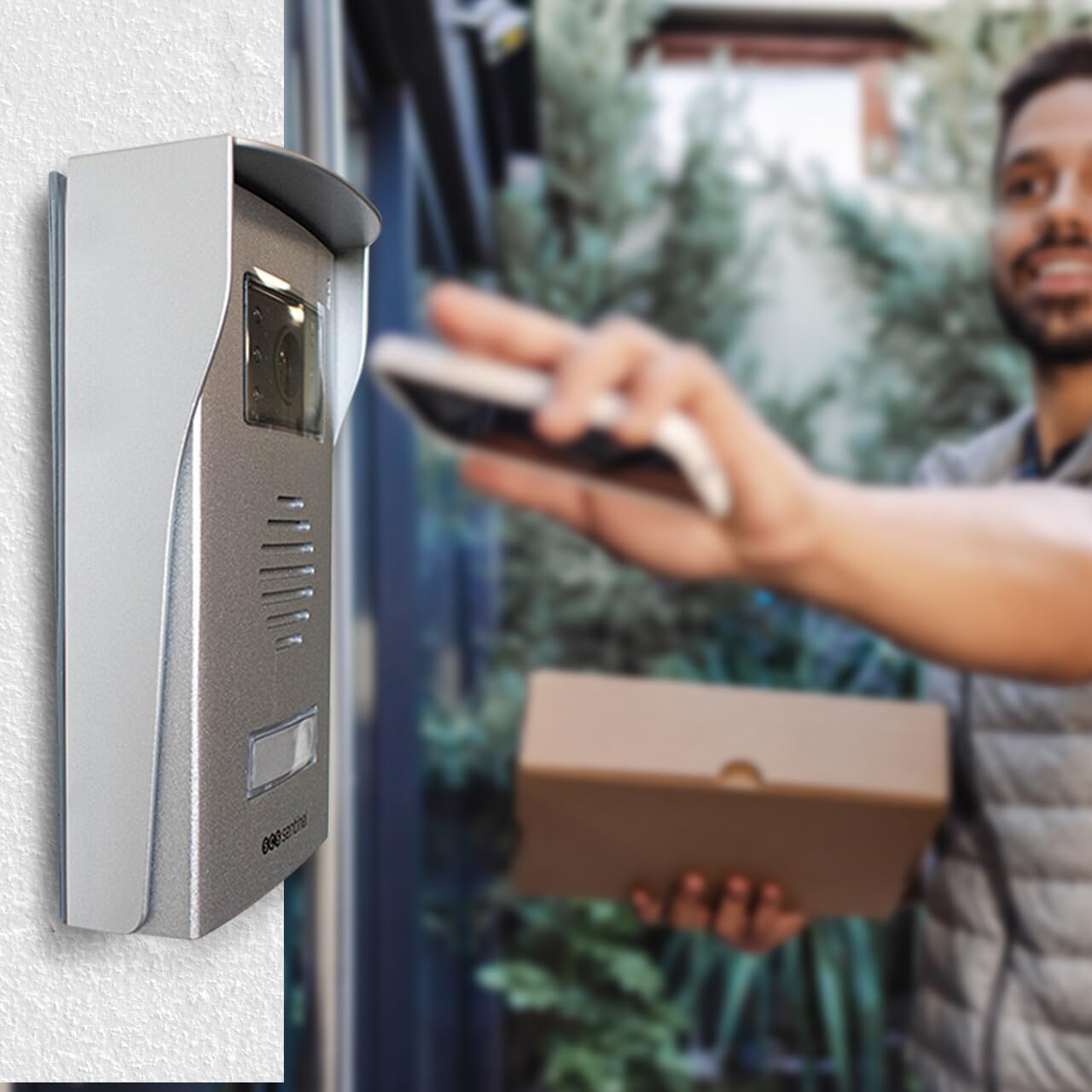
The VisioFirst 7 outdoor intercom unit installed on a wall next to a door, with a person standing outside.
3. Setup
Package Contents:
Before beginning installation, verify that all components are present in the package. Refer to the 'Contents of VisioFirst 7 package' image in the Product Overview section for a visual guide. The package should include:
- Outdoor Intercom Unit
- Indoor Monitor Unit
- Power Adapter
- Mounting Hardware (screws, wall plugs)
- Instruction Manual
Installation Guidelines:
- Choose Location: Select appropriate locations for both the outdoor unit (near your entrance, protected from direct rain) and the indoor monitor (conveniently accessible inside your home).
- Mounting: Use the provided mounting hardware to securely attach both units to a stable surface. Ensure the outdoor unit is at an optimal height for visitor visibility.
- Wiring: Connect the outdoor unit to the indoor monitor using appropriate wiring (not included, typically 2-wire or 4-wire depending on model). Ensure all connections are secure and follow the wiring diagram provided in the separate installation guide (if applicable).
- Power Connection: Connect the power adapter to the indoor monitor and plug it into a standard electrical outlet.
- Testing: After installation, test the system by pressing the call button on the outdoor unit and verifying that the indoor monitor rings and displays video. Test the door/gate release function.
For detailed wiring diagrams and specific installation steps, please refer to the dedicated installation manual included with your product.
4. Operating Instructions
Basic Operation:
- Receiving a Call: When a visitor presses the call button on the outdoor unit, the indoor monitor will ring and display the visitor's image.
- Answering a Call: Press the 'Answer' button (often represented by a phone icon) on the indoor monitor to establish two-way audio communication with the visitor.
- Viewing Live Feed: You can manually activate the camera on the outdoor unit at any time by pressing the 'Monitor' or 'View' button on the indoor unit to see what is happening outside.
Night Vision:
The outdoor unit is equipped with infrared LEDs for night vision. These LEDs automatically activate in low-light conditions, providing a clear black-and-white image on the indoor monitor, ensuring visibility even in complete darkness.
Door/Gate Control:
To open your door or gate, press the 'Unlock' or 'Gate Release' button (often represented by a key or gate icon) on the indoor monitor during a call or while viewing the live feed. Ensure your door/gate lock mechanism is compatible and correctly wired to the intercom system.
5. Maintenance
- Cleaning: Use a soft, dry cloth to clean the surfaces of both the indoor monitor and outdoor unit. For stubborn dirt, a slightly damp cloth can be used, but avoid abrasive cleaners or excessive moisture.
- Outdoor Unit Care: Periodically check the outdoor unit for any obstructions (e.g., dirt, spiderwebs) on the camera lens or microphone/speaker grilles. Keep the area around the unit clear.
- Cable Inspection: Occasionally inspect the wiring for any signs of wear, damage, or loose connections.
6. Troubleshooting
- No Image on Monitor: Check power connection to the indoor unit. Verify all wiring connections between the outdoor and indoor units are secure. Ensure the outdoor camera lens is not obstructed.
- No Sound (Two-Way Audio): Check wiring connections for audio. Ensure microphone and speaker on both units are not obstructed. Adjust volume settings on the indoor monitor if available.
- Door/Gate Not Opening: Verify the lock mechanism is correctly wired to the intercom system. Check the power supply to the lock. Ensure the unlock button on the monitor is functioning.
- Interference/Poor Image Quality: Ensure wiring is not running parallel to high-voltage cables. Check for loose connections.
- Unit Not Responding: Try disconnecting and reconnecting the power to both units to perform a soft reset.
If issues persist after attempting these troubleshooting steps, please contact customer support.
7. Technical Specifications
| Feature | Specification |
|---|---|
| Manufacturer | SCS Sentinel |
| Part Number | PVF0057 |
| Item Weight | 1.9 pounds |
| Product Dimensions | 8.46 x 0.63 x 4.72 inches |
| Item Model Number | PVF0057 |
| Color | black |
| Style | VisioFirst 7 |
| Mounting Type | doorbell mount |
| Included Components | Instruction manual (English language) |
| Batteries Required? | No |
8. Warranty and Support
Warranty Information:
The VisioFirst 7 Wired Video Intercom comes with a 3-year guarantee, ensuring peace of mind regarding its durability and performance. This warranty covers manufacturing defects and ensures the product functions as intended under normal use conditions.
Customer Support:
For any technical assistance, troubleshooting beyond this manual, or warranty claims, please contact SCS Sentinel customer support. Refer to the contact information provided on the product packaging or the official SCS Sentinel website.
Documents and downloads
Ask a question about this manual
Ask about setup, troubleshooting, compatibility, parts, safety, or missing instructions. Manuals+ will review the question and use this page’s manual context to help answer it.