Introduction
This manual provides comprehensive instructions for the safe and efficient use of your ZGCINE PS-FW50 Dual USB-C Charger Case Box. This device is designed to charge two Sony NP-FW50 camera batteries simultaneously and offers convenient storage for batteries and memory cards. Please read this manual thoroughly before operation and retain it for future reference.

Image: The ZGCINE PS-FW50 charger case with its lid open, revealing two battery compartments and a digital display. Two Sony NP-FW50 batteries are depicted alongside the charger.
Package Contents
Verify that all items are present in your package:
- 1 x ZGCINE PS-FW50 Dual USB-C Charger Case Box
- 1 x 1-meter USB-C to USB-C Cable
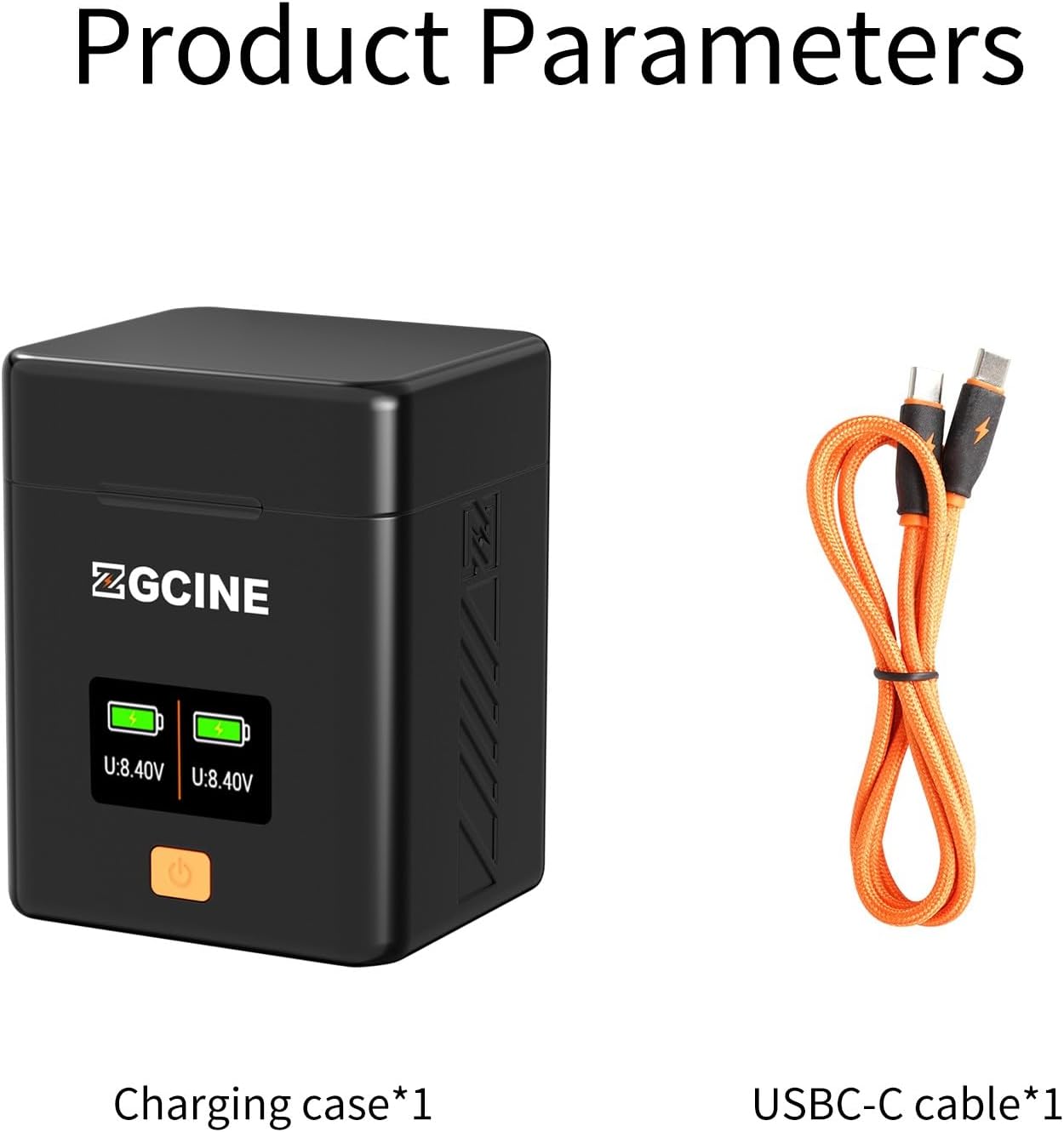
Image: The ZGCINE PS-FW50 charger case displayed next to the included 1-meter USB-C to USB-C charging cable.
Product Features
- Dual USB-C PD Fast Charging: Equipped with two USB-C ports, each supporting up to 18W Power Delivery (PD) fast charging. This allows for simultaneous charging of two NP-FW50 batteries, significantly reducing charging time.
- Compact and Portable Design: The charger case is designed to be compact and lightweight, making it easy to transport in a camera bag.
- Integrated Storage: Features dedicated slots for memory cards, including 2 TF (Micro SD) card slots, 2 SD card slots, and 1 CFexpress Type-A card slot, providing organized storage for your media.
- OLED Display: A clear OLED screen provides real-time monitoring of battery voltage and charging status for each battery.
- Magnetic Lid: The cover features a magnetic closing mechanism for secure storage of batteries and memory cards.
- High Conductivity Pins: Utilizes contact copper gold-plated pins for enhanced conductivity and resistance, ensuring efficient power transfer.
- Comprehensive Safety Protections: Built-in safeguards against overcharge, overdischarge, overvoltage, overcurrent, overpower, short circuit, temperature fluctuations, and includes recovery protection.

Image: Labeled diagram highlighting the various components and features of the ZGCINE PS-FW50 charger case, including card slots, battery compartments, display, and USB-C input.
Compatibility
The ZGCINE PS-FW50 charger is 100% compatible with Sony NP-FW50 batteries, including both original and third-party versions. It supports a wide range of Sony cameras that use the NP-FW50 battery type, such as:
- Sony Alpha 7, A7, Alpha 7R, A7R, A7R I, A7 II, A7S, A7S I, A7M2, A7SM2, A7RM2
- Sony A5000, A6000, A6300, A6400, A6500, A3000, A5100, ZV-E10
- Sony NEX-3, NEX-3N, NEX-5, NEX-5C, NEX-5N, NEX-5R, NEX-5T, NEX-6, NEX-7, NEX-C3, NEX-F3
- Sony SLT-A33, SLT-A35, SLT-A37, SLT-A55V
- Sony DSC-RX10, RX10 II, RX10 III, RX10 IV

Image: The charger case with various battery types inserted, illustrating its compatibility with both original and non-original NP-FW50 batteries.
Setup Instructions
- Connect Power: Connect the included USB-C to USB-C cable to the USB-C input port on the back of the charger case. Connect the other end to a compatible USB-C power adapter (not included), power bank, laptop, or car charger that supports PD fast charging (5V/2A or 9V/2A recommended).

Image: The ZGCINE PS-FW50 charger case with a USB-C cable connected, illustrating the power input method for PD fast charging.
- Insert Batteries: Open the magnetic lid of the charger case. Insert up to two Sony NP-FW50 batteries into the designated battery slots. Ensure the battery contacts align correctly with the charger's gold-plated pins.

Image: The charger case with its magnetic lid partially open, highlighting the precise 1:1 battery slots.
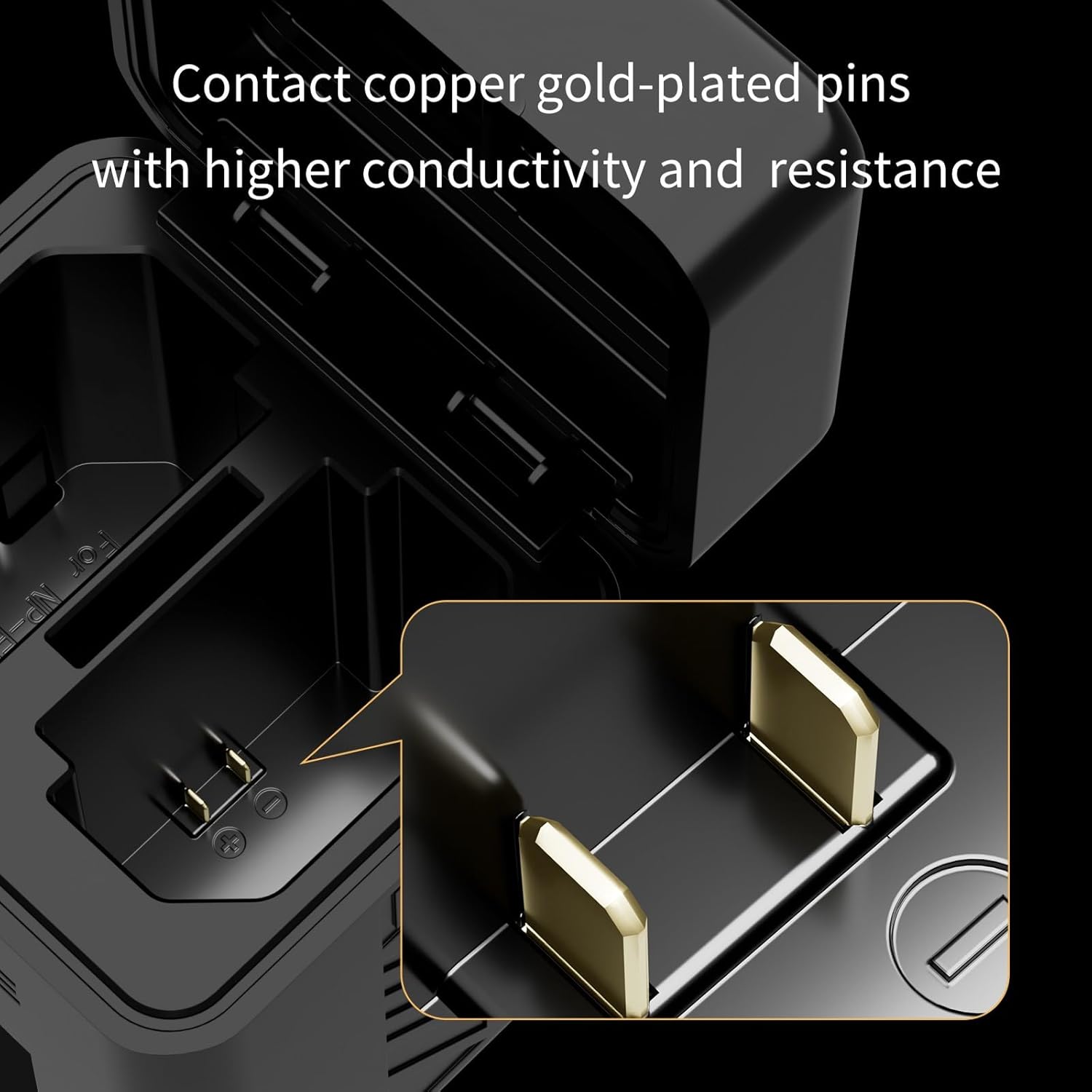
Image: A close-up view of the gold-plated contact pins inside the charger's battery slot, designed for high conductivity.
- Insert Memory Cards (Optional): If desired, insert TF (Micro SD), SD, or CFexpress Type-A memory cards into their respective slots located inside the lid for secure storage.
Operating Instructions
- Initiate Charging: Once batteries are inserted and power is connected, the charger will automatically begin charging. The OLED display will illuminate, showing the real-time voltage and charging status for each battery.
- Monitor Charging Status: The OLED screen provides a visual representation of the charge level. Press the power button on the front of the charger to cycle through display information or to activate the screen if it has dimmed.

Image: The ZGCINE PS-FW50 charger case with its OLED screen active, showing real-time battery voltage and charging indicators.
- Charging Completion: Batteries are fully charged when the display indicates 100% or a stable high voltage (e.g., 8.40V). The charger will automatically stop charging to prevent overcharging.
- Remove Batteries: Once charging is complete, disconnect the power cable and remove the batteries from their slots. Close the lid to secure any stored memory cards.
Safety and Protection Features
The ZGCINE PS-FW50 charger is equipped with multiple safety mechanisms to ensure the protection of your batteries and the device itself:
- Overcharge Protection: Prevents batteries from being charged beyond their capacity.
- Overdischarge Protection: Safeguards batteries from being drained too low.
- Overvoltage Protection: Protects against excessive input voltage.
- Overcurrent Protection: Prevents damage from excessive current flow.
- Overpower Protection: Manages power output to prevent overheating or damage.
- Short Circuit Protection: Automatically cuts off power in case of a short circuit.
- Temperature Protection: Monitors and regulates the internal temperature to prevent overheating.
- Recovery Protection: Helps restore batteries from certain fault conditions.
The charger is FCC and CE certified, indicating compliance with relevant safety and quality standards.

Image: A visual representation of the comprehensive safety features integrated into the ZGCINE PS-FW50 charger, ensuring battery and device longevity.
Maintenance
- Cleaning: Use a soft, dry cloth to clean the exterior of the charger. Do not use liquid cleaners or solvents. Ensure no dust or debris accumulates in the battery slots or USB-C port.
- Storage: When not in use, store the charger in a cool, dry place away from direct sunlight and extreme temperatures.
- Handle with Care: Avoid dropping the charger or subjecting it to strong impacts, as this may damage internal components.
Troubleshooting
- Charger Not Powering On:
- Ensure the USB-C cable is securely connected to both the charger and the power source.
- Verify that the power source is active and providing sufficient power (e.g., wall adapter is plugged in, power bank is charged).
- Try a different USB-C cable or power adapter to rule out cable/adapter issues.
- Batteries Not Charging:
- Check that batteries are inserted correctly, with contacts aligned.
- Ensure the battery is a compatible NP-FW50 type.
- If the battery is severely depleted, it may take a few minutes for the charger to recognize it.
- Clean battery contacts and charger pins with a dry cloth if dirty.
- Inaccurate Battery Display:
- While the display provides real-time voltage, slight variations in percentage indication can occur. Focus on the voltage reading for a more precise status.
- Ensure batteries are fully seated in their slots.
- Slow Charging:
- Ensure your power adapter supports USB-C Power Delivery (PD) and provides at least 5V/2A or 9V/2A output. Lower power sources will result in slower charging.
- Using a non-PD compatible cable can also limit charging speed.
Specifications
| Product Dimensions | 3.54 x 2.76 x 2.76 inches (8.99 x 7.01 x 7.01 cm) |
| Item Weight | 5.9 ounces (167.26 grams) |
| Output Voltage | 7.2 Volts (DC) |
| Charging Time | Approximately 2 Hours (for two NP-FW50 batteries with PD fast charging) |
| Certifications | FCC, CE |
| Input | USB-C PD 5V/2A, 9V/2A |
Warranty and Support
For any questions, concerns, or support regarding your ZGCINE PS-FW50 Dual USB-C Charger Case Box, please contact the seller or manufacturer directly. Refer to your purchase documentation for specific warranty details and contact information. Typically, support inquiries are addressed within 24 hours during working days.


