
Ultenic AC1 Elite
Contents
Ultenic AC1 Elite Wet and Dry Cordless Vacuum Cleaner User Manual
Model: AC1 Elite
1. Introduction
Welcome to the Ultenic AC1 Elite Wet and Dry Cordless Vacuum Cleaner user manual. This guide provides essential information for the safe and efficient operation, maintenance, and troubleshooting of your new appliance. Please read this manual thoroughly before first use and retain it for future reference.
2. Important Safety Instructions
To reduce the risk of fire, electric shock, or injury, please observe the following safety precautions:
- Read all instructions before using the appliance.
- Use only as described in this manual.
- Do not immerse the appliance in water or other liquids.
- Keep hair, loose clothing, fingers, and all parts of the body away from openings and moving parts.
- Do not pick up flammable or combustible liquids, such as gasoline, or use in areas where they may be present.
- Do not pick up anything that is burning or smoking, suchs as cigarettes, matches, or hot ashes.
- Use only Ultenic recommended cleaning solutions.
- Store the appliance indoors in a dry place.
- Supervise children to ensure they do not play with the appliance.
- Disconnect from power supply before cleaning or maintenance.
3. Package Contents

This image details the contents of the Ultenic AC1 Elite package: charging base, power adapter, HEPA filter, cleaning solution, and cleaning brush.
The Ultenic AC1 Elite package includes the following items:
- Main Vacuum Cleaner Unit
- Charging Base
- Power Adapter
- HEPA Filter
- Cleaning Solution
- Cleaning Brush
4. Product Overview
Familiarize yourself with the main parts of your Ultenic AC1 Elite vacuum cleaner.

This image displays the main unit of the Ultenic AC1 Elite wet and dry vacuum cleaner, along with its accessories: a spare filter, a bottle of floor cleaning solution, and a cleaning brush.
- Handle with Control Buttons (Power, Mode, Self-Clean)
- LED Display
- Clean Water Tank
- Dirty Water Tank
- Brush Roller Head
- Brush Roller Cover
- Charging Base
5. Setup
5.1. Assembly
- Insert the handle into the main body until it clicks securely into place.
- Place the assembled unit onto the charging base.
5.2. Charging
Fully charge the vacuum cleaner before first use to ensure optimal performance.
- Connect the power adapter to the charging base and a suitable power outlet.
- Place the vacuum cleaner on the charging base. The LED display will indicate the charging status.
- A full charge typically takes several hours. Refer to the LED display for completion.
5.3. Filling the Clean Water Tank
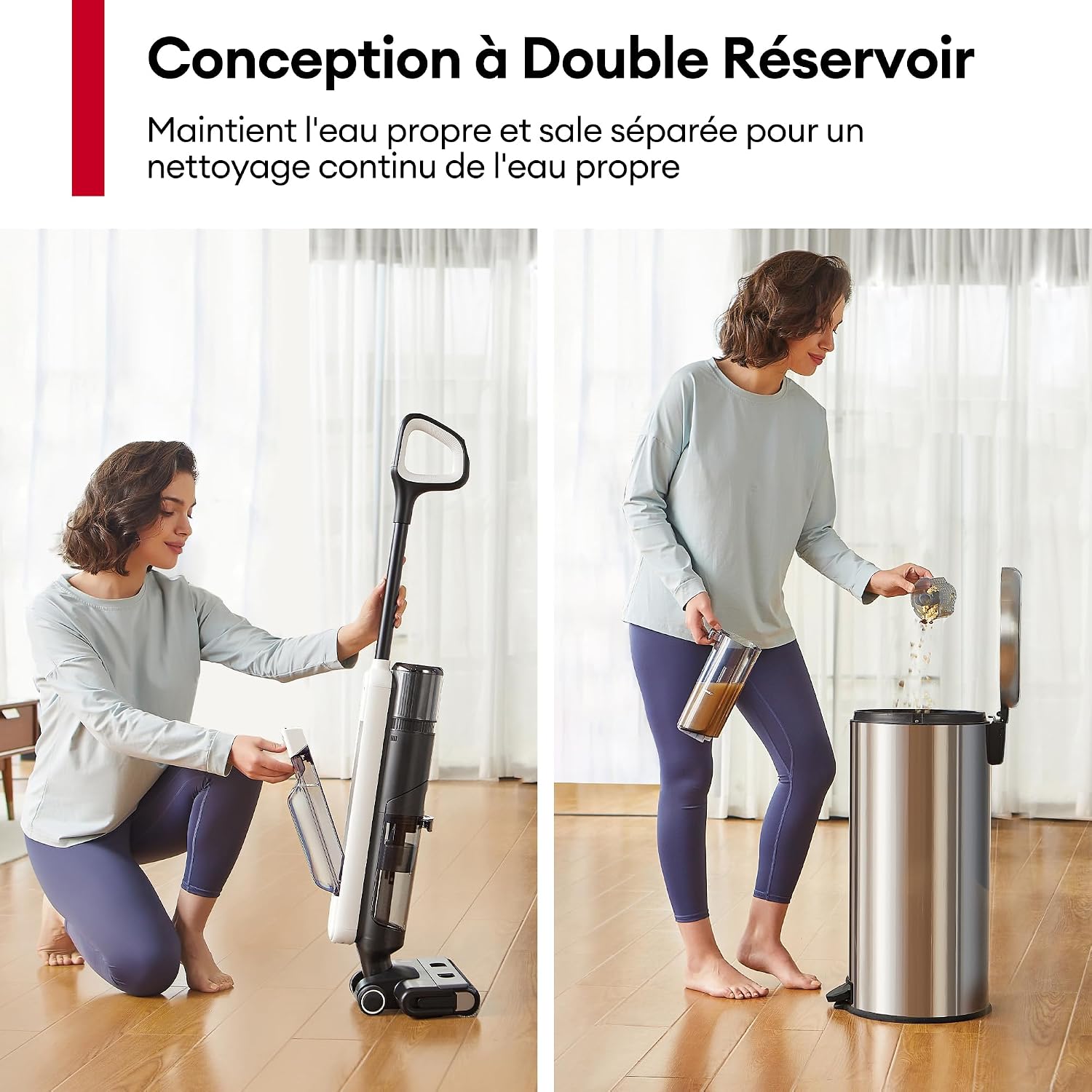
This image illustrates the dual tank design, showing how the clean water tank is filled and the dirty water tank is emptied.
- Press the release button to detach the clean water tank from the main unit.
- Open the tank cap and fill with clean tap water. You may add a small amount of Ultenic cleaning solution as per the instructions on the solution bottle. Do not overfill.
- Close the cap securely and reattach the tank to the main unit, ensuring it clicks into place.
6. Operating Instructions
6.1. Power On/Off
- Press the Power button on the handle to turn the vacuum cleaner on or off.
6.2. Cleaning Modes

This image demonstrates the three cleaning modes: Intelligent Mode for automatic adjustment, Max Mode for heavy dirt, and Empty Mode for liquid spills.
- Intelligent Mode: The vacuum automatically detects the level of dirt and adjusts suction power and water flow accordingly for optimal cleaning.
- Max Mode: Provides maximum suction and water flow for heavily soiled areas or stubborn messes.
- Empty Mode: Designed specifically for vacuuming liquids without scrubbing, preventing further spread.
6.3. Smart Dirt Detection
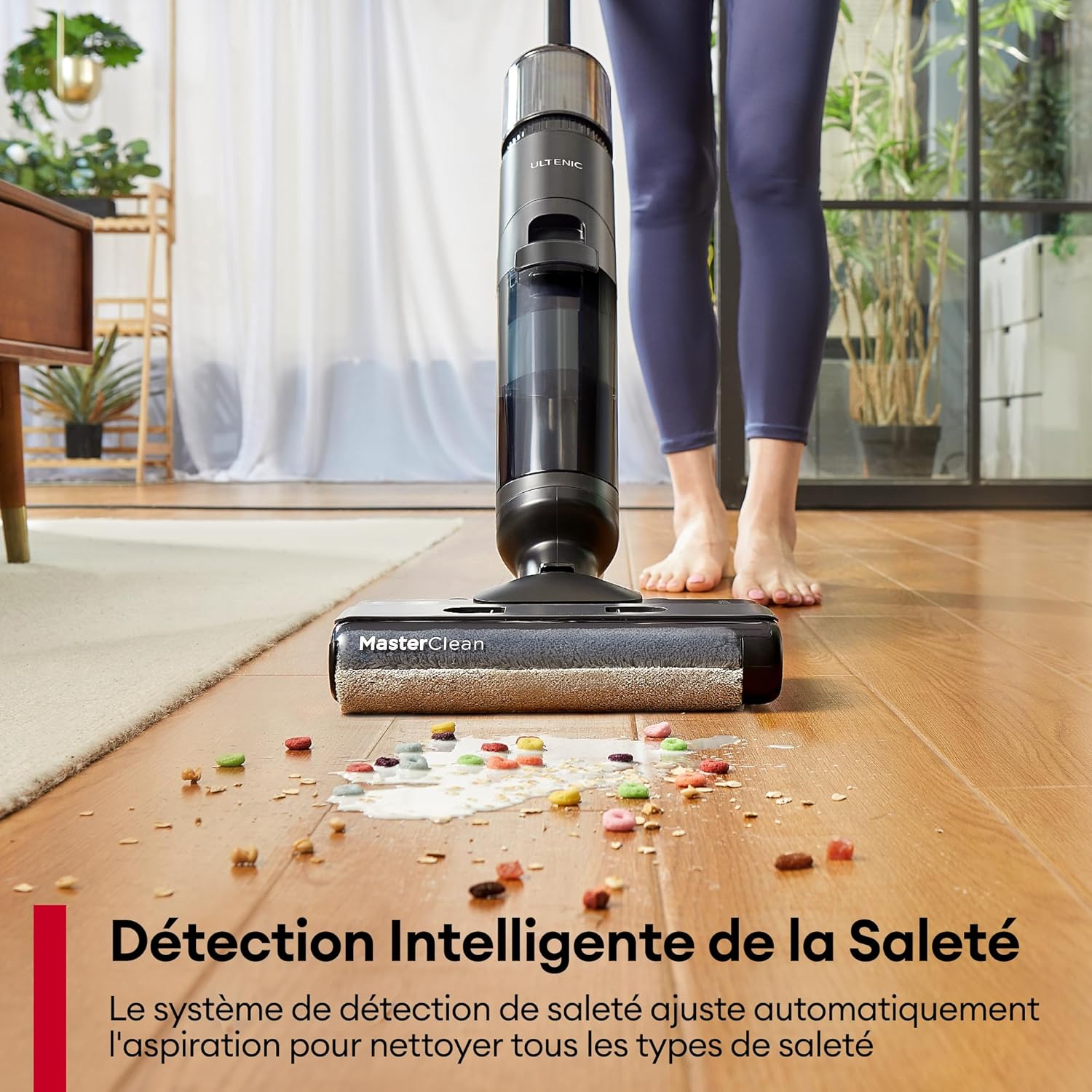
This image shows the vacuum cleaner actively detecting and cleaning dirt on a hard floor, highlighting its intelligent sensing capabilities.
The Ultenic AC1 Elite features intelligent dirt detection, automatically optimizing cleaning performance based on the detected mess, ensuring efficient and thorough cleaning.
6.4. Edge Cleaning

This image illustrates the vacuum cleaner's ability to clean close to edges and baseboards, ensuring thorough coverage.
The specialized brush roller design allows for effective cleaning along baseboards and in tight corners, leaving no dirt behind.
6.5. Self-Propelled Feature

This image depicts the self-propelled brush roller in action, making it easier to maneuver the vacuum cleaner across the floor.
The motorized brush roller assists in moving the vacuum cleaner forward and backward, significantly reducing user effort during cleaning.
6.6. Battery Runtime

This image shows a woman cleaning a kitchen floor with the Ultenic AC1 Elite, with an overlay indicating 'Up to 50 Minutes Autonomy'.
The Ultenic AC1 Elite provides up to 50 minutes of continuous cleaning on a single charge, allowing for comprehensive cleaning of large areas.
7. Maintenance and Care
7.1. One-Touch Self-Cleaning

This image shows the vacuum cleaner on its charging base, initiating the one-touch self-cleaning cycle for the brush roller.
- After each use, place the vacuum cleaner on the charging base.
- Ensure the dirty water tank is empty and the clean water tank has sufficient water.
- Press the self-clean button (usually indicated on the display or handle). The vacuum will perform an automatic cleaning cycle for the brush roller and internal tubing.
- Once the cycle is complete, empty the dirty water tank again.
7.2. Emptying the Dirty Water Tank
This image demonstrates the process of removing and emptying the dirty water tank, separating solid debris from liquid waste.
- Press the release button to detach the dirty water tank.
- Carefully open the tank and dispose of solid debris into a trash bin.
- Pour out the dirty water.
- Rinse the tank thoroughly with clean water and allow it to air dry completely before reattaching.
7.3. Cleaning the Brush Roller
- Even with self-cleaning, it is recommended to periodically remove and manually clean the brush roller to remove tangled hair or stubborn debris.
- Use the provided cleaning brush for this purpose.
- Allow the brush roller to air dry completely before reinserting it into the vacuum cleaner.
7.4. Cleaning the HEPA Filter
- The HEPA filter should be cleaned regularly (e.g., once a month, depending on usage) by rinsing it under running water.
- Ensure the filter is completely dry before reinserting it into the vacuum cleaner to prevent damage and maintain suction performance.
8. Troubleshooting
If you encounter any issues with your Ultenic AC1 Elite, please refer to the following common problems and solutions:
| Problem | Solution |
|---|---|
| Vacuum does not turn on. | Check if the battery is charged. Ensure the power button is pressed firmly. |
| Poor suction performance. | Check if the dirty water tank is full or if the brush roller is clogged. Clean the HEPA filter. |
| Water leakage. | Ensure both clean and dirty water tanks are correctly installed and their caps are securely sealed. |
| Self-cleaning function not working. | Ensure the vacuum is properly seated on the charging base and the clean water tank has sufficient water. |
| Unusual noise during operation. | Check the brush roller for any foreign objects or tangled hair. Ensure all parts are correctly assembled. |
9. Product Specifications
| Feature | Specification |
|---|---|
| Brand | Ultenic |
| Model Number | AC1 Elite |
| Color | Black |
| Dimensions (L x W x H) | 70.49 x 30.99 x 33.66 cm |
| Weight | 4.3 kg |
| Capacity | 1.15 Liters |
| Power | 230 Watts |
| Number of Speeds | 3 |
| Noise Level | 68 Decibels |
| Battery Runtime | 50 minutes |
| Special Features | Wet and Dry Vacuum, 3-in-1 Sweep/Suction/Clean, Lightweight, Self-Propelled Brush, LED Touch Screen & Voice Notifications, Solid and Liquid Waste Separation, 3-in-1 Rechargeable Storage Stand, Self-Cleaning Base, Intelligent Detection |
| Filter Type | HEPA Filter |
| Components Included | Brush |
| Cordless | Yes |
10. Warranty and Customer Support
Ultenic offers a 2-year product warranty and local after-sales service in France for the AC1 Elite. This warranty covers manufacturing defects and ensures product reliability.
For any questions, technical assistance, or warranty claims, please contact Ultenic customer support:
- Email: service-fr@ultenic.com
- Please provide your model number (AC1 Elite) and purchase details when contacting support.
Documents and downloads
Ask a question about this manual
Ask about setup, troubleshooting, compatibility, parts, safety, or missing instructions. Manuals+ will review the question and use this page’s manual context to help answer it.