

Introduction
The Nebula Boost Botanical Decarboxylator is an advanced device designed to activate botanical compounds and infuse herbs into oils and butters. This manual provides essential information for the safe and effective use of your decarboxylator, ensuring optimal results for your botanical preparations. Its precise temperature control and simple operation make it an ideal tool for enhancing the potency and purity of your herbs.

Product Components
Your Nebula Boost Decarboxylator package includes the following components:
- Nebula Boost Decarboxylator Main Unit
- Mess-Free Container with Updated Lid Design
- Silicone Infusion Sleeve

Setup
1. Unboxing and Initial Inspection
Carefully remove all components from the packaging. Inspect the device and its accessories for any signs of damage. If any components are missing or damaged, please contact customer support immediately.
2. Initial Cleaning
Before first use, clean the mess-free container and silicone infusion sleeve with warm, soapy water. Rinse thoroughly and allow them to air dry completely. Do not immerse the main decarboxylator unit in water. Wipe the exterior of the main unit with a damp cloth if necessary.
3. Assembly
- Place the silicone infusion sleeve inside the mess-free container.
- Ensure the updated lid is securely placed on the container.
- Place the assembled container into the main decarboxylator unit.
Operating Instructions
1. Basic Operation
The Nebula Boost features a simple one-button operation for ease of use. Plug the device into a standard electrical outlet.

2. Decarboxylation Process
Decarboxylation is the process of activating compounds in your botanicals through precise heating. This step is crucial for maximizing the potency and effectiveness of your herbs.
- Place your botanical material into the silicone infusion sleeve within the mess-free container.
- Secure the lid on the container and place it into the main unit.
- Press the power button to turn on the device.
- Use the 'Time+' and 'Time-' buttons to set your desired decarboxylation duration.
- Use the 'Temp+' and 'Temp-' buttons to set your desired temperature. Refer to botanical-specific guidelines for optimal settings.
- Press the Play/Pause button to start the decarboxylation cycle. The display will show the remaining time and current temperature.
- Once the cycle is complete, the device will alert you. Allow the unit to cool before handling.

3. Infusion Process (Optional)
After decarboxylation, you can use the device to infuse your activated botanicals into oils or butters.
- Add your preferred oil or butter along with the decarboxylated botanicals into the silicone infusion sleeve.
- Secure the lid and place the container back into the main unit.
- Set the desired time and temperature for infusion using the control buttons. Infusion times and temperatures vary based on the type of oil/butter and desired potency.
- Start the infusion cycle.
- Once complete, carefully remove the container and strain the infused oil/butter to separate the botanical material.

4. Applications
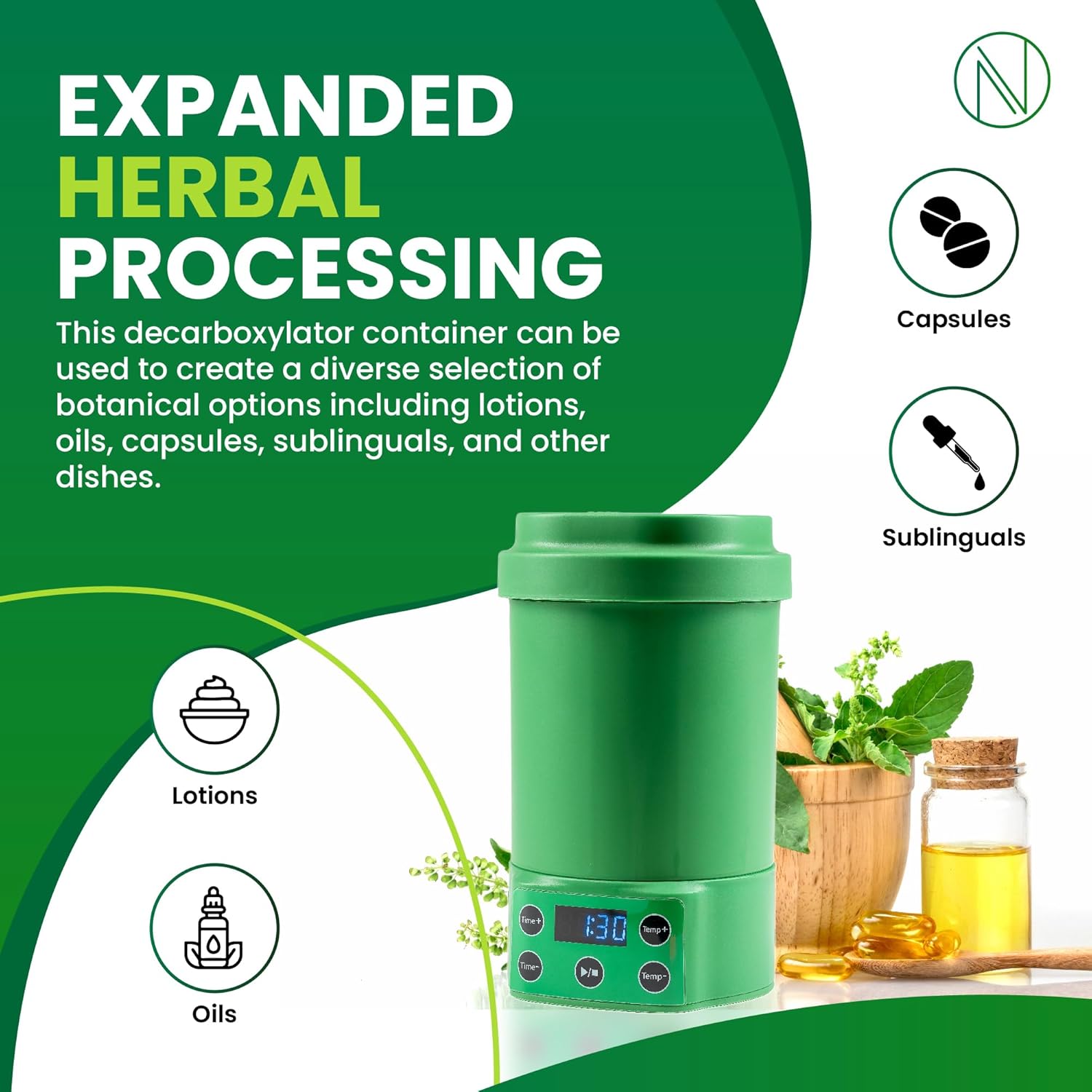
The Nebula Boost Decarboxylator allows for the creation of a diverse selection of botanical products:
- Lotions
- Oils
- Capsules
- Sublinguals
- Edibles
Maintenance
1. Cleaning
Regular cleaning ensures the longevity and performance of your device.
- Always unplug the device and allow it to cool completely before cleaning.
- Remove the mess-free container and silicone sleeve. Wash them with warm, soapy water and rinse thoroughly. They are dishwasher safe.
- Wipe the exterior of the main unit with a soft, damp cloth. Do not use abrasive cleaners or immerse the main unit in water.
- Ensure all parts are completely dry before reassembling or storing.

2. Storage
Store the Nebula Boost Decarboxylator in a cool, dry place away from direct sunlight and out of reach of children.
Troubleshooting
If you encounter any issues with your Nebula Boost Decarboxylator, please refer to the common problems and solutions below:
| Problem | Possible Cause | Solution |
|---|---|---|
| Device does not turn on. | Not plugged in; Power outlet issue. | Ensure the power cord is securely plugged into a working outlet. Try a different outlet. |
| Botanicals are not activating properly (weak results). | Incorrect temperature or time settings; Uneven heating. | Verify that the correct temperature and time settings are applied for your specific botanical material. Ensure the lid is properly sealed. Unlike ovens, this device provides precise temperatures. |
| Device stops mid-cycle. | Power interruption; Overheating protection. | Check power connection. If the device feels hot, allow it to cool down before restarting. |
| Unusual odors during operation. | Residue from previous use; Material burning. | Ensure the container and sleeve are thoroughly cleaned. Reduce temperature if material appears to be burning. |
If the problem persists after attempting these solutions, please contact Nebula customer support for further assistance.
Specifications
| Feature | Detail |
|---|---|
| Brand | Nebula |
| Model Name | Nebula Boost |
| Item Model Number | N-B |
| Color | Green Boost |
| Product Dimensions | 4"D x 7.5"W x 4"H |
| Item Weight | 2.7 Pounds |
| Special Feature | Digital Display |
| Shape | Round |
| Manufacturer | Nebula |
| Manufacture Year | 2023 |
Warranty and Support
For warranty information and customer support, please refer to the documentation included with your purchase or visit the official Nebula website. Keep your proof of purchase for any warranty claims.
For technical assistance or inquiries, please contact Nebula customer service through their official channels.


