
Introduction
Thank you for choosing the BKXCHA Digital Coffee Scale with Timer. This precision scale is designed to enhance your coffee brewing experience and assist with various kitchen measurements. Featuring high accuracy, multiple measurement modes, and a durable design, it is an essential tool for both baristas and home cooks. Please read this manual carefully before use to ensure proper operation and maintenance.
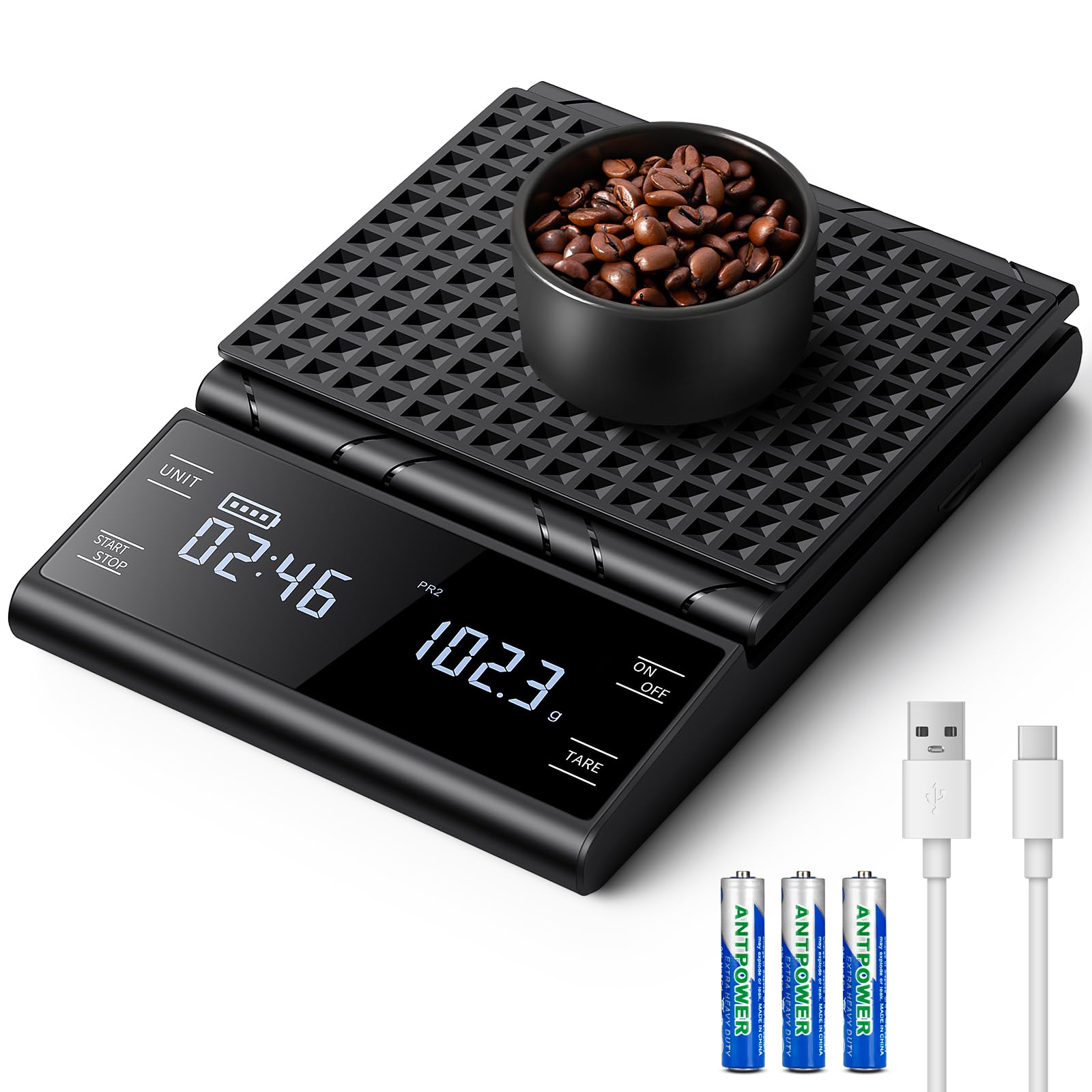
Image: The BKXCHA Digital Coffee Scale displaying its timer and weight functions, highlighting its precision.
Safety Information
- Do not immerse the scale in water or other liquids.
- Avoid exposing the scale to extreme temperatures or direct sunlight.
- Handle with care; dropping or subjecting the scale to strong impacts may damage it.
- Keep out of reach of children.
- Use only the specified battery types (Lithium and Alkaline) and charging cable (USB-C).
- Clean the scale with a soft, damp cloth. Do not use abrasive cleaners.
Setup
Unpacking and Initial Inspection
Carefully remove the scale from its packaging. Inspect the device for any signs of damage. Ensure all components, including the USB-C charging cable and any included batteries, are present.
Powering the Scale
The scale features a dual power system: a built-in 500 mAh lithium battery and a compartment for 3 AAA backup batteries. For initial use, it is recommended to fully charge the internal lithium battery using the provided USB-C cable. Connect the USB-C cable to the scale's charging port and a suitable USB power source.
If using AAA batteries, open the battery compartment on the underside of the scale and insert 3 AAA batteries, observing the correct polarity.
Placing the Silicone Pad
The scale comes with a removable heat-resistant silicone pad. Place this pad on the weighing platform to enhance precision, stability, and protect the platform from heat and spills.

Image: The anti-slip silicone pad being placed on the BKXCHA Digital Coffee Scale's weighing platform.
Operating Instructions
Basic Operation
- Power On/Off: Press the "ON/OFF" button to turn the scale on. Press and hold the "ON/OFF" button to turn it off.
- Unit Conversion: Press the "UNIT" button to cycle through the available measurement units: grams (g), ounces (oz), and milliliters (ml).
- Tare Function: Place an empty container on the weighing platform. Press the "TARE" button to reset the display to zero, allowing you to measure only the contents.

Image: Detailed view of the scale's display and control buttons.
Timer Functions and Modes
The scale features four built-in timer modes (automatic and manual) for precise control over your brewing process.
- Switching Modes: Press the "UNIT" and "START/STOP" buttons simultaneously to switch between the 4 different smart coffee brewing modes.
- Manual Timer Mode: In manual mode, press "START/STOP" to begin and end the timer. This mode provides tactile control for experienced baristas.
- Auto-Timed Pour Over Mode: This mode automatically starts the timer when the first drop of liquid is detected, simplifying the pour-over process.
- Smart Ground Coffee to Water Ratio Mode: This intelligent function provides technical support for various extraction concentration requirements and coffee bean types, ensuring optimal brewing ratios.
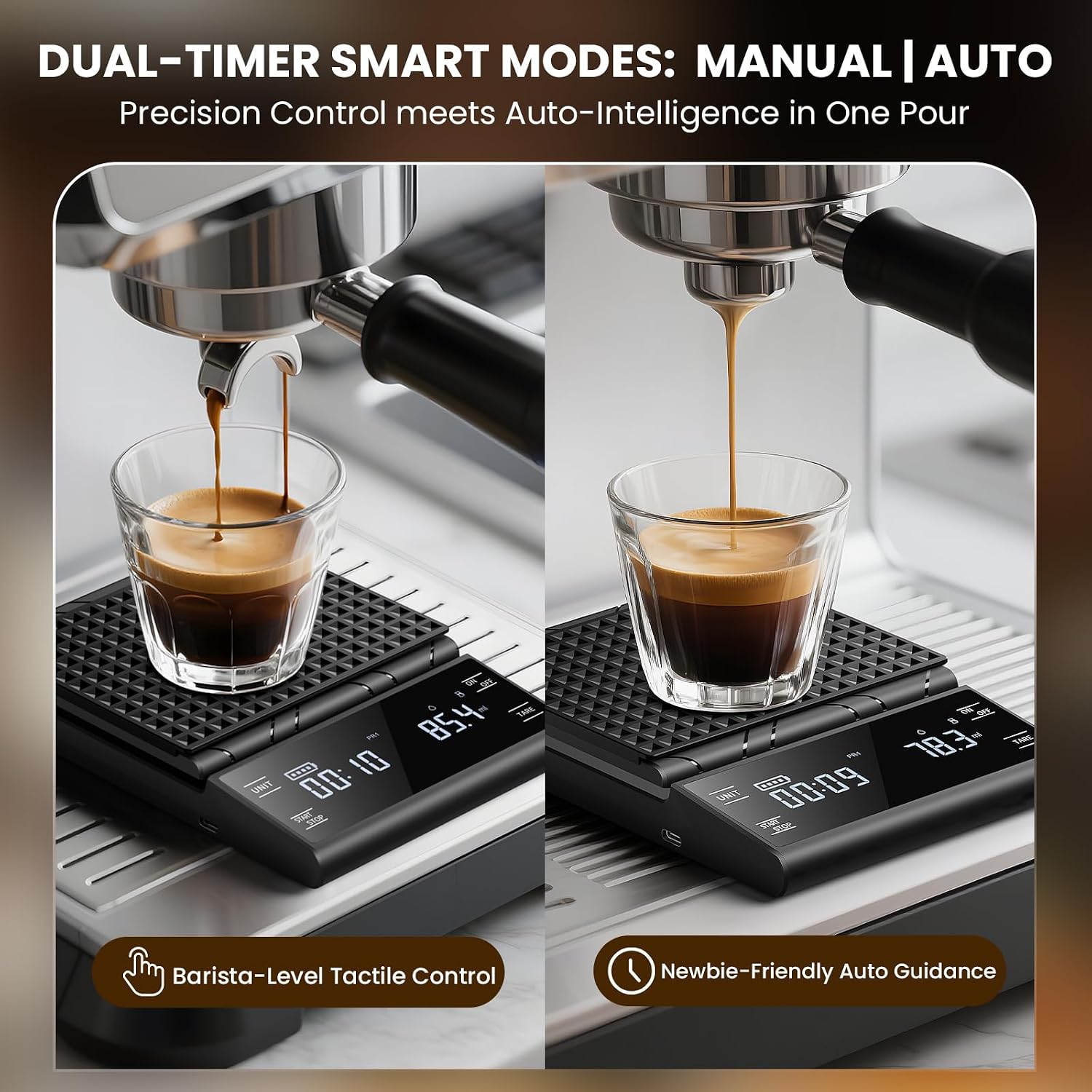
Image: Comparison of manual and auto-timed brewing modes for espresso.

Image: The scale demonstrating its auto-timed pour-over mode.
Button Tone Control
To turn the button tone on or off, press the "TARE" button 4 times consecutively.
Maintenance
Cleaning
Wipe the scale with a soft, slightly damp cloth. Do not use harsh chemicals, abrasive cleaners, or immerse the scale in water. The silicone pad is removable and can be washed separately with mild soap and water.
Battery Management
The built-in lithium battery provides long-lasting power. Recharge it using the supplied USB-C cable when the battery indicator is low. If the internal battery cannot be charged or is depleted, the scale can operate using 3 AAA backup batteries. The scale automatically enters sleep mode after 5 minutes of inactivity to conserve battery life.

Image: Features related to the scale's extended battery life and charging options.
Troubleshooting
| Problem | Possible Cause | Solution |
|---|---|---|
| Scale does not turn on. | Low battery or no power. | Charge the internal lithium battery via USB-C or replace the AAA backup batteries. |
| Inaccurate readings. | Scale not on a flat surface, overloaded, or external interference. | Place the scale on a stable, flat surface. Ensure weight does not exceed 5000g. Avoid strong vibrations or air currents. Recalibrate if necessary (refer to advanced settings if available, not detailed in current data). |
| Timer not working. | Incorrect mode selected or malfunction. | Ensure the correct timer mode (manual or auto) is selected. If using auto-timed mode, ensure liquid is being poured. If problem persists, contact customer support. |
| Display shows "Err". | Overload or internal error. | Remove items from the scale immediately. If the error persists after removing the load, restart the scale. |
Specifications
| Brand | BKXCHA |
| Model Number | ASB01-YC24SHG0032 |
| Color | Black |
| Recommended Uses | Food, Coffee |
| Special Features | Smart powder-to-water ratio function, Three units, Four modes |
| Display Type | LCD, Touchscreen |
| Weight Limit | 5000 Grams (5 kg) |
| Minimum Measurement | 0.5 Grams |
| Precision | 0.1 Grams |
| Material | ABS |
| Battery Type | Built-in Lithium (500 mAh), 3x AAA Alkaline (backup) |
| Measurement Units | g, oz, ml |
| Auto-Sleep Function | After 5 minutes of inactivity |
| UPC | 081904821106 |
Warranty and Support
BKXCHA is committed to providing high-quality products and excellent customer service. For any questions, concerns, or technical assistance, please contact our support team. Our team is available 24 hours a day to provide solutions.
Please refer to your purchase documentation for specific warranty details and contact information.