1. Introduction
Thank you for choosing the atomberg Izar Hi-Speed 400mm Pedestal Fan. This manual provides essential information for the safe and efficient operation, assembly, and maintenance of your fan. Please read these instructions carefully before use and retain them for future reference.
The Izar Hi-Speed Pedestal Fan features an intelligent induction motor, 6 speed options, remote control with oscillation, timer, and sleep modes, and a high air delivery of 82 CMM at 2200 RPM.
2. Safety Instructions
- Ensure the power supply voltage matches the rating label on the fan.
- Do not operate the fan with a damaged cord or plug. Contact customer support for repairs.
- Keep fingers and other objects away from the fan blades and moving parts during operation.
- Do not use the fan near water or in excessively humid environments.
- Unplug the fan from the power outlet before cleaning, assembling, or disassembling.
- This appliance is not intended for use by persons (including children) with reduced physical, sensory, or mental capabilities, or lack of experience and knowledge, unless they have been given supervision or instruction concerning use of the appliance by a person responsible for their safety.
- Do not block air openings.
- Place the fan on a stable, level surface to prevent tipping.
3. Package Contents
Carefully unpack all components and check against the list below:
- User Manual & Warranty Card – 1
- Remote – 1
- Base – 1
- Front Grill – 1
- Grill Belt – 1
- Rear Grill – 1
- Blade – 1
- Batteries – 2 (for remote)
4. Setup and Assembly
Follow these steps to assemble your atomberg Izar Pedestal Fan:
- Assemble the Base: Attach the pedestal pole to the fan base. Ensure it is securely fastened.
- Attach the Motor Unit: Mount the motor unit onto the top of the pedestal pole.
- Install the Rear Grill: Place the rear grill onto the motor unit, aligning the notches.
- Mount the Blade: Slide the fan blade onto the motor shaft. Secure it with the provided cap/nut, ensuring it is tightened in the correct direction (often counter-clockwise).
- Install the Front Grill: Position the front grill over the blade and align it with the rear grill. Secure both grills together using the grill belt/ring, ensuring all clips are engaged.
- Insert Remote Batteries: Open the battery compartment on the remote control and insert the two provided batteries, observing polarity.
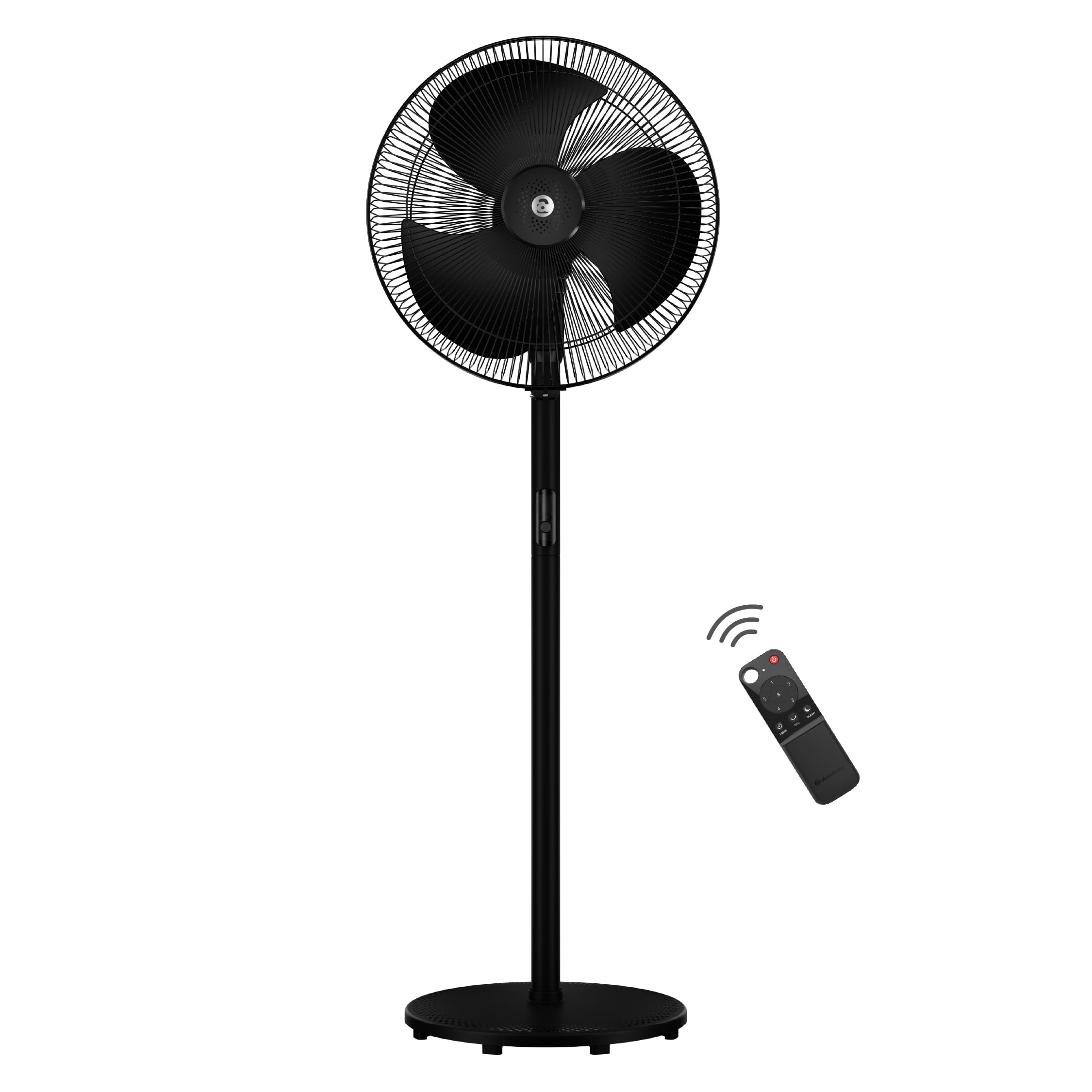
Figure 4.1: Fully assembled atomberg Izar Hi-Speed Pedestal Fan.
5. Operating Instructions
5.1. Power On/Off
- Power On: Plug the fan into a suitable power outlet. Press the power button on the fan's control panel or the remote control.
- Power Off: Press the power button again on the fan or remote.
5.2. Speed Control
- The fan offers 6 speed settings. Adjust the speed using the '+' and '-' buttons on the remote or the feather-touch button on the fan's body. The digital display on the fan will indicate the current speed.
5.3. Oscillation (Swing)
- Press the 'OSC' button on the remote control or the oscillation button on the fan to activate the 90° automatic swing function. Press again to stop oscillation.
5.4. Manual Tilt Adjustment
- The fan head can be manually tilted up to 30° to direct airflow. Gently adjust the fan head to the desired angle.

Figure 5.1: Fan head showing swing and tilt functionality.
5.5. Remote Control Functions
The IR remote control provides convenient access to all fan functions:
- Power Button: Turns the fan On/Off.
- Speed Buttons (+/-): Adjusts fan speed from 1 to 6.
- Boost Mode: Increases the fan to its highest speed for maximum airflow.
- Timer Mode: Sets the fan to automatically turn off after a pre-set number of hours.
- Sleep Mode: Gradually decreases the fan's speed every two hours for comfortable sleep.
- Oscillation (OSC) Button: Activates or deactivates the 90° swing function.

Figure 5.2: Remote control layout and functions.
6. Maintenance
Regular maintenance ensures optimal performance and longevity of your fan.
- Cleaning: Always unplug the fan before cleaning. Use a soft, damp cloth to wipe down the exterior surfaces. For the blades and grills, use a soft brush or vacuum cleaner to remove dust. Do not use abrasive cleaners or immerse the fan in water.
- Storage: If storing the fan for an extended period, cover it to protect from dust and store in a dry place.
- Motor: The intelligent induction motor is designed for durable performance with double ball bearings and requires no user lubrication.

Figure 6.1: Internal view of the fan motor highlighting key features.
7. Troubleshooting
If you encounter issues with your fan, refer to the following common problems and solutions:
| Problem | Possible Cause | Solution |
|---|---|---|
| Fan does not turn on | No power supply; Power cord not plugged in; Power outlet faulty | Check power connection; Try a different outlet; Ensure power switch is ON. |
| Remote control not working | Batteries are dead or incorrectly inserted; Obstruction between remote and fan sensor | Replace batteries, check polarity; Remove any obstructions; Ensure remote is pointed at the fan's receiver. |
| Fan makes unusual noise | Loose parts; Dust accumulation on blades; Fan not on a level surface | Check for loose screws or components; Clean fan blades and grills; Place fan on a stable, flat surface. |
| Weak airflow | Fan speed too low; Dirty blades/grills | Increase fan speed; Clean blades and grills thoroughly. |
If the problem persists after attempting these solutions, please contact atomberg customer support.
8. Specifications
| Feature | Detail |
|---|---|
| Brand | atomberg |
| Model Name | Izar High Speed Pedestal |
| Electric Fan Design | Floor Fan |
| Power Source | Corded Electric |
| Style | Swing |
| Product Dimensions | 60D x 23W x 47H Centimeters |
| Special Feature | Remote Controlled, Inverter Compatible, Swing, 6 speed options |
| Wattage | 105 Watts |
| Number of Blades | 3 |
| Air Flow Capacity | 82 Cubic Meters Per Minute |
| Blade Length | 400 Millimetres |
| Speed | 2200 RPM |
| Voltage | 230 Volts |
| Item Weight | 7.5 Kilograms |
| Indoor/Outdoor Usage | Indoor, Outdoor |
| Control Method | Remote |
| Number of Power Levels | 6 |
9. Warranty and Support
Your atomberg Izar Hi-Speed Pedestal Fan comes with a standard 1-year warranty. An additional 1-year warranty can be availed by registering your purchase on the official atomberg website. Please refer to the included Warranty Card for detailed terms and conditions.
Customer Support
For any queries, service requests, or professional installation services, please contact:
- Email: support@atomberg.com
- Toll-free Number: 08448449442
- Website: Visit the official atomberg website for more information and registration.


