
Monster AC390
Monster Open Ear AC390 Headphones
User Instruction Manual
Introduction
Welcome to the Monster Open Ear AC390 Headphones user manual. This guide provides comprehensive instructions for setting up, operating, and maintaining your new headphones. Please read this manual carefully to ensure optimal performance and longevity of your device.

Image: The Monster Open Ear AC390 headphones, showcasing their unique open-ear design and the compact rotating charging case.
Package Contents
Ensure all items are present in your package:
- Open Ear AC390 Wireless Earbuds (x2)
- Charging Case (x1)
- USB-C Charging Cable (x1)
- User Instructions (x1)
- Detachable Hanging Rope (Lanyard) (x1)

Image: A visual representation of all items included in the product packaging, including the earbuds, charging case, USB-C cable, and user manual.
Product Features
Pure Monster Sound
The AC390 headphones are equipped with a 13mm PU titanium diaphragm driver, engineered to deliver a rich and dynamic audio experience. Expect crisp highs, full mids, and deep bass for exceptional sound quality across various music genres.
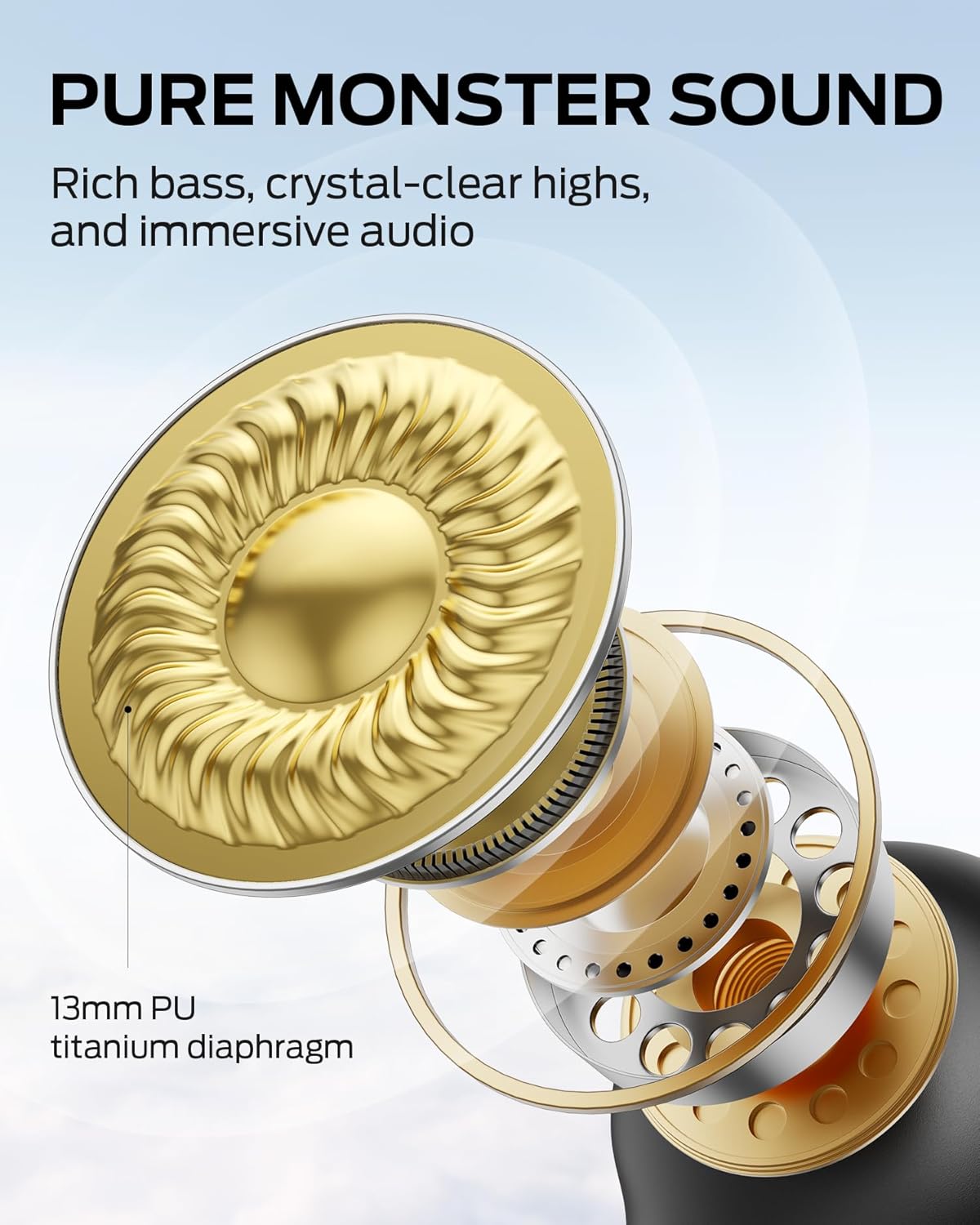
Image: An exploded view diagram illustrating the internal 13mm PU titanium diaphragm driver responsible for audio output.
Open Ear Design and Comfort
Each earbud weighs approximately 5g, providing an ultra-lightweight feel. The soft silicone ear-hook design ensures a secure and comfortable fit for various ear shapes, allowing for extended wear without discomfort. The open-ear design allows you to remain aware of your surroundings while enjoying audio.

Image: A close-up of an earbud worn on an ear, demonstrating the secure and lightweight open-ear fit.
Crystal-Clear Calls with DNC
Featuring Dynamic Noise Cancellation (DNC) technology, these headphones effectively reduce environmental noise interference. This ensures clear and uninterrupted audio quality during calls, even in busy environments.
Rotating Charging Case and Extended Playtime
The innovative rotating charging case is compact and easy to carry. It provides an additional 16 hours of playtime, extending the total battery life to up to 24 hours. Each earbud offers 8 hours of playtime on a single charge.

Image: The unique rotating charging case, showing how the earbuds are stored and accessed.
Advanced Bluetooth 6.0 Connectivity
Powered by Bluetooth 6.0 technology, the AC390 offers faster pairing, stable connections, and lower latency. Easily switch between compatible Bluetooth-enabled devices such as smartphones, tablets, or laptops for seamless audio experiences.

Image: A visual representation of the Bluetooth 6.0 technology chip, emphasizing stable and low-latency connections.
IPX5 Water Resistance
With an IPX5 water resistance rating, these headphones are resistant to sweat and light rain. This makes them suitable for workouts, outdoor activities, and daily commutes, ensuring uninterrupted music playback.
Getting Started
1. Charging the Case and Earbuds
Before first use, fully charge the charging case and earbuds. Connect the provided USB-C charging cable to the charging port on the case and to a power source. The indicator light on the case will show charging status. A full charge takes approximately 2 hours.
2. Pairing with a Device
- Ensure the earbuds are in the charging case and the case is open.
- On your device (smartphone, tablet, etc.), enable Bluetooth.
- Select "Monster Open Ear AC390" from the list of available Bluetooth devices.
- Once connected, the earbuds are ready for use. They will automatically reconnect to the last paired device when removed from the case.
Operating Your Headphones
Wearing the Earbuds
The AC390 earbuds feature an open-ear, ear-hook design. Place the earbud over your ear, ensuring the speaker portion is positioned just in front of your ear canal for optimal sound delivery without entering the ear. The flexible hook should rest comfortably behind your ear.
Touch Controls
The earbuds feature intuitive touch controls for managing audio playback and calls:
- Single Click (Left Earbud): Volume Down
- Single Click (Right Earbud): Volume Up
- Double Click (Either Earbud): Answer/End Call, Play/Pause Music
- Triple Click (Either Earbud): Previous Track (Left), Next Track (Right)
- Press and Hold (2 seconds, Either Earbud): Reject Call

Image: A visual guide detailing the touch control functions on both the left and right earbuds.
Care and Maintenance
- Clean the earbuds and charging case regularly with a soft, dry cloth.
- Avoid exposing the headphones to extreme temperatures or direct sunlight for prolonged periods.
- While IPX5 water resistant, do not submerge the headphones in water.
- Store the headphones in their charging case when not in use to protect them and ensure they remain charged.
Troubleshooting
No Sound or Pairing Issues
- Ensure both earbuds are charged.
- Verify Bluetooth is enabled on your device and the headphones are selected.
- Try unpairing and re-pairing the headphones with your device.
- Restart your device and try pairing again.
Low Volume
- Adjust the volume using the touch controls on the earbuds or directly on your connected device.
- Ensure there are no obstructions to the speaker output.
Earbuds Not Charging
- Ensure the charging cable is securely connected to both the case and the power source.
- Check if the charging contacts on the earbuds and inside the case are clean and free of debris.
- Confirm the charging case itself has sufficient power.
Specifications
| Model Name | Monster Open Ear AC390 Headphones |
| Connectivity Technology | Wireless (Bluetooth 6.0) |
| Audio Driver Type | 13mm PU Titanium Diaphragm Dynamic Driver |
| Battery Life (Earbuds) | Up to 8 hours |
| Total Playtime (with Case) | Up to 24 hours |
| Charging Time | Approximately 2 hours |
| Water Resistance Level | IPX5 (Sweat and Light Rain Resistant) |
| Earbud Weight | Approximately 5g per earbud |
| Control Type | Touch Control |
| Noise Control | Dynamic Noise Cancellation (DNC) |
| Compatible Devices | Any Bluetooth-enabled device (smartphones, tablets, laptops, MP3 players, TVs) |
Warranty and Support
For warranty information and customer support, please refer to the official Monster website or contact your retailer. Keep your purchase receipt for warranty claims.
For further assistance, visit the Monster Store on Amazon.
Related documentsAC390


Ask a question about this manual
Ask about setup, troubleshooting, compatibility, parts, safety, or missing instructions. Manuals+ will review the question and use this page’s manual context to help answer it.