
1. Introduction
This manual provides essential information for setting up, operating, and maintaining your GIGABYTE AORUS Master 18 Gaming Laptop. Designed for high-performance gaming and demanding creative tasks, this laptop features advanced components and intelligent optimization technologies.

Figure 1: Front view of the GIGABYTE AORUS Master 18 Gaming Laptop.
Video 1: A 360-degree view of the AORUS Master 18, showcasing its design and features.
Key Features:
- Intel Core Ultra 9 275HX Processor: Provides desktop-tier performance with an integrated NPU for AI workloads.
- NVIDIA GeForce RTX 5090 Laptop GPU: Delivers advanced graphics and AI capabilities for gaming and content creation.
- 18-inch Mini-LED 240Hz Display: Offers WQXGA (2560x1600) resolution, 100% DCI-P3 color gamut, Dolby Vision, and NVIDIA G-SYNC for immersive visuals.
- WINDFORCE Infinity EX Cooling: Advanced thermal design for sustained high performance.
- GIGABYTE GiMATE: An intelligent AI agent for personalized performance optimization.
2. Setup
2.1 Unboxing and Initial Inspection
Carefully remove the laptop and its accessories from the packaging. Verify that all components listed in the packing list are present and inspect the laptop for any physical damage.
Video 2: Official unboxing guide for the AORUS Master 18, demonstrating package contents and initial handling.
2.2 Connecting Power
- Connect the AC adapter to the power jack on the laptop.
- Plug the power cord into an electrical outlet.
- The battery indicator light will illuminate, indicating that the laptop is charging.
2.3 First Power On
Press the power button to turn on the laptop. Follow the on-screen instructions to complete the Windows 11 Home setup process, including language selection, network connection, and user account creation.
3. Operation
3.1 Display Features
The AORUS Master 18 features an 18-inch Mini-LED display with WQXGA (2560x1600) resolution and a 240Hz refresh rate. This display is designed for high fidelity visuals and smooth motion, crucial for gaming and professional content creation.
- High Refresh Rate: The 240Hz refresh rate minimizes motion blur and input lag.
- Color Accuracy: 100% DCI-P3 color gamut ensures vibrant and accurate colors.
- HDR Support: Dolby Vision enhances contrast and brightness for a more dynamic visual experience.
- NVIDIA G-SYNC: Synchronizes the display's refresh rate with the GPU for tear-free gaming.

Figure 2: The laptop's 18-inch Mini-LED display showcasing high-quality visuals.
3.2 Performance Management with GiMATE
GIGABYTE GiMATE is an AI agent that personalizes and optimizes laptop performance based on your usage patterns. It dynamically adjusts CPU, GPU, and cooling settings to provide optimal performance or power efficiency as needed.
- AI Optimization: GiMATE learns your preferences and adjusts system resources accordingly.
- Custom Profiles: Create and manage custom performance profiles for different applications.
3.3 Keyboard and Touchpad
The laptop features a 3-zone RGB backlit keyboard and a responsive touchpad. The RGB lighting can be customized to match your aesthetic preferences or game profiles.
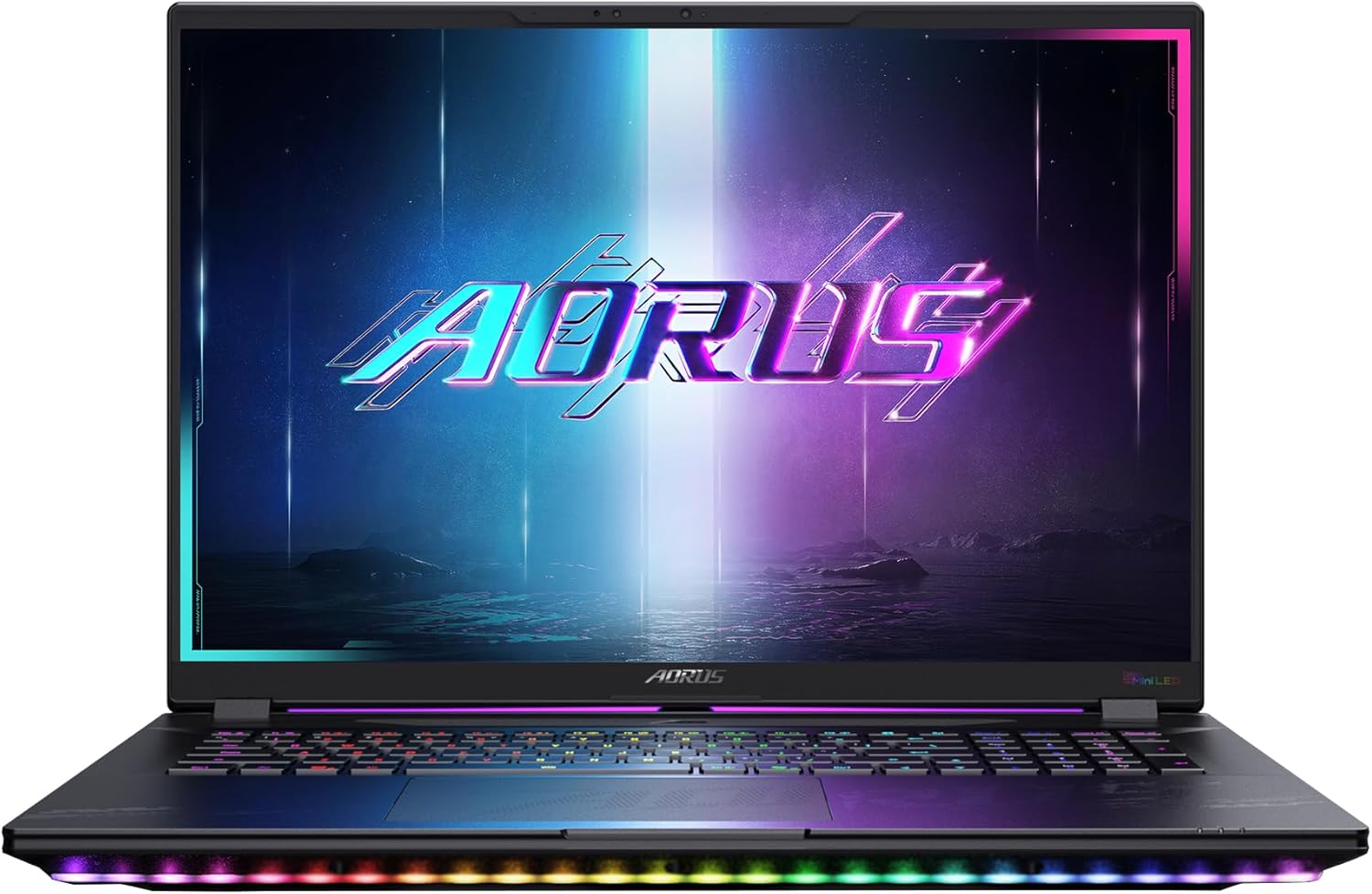
Figure 3: Top-down view of the keyboard and touchpad, highlighting the customizable RGB backlighting.
3.4 Ports and Connectivity
The AORUS Master 18 offers a comprehensive selection of ports for versatile connectivity.

Figure 4: Side view illustrating the available ports, including USB, HDMI, and audio jacks.
- USB 3.2 Gen2 Type-A: Multiple ports for connecting peripherals.
- Thunderbolt 5 (Type-C): High-speed data transfer, display output, and power delivery.
- HDMI 2.1: For connecting to external displays.
- RJ-45: Wired network connectivity.
- Audio Combo Jack: For headphones and microphones.
- Full-size SD Card Port: For media transfer.
- Wireless: Wi-Fi 7 and Bluetooth for high-speed wireless connections.
3.5 Battery and Charging
The laptop is equipped with a 99Wh battery. It supports PD 3.0 Type-C charging for convenience and fast charging capabilities.
- Battery Capacity: 99Wh for extended usage.
- Fast Charge: Supports fast charging to 50% in approximately 30 minutes.
4. Maintenance
4.1 General Care
- Keep the laptop in a clean, dry environment away from direct sunlight and extreme temperatures.
- Avoid placing heavy objects on the laptop or applying excessive pressure to the screen.
- Use a soft, lint-free cloth to clean the screen and chassis. Do not use harsh chemicals.
4.2 Cooling System
The WINDFORCE Infinity EX cooling system is designed for optimal thermal performance. Ensure that the air vents are not obstructed to prevent overheating.

Figure 5: Rear view of the laptop, highlighting the cooling vents for efficient heat dissipation.
4.3 Software Updates
Regularly update your operating system, drivers, and GIGABYTE software (including GiMATE) to ensure optimal performance, security, and compatibility.
5. Troubleshooting
This section addresses common issues you might encounter with your AORUS Master 18 laptop.
| Problem | Possible Cause | Solution |
|---|---|---|
| Laptop does not power on. | No power, discharged battery, faulty power adapter. | Ensure AC adapter is securely connected and plugged into a working outlet. Check battery charge. |
| Screen is blank or black. | Display settings, external monitor connected, system crash. | Press Fn + F3 (or relevant display toggle key) to cycle display modes. Disconnect external monitors. Restart the laptop. |
| Overheating during use. | Obstructed vents, high-performance tasks, dust accumulation. | Ensure vents are clear. Use the laptop on a hard, flat surface. Clean dust from vents. Adjust performance settings via GiMATE. |
| Wi-Fi or Bluetooth not working. | Wireless adapter disabled, driver issues, network problems. | Check wireless settings in Windows. Update wireless drivers. Restart router/modem. |
6. Specifications
| Component | Detail |
|---|---|
| Model Name | AORUS MASTER 18 BZHC6USD45SH |
| Processor | Intel Core Ultra 9 275HX (5.4 GHz) |
| Graphics | NVIDIA GeForce RTX 5090 Laptop GPU (24 GB GDDR6) |
| Display | 18-inch WQXGA (2560x1600) Mini-LED, 240Hz, 100% DCI-P3, Dolby Vision, NVIDIA G-SYNC |
| RAM | 64 GB DDR5 5600MHz (expandable via 4x SO-DIMM sockets) |
| Storage | 2 TB PCIe NVMe M.2 SSD (1x Gen5, 2x Gen4x4 slots, supports RAID 0) |
| Operating System | Windows 11 Home |
| Wireless Connectivity | Wi-Fi 7, Bluetooth |
| Ports | 3x USB 3.0, 1x Thunderbolt 5 (Type-C), 1x HDMI 2.1, 1x RJ-45, 1x Audio Combo Jack, 1x Full-size SD Card Reader |
| Battery | 99Wh, supports PD 3.0 Type-C charging |
| Dimensions (LxWxH) | 15.78 x 1.22 x 11.3 inches |
| Weight | 7.72 pounds |
| Color | 5-degree Black |
7. Warranty and Support
For warranty information, technical support, and service inquiries, please refer to the official GIGABYTE website or contact their customer service department. Keep your proof of purchase for warranty claims.
- Official GIGABYTE Support: Visit www.gigabyte.com/support for drivers, FAQs, and service centers.
- Product Registration: Register your product online to receive updates and streamline support.