1. Safety Instructions
Please read and understand all safety instructions before installing or operating this product. Retain this manual for future reference.
- Electrical Safety: This device must be connected to a grounded power outlet. Ensure the power supply voltage matches the product's requirements (AC90-240V/50Hz-60Hz). Disconnect power before any service or maintenance.
- Ventilation: Ensure adequate ventilation around the fixture to prevent overheating. Do not block ventilation openings.
- Environment: This product is rated IP20 for indoor use only. Outdoor use requires careful consideration of weather conditions to prevent damage. Avoid exposure to rain, moisture, or extreme temperatures.
- Mounting: Securely mount the fixture using appropriate hardware. Ensure the mounting surface can support the weight of the fixture.
- Eye Safety: Do not look directly into the LED light source when the fixture is operating, as it can cause eye damage.
2. Product Overview
The Betopper 18x18W 6-in-1 LED PAR Stage Light is a high-power lighting fixture designed for various stage and event applications. It features 18 individual 18W LEDs, each capable of producing Red, Green, Blue, Lime, Amber, and Ultraviolet (RGBLA+UV) colors. This 6-in-1 LED configuration allows for a wider color spectrum, deeper color saturation, and enhanced lighting effects compared to standard RGB lights.
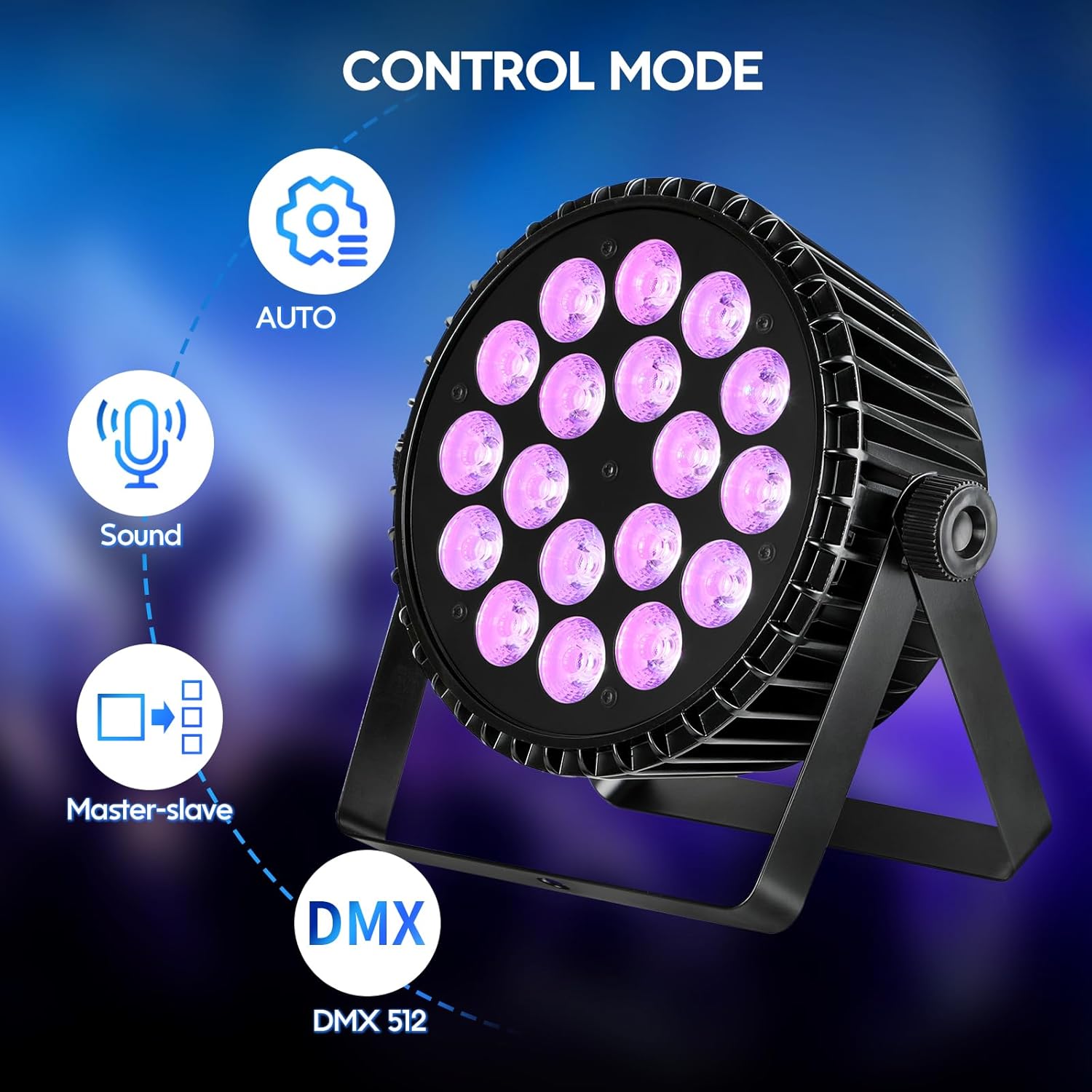
Image: The Betopper 18x18W 6-in-1 LED PAR Stage Light, highlighting its compact dimensions (11.8 inches height, 11 inches width, 4.7 inches depth) and key features such as high brightness beads, 360° adjustable angle, and an integrated cooling fan.
The inclusion of Lime, Amber, and UV light sources significantly expands the color mixing capabilities, allowing for more vibrant and nuanced stage effects. The robust aluminum construction ensures efficient heat dissipation and durability for long-term professional use.

Image: A comparison illustrating the advantages of the 6-in-1 RGBLA+UV LED PAR light, featuring high-intensity 18W LEDs and high-quality cast aluminum construction, against a typical RGB LED light with 1W LEDs and economical plastic build.

Image: A grid displaying various color outputs from the 18x18W RGB+Lime+Amber+UV 6-in-1 PAR light, including UV, Amber, Lime, Red, Green, Blue, White, Yellow, and Purple, demonstrating its wide color range.

Image: A color spectrum diagram illustrating how the addition of Lime, Amber, and Ultraviolet (UV) light sources expands the basic RGB color triangle, enriching stage effects and making performances more vibrant and colorful.
3. Setup
Follow these steps to set up your Betopper LED PAR Stage Light:
- Unpacking: Carefully remove the light fixture and all accessories from the packaging. Inspect for any signs of damage during transit.
- Mounting: The fixture can be set up on trusses, walls, or floors using the included brackets and screws. Ensure the mounting location is stable and secure. The 360° adjustable angle allows for flexible positioning.
- Power Connection: Connect the power cable to the 'POWER IN' port on the back of the fixture and then to a suitable grounded power outlet.
- DMX Connection (Optional): For DMX control, connect a DMX cable from your DMX controller's 'DMX OUT' to the fixture's 'DMX IN' port. If linking multiple fixtures, connect from the first fixture's 'DMX OUT' to the next fixture's 'DMX IN', and so on.
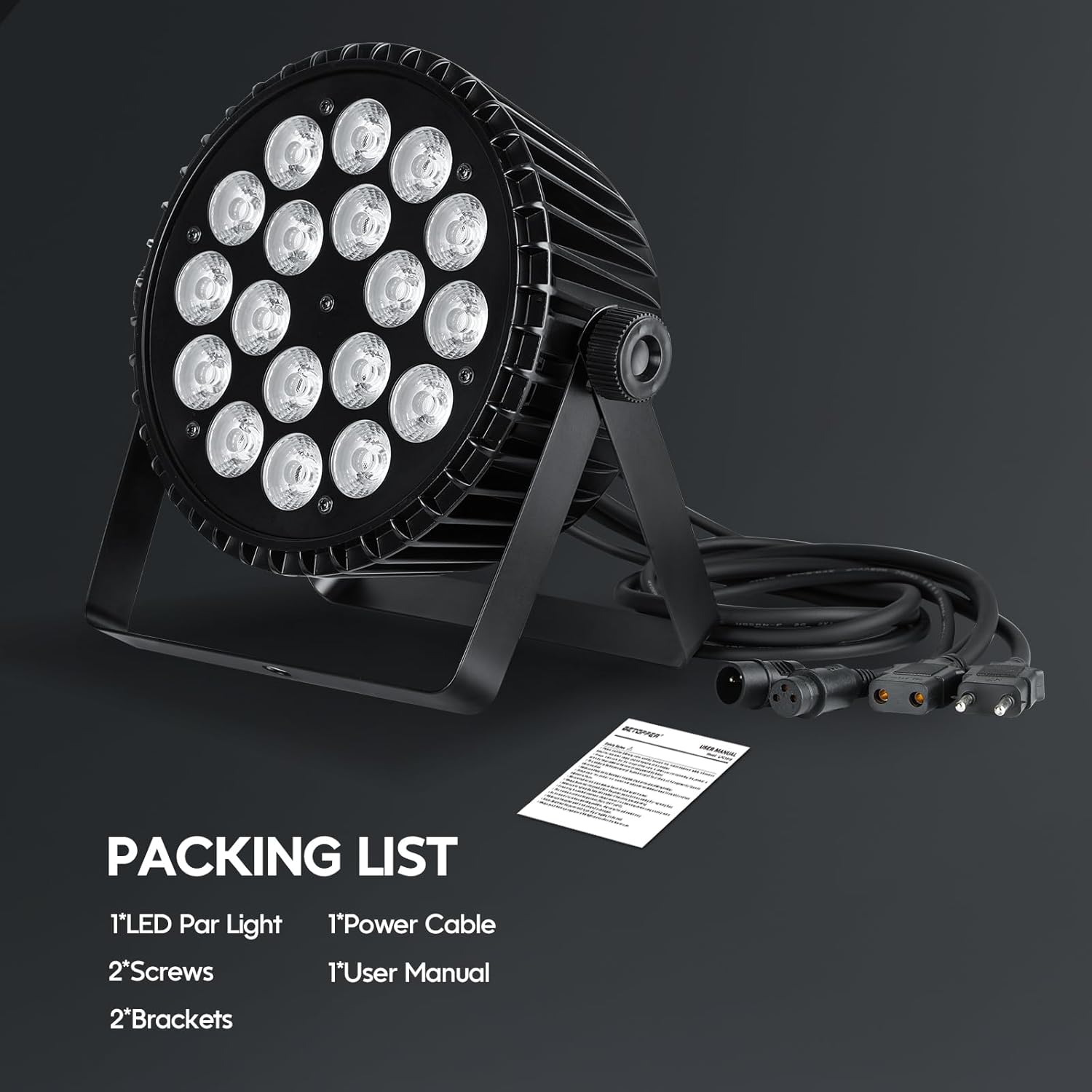
Image: The packing list for the Betopper LED PAR Stage Light, showing one LED Par Light, one Power Cable, two Brackets, two Screws, and one User Manual.
4. Operating Modes
The Betopper LED PAR Stage Light offers multiple operating modes to suit various event requirements:
- Static Mode: Displays a single, constant color.
- Color Mixing Mode: Blends different colors to create a wide range of hues.
- Fade Mode: Smoothly transitions between colors.
- Jump Mode: Instantly switches between colors.
- Strobe Mode: Produces rapid flashes of light.
- Auto Mode: Cycles through pre-programmed lighting sequences automatically.
- Sound-Activated Mode: Responds to music or sound, changing patterns and colors in sync with the beat.
- Master-Slave Mode: Allows multiple fixtures to operate in synchronization, with one unit acting as the master and others as slaves.
- DMX512 Mode: Provides professional control over all light functions via a DMX controller.

Image: A diagram illustrating the available control modes: Auto, Sound-Activated, Master-Slave, and DMX 512, indicating the versatility of the lighting fixture.
Video: This video demonstrates the various multi-combination colors and dynamic lighting effects, including jump, fade, pulse, and strobe modes, achievable with the Betopper LED Par Light.
5. DMX Control
DMX512 is a standard for digital communication networks that are commonly used to control stage lighting and effects. The Betopper LED PAR Stage Light supports DMX512 control, offering 6 or 10 channel options for precise management of its features.
To operate in DMX mode, connect the fixture to a DMX controller as described in the Setup section. Use the digital display and buttons on the back of the fixture to set the DMX address. Refer to the DMX channel chart (typically provided in a separate DMX manual or on the manufacturer's website) for specific channel functions and values.

Image: The rear panel of the Betopper LED PAR Stage Light, detailing the DMX IN and DMX OUT ports, POWER IN and POWER OUT, the digital display, and control buttons (MENU, UP, DOWN, ENTER) for mode and address selection.
Video: A demonstration of various lighting effects using Betopper Moving Head and Par Lights, showcasing their dynamic capabilities in a stage setting.
Video: This video features a demo of Betopper DJ Stage Lights, including RGBW Moving Head and Par Lights, highlighting their synchronized effects and vibrant color output.
6. Maintenance
Regular maintenance ensures optimal performance and extends the lifespan of your Betopper LED PAR Stage Light:
- Cleaning: Periodically clean the lens and exterior casing with a soft, lint-free cloth. Do not use abrasive cleaners or solvents. Ensure the fixture is powered off and cooled down before cleaning.
- Ventilation Check: Regularly inspect the cooling fan and ventilation openings for dust accumulation. Clean as necessary to maintain proper airflow and prevent overheating. The aluminum-iron alloy construction and integrated fan are designed for efficient heat dissipation.
- Cable Inspection: Check all power and DMX cables for any signs of wear, cuts, or damage. Replace damaged cables immediately.
7. Troubleshooting
If you encounter issues with your Betopper LED PAR Stage Light, refer to the following common problems and solutions:
| Problem | Possible Cause | Solution |
|---|---|---|
| No power / Light does not turn on | No power supply; Faulty cable; Blown fuse | Check power connection; Test with another cable; Inspect/replace fuse. |
| Light output is dim or inconsistent | Incorrect mode setting; Overheating; Damaged LEDs | Verify operating mode; Ensure proper ventilation; Contact customer service if LEDs are damaged. |
| No DMX control | Incorrect DMX address; Faulty DMX cable; DMX controller issue | Set correct DMX address; Check DMX cable connections; Test DMX controller. |
| Fan is noisy | Normal operation; Dust accumulation; Fan malfunction | Some fan noise is normal. Clean fan if dusty. If excessively loud or unusual, contact customer service. |
| Missing items in package | Packaging error | Contact customer service for reshipment of missing items. |
8. Specifications
| Feature | Detail |
|---|---|
| Type | 18×18W RGB+Lime+Amber+UV 6-in-1 LED PAR Light |
| Power Supply | AC90-240V/50Hz-60Hz |
| Rated Power | 200W |
| Control Modes | 6/10 CH DMX, Auto, Sound-Activated, Master-Slave |
| Life Span | 50,000 Hours |
| Product Weight | 5.5 lbs (2.97 Kilograms) |
| Size (L x W x H) | 4.7" x 11.8" x 11" (12cm x 30cm x 28cm) |
| Protection Level | Rated IP20 (Indoor use only) |
| Cooling System | Heat Sink + Fan |
| Operating Temperature | Recommended range -22°F to 122°F (-30°C to 50°C) |
| Material | Aluminum |
| Color Rendering Index | 95 |
| Number of Light Sources | 18 |
9. Warranty and Support
For any questions, technical assistance, or to report missing items, please contact Betopper customer service. While specific warranty details are not provided in this manual, Betopper is committed to delivering reliable products and support.
You can visit the official Betopper store for more information and support resources: Betopper Store


