
1. Introduction
This manual provides detailed instructions for the safe and efficient operation, maintenance, and troubleshooting of your CREWORKS 6L Ultrasonic Cleaner. This device utilizes ultrasonic cavitation to thoroughly clean various items, offering both Degas and Gentle cleaning modes for optimal results. Please read this manual carefully before use and retain it for future reference.
2. Safety Information
- Always connect the unit to a grounded power outlet.
- Do not operate the cleaner without liquid in the tank.
- Ensure the power cord is not damaged and avoid pulling it to disconnect.
- Keep the unit away from water or other liquids to prevent electric shock.
- Do not immerse the main unit in water.
- Unplug the unit before cleaning or performing maintenance.
- Keep out of reach of children.
- Use only recommended cleaning solutions. Avoid flammable or corrosive liquids.
- Do not touch the tank or solution during operation, as it may become hot.
3. Package Contents
Verify that all items are present in the package:
- CREWORKS 6L Ultrasonic Cleaner Unit
- Stainless Steel Cleaning Basket
- Lid
- Power Cord
- 34 fl oz (1000 mL) CREWORKS Heavy Duty Cleaner & Degreaser Solution
- User Manual (this document)
4. Setup
- Placement: Place the ultrasonic cleaner on a stable, flat, and dry surface, away from heat sources and direct sunlight. Ensure adequate ventilation around the unit.
- Fill the Tank: Open the lid and fill the stainless steel tank with an appropriate cleaning solution. Ensure the liquid level is between the 'MIN' and 'MAX' marks. For general cleaning, use water. For enhanced cleaning, use the provided CREWORKS Heavy Duty Cleaner & Degreaser solution diluted at a 1:10 ratio with water.
- Insert Basket: Place the cleaning basket into the tank.
- Connect Power: Plug the power cord into the unit's power inlet, then connect it to a grounded electrical outlet.
5. Operating Instructions
The CREWORKS 6L Ultrasonic Cleaner features intuitive controls for temperature, time, and cleaning modes.
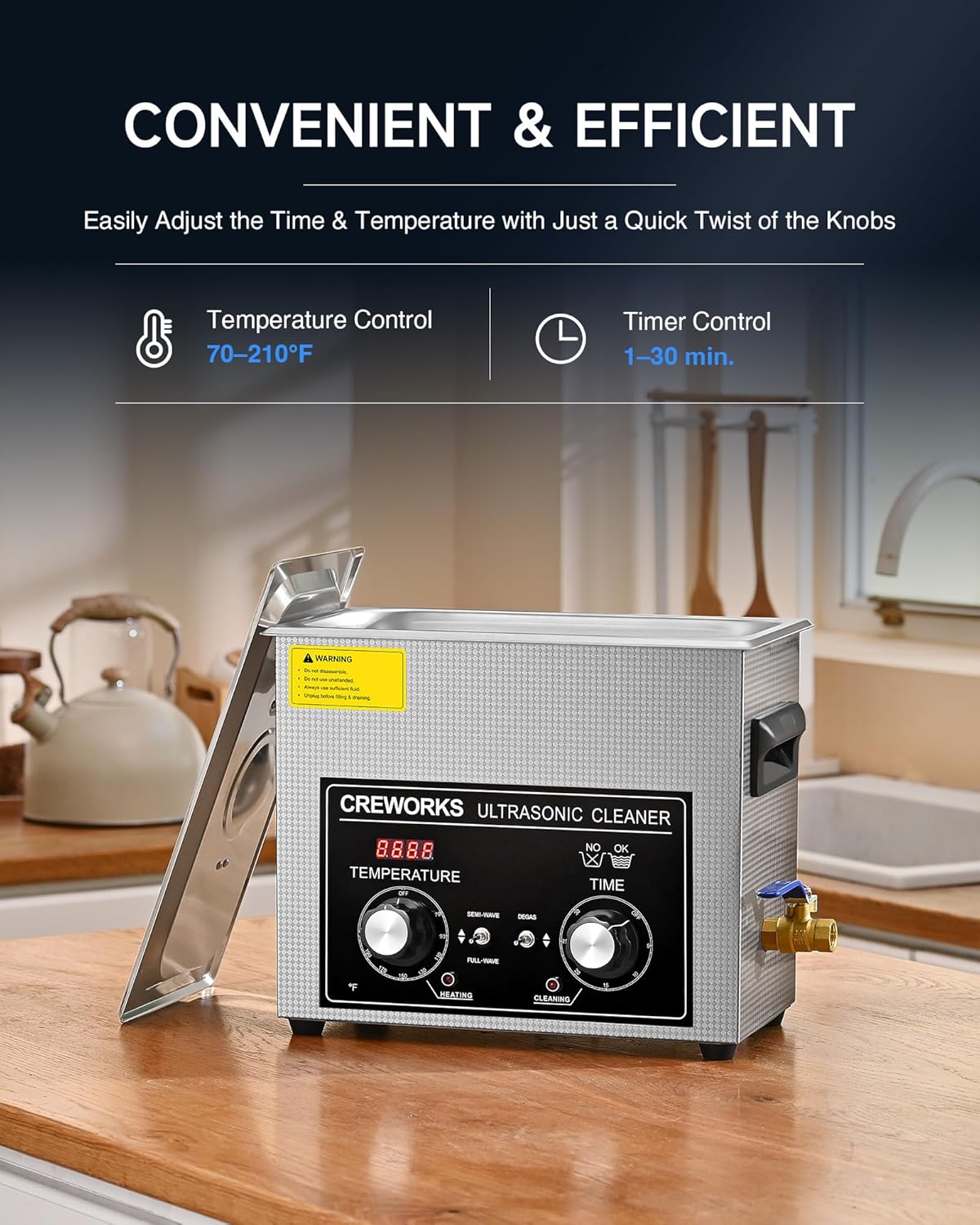
- Power On: Turn the main power switch to the 'ON' position. The digital display will illuminate.
- Set Temperature: Use the 'TEMP' knob to set the desired cleaning temperature. The temperature range is 70-210°F (20-100°C). Heating helps improve cleaning efficiency, especially for stubborn grime.
- Set Timer: Use the 'TIME' knob to set the cleaning duration. The timer can be set from 1 to 30 minutes. For delicate items, start with a shorter duration.
- Select Cleaning Mode:
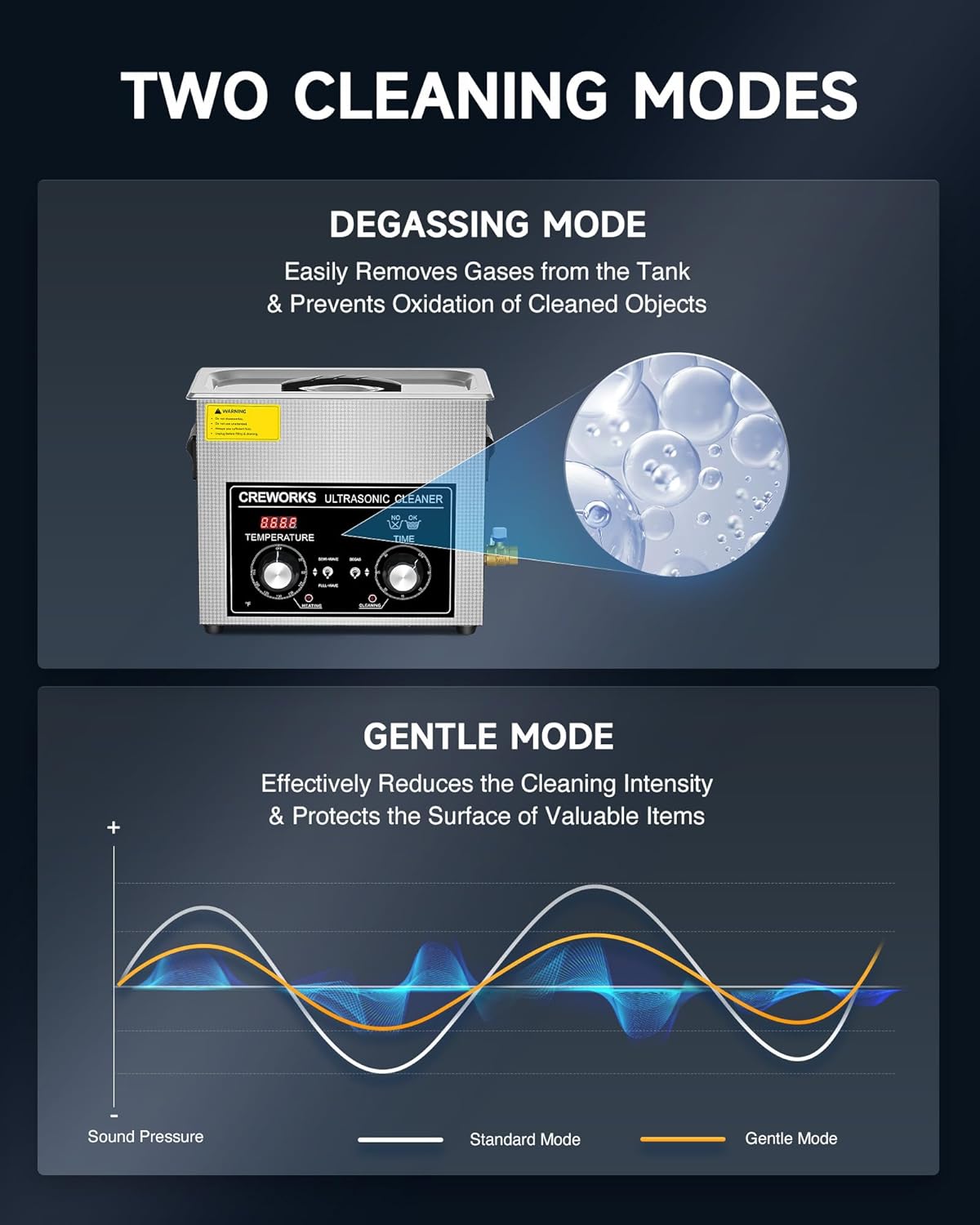
- Degas Mode: Press the 'DEGAS' button. This mode removes dissolved gases from the cleaning solution, which can improve ultrasonic efficiency and prevent oxidation of cleaned objects. It is recommended to run a degas cycle for a few minutes when using fresh solution.
- Gentle Mode: Press the 'GENTLE' button. This mode reduces the ultrasonic intensity, providing a softer cleaning action suitable for delicate or sensitive items that might be damaged by full power cavitation.
- Start Cleaning: Once temperature, time, and mode are set, press the 'ON/OFF' button to start the ultrasonic cleaning process. The unit will automatically stop when the timer expires.
- After Cleaning: Turn off the unit, unplug it, and carefully remove the cleaning basket. Rinse the cleaned items with clean water and dry them thoroughly.


6. Using the CREWORKS Heavy Duty Cleaner & Degreaser Solution
The included 34 fl oz CREWORKS Heavy Duty Cleaner & Degreaser solution is designed to enhance the cleaning power of your ultrasonic cleaner, particularly for stubborn grease, oil, and grime.

- Dilution: This is a concentrated solution. Dilute it with water at a 1:10 ratio (1 part solution to 10 parts water) before adding it to the ultrasonic cleaner tank.
- Applications: Ideal for cleaning engine parts, carburetors, gun parts, electronic components, bicycle chains, metals, and plastics. It effectively removes grease buildup, persistent residues, tight corner grime, and stubborn stains.
- Compatibility: Safe for use with most metals, alloys, and plastics. Always test on an inconspicuous area first if unsure.


7. Maintenance and Cleaning
- Draining the Tank: After each use, especially with cleaning solutions, drain the tank. Use the drain valve located on the side of the unit to empty the liquid into a suitable container.
- Cleaning the Tank: Rinse the stainless steel tank with clean water. Wipe the interior and exterior of the unit with a soft, damp cloth. Do not use abrasive cleaners or immerse the main unit in water.
- Storage: Ensure the unit is completely dry before storing. Store in a cool, dry place away from direct sunlight and moisture.
8. Troubleshooting
| Problem | Possible Cause | Solution |
|---|---|---|
| Unit does not power on | No power supply; Power cord loose; Main switch off | Check power outlet; Ensure power cord is securely plugged in; Turn main switch to 'ON' |
| Ultrasonic function not working | No liquid in tank; Timer not set; Unit overheated | Fill tank with liquid; Set timer; Allow unit to cool down |
| Poor cleaning results | Incorrect cleaning solution; Insufficient cleaning time/temperature; Overloaded tank; Degas cycle not performed | Use appropriate solution (e.g., CREWORKS Degreaser); Increase time/temperature; Do not overload; Run a degas cycle for fresh solution |
| Solution not heating | Heater not activated; Temperature set too low | Ensure temperature knob is set above ambient; Allow time for heating |
9. Specifications
- Model: CREWORKS 6L Ultrasonic Cleaner
- Tank Capacity: 6 Liters
- Ultrasonic Power: 180W
- Heating Power: 300W
- Ultrasonic Frequency: 40 kHz
- Temperature Control: 70-210°F (20-100°C)
- Timer Control: 1-30 minutes
- Modes: Degas, Gentle
- Cleaning Solution: CREWORKS Heavy Duty Cleaner & Degreaser (34 fl oz)
- ASIN: B0DYJCGRNQ
- Date First Available: February 26, 2025
10. Warranty and Support
For warranty information, technical support, or service inquiries, please refer to the official CREWORKS website or contact their customer service directly. Keep your purchase receipt as proof of purchase for warranty claims.


