
1. Introduction
This manual provides detailed instructions for the installation, operation, maintenance, and troubleshooting of your Blütezeit 1800lb Automatic Sliding Gate Opener, Model ME-GO-800-220V. Please read this manual thoroughly before installation and use to ensure safe and efficient operation of your gate opener system.
2. Safety Information
Your safety is paramount. Always adhere to the following safety guidelines:
- Ensure the gate area is clear of obstructions before operating the opener.
- The infrared sensor detects obstacles to prevent accidents. Do not disable or obstruct this sensor.
- The system features adjustable rebound force, causing the gate to reverse upon contact with an obstruction. Test this feature regularly.
- Overheating protection is integrated. If the motor overheats, it will temporarily shut down. Allow it to cool before resuming operation.
- Keep children and pets away from the gate area during operation.
- Only qualified personnel should perform electrical connections and complex repairs.
- Use the manual release keys only when necessary, such as during power outages.
3. Product Overview and Components
The Blütezeit 1800lb Automatic Sliding Gate Opener kit includes the following main components:
- Gate Motor Unit: The primary drive unit for the sliding gate.
- Steel Gear Racks: Eight pieces, each 1.64 ft long, totaling 13.12 ft, for smooth gate movement.
- Installation Kits: Includes a reinforced mounting base, side panels, and expansion screws for secure ground fixation.
- Remote Controls: Two 4-key remote controls with 12V 27A batteries, offering a 100ft operating range.
- Manual Release Keys: Two keys for disengaging the motor clutch during power failures or for manual operation.
- Infrared Beam Sensor: A safety sensor to detect obstacles in the gate's path.
- Magnetic Limit Switches: Two switches to define the open and closed positions of the gate.
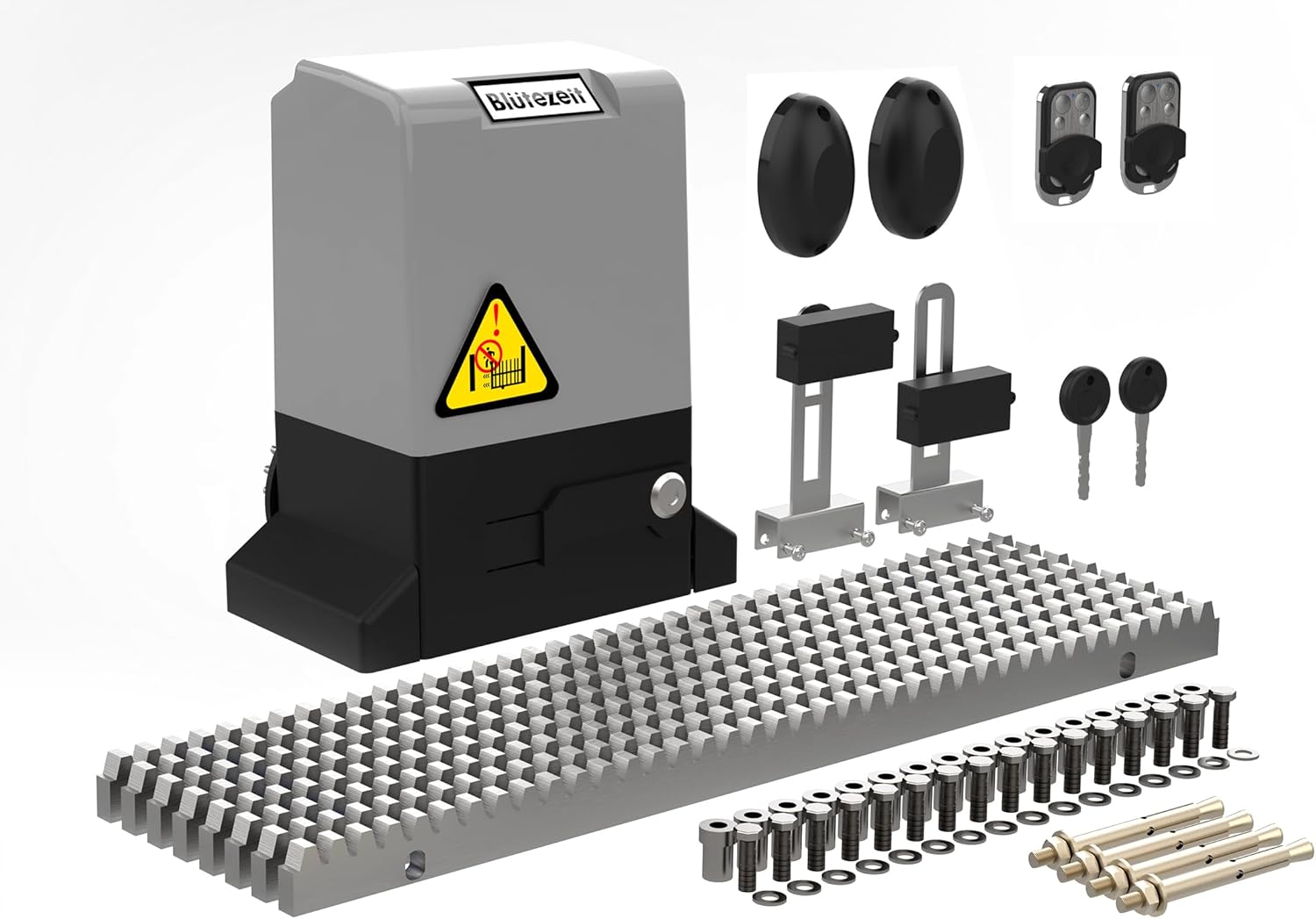
Figure 1: Main Gate Opener Unit

Figure 2: Blütezeit Sliding Gate Opener System
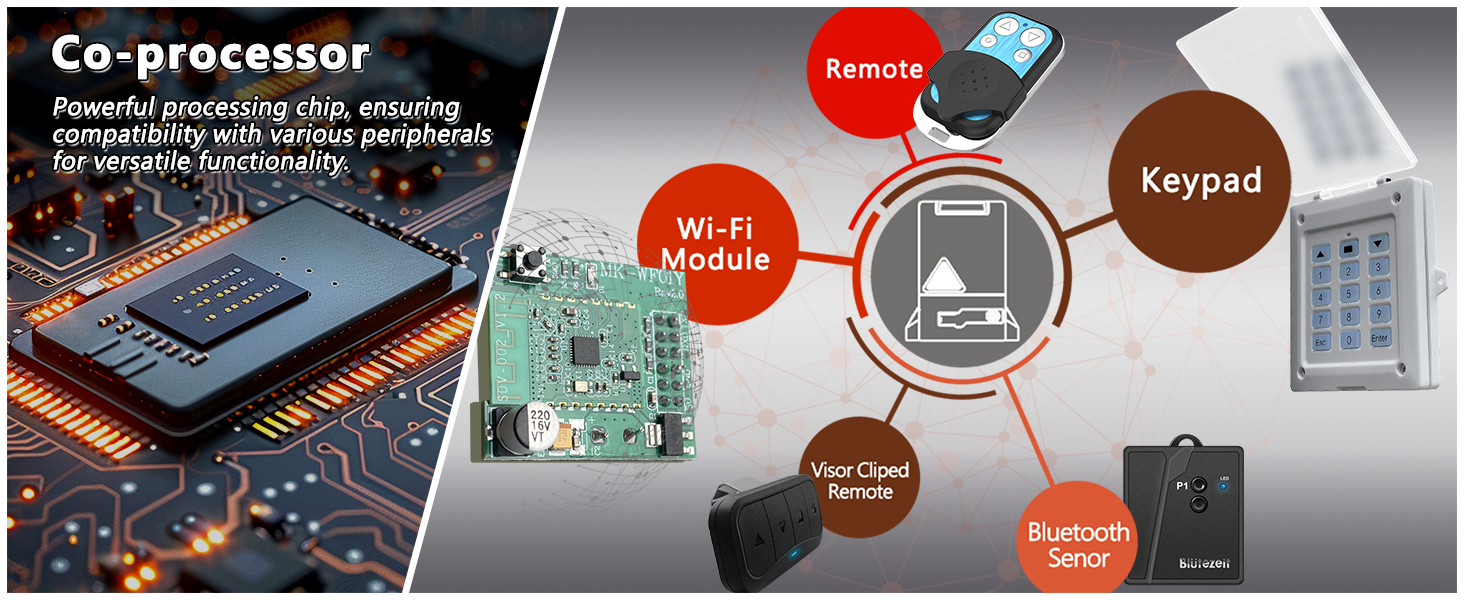
Figure 3: Included Accessories and Optional Modules
4. Specifications
| Feature | Specification |
|---|---|
| Model Number | ME-GO-800-220V |
| Voltage | 220~240V AC (50Hz/60Hz) |
| Motor Power | 370W (0.5 HP) |
| Max Gate Weight | 1800 lbs |
| Max Gate Length | 40 ft |
| Drive Type | Rack Driven (Steel) |
| Noise Level | ≤45 dB |
| Remote Control Range | Up to 100 ft |
| Operating Temperature | -13°F to 131°F (-25°C to 55°C) |
| Protection Rating | IP65 (Waterproof & Dustproof) |
| Item Weight | 43.3 pounds |
| Product Dimensions | 12 x 9.84 x 16.5 inches |
5. Setup and Installation
Proper installation is crucial for the performance and longevity of your gate opener. It is recommended that installation be performed by individuals comfortable with basic wiring and gate hardware.
- Prepare the Mounting Area: Ensure the mounting surface is level and stable. The opener should be positioned correctly relative to the gate's movement path.
- Install the Mounting Base: Secure the reinforced mounting base to the ground using the provided expansion screws. Ensure it is firmly anchored.
- Mount the Gate Motor Unit: Attach the gate motor unit to the installed mounting base.
- Attach Steel Gear Racks: Weld or bolt the steel gear racks to the bottom edge of your sliding gate. Ensure the racks are aligned evenly and maintain proper engagement with the motor's drive gear. The kit includes 8 racks and 16 bolts for this purpose.
- Install Magnetic Limit Switches: Position the two magnetic limit switches at the desired open and closed positions along the gate's path. These switches will signal the motor to stop at the correct endpoints.
- Connect Infrared Sensor: Install the infrared beam sensor across the gate opening. This sensor creates a safety beam that, if broken, will stop or reverse the gate to prevent collisions.
- Electrical Connection: Connect the gate opener to a 220-240V AC power source (50Hz/60Hz). All electrical connections should be performed according to local electrical codes and safety standards.
- Pair Remote Controls: Follow the instructions in the detailed user manual (included in the kit) to pair the remote controls with the gate opener.
Video 1: Easy DIY Installation Guide for Blütezeit 220V Sliding Gate Opener. This video provides a visual walkthrough of the installation process, from mounting the unit to setting up the safety features.

Figure 4: Rack-driven system installation detail.
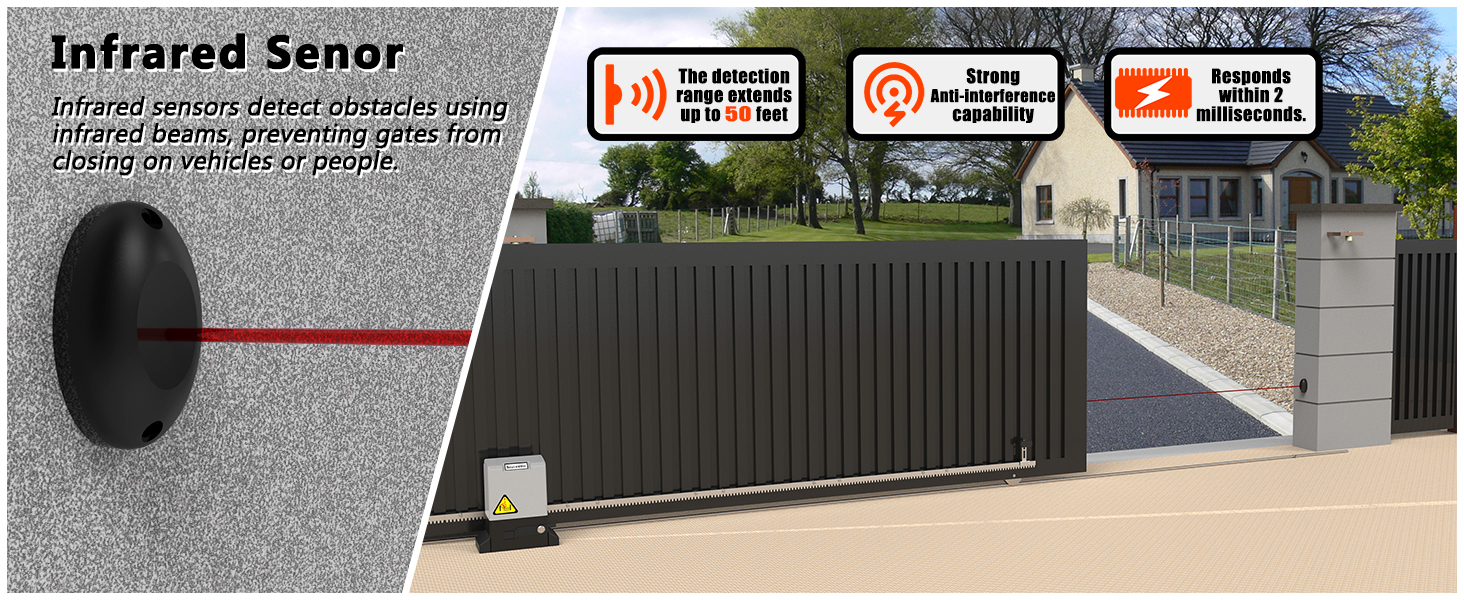
Figure 5: Infrared sensor setup for obstacle detection.
6. Operating Instructions
Once installed, operating your Blütezeit gate opener is straightforward:
- Remote Control Operation: Press the designated button on your remote control to open or close the gate. The remote has a range of up to 100 feet.
- Auto-Closing Feature: The gate opener can be programmed to close automatically after a set period (5s, 10s, or 20s). Refer to the full user manual for programming instructions.
- Manual Release: In case of a power outage or system malfunction, insert one of the provided manual release keys into the keyhole on the motor unit and turn it to disengage the clutch. This allows you to open or close the gate manually.
- Optional Wi-Fi Module: If you have purchased the optional Wi-Fi module (sold separately), you can control the gate via a smartphone app. Follow the Wi-Fi module's specific instructions for setup and operation.
Video 2: Blütezeit Automatic Sliding Gate Opener with Complete Kits. This video demonstrates the gate opener in action, showcasing its smooth operation and the use of remote controls.

Figure 6: Optional Wi-Fi Module for App Control.
7. Maintenance
The Blütezeit gate opener is designed for low maintenance, but regular checks ensure optimal performance and longevity:
- Clean Gear Racks: Periodically inspect and clean the steel gear racks to remove any debris, dirt, or leaves that could impede smooth operation.
- Check Alignment: Ensure the gate and gear racks remain properly aligned with the motor unit. Misalignment can cause excessive wear and reduce efficiency.
- Inspect Sensors: Keep the infrared sensors clean and free from obstructions. Test their functionality regularly.
- Lubrication: While the steel racks are virtually maintenance-free, occasional light lubrication of moving parts (excluding the drive gear) can extend their lifespan. Consult the full user manual for specific lubrication points.
- Power Supply: Ensure the power supply connections are secure and free from corrosion.
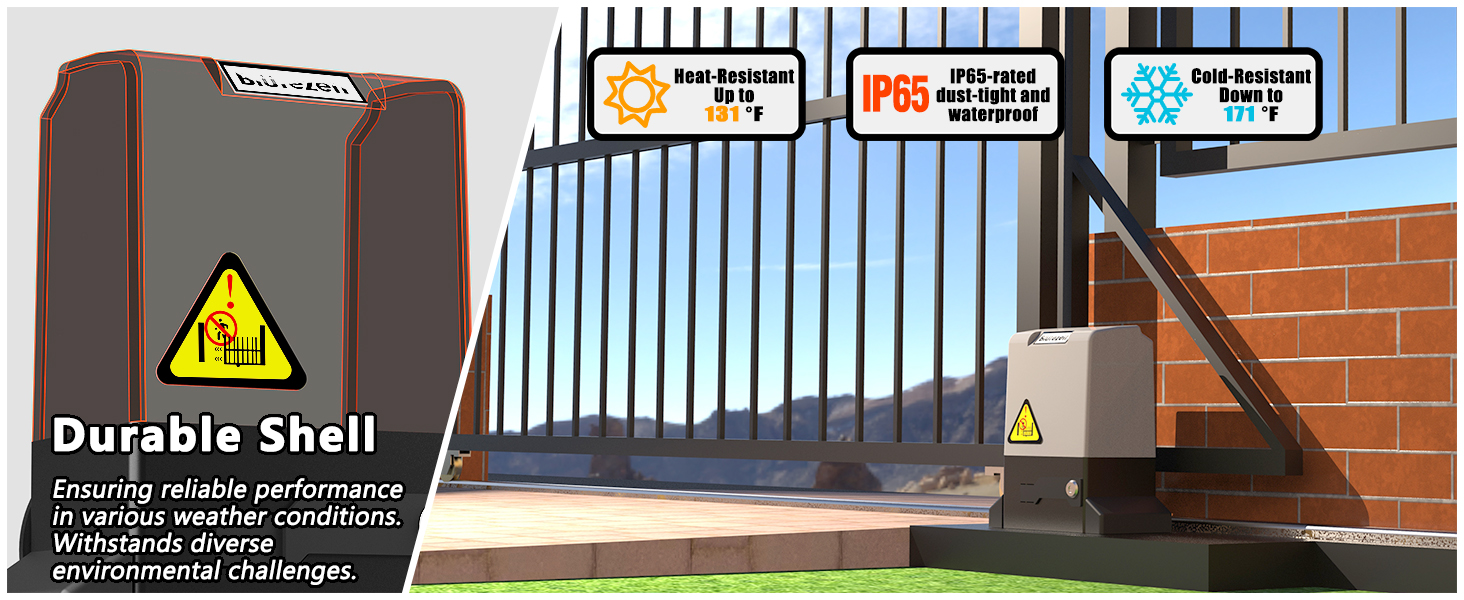
Figure 7: Weatherproof design for reliable operation.
8. Troubleshooting
If you encounter issues with your gate opener, refer to the following common troubleshooting steps:
| Problem | Possible Cause | Solution |
|---|---|---|
| Gate does not move | No power, remote battery dead, manual release engaged, safety sensor obstructed. | Check power supply, replace remote battery, disengage manual release, clear sensor path. |
| Gate stops unexpectedly | Obstruction detected by IR sensor, motor overheating, limit switch issue. | Clear obstruction, allow motor to cool, check limit switch positions. |
| Remote control not working | Battery dead, remote out of range, remote not paired. | Replace battery, move closer to opener, re-pair remote (refer to manual). |
| Gate is noisy during operation | Debris on gear racks, misalignment, worn components. | Clean racks, check alignment, inspect for worn parts. |
For more complex issues or if troubleshooting steps do not resolve the problem, please contact technical support.
9. Technical Support and Warranty
Blütezeit offers lifetime technical support for your gate opener. If you require assistance with installation, operation, or troubleshooting, our team is available to provide prompt and professional guidance.
For further information on accessories or to contact support, please visit the official Blütezeit store on Amazon or refer to the contact details provided in your product packaging.

Figure 8: Blütezeit Technical Support Information.


