
Introduction
Welcome to your new Vonesse Gaming Chair. This manual provides essential information for assembly, operation, maintenance, and troubleshooting to ensure optimal use and longevity of your chair. Please read through these instructions carefully before using your product.
Safety Information
- Ensure all parts are present and undamaged before assembly.
- Follow assembly instructions carefully. Improper assembly can lead to injury.
- Do not stand on the chair.
- Do not use the chair for purposes other than its intended use (gaming/office seating).
- Keep children and pets away from moving parts during adjustment.
- Maximum weight capacity: 300 Pounds. Do not exceed this limit.
- Includes safety warnings for proper use and assembly of adjustable features.
Product Features
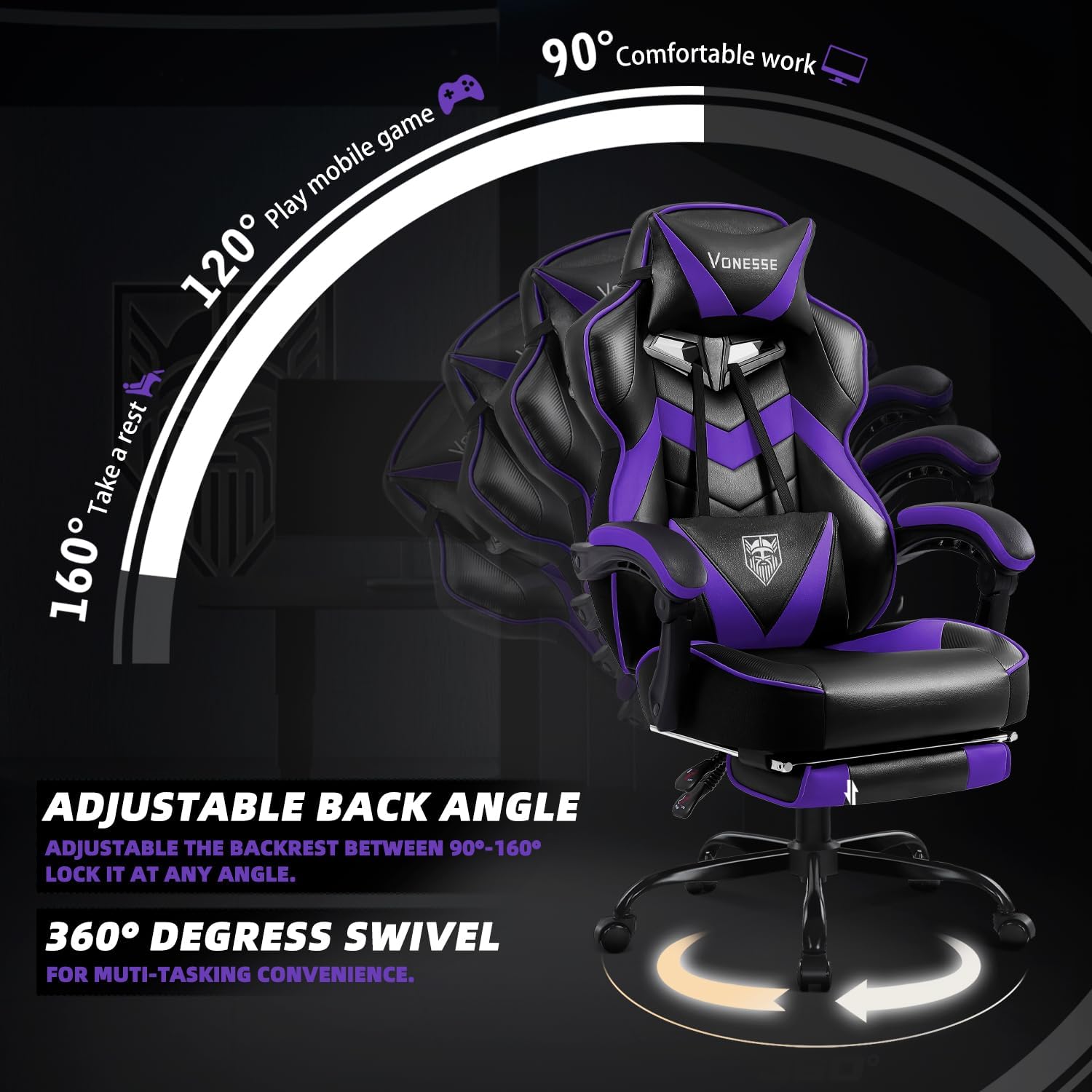
- Reclining mechanism: Adjusts from 90° to 160°.
- Detachable lumbar support with massage function.
- Adjustable height.
- 360-degree swivel casters.
- Adjustable headrest.
- Retractable footrest.
- Advanced pocket spring cushion.
- Wingless seat design for ample sitting space.
- Durable PU and carbon fiber leather.
- High-density, resilient sponge padding.
Visual Overview

An overview of the Vonesse Gaming Chair in a typical gaming environment, highlighting its design and presence.

A graphic illustrating key features such as ergonomic high back, soft armrest, retractable footrest, and lumbar support with massage.
Setup and Assembly
Your Vonesse Gaming Chair comes with all necessary tools and step-by-step instructions for assembly. Please refer to the included printed manual for detailed diagrams and instructions.
Assembly Video
This video demonstrates the assembly process for the Vonesse Gaming Chair, showing how to put together the various components.
Operating Instructions
Adjusting Chair Height
Locate the lever on the right side beneath the seat. Pull the lever upwards while seated to lower the chair, or pull it upwards while standing to raise the chair. Release the lever to lock the height.
Reclining the Backrest
To recline, pull the lever on the left side of the seat upwards and lean back to your desired angle (between 90° and 160°). Release the lever to lock the backrest in position.

A visual guide demonstrating the adjustable backrest angles from 90 to 160 degrees and the 360-degree swivel function.
Using the Footrest
Pull the footrest out from under the seat. Extend it to your desired length. Push it back under the seat when not in use.
Lumbar Support with Massage
The detachable lumbar support cushion includes a built-in massage function. Connect the USB cable from the cushion to a power source (e.g., USB port on a computer or power bank) to activate the massage. Adjust the position of the lumbar cushion for optimal comfort.
Adjusting Armrests
The armrests are designed to move with the recline of the chair.
A close-up image highlighting the designed linkage armrests that adjust with the chair's recline.
Maintenance
- Cleaning: Wipe the PU and carbon fiber leather surfaces with a damp cloth. Avoid harsh chemicals.
- Casters: Periodically check and clean the 360-degree swivel casters to ensure smooth movement.
- Fasteners: Ensure all screws and bolts are tightened regularly to maintain stability.
- Padding: The high-density sponge and pocket spring cushion are designed for durability. Avoid sharp objects that could puncture the material.
Troubleshooting
Chair not adjusting height
Ensure the height adjustment lever is fully engaged. Check if the gas lift cylinder is properly installed and undamaged.
Backrest not reclining
Verify that the recline lever is functioning correctly and not obstructed.
Footrest not extending/retracting smoothly
Check for any obstructions or debris in the footrest mechanism. Apply a silicone-based lubricant if necessary.
Massage function not working
Ensure the USB cable is securely connected to a working power source. Check for any damage to the cable or the massage unit.
Specifications
| Feature | Detail |
|---|---|
| Brand | Vonesse |
| Model Number | 7fbbca27-0ea0-4037-b3f2-bfeb819d5ef8 |
| Color | Purple/Black |
| Product Dimensions | 21.65"D x 26.78"W x 49.6"H |
| Material | Faux Leather, Sponge |
| Maximum Weight Recommendation | 300 Pounds |
| Reclining Angle | 90° to 160° |
| Special Features | Adjustable Height, Ergonomic, Foot Rest, Massage, Reclining |
| Recommended Uses | Gaming, Office |

A diagram providing precise measurements and recommended user specifications for the Vonesse Gaming Chair.
Warranty and Support
Vonesse offers a 30-day replacement policy and a 1-year repair service for this product. For any inquiries or support, please contact Vonesse customer service.
For further assistance, visit the official Vonesse store: Vonesse Store
