
1. Introduction
This manual provides essential information for the safe and efficient use of your DOOGEE Blade 20 Turbo AI 5G Rugged Phone. Please read it thoroughly before operating your device.
The DOOGEE Blade 20 Turbo is designed for durability and performance, featuring a robust build, advanced 5G connectivity, and intelligent AI capabilities.
2. Setup
2.1. SIM Card and TF Card Installation
The device supports a 3-card slot configuration: two Nano-SIM cards and one TF (microSD) card for expanded storage.
- Locate the SIM card tray on the side of the phone.
- Use the provided SIM ejector tool to open the tray.
- Carefully place your Nano-SIM cards and/or TF card into the designated slots. Ensure correct orientation as indicated on the tray.
- Gently push the tray back into the phone until it is flush with the device body.
2.2. Initial Charging and Power On
Before first use, fully charge your device.
- Connect the Type-C USB cable to the phone's charging port.
- Connect the other end of the cable to the 33W charger and plug it into a power outlet.
- Once sufficiently charged, press and hold the Power button (usually on the right side) until the DOOGEE logo appears.
- To power off, press and hold the Power button, then select "Power off" from the options.
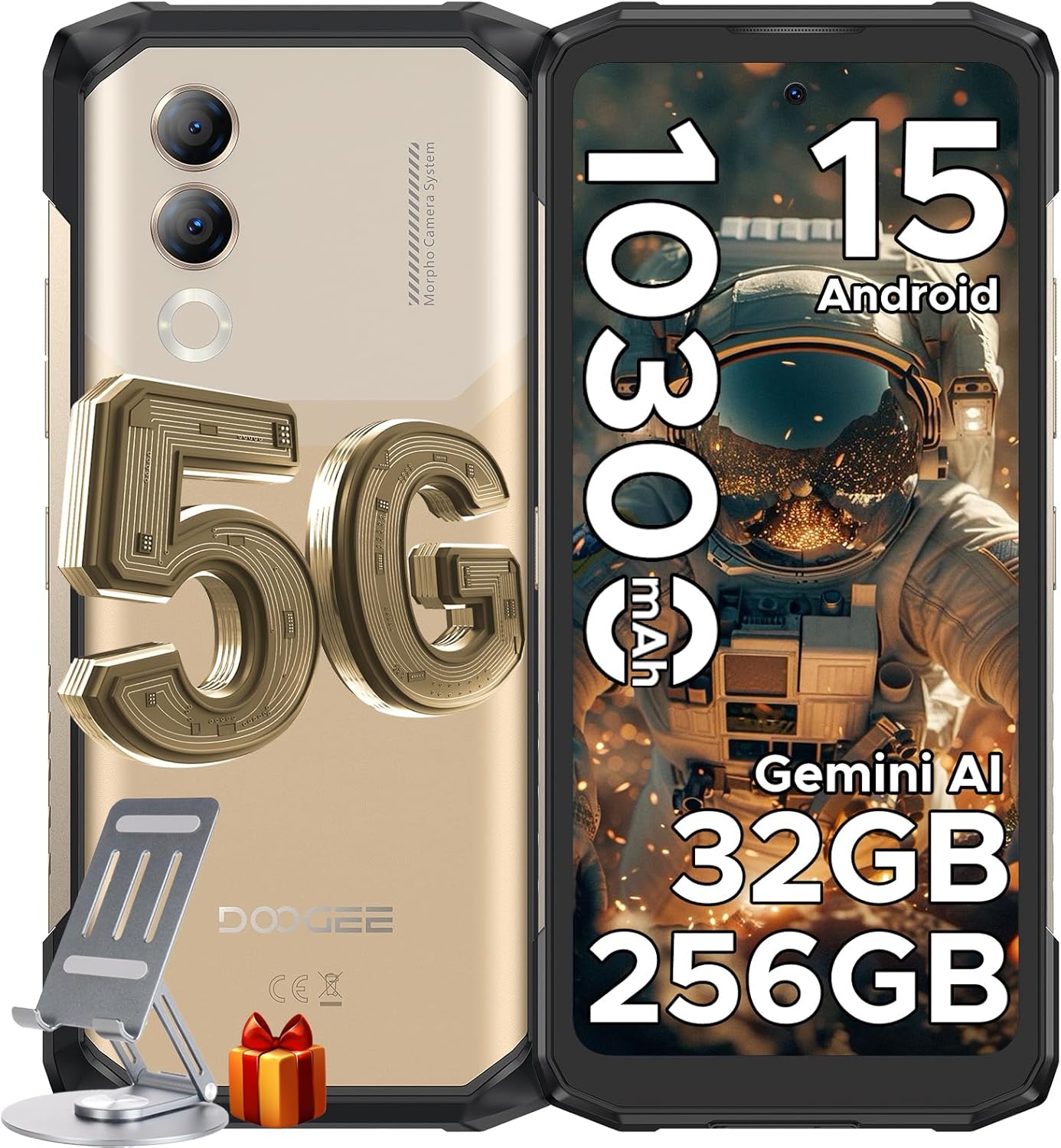
Image: The DOOGEE Blade 20 Turbo phone, showcasing its front and back, alongside a phone stand and a gift box.
3. Operating Instructions
3.1. Android 15 Operating System
The Blade 20 Turbo runs on the latest Android 15 operating system, offering enhanced security features and optimized application launch speeds for a smoother user experience.

Image: A visual representation of the Android 15 operating system interface on the DOOGEE Blade 20 Turbo, displaying various app icons.
3.2. Gemini AI Features
The device integrates Gemini AI, providing a range of functionalities to assist with daily tasks and learning:
- Content Creation: Generate text, write papers, summarize articles.
- Image Creation: Generate images based on text prompts.
- Code Development: Write code, explain logic, debug errors, and suggest optimizations.
- Language Learning: Support translation, grammar explanations, and language practice.
- Smart Assistant: Answer questions, provide real-time weather, and assist with daily troubleshooting.

Image: A diagram illustrating the various functions of Gemini AI, including content creation, language learning, smart assistant, code development, and image analysis.
3.3. Display and Interaction
The Blade 20 Turbo features a 6.6-inch HD+ IPS Notch-less Punch Display with a 90Hz refresh rate, providing a smooth and immersive visual experience.
- Glove Mode 2.0: Increased touch sensitivity by 30%, allowing for comfortable use while wearing gloves.
- Smart Sensing: Motion-sensing for answering calls, ringing, and muting.
- Super Clipboard: Enhanced clipboard functionality.
- App Cloning: Run multiple instances of applications.
- Split-screen Mode: Use two applications simultaneously.
- Screen Sensing: Advanced screen interaction features.
- Real-time Subtitle: Provides real-time subtitles for media content.
- Video Display Enhancement: Improves video quality.

Image: The 6.6-inch 90Hz Notch-less Punch Display of the DOOGEE Blade 20 Turbo, showing a high-resolution image on screen.
3.4. Camera Functions
The device is equipped with a versatile camera system:
- Rear Camera: 50MP Main Camera + 2MP Macro Camera.
- Front Camera: 16MP.
- Shooting Modes: Includes 360-degree panorama, HDR, Portrait, Beauty, Filter, Pro Mode, Time-lapse, Anti-flicker, and Burst Mode.
- AI Recognition: The rear dual cameras can automatically identify 12 independent scenarios for optimized photography.
- Underwater Camera: Allows for capturing photos and videos in aquatic environments.

Image: A visual breakdown of the DOOGEE Blade 20 Turbo's camera system, highlighting the 16MP front camera, 50MP main camera, and 2MP macro camera.
3.5. Unlocking Methods
The phone offers secure and convenient unlocking options:
- Face ID: Uses the front camera for facial recognition.
- Side Fingerprint Unlock: A fingerprint sensor integrated into the side power button.
3.6. Connectivity
The device supports various connectivity options:
- 5G Network: High-speed cellular connectivity.
- Wi-Fi 6: Advanced wireless internet connection.
- NFC: Near Field Communication for contactless payments and data exchange.
- Navigation: Supports GPS, Glonass, Galileo, and Beidou for accurate positioning.
4. Key Features
4.1. Processor and Performance
The DOOGEE Blade 20 Turbo is powered by the Dimensity 7050 5G Octa-core Processor, built on a 6nm process. It features a 2.6GHz Arm Cortex-A78 performance core, ensuring fast application response times and smooth gaming, while maintaining energy efficiency.

Image: A diagram illustrating the Dimensity 7050 5G Octa-core Processor, highlighting its 6nm processing, 5G technology, and up to 32GB RAM (8GB basic + 24GB virtual).
4.2. Memory and Storage
The device offers substantial memory and storage capabilities:
- RAM: 8GB physical RAM, expandable to an additional 24GB of virtual memory (total 32GB). Utilizes LPDDR5 technology for higher rates and lower power consumption.
- ROM: 256GB internal storage.
- Expandable Storage: Supports up to 2TB via TF card (purchased separately).
4.3. Battery Life and Charging
Equipped with a large 10,300mAh battery, the Blade 20 Turbo provides extended usage:
- Up to 14.5 hours of continuous movie watching.
- Up to 31 hours of music playback.
- Supports 33W fast charging for quick recharges.
- Features reverse charging to power other devices.

Image: An internal view of the DOOGEE Blade 20 Turbo, highlighting the 10300mAh battery and 33W fast charging capability, with icons indicating usage times and features.
4.4. Durability and Design
The Blade 20 Turbo is built to withstand challenging environments:
- Rugged Standards: IP68/IP69K rated for water and dust resistance, and MIL-STD-810H certified for military-grade durability.
- Construction: Features an Aviation-grade Aluminum Titanium Alloy Frame for compression resistance, high-temperature resistance, and a low-density, lightweight profile.
- Slim Body: Despite its ruggedness, it maintains an ultra-slim 15.8mm body for a comfortable grip.

Image: The DOOGEE Blade 20 Turbo demonstrating its IP68/IP69K waterproof, dust-proof, and drop-proof capabilities in various outdoor settings.
5. Maintenance
5.1. General Care
- Keep the device clean using a soft, dry cloth. Avoid abrasive materials.
- Ensure all port covers are securely closed to maintain water and dust resistance.
- Avoid exposing the device to extreme temperatures beyond its specified operating range (-40°C to 70°C) for prolonged periods.
- Do not attempt to disassemble the device, as this will void the warranty and may cause damage.
5.2. Cleaning
For general cleaning, wipe the phone with a slightly damp, lint-free cloth. For stubborn dirt, a mild soap solution can be used, followed by a rinse with clean water (ensuring all ports are sealed) and thorough drying.
6. Troubleshooting
6.1. Network Compatibility
Important Note:
Before purchasing or using the device, ensure compatibility with your local network frequency bands. Supported bands include: GSM:B2/3/5/8; WCDMA:B1/2/4/5/8; TDD:B34/38/39/40/41; FDD:1/2/3/4/5/7/8/12/17/18/19/20/25/26/28AB/66; NR:N1/N3/N7/N8/N28/N38/N41/N77/N78. In some regions, particularly in the US, certain carriers may have limited compatibility.
6.2. Common Issues
- Device not powering on: Ensure the battery is charged. Connect to the charger and wait a few minutes before attempting to power on again.
- Apps crashing or freezing: Close background applications. Clear the cache of the problematic app or reinstall it. If the issue persists, consider a factory reset (back up your data first).
- Poor signal reception: Check your SIM card installation. Ensure you are within network coverage. Contact your service provider if issues persist.
- Slow performance: Close unnecessary apps. Clear storage space. Restart the device.
7. Specifications
| Feature | Specification |
|---|---|
| Model Name | Blade 20 Turbo |
| Operating System | Android 15 |
| Processor | Dimensity 7050 5G Octa-core (2.6 GHz CPU Speed) |
| RAM | 32 GB (8GB physical + 24GB virtual) |
| Internal Storage | 256 GB |
| Expandable Storage | Up to 2TB (TF card) |
| Screen Size | 6.6 Inches |
| Refresh Rate | 90 Hz |
| Rear Camera | 50 MP Main + 2 MP Macro |
| Front Camera | 16 MP |
| Battery Capacity | 10300 mAh |
| Charging | 33W Fast Charging, Reverse Charging |
| Durability | IP68/IP69K, MIL-STD-810H |
| Connectivity | 5G, Wi-Fi, NFC, GPS |
| Audio Jack | Type C |
| Dimensions | 7.56 x 4.06 x 2.32 inches |
| Item Weight | 1.28 pounds |
8. What's in the Box
The DOOGEE Blade 20 Turbo package includes:
- 1 x Blade 20 Turbo Rugged Phone
- 1 x Type-C USB Cable
- 1 x 33W Charger
- 1 x Screen-printed Protective Film (Pre-applied)
- 1 x Anti-explosion film
- 1 x Packing Box

Image: A visual display of the contents included in the DOOGEE Blade 20 Turbo retail package, such as the phone, charger, cables, and protective films.
9. Warranty and Support
For warranty information and technical support, please refer to the documentation provided with your purchase or visit the official DOOGEE website. Keep your proof of purchase for warranty claims.


