
Introduction
This manual provides comprehensive instructions for the installation, operation, and maintenance of your Aigostar Mesh Smart LED Ceiling Light. Please read this manual thoroughly before installation and use to ensure proper function and safety. This smart ceiling light features Bluetooth Mesh technology, offering dimmable lighting, adjustable color temperature (3000K-6500K), RGB color options, and compatibility with Amazon Alexa for convenient control.
Safety Information
- Always turn off the main power supply before attempting any installation, maintenance, or cleaning.
- Installation should be performed by a qualified electrician to prevent electric shock or fire hazards.
- Ensure the voltage supply matches the product's requirements (220V AC).
- Do not disassemble or modify the product. Unauthorized modifications may void the warranty and pose safety risks.
- This product has an IP44 rating, meaning it is protected against solid objects larger than 1mm and splashing water from any direction. It is not suitable for direct water immersion or high-pressure water jets.
- Keep the product away from flammable materials and extreme temperatures.
Package Contents
Verify that all components are present in the package:
- Aigostar Mesh Smart LED Ceiling Light (1 unit)
- Remote Control
- Instruction Manual
- Mounting Hardware (screws, wall plugs)

Aigostar Mesh Smart LED Ceiling Light with remote control, Amazon Echo device, and smartphone app interface, demonstrating smart control capabilities.
Specifications
| Feature | Specification |
|---|---|
| Brand | Aigostar |
| Model Number | AL-RCI036FC5-BM |
| Dimensions | Ø49.5 cm x 6.8 cm |
| Weight | 2.25 kg |
| Power Consumption | 36W |
| Luminous Flux | 3960 LM |
| Color Temperature | 3000K-6500K (Warm White to Cool White) |
| Color Options | RGB (16 Million Colors) |
| Dimmable | Yes (1% to 100%) |
| Voltage | 220V AC |
| IP Rating | IP44 |
| Special Features | Color Changing, Dimmable, Energy Saving, Timer |
| Connectivity | Bluetooth Mesh 5.0 |
| Certification | CE, RoHS |
| Energy Efficiency Class | E |

Technical drawing showing the dimensions of the Aigostar smart ceiling light: diameter 49.5cm and height 6.8cm.

EU Energy Label for the Aigostar AL-RCI036FC5-BM LED ceiling light, indicating an energy efficiency class of E and 36 kWh/1000h consumption. For more details, visit the EPREL database.
Setup
1. Installation
- Power Off: Before starting, ensure the main power supply to the installation area is turned off at the circuit breaker.
- Mounting: Secure the mounting bracket to the ceiling using the provided screws and wall plugs. Ensure the bracket is firmly attached.
- Wiring: Connect the live, neutral, and ground wires from your ceiling to the corresponding terminals on the light fixture. Ensure all connections are secure and insulated.
- Attach Fixture: Carefully attach the ceiling light fixture to the mounting bracket, ensuring it is securely fastened.
- Power On: Restore power at the circuit breaker.
Note: If you are unsure about electrical wiring, consult a qualified electrician.
2. Initial Connection (Bluetooth Mesh)
The Aigostar Mesh Smart LED Ceiling Light utilizes Bluetooth Mesh 5.0 protocol for stable and fast connections.

Diagram illustrating the Bluetooth Mesh network technology, showing multiple Aigostar smart devices communicating with each other in a room.
Option A: Direct Connection with Amazon Echo (Recommended)
If you have an Amazon Echo device (2nd generation or later), you can connect the light directly without needing the AIGOSMART app or a separate gateway.
- Ensure your Amazon Echo device is set up and connected to your Wi-Fi network.
- Install the Aigostar Mesh Smart LED Ceiling Light as described above.
- Say, "Alexa, discover my devices." Your Echo device will search for new smart lights.
- Once discovered, you can control the light using voice commands via Alexa or through the Alexa app.

A person interacting with an Amazon Echo device to control the Aigostar smart ceiling light, highlighting quick Alexa Echo connection.
Option B: Connection via AIGOSMART App and Smart Gateway (If no Alexa Speaker)
If you do not have an Alexa speaker and wish to control the light via the Alexa app, you will need an Aigostar Smart Gateway (sold separately).
- Download the AIGOSMART app from your smartphone's app store.
- Set up your Aigostar Smart Gateway according to its instructions and connect it to the AIGOSMART app.
- In the AIGOSMART app, add the Aigostar Mesh Smart LED Ceiling Light. Follow the in-app instructions for pairing.
- Once connected in AIGOSMART, enable the Aigostar skill in the Alexa app (Skills & Games section) and link your AIGOSMART account.
- Discover devices in the Alexa app. You can now control the light via the Alexa app.
Operating Instructions

Infographic detailing the key parameters and functions of the Aigostar smart ceiling light.
1. Brightness and Color Adjustment
The light offers extensive customization:
- Brightness: Adjust from 1% to 100% (up to 3960 lumens).
- Color Temperature: Select between 3000K (warm white) and 6500K (cool white).
- RGB Colors: Choose from 16 million RGB colors to create various ambiances.
These adjustments can be made via the Alexa app, AIGOSMART app (if using gateway), or the included remote control.

Visual representation of adjusting the brightness and color temperature of the Aigostar smart ceiling light.
2. Dynamic Modes
The light features 14 dynamic modes, providing various lighting effects for different occasions. These modes can be selected through the app or remote control.
3. Voice Control (with Amazon Alexa)
Once connected to Alexa, use simple voice commands:
- "Alexa, turn on [Light Name]."
- "Alexa, turn off [Light Name]."
- "Alexa, set [Light Name] to 50% brightness."
- "Alexa, change [Light Name] to warm white."
- "Alexa, set [Light Name] to blue."
4. Remote Control
The included remote control allows for quick adjustments:
- ON/OFF: Power the light on or off.
- Brightness: Increase or decrease light intensity.
- Color Temperature: Cycle through warm, neutral, and cool white.
- RGB Colors: Select specific colors or cycle through color modes.
- Dynamic Modes: Activate pre-set lighting effects.
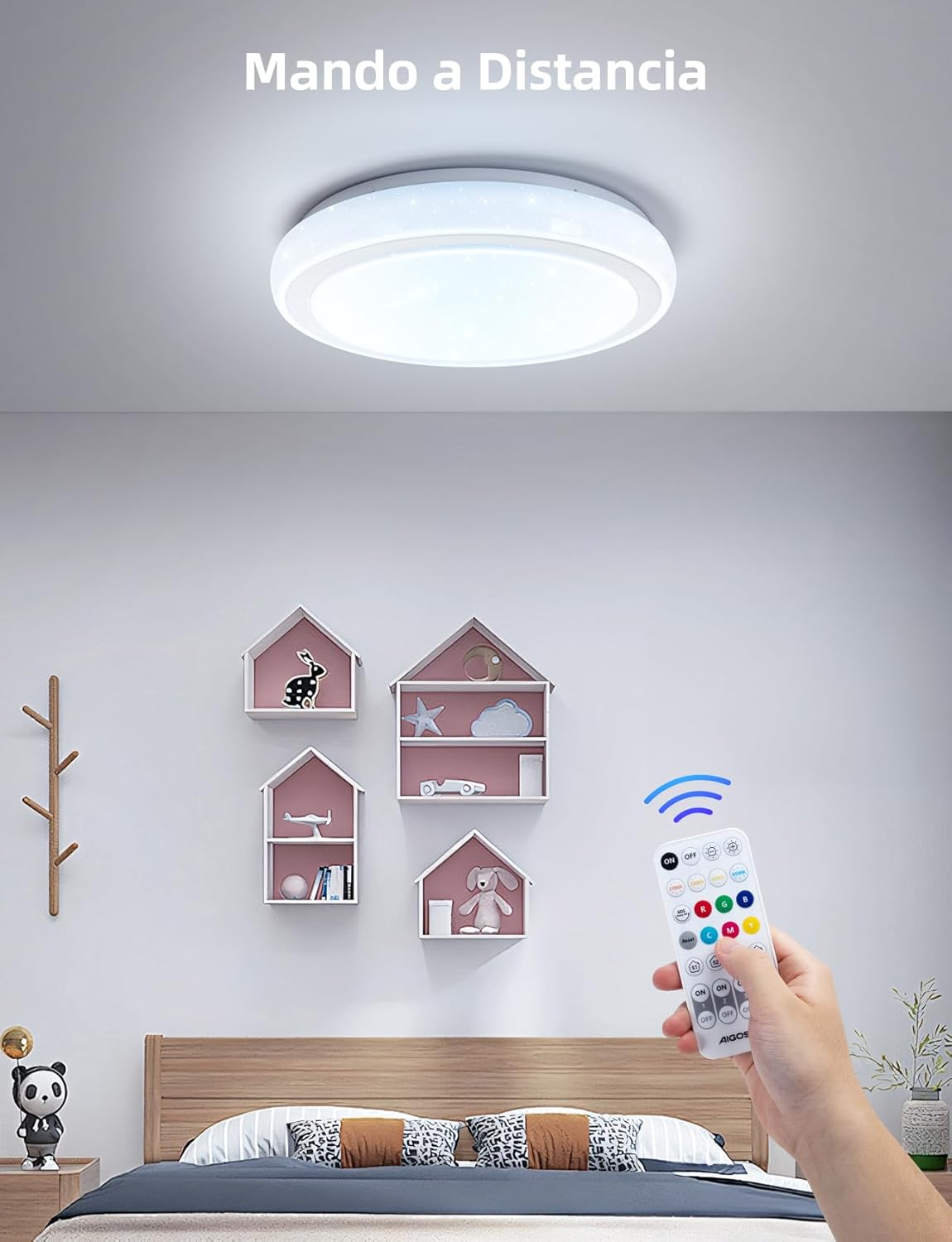
A hand holding the remote control for the Aigostar smart ceiling light, demonstrating its use to adjust the light in a bedroom setting.
5. Group Control and Timer Function
Through the Alexa app or AIGOSMART app, you can:
- Group Control: Group multiple Aigostar smart lights together to control them simultaneously.
- Timer Function: Set schedules for the light to turn on or off at specific times, enhancing convenience and energy saving.

A smartphone screen displaying the timing function for the Aigostar smart ceiling light, with examples of scheduled on/off times, alongside an illustration of group control across multiple rooms.
Maintenance
- Cleaning: Ensure the power is off before cleaning. Wipe the light fixture with a soft, dry, or slightly damp cloth. Do not use abrasive cleaners, solvents, or harsh chemicals, as these can damage the finish or electrical components.
- Bulb Replacement: The LED light source is integrated and not user-replaceable. Do not attempt to open the fixture to replace bulbs.
- Inspection: Periodically check for any signs of damage or loose connections. If any issues are found, discontinue use and contact customer support.
Troubleshooting
| Problem | Possible Cause | Solution |
|---|---|---|
| Light does not turn on. | No power supply; Loose wiring; Faulty fixture. | Check circuit breaker; Verify wiring connections; Contact support if fixture is faulty. |
| Cannot connect to Alexa/App. | Incorrect pairing procedure; Incompatible Echo device; Bluetooth disabled; Gateway issue (if applicable). | Ensure Echo is 2nd gen or later; Re-attempt pairing process; Check Bluetooth on device; Verify Aigostar Smart Gateway setup and app connection. |
| Light flickers or behaves erratically. | Unstable power supply; Loose connection; Interference. | Check power source stability; Inspect wiring connections; Reduce potential interference sources. |
| Light makes a whistling noise. | Internal component issue. | The light should operate silently. If a noticeable whistling noise occurs, discontinue use and contact customer support for assistance. |
| Remote control not working. | Battery depleted; Obstruction; Out of range. | Replace remote control battery; Ensure clear line of sight; Operate within effective range. |
Warranty and Support
The Aigostar Mesh Smart LED Ceiling Light is covered by a standard manufacturer's warranty. Please refer to the warranty card included with your purchase or visit the Aigostar official website for detailed warranty terms and conditions.
For technical support, troubleshooting assistance, or warranty claims, please contact Aigostar customer service through their official channels. Keep your purchase receipt and model number (AL-RCI036FC5-BM) handy when contacting support.


