
1. Introduction
This manual provides essential information for setting up, operating, and maintaining your Samsung Galaxy A56 5G smartphone. Please read this guide thoroughly to ensure proper use and to maximize the device's features.

Image: Front and back view of the Samsung Galaxy A56 5G smartphone.
2. What's in the Box
Verify that all items are present in your product packaging:
- Smartphone
- Data Cable (USB-C to USB-C)
- SIM Ejection Pin
- Quick Start Guide

Image: Contents of the Samsung Galaxy A56 5G box, including smartphone, data cable, and SIM ejection pin.
3. Setup
3.1. Inserting the SIM Card
- Locate the SIM card tray on the side of your device.
- Insert the SIM ejection pin into the small hole next to the tray to open it.
- Place your Nano-SIM card(s) into the tray with the gold contacts facing down. The device supports Dual SIM.
- Carefully push the tray back into the slot until it clicks into place.
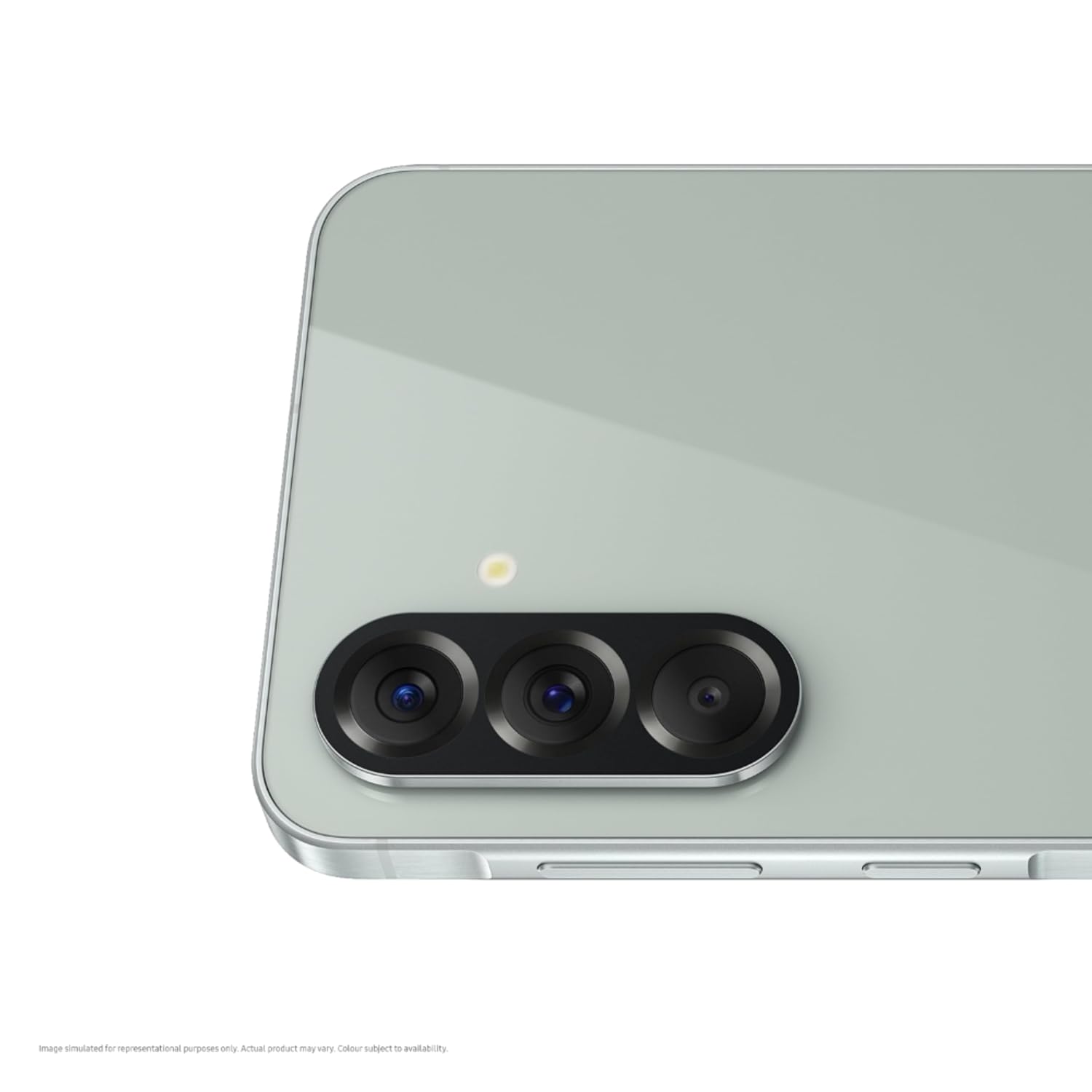
Image: Close-up view of the SIM card tray location on the device.
3.2. Initial Power On
Press and hold the Power/Side key until the Samsung logo appears. Follow the on-screen instructions to complete the initial setup, including language selection, Wi-Fi connection, and Google account setup.
3.3. Data Transfer with Smart Switch
To transfer data from your old device, use Samsung Smart Switch. This application allows you to transfer contacts, photos, messages, and more from Android or iOS devices. Download Smart Switch from the Galaxy Store or Google Play Store.

Image: Screenshot illustrating the Smart Switch application for data transfer.
4. Operating Your Device
4.1. Camera Features
The Galaxy A56 5G features a versatile triple camera system and an advanced front camera.
- Main Camera: 50MP with Optical Image Stabilization (OIS) for clear photos in various lighting conditions.
- Ultra-wide Camera: 12MP with a 123° Field of View (FOV) for capturing broader scenes.
- Macro Camera: 5MP for detailed close-up shots.
- Front Camera: 12MP with HDR Video support and 4K recording capabilities.

Image: Visual representation of the triple camera system on the rear of the device.
AI Editing Tools
Enhance your photos and videos with built-in AI features:
- Object Eraser: Remove unwanted objects from your photos.
- Best Face: Select the best facial expressions from a series of photos.
- Auto Trim: Automatically summarize videos.
- Instant Slo-Mo: Convert regular videos into slow-motion clips.
- Enhanced Nightography: Improve low-light photos and videos.

Image: Examples of AI-powered photo and video editing features.
4.2. AI Intelligence Features
The device integrates advanced AI capabilities for enhanced user interaction:
- Gemini Live: Real-time AI assistance.
- Circle to Search: Circle any object on your screen to instantly search for information about it.
- Music Search: Identify songs playing around you.
- Text Search: Search for text within images or documents.
- Image Search: Find information based on images.

Image: Visual demonstration of various AI intelligence features.
4.3. Display
Experience vibrant visuals on the 17.01 cm (6.7-inch) FHD+ Super AMOLED display with a 120Hz refresh rate. The display offers 1200 nits brightness with Vision Booster for clear visibility even in bright conditions.

Image: The Super AMOLED display showcasing immersive content.
4.4. Performance
The device is powered by the Next-Gen Exynos 1580 processor, built on a 4nm architecture. This processor provides improved CPU, GPU, and NPU performance. A 15% larger vapor cooling chamber helps maintain optimal device temperature during intensive tasks.

Image: Diagram highlighting the device's internal performance components.
4.5. Security
Your data is protected by Samsung Knox, a defense-grade security platform. Features include:
- Knox Vault: EAL5+ certified in-built security.
- Theft Protection: Blocks device access if stolen.
- Auto Blocker: Safeguards against threats like phishing and hacking.
- Fingerprint Recognition: For secure unlocking.

Image: Representation of Samsung Knox security features.
4.6. User Interface
The Galaxy A56 5G runs on the latest One UI, offering a user-friendly and customizable experience. It also supports Samsung Wallet for hassle-free payments.

Image: Examples of the One UI interface and Samsung Wallet functionality.
5. Maintenance
5.1. Durability
The device is built with durability in mind:
- Corning Gorilla Glass Victus+: Featured on both the front and back for enhanced scratch and drop resistance.
- IP67 Rating: Provides protection against dust and water immersion up to 1 meter for 30 minutes.
- Premium Metal Frame: Adds to the device's structural integrity.

Image: Visuals demonstrating the device's durability features.
5.2. Software Updates
The Galaxy A56 5G is designed for long-term support, offering 5 generations of OS upgrades and 5 years of security updates.

Image: Graphic illustrating the commitment to software and security updates.
5.3. Battery Management
The device is equipped with a 5000 mAh battery, providing up to 2 days of usage on a single charge. It supports 45W ultra-fast charging.
- To optimize battery life, reduce screen brightness, disable unused features like Wi-Fi or Bluetooth when not needed, and close background applications.
- Use only Samsung-approved chargers and cables to prevent damage to the device and battery.
Image: Graphic illustrating the commitment to software and security updates.
6. Troubleshooting
If you encounter issues with your device, try the following steps:
- Device Not Responding: Press and hold the Power key and Volume Down key simultaneously for more than 7 seconds to restart the device.
- App Issues: Clear the cache and data of the problematic app via Settings > Apps. If the issue persists, uninstall and reinstall the app.
- Network Connectivity: Check your Wi-Fi or mobile data settings. Try restarting your router or contacting your service provider.
- Battery Drain: Review battery usage in Settings > Battery and device care to identify apps consuming excessive power.
- Software Glitches: Ensure your device software is up to date via Settings > Software update.
- Factory Reset: As a last resort, you can perform a factory data reset (Settings > General management > Reset > Factory data reset). Warning: This will erase all data on your device. Back up important data before proceeding.
7. Specifications
| Brand | Samsung |
| Model | Galaxy A56 5G |
| Operating System | Android 15.0 |
| Processor | Exynos 1580 S5E8855 (2.9 GHz) |
| RAM | 8 GB |
| Storage | 128 GB |
| Display | 6.7 Inches Super AMOLED, 2340 x 1080 Resolution, 120Hz Refresh Rate |
| Rear Camera | 50 MP (Main), 12 MP (Ultra-wide), 5 MP (Macro) |
| Front Camera | 12 MP |
| Battery Capacity | 5000 Milliamp Hours |
| Connectivity | 5G, Bluetooth, USB Type-C, Wi-Fi |
| SIM Card | Dual Nano SIM |
| Water Resistance | IP67 Rated |
| Dimensions | 7 x 77 x 162 Millimeters |
| Weight | 196 Grams |
| Security | Fingerprint Recognition, Samsung Knox |
8. Warranty and Support
Your Samsung Galaxy A56 5G comes with a 1 Year Manufacturer Warranty for the device and 6 Months for In-Box Accessories.
For technical support, service, or warranty claims, please contact Samsung customer service:
- Manufacturer: Samsung India Electronics Pvt. Ltd.
- Registered Office: 6th Floor, DLF Centre, Sansad Marg, New Delhi – 110001
- Email: support.india@samsung.com
Samsung also offers over 3300 service touchpoints across India with 24x7 support.

Image: Information about Samsung's service network and customer trust.


