
1. Safety Information
Please read all instructions carefully before operating the dehumidifier. Keep this manual for future reference.
- Ensure the unit is placed on a stable, level surface.
- Do not block air inlets or outlets. Maintain at least 8 inches (20 cm) clearance around the unit.
- Do not operate the unit near heat sources or flammable materials.
- Always unplug the dehumidifier before cleaning or performing any maintenance.
- Keep out of reach of children and pets.
- Do not use in areas where water may splash onto the unit.
- This appliance uses flammable refrigerant. Service should only be performed by qualified personnel.
2. Product Overview
The Homtronics 1500 Sq.Ft 21-Pint Dehumidifier is designed to efficiently remove excess moisture from your indoor environment, creating a healthier and more comfortable living space. It features a high-performance compressor and intelligent controls.
Key Features:
- High-Efficiency Dehumidification: Removes up to 21 pints of moisture daily, suitable for areas up to 1,500 sq.ft.
- Three Versatile Modes: Dehumidify, Dry, and Continuous modes for various needs.
- Two Drainage Options: 2L water tank with auto-shutoff or continuous drainage via included hose.
- Intelligent Control System: Auto Humidity Control, adjustable fan speeds, 24-hour timer, and child lock.
- Quiet Operation: Operates at 35-39.3 dB, ideal for bedrooms and quiet spaces.
- User-Centric Design: Ergonomic lift-up handle, 360° swivel casters, detachable water tank, and washable air filter.
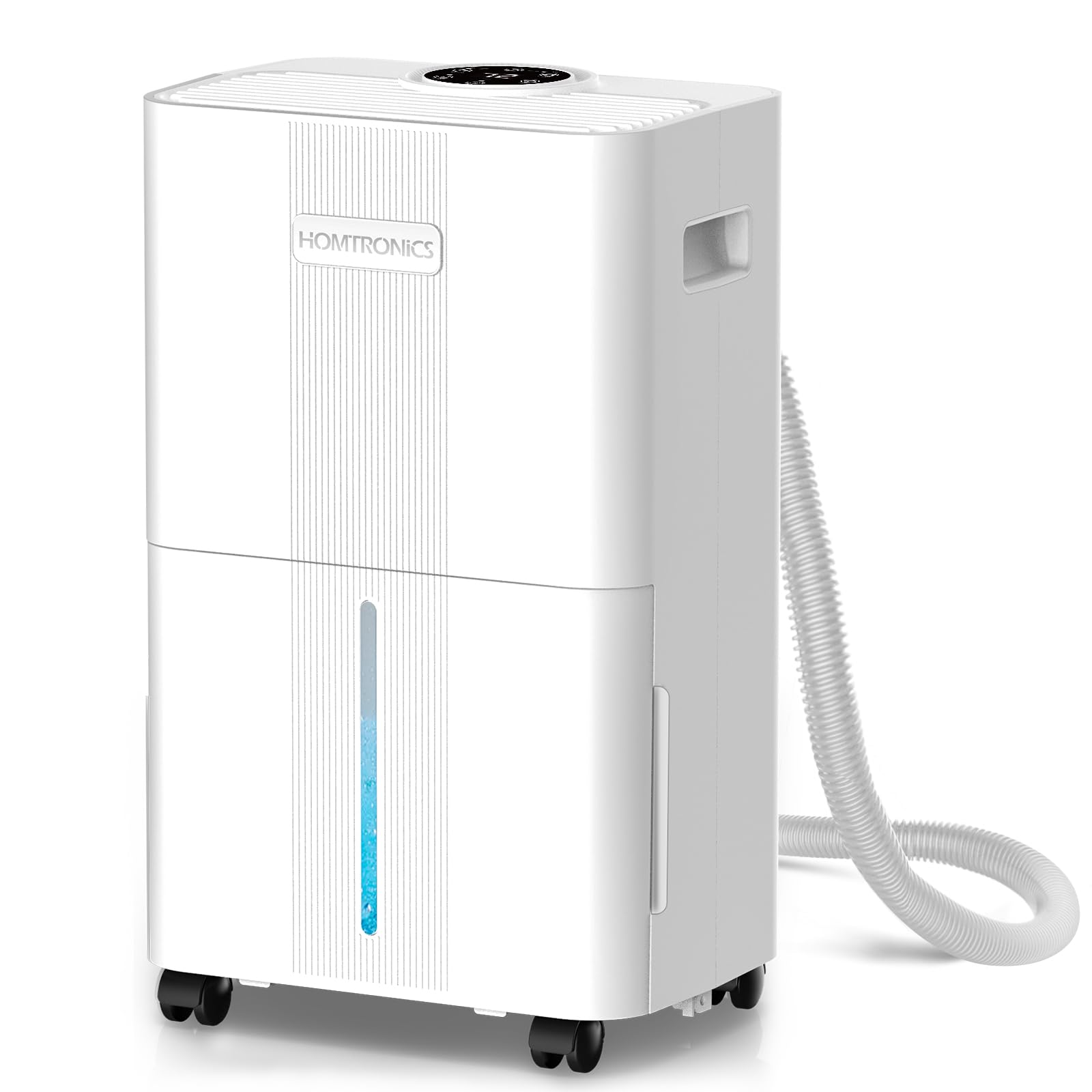
Image 2.1: Front view of the Homtronics 1500 Sq.Ft 21-Pint Dehumidifier.
3. Setup
3.1 Placement
- Place the dehumidifier in an area where the humidity is highest or where moisture is a concern, such as a basement, bedroom, or laundry room.
- Ensure the unit is on a firm, level surface to prevent vibration and noise.
- Allow at least 8 inches (20 cm) of space around the unit for proper airflow.
- Close all doors and windows in the room for optimal dehumidification.
3.2 Power Connection
Plug the power cord into a grounded electrical outlet. Ensure the voltage matches the unit's requirements.
3.3 Drainage Options
Your dehumidifier offers two methods for water removal:
- Manual Drainage (Water Tank): The unit collects water in its internal 2-liter water tank. When the tank is full, the unit will automatically shut off and an indicator light will illuminate. Empty the tank and reinsert it to resume operation.
- Continuous Drainage (Drain Hose): For continuous operation without manual emptying, connect the included 4.92ft drain hose to the continuous drainage port on the back of the unit. Route the hose to a suitable drain (e.g., floor drain, sink). Ensure the hose is sloped downwards to allow gravity to drain the water.

Image 3.1: Illustration of the two drainage options: internal water tank and continuous drain hose connection.
Video 3.1: This video demonstrates the operation and setup of the dehumidifier, including how to connect the continuous drain hose and basic control panel functions.
4. Operating Instructions
4.1 Control Panel
The dehumidifier features an intuitive control panel on the top of the unit for easy operation.

Image 4.1: Detailed view of the intelligent control panel with touch buttons and digital display.
4.2 Dehumidification Modes
Select the appropriate mode based on your needs:
- Dehumidify Mode: Allows you to set a target humidity level (30% to 80%) and customize fan speeds (low/high). The unit will operate to maintain the set humidity.
- Dry Mode: Accelerates laundry drying and combats dampness. In this mode, humidity levels and fan speeds cannot be manually set.
- Continuous Mode: Provides uninterrupted operation for highly humid or wet spaces. Humidity cannot be adjusted, but fan speed can be set.

Image 4.2: Visual representation of the three available dehumidification modes.
4.3 Humidity Control
In Dehumidify Mode, press the 'HUMI' button to adjust your desired humidity level between 30% and 80% in 5% increments. The unit will automatically turn on or off to maintain this level.
4.4 Fan Speed Adjustment
Press the 'SPEED' button to toggle between low and high fan speeds, except in Dry Mode where it is fixed.
4.5 24-Hour Timer
Use the 'TIMER' button to set a desired operating time from 1 to 24 hours. The unit will automatically turn off after the set time.

Image 4.3: The dehumidifier features a 24-hour timer for convenient operation.
4.6 Child Lock
Activate the child lock feature by pressing and holding the 'LOCK' button for 3 seconds to prevent accidental changes to settings.
5. Maintenance
5.1 Emptying the Water Tank
When the water tank is full, the unit will stop operating and indicate 'FL' on the display. Carefully pull out the water tank from the front of the unit, empty the collected water, and then slide the tank back into place until it clicks securely. The unit will resume operation.

Image 5.1: Removing the detachable water tank for emptying.
5.2 Cleaning the Air Filter
The washable air filter should be cleaned regularly (every 2-4 weeks, depending on usage) to ensure optimal performance. To clean:
- Unplug the dehumidifier.
- Remove the filter from the back of the unit.
- Wash the filter with warm, soapy water. Rinse thoroughly.
- Allow the filter to air dry completely before reinserting it into the unit.
Video 5.1: This video demonstrates how to remove and clean the air filter, as well as how to connect the continuous drain hose.
6. Troubleshooting
If your dehumidifier is not operating as expected, please check the following common issues:
- Unit does not turn on: Ensure the power cord is securely plugged into a working outlet. Check if the water tank is full and needs emptying.
- No water collected: Verify that the humidity setting is lower than the current room humidity. Ensure doors and windows are closed. Check if the air filter is clean.
- Unit is noisy: Ensure the unit is on a stable, level surface. Check for any obstructions in the air inlets or outlets.
- 'FL' indicator light is on: The water tank is full. Empty the tank and reinsert it properly.
7. Specifications
| Feature | Specification |
|---|---|
| Brand | Homtronics |
| Model | B0DYDBTWMF |
| Colour | White |
| Product Dimensions | 24.5 x 17 x 42 cm |
| Capacity (Moisture Removal) | 21 Pints/Day (95°F, 90% RH) |
| Water Tank Capacity | 2 Liters |
| Coverage Area | Up to 1500 Square Feet |
| Material | Acrylonitrile Butadiene Styrene (ABS), Metal |
| Item Weight | 7.5 kg |
| Noise Level | 35-39.3 dB |
| Special Features | 3-in-1 Smart Mode, Automatic Drainage, Child Lock, 360° Swivel Casters |
8. Warranty and Support
For warranty information or technical support, please refer to the product packaging or contact Homtronics customer service directly. Keep your purchase receipt as proof of purchase.