
Important Safety Information
Please read all instructions carefully before installation and use. Retain this manual for future reference.
- Power Adapter: The power adapter is NOT waterproof. Ensure it is placed in a dry, protected location or within a weatherproof enclosure when used outdoors.
- Installation: Always disconnect power before installation or maintenance. Use appropriate safety equipment, such as ladders, and ensure they are stable.
- Electrical Safety: Do not overload electrical outlets. Ensure the voltage of the power supply matches the product's requirements (24 Volts DC).
- Product Integrity: Do not cut, modify, or attempt to repair the light string or individual LED bulbs. This may damage the product and void the warranty.
- Temperature: Avoid installing in extreme temperatures that exceed the product's operating range.
- Children and Pets: Keep packaging materials and small components away from children and pets to prevent choking hazards.
What's in the Box
Verify that all components are present before beginning installation:
- 150ft String Lights with Adhesive Backsides x 1
- Power Adapter x 1
- Remote Control x 1
- Screw Driver x 1
- Screws x 120
- User Manual x 1

Image: All components included in the product package.
Setup and Installation
Follow these steps for proper installation of your MUCCCUTE Permanent Outdoor Eaves Lights:
- Plan Your Layout: Before installation, determine the desired path for your lights along eaves or other outdoor structures. Ensure the 150ft length is suitable for your intended coverage.
- Prepare the Surface: Clean the surface where the lights will be attached with a cloth or tissue to ensure optimal adhesion. The surface should be dry and free of dust or debris.
- Apply Adhesive Backing: Each LED light bulb features an adhesive backing. Carefully peel off the protective paper from the back of each light.
- Position the Lights: Install the string lights approximately 1.0-3.9 inches (2.5-10 cm) away from the wall surface for best lighting effect. Press firmly to secure the adhesive.
- Secure with Screws: For a more permanent and secure installation, use the provided screws. Attach 4 screws to each string light section to keep them firmly in place.
- Connect Multiple Strings (if applicable): If connecting multiple light strings (ensure compatibility and power limits), use the waterproof connectors. Screw the waterproof connector cap firmly to ensure a sealed connection.
- Position Power Adapter: Place the power adapter in a dry, protected location. Remember, the power adapter is not waterproof.

Image: Step-by-step installation guide for the eaves lights.
Operating Instructions
Powering On/Off
Connect the power adapter to a suitable electrical outlet. The lights will typically power on in their last-used setting or a default mode.
Remote Control Operation
The included remote control provides quick access to various functions:
- ON/OFF: Power the lights on or off.
- Automatic Mode: Cycles through various pre-programmed lighting effects.
- Speed Adjustment: Increases or decreases the speed of dynamic lighting effects.
- Brightness Adjustment: Dims or brightens the lights.
- Mode Switching: Changes between different lighting modes.
- RGB Monochrome: Selects single colors from Red, Green, Blue.
- Warm Light: Activates a warm white light setting.
- Timing Settings (1h/2h): Sets a timer for the lights to turn off after 1 or 2 hours.
- Three Music Modes: Activates lighting effects that synchronize with music or sound.
- Three Scene Modes: Pre-set scene options for different atmospheres.

Image: Remote control layout and function guide.
App Control (MELK-OF21 10)
For advanced control and customization, download the dedicated mobile application. The connection model name for the app is MELK-OF21 10.
- Download the App: Search for the "MELK-OF21 10" app in your smartphone's app store (iOS or Android).
- Connect via Bluetooth: Ensure your phone's Bluetooth is enabled. Open the app and follow the on-screen instructions to connect to your lights.
- App Features:
- 16 Million Colors: Choose from a vast spectrum of colors.
- 63 Scenes: Access a wide variety of pre-programmed lighting scenes.
- DIY Mode: Create and save your own custom lighting effects.
- Music Rhythm: Synchronize lights with music playing on your device or detected by the phone's microphone.
- Timer Function: Schedule automatic on/off times for your lights.
- Dimmable: Adjust brightness levels precisely.
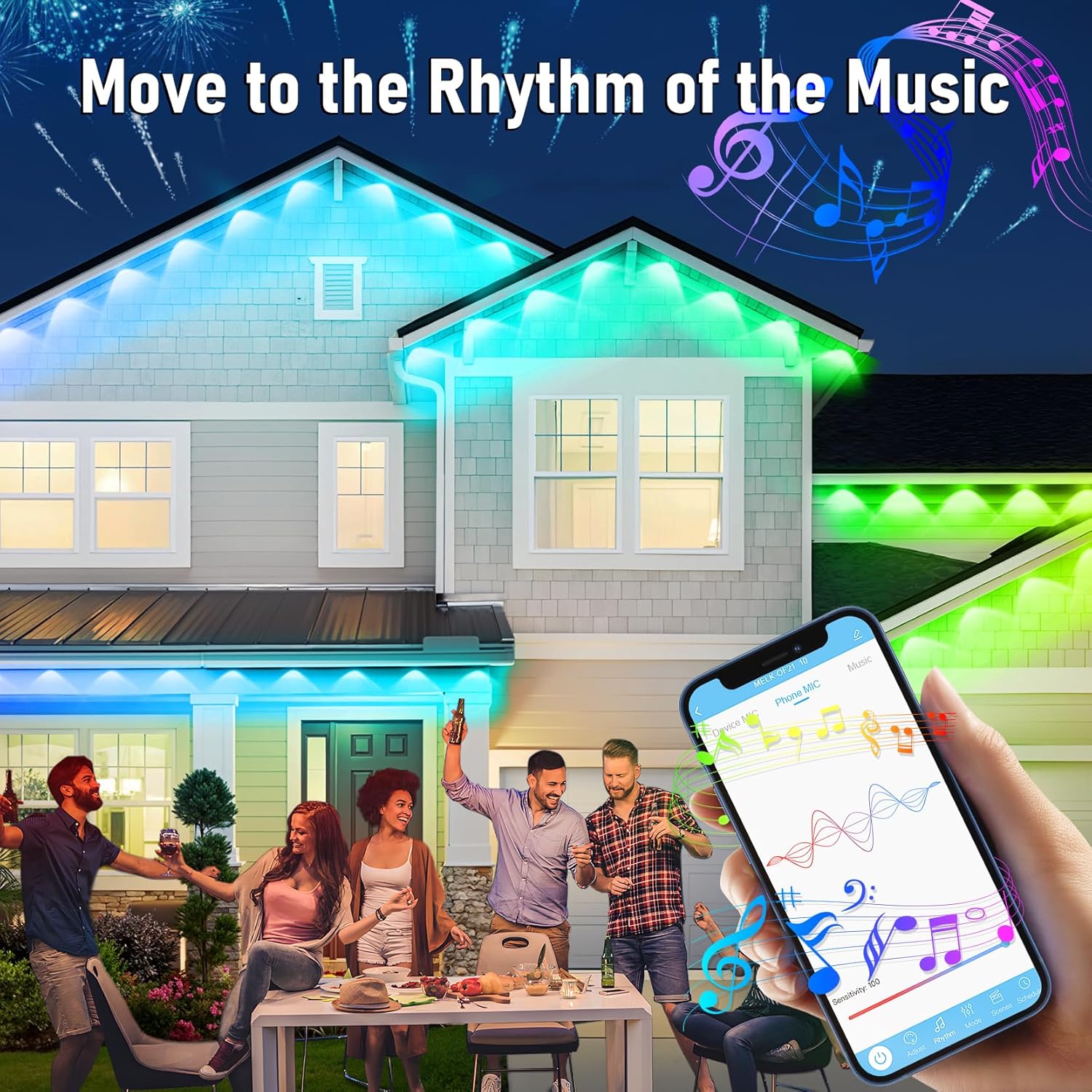
Image: App control interface demonstrating music synchronization.

Image: Explanation of RGB vs. RGB+IC technology.
Maintenance
Regular maintenance ensures the longevity and optimal performance of your lights:
- Cleaning: Periodically clean the LED bulbs and light string with a soft, damp cloth. Avoid abrasive cleaners or solvents.
- Inspect for Damage: Regularly check the light string, wiring, and power adapter for any signs of wear, cuts, or damage. If damage is found, discontinue use and contact customer support.
- Adhesion Check: Over time, the adhesive backing may weaken. Periodically check the adhesion and re-secure with additional screws if necessary, especially after extreme weather conditions.
- Power Adapter Protection: Ensure the non-waterproof power adapter remains protected from moisture and direct weather exposure.

Image: Lights designed for year-round use and IP67 waterproof rating.
Troubleshooting
If you encounter issues with your lights, refer to the following common problems and solutions:
| Problem | Possible Cause | Solution |
|---|---|---|
| Lights do not turn on. | No power, loose connection, faulty adapter. |
|
| Remote control not working. | Battery depleted, remote out of range, obstruction. |
|
| App cannot connect to lights. | Bluetooth off, incorrect app, lights not powered. |
|
| Lights are dim or flickering. | Low power, damaged section, environmental factors. |
|
If the problem persists, please contact MUCCCUTE customer support for further assistance.
Specifications
| Feature | Detail |
|---|---|
| Model Number | HCP045 |
| Light Length | 150 feet |
| Light Type | RGB + IC LED |
| Water Resistance | IP67 (LEDs only, Power Adapter is NOT waterproof) |
| Control Methods | App (MELK-OF21 10), Remote Control |
| Voltage | 24 Volts (DC) |
| Average Lifespan | 50,000 Hours |
| Color Options | 16 Million Colors |
| Included Components | Light string, Power Adapter, Remote Control, Screwdriver, Screws, User Manual |
Warranty and Support
MUCCCUTE is committed to providing quality products and customer satisfaction.
For any concerns, questions, or technical support regarding your MUCCCUTE Permanent Outdoor Eaves Lights, please contact the seller "3CCC Direct" directly. You can typically find their contact information by clicking on "3CCC Direct" on the product page or within your order details on Amazon. Our customer support team aims to respond within 24 hours.
Please retain your proof of purchase for any warranty claims.