
Introduction
This manual provides essential information for setting up, operating, and maintaining your TCL 55" Class QLED 4K Smart NXTVISION TV. Please read this manual thoroughly before using your television to ensure proper and safe operation.
Setup
What's in the Box
Before you begin, ensure all components are present:
- TCL NXTVISION TV with Google TV
- Flush Wall Mount Bracket
- Light Wood Color Frame + Screws
- Power Cable
- 1x TV Remote, 2x AAA TV Remote Batteries
- 4x Magnetic Bezels, 2x Magnetic bezel screws
- User Manual
Mounting the TV
The TCL 55A300W TV includes a specially designed ultra-thin flush wall mount. This mount holds the NXTVISION TV tight to the wall for an elegant look. Please note that this mount is not compatible with standard VESA mounts. Follow the instructions provided with the wall mount bracket for secure installation. Ensure adequate space for cable management behind the TV.
The TV features an ultra-slim design, measuring just 1.1 inches deep, allowing it to sit close to the wall.

Image: This image displays the dimensions of the TCL 55A300W TV, both with and without a stand, and lists the items included in the box, such as the TV, flush wall mount, light wood frame, power cable, remote, batteries, magnetic bezels, and user manual.
Frame Installation
The TV comes with an off-white bezel and an included light wood frame. These magnetic bezels can be easily attached to customize the TV's appearance to blend seamlessly with your home decor.

Image: This image shows a close-up of the TCL 55A300W TV with its off-white bezel and a light wood magnetic frame being attached, highlighting the customizable design feature.
Initial Power On & Connection
After mounting and connecting the power cable, turn on the TV. Follow the on-screen instructions to connect to your home network and set up Google TV. The Google Home app can assist with the initial setup process.
Operating the TV
Google TV Interface
Your TCL NXTVISION TV runs on Google TV, providing a user-friendly interface for accessing a wide range of content. Navigate through menus using the included voice remote. Supported internet services include Apple TV, Disney Plus, Netflix, Prime Video, and YouTube.
Art Mode
Transform your living room into a personal studio with the NXTVISION TV's Art Mode. It comes with a curated Art Library, AI Art capability, multiple matte options, and a personal photo gallery mode. You can display your own photos or choose from a vast collection of artworks.

Image: This image shows the TCL 55A300W TV displaying a grid of various artworks, highlighting the '350+ Free Artworks' feature available in its Art Library.

Image: This image shows the TCL 55A300W TV's interface for selecting art, including options for 'Gallery', 'AI Art', 'Relax', and 'Moment', with examples of AI-generated artworks.
Picture Quality
Experience enhanced contrast, accurate colors, and fine details with QLED PRO Quantum Dot technology and HDR ULTRA with Dolby Vision IQ. The powerful TCL AIPQ PRO Processor intelligently optimizes color, contrast, and clarity for an unrivaled 4K HDR experience. The High Brightness+ LED Backlight produces brighter images for an enhanced viewing experience.

Image: This image highlights the QLED with Quantum Dot technology of the TCL 55A300W TV, showcasing rich colors and realism in a displayed artwork.
Anti-Glare Screen
The Ultra Matte Anti-Glare Screen provides a true wall art look by minimizing reflections, even in brightly lit rooms.
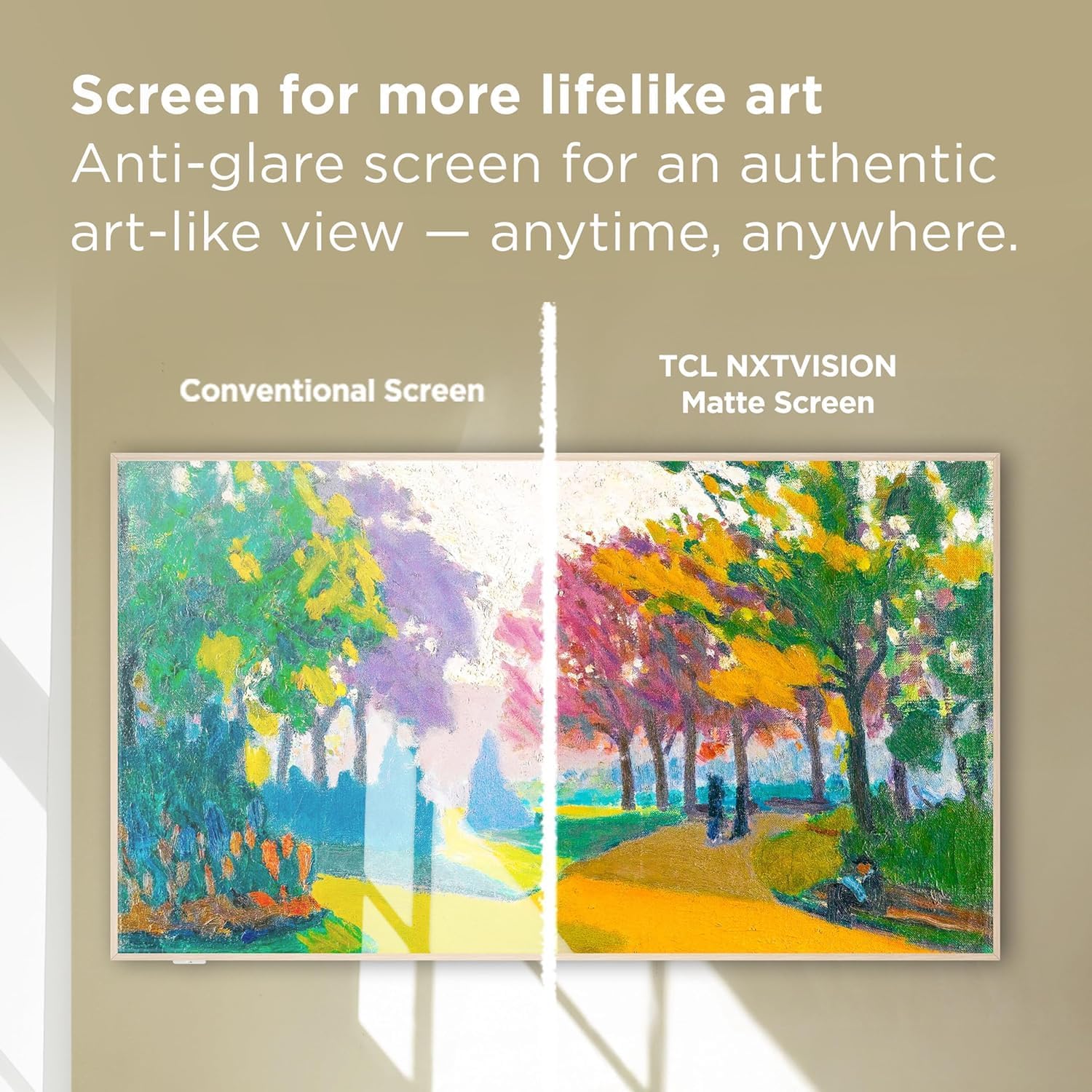
Image: This image compares a 'Conventional Screen' with a 'TCL NXTVISION Matte Screen', demonstrating the matte screen's ability to reduce glare for a more authentic art-like view.
Gaming Features
Game Accelerator 240, together with Auto Game Mode, provides the lowest latency for responsive gameplay without lag.
Audio Features
The NXTVISION TV provides a complete audio package, including Dolby Atmos and DTS Virtual:X for immersive sound.
Maintenance
Cleaning the Screen
To clean the Ultra Matte Anti-Glare Screen, use a soft, dry microfiber cloth. For tougher smudges, lightly dampen the cloth with distilled water. Avoid using harsh chemicals, abrasive cleaners, or excessive moisture, as these can damage the screen's matte finish.
Cleaning the Frame and Bezel
Wipe the magnetic bezels and frame with a soft, dry cloth. Do not use liquid cleaners directly on the frame, as it may affect the finish or magnetic properties.
Troubleshooting
If you encounter any issues with your TCL NXTVISION TV, please refer to the following general troubleshooting tips:
- No Power: Ensure the power cable is securely connected to both the TV and a working electrical outlet. Try a different outlet.
- No Picture/Sound: Check all cable connections (HDMI, RF, etc.) to ensure they are firmly seated. Verify the correct input source is selected on the TV.
- Remote Not Working: Replace the AAA batteries in the remote. Ensure there are no obstructions between the remote and the TV.
- Network Connection Issues: Restart your router and modem. Reconnect the TV to your Wi-Fi network through the settings menu.
- App Malfunction: Try restarting the app. If the issue persists, clear the app's cache or reinstall it from the Google TV app store.
For more detailed troubleshooting, consult the digital user manual accessible through the Google TV interface or visit the official TCL support website.
Specifications
| Feature | Specification |
|---|---|
| Screen Size | 55 Inches |
| Brand | TCL |
| Display Technology | QLED |
| Resolution | 4K |
| Refresh Rate | 120 Hz |
| Operating System | Google TV |
| HDR Format Supported | Dolby Vision |
| Audio Technology | Dolby Atmos, DTS Virtual:X |
| Connectivity Technology | Bluetooth, Ethernet, HDMI, RF, Wi-Fi |
| Total Number of HDMI Ports | 3 |
| Total USB Ports | 1 |
| Screen Finish | Matte |
| Model Name | 55A300W |
| Model Year | 2024 |
Warranty and Support
Your TCL 55" Class QLED 4K Smart NXTVISION TV comes with a 90-day limited warranty. For warranty claims or technical support, please refer to the contact information provided in your product documentation or visit the official TCL support website. The included User Manual contains additional detailed information.


